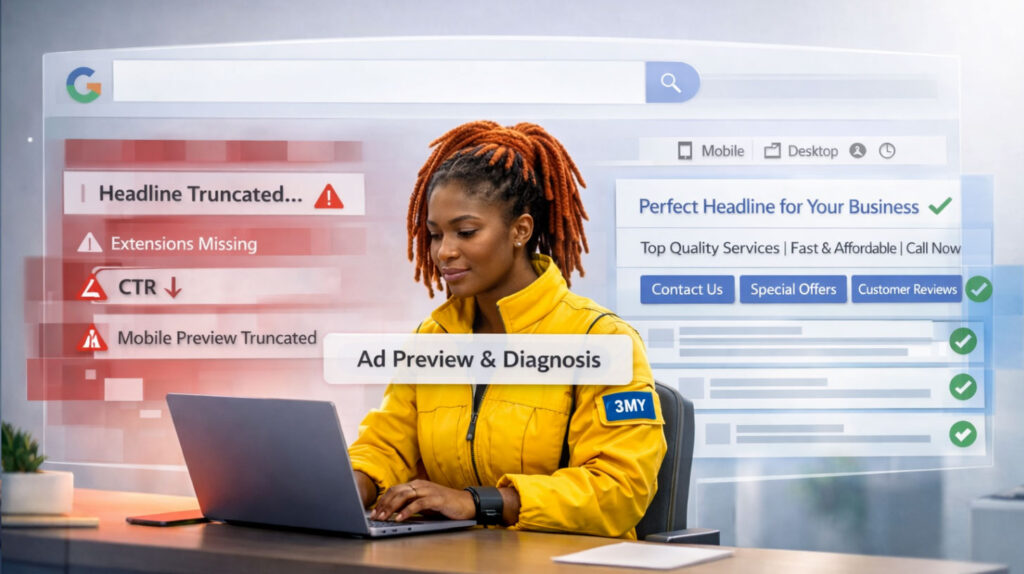


Most advertisers treat bidding like a configuration step. But choosing the wrong bidding strategy can quietly tank performance. The right strategy is not just about how much you pay — it defines how your campaign thinks, learns, and scales.
This guide will show you how to evaluate each bidding option in Google Ads and align it with your goals, data availability, and campaign type.
What Is a Bidding Strategy in Google Ads?
A bidding strategy tells Google Ads how to set your bid in the auction for each impression. That bid determines whether you show up, in what position, and at what cost.
Types of Bidding:
- Manual Bidding: You set the maximum cost-per-click (CPC) for each keyword or ad group.
- Automated Bidding: Google adjusts your bids in real time using machine learning and past performance data.
Each strategy optimizes for a different goal—clicks, conversions, value, or return on ad spend.

Manual CPC (Manual Cost-Per-Click)
What it is: Manual CPC gives you full control over how much you’re willing to pay for each click.
Pros:
- Full control over bids
- Ideal for testing ad copy, placements, or match types
- Predictable cost-per-click
Cons:
- No machine learning
- Time-intensive
- Doesn’t optimize for conversions
Best used when:
- Campaigns are in early testing
- Niche keywords need precise control
- You want to override automated decisions
Enhanced CPC (ECPC)
What it is: Semi-automated. You set a base CPC, and Google adjusts based on conversion probability.
Pros:
- Partial use of smart bidding
- Better efficiency than manual alone
Cons:
- Requires some conversion data
- Inconsistent performance with small datasets
Best used when:
- You’re transitioning from Manual CPC
- Conversion data is limited but growing
Maximize Clicks
What it is: Google tries to get the most clicks possible within your budget.
Pros:
- Great for traffic and awareness
- Easy to set up—no conversions required
Cons:
- Not optimized for lead quality
- Can drive low-intent traffic
Best used when:
- You want exposure
- Conversion tracking isn’t ready
- A/B testing landing pages

Maximize Conversions
What it is: Google uses data to drive as many conversions as possible within your daily budget.
Pros:
- Adapts to user behavior
- Uses smart targeting based on conversions
Cons:
- Needs clean conversion tracking
- Risk of over-spending without return
Best used when:
- You’re getting 30+ conversions/month
- You have clear conversion goals
Target CPA (Cost Per Acquisition)
What it is: Google aims to get conversions at a specific cost per acquisition.
Pros:
- Controls cost predictably
- Works well for lead generation
Cons:
- Needs steady data
- Too-low CPA targets may reduce volume
Best used when:
- Campaigns get 30–50 conversions/month
- You know your acceptable CPA
Target ROAS (Return on Ad Spend)
What it is: Google optimizes to hit your revenue target per dollar spent.
Pros:
- Focuses on value, not just conversions
- Best for e-commerce
Cons:
- Requires dynamic value tracking
- Unrealistic ROAS goals limit delivery
Best used when:
- You have revenue tracking in place
- 50+ value-based conversions/month
Maximize Conversion Value
What it is: Optimizes to drive the highest total conversion value.
Pros:
- Great for mixed-value sales
- Flexible without needing a fixed ROAS
Cons:
- Needs conversion values assigned accurately
Best used when:
- Product prices vary
- You want revenue growth, not just volume
How to Choose the Right Bidding Strategy
Choose by goal:
| Your Goal | Best Strategy |
|---|---|
| Traffic / Awareness | Maximize Clicks |
| Volume, No Conversions | Manual CPC / ECPC |
| Leads / Signups | Maximize Conversions / Target CPA |
| Revenue (E-commerce) | Maximize Conversion Value / Target ROAS |
| Ad Testing | Manual CPC / ECPC |
Ask Yourself Before You Choose a Strategy
Before selecting any bidding strategy in Google Ads, pause and answer these critical questions:
1. Are your conversions tracked correctly?
If you don’t have accurate conversion tracking in place— whether for leads, purchases, or calls — you’re essentially flying blind. Every automated bidding strategy relies on conversion data to learn and improve. Without it, Google’s algorithm has no feedback loop and your budget is likely to be wasted.
2. Do you have enough historical data?
Automated bidding works best when it can learn from patterns. That means at least 30 conversions per month for Maximize Conversions or Target CPA, and closer to 50+ conversions with assigned values for Target ROAS. If you’re just starting out or your data is scattered, it’s better to begin with manual or semi-automated options.
3. Do you understand your cost vs. value?
You need to be clear on what a lead or customer is worth to your business. Without this clarity, it’s impossible to set realistic CPA or ROAS targets. For example, if your average sale brings in $200 and costs $50 to fulfill, your ads must stay below $150 in cost per acquisition to be profitable.
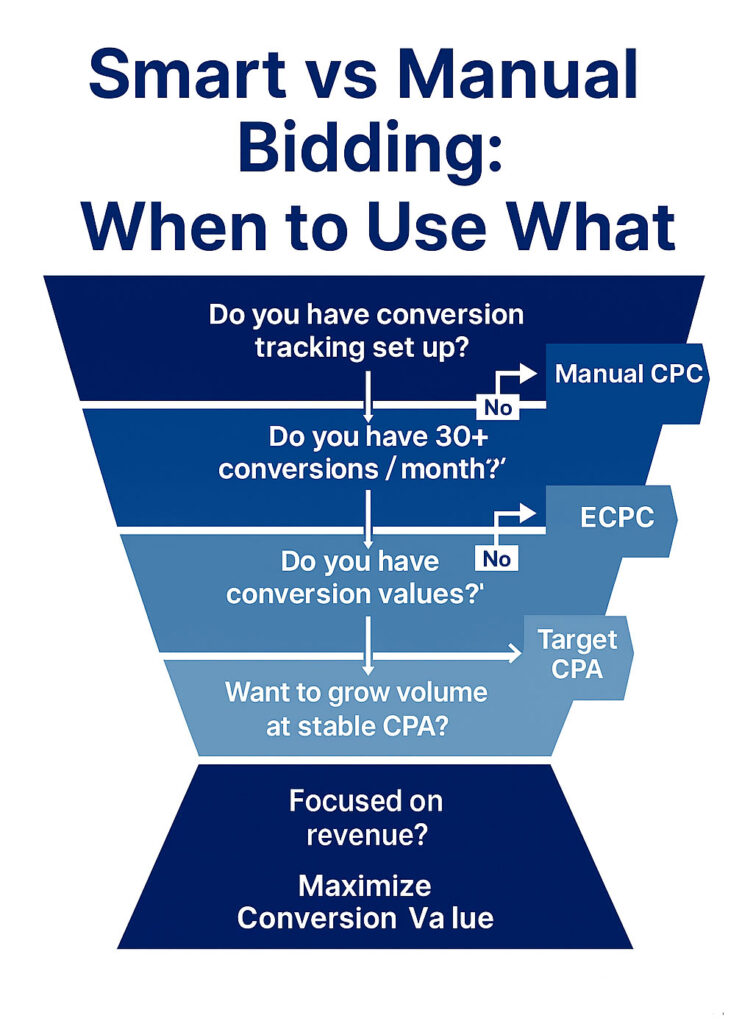
A simple decision funnel to help you choose between Google’s automated and manual bidding strategies- based on data, goals, and tracking.
Common Mistakes to Avoid
Poor bidding strategy decisions often lead to invisible budget leaks. These are the most frequent (and costly) missteps:
1. Using Target CPA too early
Advertisers often switch to Target CPA without having enough conversion history. This results in unpredictable performance or even ad delivery being throttled. Always build up enough reliable data first.
2. Skipping conversion tracking altogether
Trying to use smart bidding without tracking is like hiring a driver who can’t see the road. Google needs real signals — form fills, sales, calls — to adjust bids intelligently. If you’re not tracking these, you’re not using the system correctly.
3. Setting unrealistic ROAS targets
Some advertisers expect 800% ROAS in highly competitive markets. If your goal is set too high, Google will struggle to find any impressions that meet your criteria. The result: low volume, wasted potential, and frustration.
4. Leaving Manual CPC with no optimization
Manual CPC can work well, but only if it’s actively managed. Many accounts leave manual bids running for months with no adjustments, missing huge efficiency opportunities and bleeding spend on low-performing terms.
5. Switching strategies too frequently
Changing your bidding model every week doesn’t give the system time to learn. Frequent shifts disrupt learning phases, inflate costs, and make performance harder to evaluate. Each strategy needs time and clean data to show results.
What We Do at 3MY
At 3MY, we don’t see bidding strategies as simple settings inside a dashboard. We treat them as strategic levers that must align with real business goals and campaign maturity.
Here’s how we manage bidding:
- Evaluate tracking and data quality first
Before we touch any bidding strategy, we validate your analytics setup. If conversions aren’t tracking properly, we fix that before making any changes. Strategy without tracking is noise. - Start with control, then automate gradually
We prefer to begin with Manual CPC or Enhanced CPC, especially in new accounts or tests. Once enough data is collected, we shift toward smart bidding—but only if the conditions are right. - Segment by funnel stage and product type
We don’t apply one strategy across the board. High-funnel campaigns may use Maximize Clicks, while bottom-of-funnel product ads might run on Target ROAS. Each campaign’s goal dictates the bidding model. - Test at the asset level
We don’t test strategies blindly. We isolate them across specific ad groups, product lines, or geographies to measure real impact before applying changes account-wide. - Optimize weekly, not quarterly
We monitor bid performance every week. If something’s not working, we investigate fast—before you lose significant spend. It’s not set-and-forget; it’s review-and-adapt.
At 3MY, we don’t chase trends — we chase results. And we do it by making every bid decision count.
Need Help Choosing the Right Bidding Strategy?
We’ll audit your account, review campaign goals, evaluate data quality, and recommend a bidding strategy that actually fits your business.