

When users search on Google, they tend to click on ads that closely match the exact words they typed. That’s why Dynamic Keyword Insertion (DKI) exists: it allows you to automatically insert the user’s search term into your ad headline or description—making the ad feel more relevant and personal.
Used properly, DKI can boost your click-through rate (CTR), improve Quality Score, and reduce cost per click. But used carelessly, it can break your grammar, weaken your brand voice, or even get your ad disapproved.
In this article, we’ll explain:
- What DKI is and how it works
- Where and when to use it
- How to write dynamic ads that convert
- Common pitfalls to avoid

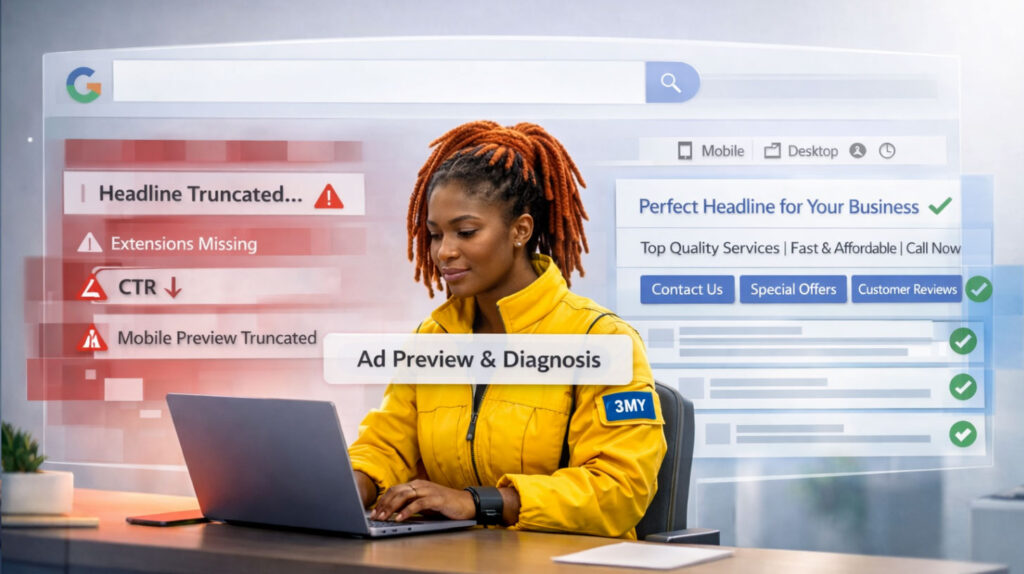
Illustration: How Dynamic Keyword Insertion (DKI) works in Google Ads
This visual explains how DKI dynamically replaces placeholder text with a search term in real time and highlights key risks like broken grammar, trademark issues, and ad disapprovals if misused.
What Is Dynamic Keyword Insertion?
Dynamic Keyword Insertion is a Google Ads feature that automatically updates part of your ad text with the keyword that triggered the ad. It’s written in this format:
{KeyWord:Default Text}
Example:
If you set your headline as:
Buy {KeyWord:Affordable Laptops} Today
And the user searches for:
Cheap Chromebooks
Google might show:
Buy Cheap Chromebooks Today
If the search query is too long or doesn’t fit, the default text (“Affordable Laptops”) is displayed.
Where You Can Use It
DKI works in:
- Headlines
- Descriptions
- Paths (in the display URL)
But not in:
- Final URLs
- Call-to-action buttons
- Structured snippets or ad extensions (with few exceptions)
Benefits of Using DKI
- Higher Relevance
The searcher sees their own query reflected in your ad, making it more compelling. - Improved CTR
Users are more likely to click on ads that feel tailored to their needs. - Better Quality Score
Google sees keyword alignment between query, ad, and landing page—rewarding you with lower CPC. - Scalability
Great for campaigns with large keyword lists (e.g., product SKUs, local variations, services).
When to Use It
Use DKI when:
- You have tight ad group structure (1–10 keywords max)
- All keywords fit naturally into your headline or sentence
- You want to test keyword relevance vs. standard copy
Avoid DKI when:
- You’re running broad match campaigns with inconsistent queries
- Your ad language must stay polished or brand-specific
- You’re using competitors’ brand names (can cause policy violations)
Best Practices for Writing DKI Ads
1. Use a strong, sensible default
Example:
Headline: Buy {KeyWord:Eco-Friendly Shoes} Online
This ensures your ad still makes sense if the user’s keyword can’t be inserted.
2. Capitalization matters
- {KeyWord:} = Title Case (for headlines)
- {keyword:} = lowercase
- {Keyword:} = First word capitalized
Use the right style depending on where it appears.
3. Keep sentence structure intact
Don’t write incomplete sentences like:
Our {KeyWord:Product} is…
It could become:
Our Running Shoes is…
4. Test against static copy
Run A/B tests to see if DKI performs better than carefully written, fixed headlines.
Example of DKI in Use
Let’s say you run a local locksmith campaign. Your keywords include:
- “emergency locksmith”
- “locksmith in Brooklyn”
- “24 hour locksmith”
Ad headline:
Need a {KeyWord:Local Locksmith}?
Output examples:
- Need a Emergency Locksmith? (bad grammar)
- Need a Locksmith in Brooklyn? (good)
- Need a 24 Hour Locksmith? (ok)
Fix: Adjust copy to avoid awkward grammar.
Better: Call a {KeyWord:Trusted Locksmith} Today
How to Implement DKI in Google Ads
- Open your Google Ads account
- Go to the relevant campaign and ad group
- Create or edit a text ad
- Insert the DKI syntax in the desired field:
- Example: {KeyWord:Default Text}
- Preview how it renders across keywords
- Save and test live
Risks to Watch For
1. Broken Grammar and Unnatural Phrasing
Dynamic insertions don’t always respect grammar. If your keyword list includes plural nouns, long phrases, or brand variations, the inserted term can distort your sentence structure.
Example:
“Our {KeyWord:product} is available now” can turn into “Our Running Shoes is available now” — grammatically incorrect and distracting.
To avoid this, always:
- Write flexible sentence templates
- Preview common variations
- Use strong, safe default phrases
2. Trademark Infringement
If you’re using broad or phrase match keywords, it’s possible that a competitor’s brand name gets inserted dynamically—even if you didn’t intend it. This can:
- Violate Google’s trademark policy
- Lead to account warnings or disapprovals
- Damage your credibility with users
Always audit your keyword list and match types to avoid triggering competitor brand queries via DKI.
3. Policy Violations and Ad Disapprovals
Dynamic insertions can accidentally produce misleading or restricted content—especially in sensitive industries like healthcare, finance, or adult services.
For example:
- An inappropriate term from a user query might get inserted into your headline
- A restricted medication or service could accidentally appear in your ad
Google’s review system won’t differentiate between what was typed by the user and what you inserted. If your dynamic ad violates policy, it can get disapproved or even flag your account.
What We Do at 3MY

At 3MY, we treat DKI as a scalpel, not a hammer. It’s a precision tool—not something we apply across the board. Our approach balances automation with human oversight to ensure relevance, clarity, and compliance.
Here’s how we do it:
- We audit keyword match types carefully
Broad match opens the door to unpredictable queries. We prefer exact and phrase match when using DKI to maintain control. - We use tightly themed ad groups
One intent per group. This helps ensure every inserted keyword fits the ad context and user journey. - We write meaningful default text
Our default phrases are tailored by device type and search intent, ensuring your ad still performs even if the keyword isn’t inserted. - We A/B test dynamic vs. static ads regularly
Sometimes a handcrafted headline outperforms dynamic text. We let the data decide, not assumptions. - We monitor weekly for disapprovals and quality drops
We track CTR, conversion rate, and Google Ads warnings to catch risks early and adjust fast.
Our goal: to make every dynamic insertion a performance boost—not a liability.
Final Word: Dynamic, But Not Automatic
Dynamic Keyword Insertion can be a powerful tool in your Google Ads strategy. It makes ads more relevant, improves Quality Score, and helps you scale. But it’s not automatic—and it’s definitely not foolproof.
Used strategically, DKI works.
Used lazily, it backfires.
Write your DKI ads like someone’s going to see them first — because they will.
Want Help Optimizing Your Ad Copy with DKI?
Whether you’re just getting started or need help cleaning up your dynamic ads, we’re here to help.
- We’ll review your keyword structure
- Test DKI vs. static performance
- Write fallback text that works across devices and use cases