


How to Use Negative Keywords in Google Ads: A Complete Guide for Smarter Campaigns
In Google Ads, every click costs money — and what a click actually costs depends far more on your industry and competition than on any single setting. But what if a large portion of that spend goes to users who will never buy from you? This is where negative keywords become critical.
By excluding irrelevant searches, negative keywords help you focus your budget on high-intent traffic, increase conversions, and improve the overall efficiency of your campaigns. In this guide, we’ll break down how to use negative keywords correctly, common mistakes to avoid, and advanced strategies to optimize your account.
What Are Negative Keywords in Google Ads?
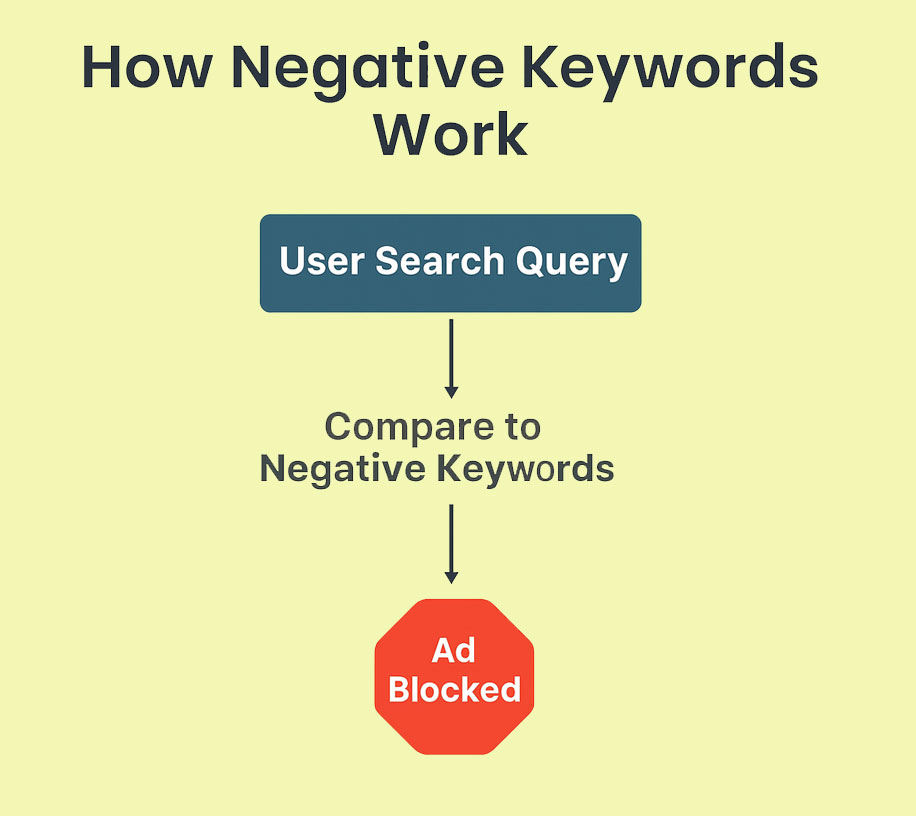
Negative keywords are search terms you deliberately block from triggering your ads. When someone searches a phrase containing a negative keyword, your ad won’t appear.
For example:
- You run ads for premium accounting software, but you don’t want to attract people looking for free accounting tools.
- Adding “free” as a negative keyword stops your ads from appearing on queries like “free accounting software”.
This keeps unqualified users out of your funnel and ensures your budget targets people likely to convert.
Why Negative Keywords Are Essential
If you’re not using negative keywords, you’re probably wasting ad spend. Here’s why they matter:
- Reduce wasted spend
Block clicks from users who aren’t your target audience. - Improve Quality Score
Higher relevance increases CTR and lowers CPC over time. - Increase conversion rates
Focus on users with higher purchase intent. - Prevent brand misalignment
Avoid showing ads on irrelevant or embarrassing queries.
How to Set Up Negative Keywords in Google Ads
- Navigate to Your Campaigns
Go to Google Ads > Campaigns > Keywords > Negative Keywords. - Choose Where to Apply Them
- Campaign level: Excludes terms across all ad groups in a campaign.
- Ad group level: Excludes terms in a specific ad group.
- Add Negative Keywords
Enter terms manually or upload a list in bulk. - Use Shared Negative Keyword Lists
Apply the same list to multiple campaigns for consistency.

Types of Negative Keyword Match Types
Just like positive keywords, negative keywords have match types:
- Broad Match
Blocks any search containing your negative keyword, regardless of order.
Example: “free” blocks “free CRM software” and “CRM software free trial.”
- Phrase Match
Blocks searches containing the exact phrase.
Example: “free CRM” blocks “free CRM software” but not “CRM software free trial.”
- Exact Match
Blocks only the exact term.
Example: [free CRM] blocks “free CRM” but allows “CRM for free.”
Common Mistakes With Negative Keywords
- Using Too Few Negative Keywords
This allows irrelevant traffic to drain your budget.
Solution: Regularly analyze the Search Terms report and expand your list.
- Overusing Negative Keywords
Blocking too much can accidentally eliminate valuable traffic.
Solution: Audit your list for overly aggressive exclusions.
- Applying Negative Keywords at the Wrong Level
Blocking terms at the campaign level when you only wanted to block them for one ad group.
Solution: Be strategic about where you apply them.
- Ignoring Match Types
Using broad match negatives without understanding the consequences.
Solution: Use phrase or exact match for precision.
Advanced Strategies for Negative Keywords
- Start With a Standard Negative Keyword List
Create a baseline list with terms like: free, cheap, download, job, DIY, training. - Segment Lists by Campaign Goal
E-commerce campaigns: exclude “how to make” or “manual.”
Lead-gen campaigns: exclude “vacancies” or “internship.” - Exclude Competitor Names (Carefully)
If you don’t want to bid on competitor traffic, add their brand names as negatives. - Monitor Dynamic Search Ads (DSA)
DSA campaigns are prone to irrelevant matches. Negative keywords are essential here.
What a Clean-Up Usually Uncovers
Open the search terms report of a B2B SaaS account that has never used exclusions, and the same pattern shows up: paid clicks on queries like “free CRM software” and “CRM jobs” — people looking for a free tool or for employment, not for software to buy.
Once those queries are excluded, three things change:
- The clicks that never had a chance to convert stop being paid for.
- CTR rises, because the ad is shown to a narrower and more relevant group.
- The same budget buys more of the traffic that actually reaches the form or the checkout.
Best Practices for Managing Negative Keywords
- Review search terms regularly
Audit your Search Terms report at least once a week to identify irrelevant queries draining your budget. - Refine and expand negative keyword lists
Continuously update your lists as you discover new patterns in user behavior. - Use shared negative keyword lists
Apply standardized lists across campaigns to maintain consistency and save time on account management. - Test before scaling exclusions
Before applying broad match negatives, analyze potential impact to avoid unintentionally blocking valuable traffic.
Conclusion: Smarter Targeting for Better ROI
Negative keywords aren’t just a tactical adjustment—they’re a strategic necessity for any high-performing Google Ads campaign. When used effectively, they eliminate wasted spend, sharpen audience targeting, and drive measurable improvements in ROI.
Failing to manage negative keywords actively means paying for traffic that will never convert. If you’d rather see the size of the leak before changing a single setting, start with what to check in the first 20 minutes of a Google Ads audit — wasted search terms are one of the first things it surfaces.
At 3MY, we specialize in building Google Ads campaigns that work smarter. From in-depth keyword audits to advanced optimization techniques, we help businesses like yours capture high-quality leads and maximize every dollar spent.
Ready to reduce wasted spend and grow conversions?