


The Difference Between a Web App and a Website (Explained Simply)
When it comes to building an online presence, many people use the terms website and web application interchangeably. At first glance, they may seem similar since both are accessed via a browser and often look alike on the surface. However, they are fundamentally different in their purpose, functionality, and the way they’re built.
In this guide, we’ll break down these differences in plain language, provide real-world examples, and help you decide which one fits your business goals.
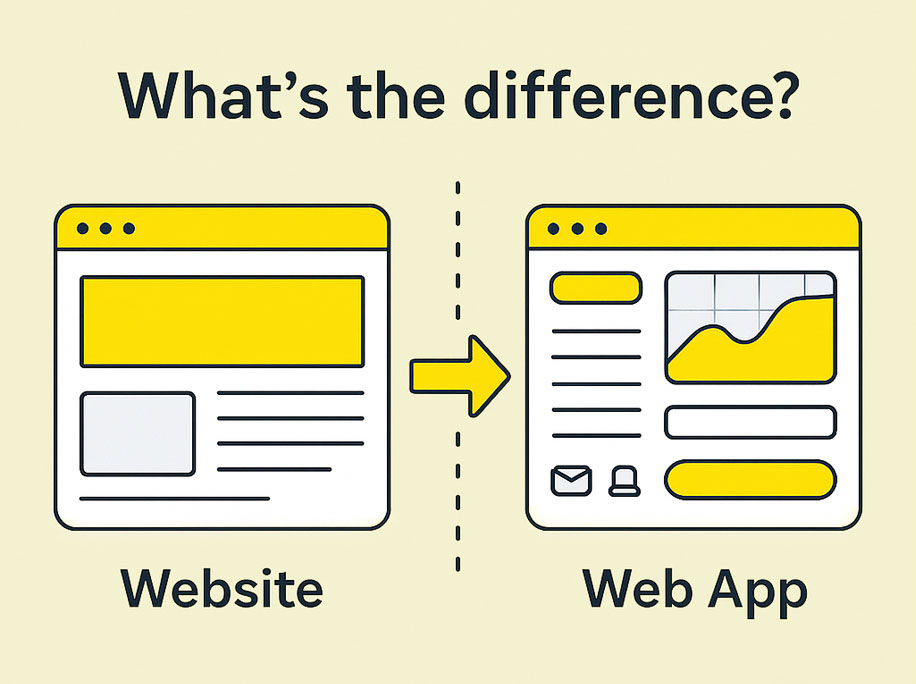
What Is a Website?
A website is like a digital business card or storefront. It’s designed to display information to visitors and usually provides a way for them to learn about your company, products, or services.
Websites are often static (fixed content) or dynamic (content that updates based on user actions or database changes). However, the main characteristic is that they don’t require extensive user interaction beyond reading, scrolling, or filling out a simple contact form.
Think of it this way: A website talks to your visitors, but they don’t really “talk back” except in limited ways.
Examples of websites:
- Corporate websites – showcasing services and company history
- Blogs – sharing articles, tips, and updates
- News portals – providing articles, photos, and videos
- Portfolio sites – displaying a freelancer’s or agency’s work
Key features of a website:
- One-way communication: Primarily focused on presenting content from business to user.
- Limited functionality: Contact forms, newsletter signups, and search bars.
- Faster development: Simpler to build and launch compared to web apps.
- Easier to maintain: Updates often involve content changes rather than complex logic.
What Is a Web App?
A web app is much more interactive. It’s designed for users to do something rather than just consume information. This could mean uploading files, collaborating in real-time, or analyzing data directly in the browser.
Unlike static websites, web apps rely heavily on backend logic and databases to deliver a dynamic, personalized experience for each user.
Think of it this way: A web app starts a conversation with users and allows them to actively participate.
Examples of web apps:
- Gmail – users send, receive, and manage emails.
- Trello – teams collaborate on projects with drag-and-drop boards.
- Google Docs – users create and edit documents online.
- Online banking platforms – customers transfer funds, pay bills, and view transactions.
Key features of a web app:
- Two-way communication: Users input data and receive customized outputs.
- Advanced functionality: Supports user accounts, real-time updates, and complex workflows.
- More complex development: Requires both frontend and backend development.
- Offline support: Many modern web apps use technologies like Progressive Web Apps (PWAs) to function offline.
Website vs Web App: A Side-by-Side Comparison
| Feature | Website | Web App |
|---|---|---|
| Purpose | Inform and display content | Enable users to perform tasks |
| Interaction Level | Mostly passive | Highly interactive |
| Development | Simpler, faster to build | More complex, requires programming |
| Examples | Business site, blog, news portal | Project management tool, CRM |
| User Accounts | Optional (basic login, newsletter) | Essential (personalized dashboards, data) |
| Offline Use | Not designed for offline use | Can support offline functionality |
| Cost to Build | Lower (basic hosting & design) | Higher (requires backend infrastructure) |
Key Technical Differences
To understand the distinction better, let’s go behind the scenes:
- Architecture:
- Websites usually have a simpler structure: HTML, CSS, and sometimes JavaScript.
- Web apps combine frontend frameworks (like React or Angular) and backend systems (Node.js, Python, etc.).
- Data Handling:
- Websites display data pulled from a server with little or no user input.
- Web apps allow users to create, modify, and store their own data securely.
- Updates and Maintenance:
- Websites often require minimal updates unless content changes.
- Web apps require ongoing development to fix bugs, update features, and scale infrastructure.
Which One Should You Choose for Your Business?
The choice between a website and a web app depends on your business needs:
Choose a Website if you need:
- A professional online presence
- A place to showcase products, services, or company information
- A blog or news portal to share content
Choose a Web App if you need:
- A platform where users can register, log in, and perform tasks
- Complex workflows like dashboards, reports, or online collaboration
- Custom solutions like CRMs, booking systems, or e-commerce platforms with advanced features
Example:
- A restaurant might need a website to display menus and contact details.
- A food delivery company would require a web app to allow users to browse menus, place orders, and track deliveries in real-time.
Why Not Both?

In many cases, businesses combine a website and a web app:
- The website acts as the marketing layer (homepages, blogs, landing pages).
- The web app handles customer or employee interactions (portals, tools, dashboards).
This hybrid approach gives the best of both worlds.
Which One Fits Your Business
Websites and web apps are the backbone of today’s digital world, but they solve different problems. Choosing the right one can mean the difference between a platform that supports your goals and one that limits your growth.
At 3MY, we specialize in helping businesses make the right choice and deliver custom websites and high-performance web apps tailored to their unique needs.
Need guidance? Our experts can help you evaluate your requirements and build the perfect solution.