Event Ticketing System for Your WordPress Site –
Set Up for You, Tested Before Your First Sale
What We Check Before Your First Sale

Capacity That Can't Be Oversold

The Right Tax, the Right Label

Your Own Pricing Rules

Payments to Your Own Stripe

You See Where Buyers Come From

Emails on a Schedule
See It in Action
A seasonal children’s event we set up this year sells on exactly this system.
About 40 sessions over the season, each with its own capacity and ticket types.
Sales on the site and on Eventbrite, kept in one list.
QR entry at the door from staff phones, with moves and sales on the spot.
Scheduled emails and a daily sales report with the source of every purchase.
Event Ticketing Packages and What Each One Includes
Fixed prices, one language, on your existing WordPress site. A plugin license costs about $150–250 a year — the settings that lose money (shared capacity, tax lines, pricing rules, emails) are the real work. That's what we set up and test, and the license is included. Every package also comes with a landing page for your event and a month of fixes for system errors.
No website yet? We build it from scratch: add $1,900 to any package for a full site of up to 8 pages, with all texts and images.
Start
Sell tickets online. Guests show the confirmation email at the door.
Booking setup: sessions, ticket types, early-bird prices, capacity, tax
Stripe payments to your own account
Confirmation email, reminder the day before, review request after the event
Source of each purchase with our own tracking add-on, "how did you hear about us" question, daily sales report
5 promo codes and 3 short links for bloggers, created and tested before handover
Up to 4 ticket types and price variants; add more yourself later
Landing page for your event
Pro
Everything in Start, plus a QR ticket for every guest and the full door process.
Everything in Start
A QR ticket for every guest
Scanner that runs on a staff phone
Early and late arrivals, moves to another session, extra-payment calculation
Sale at the door, staff roles, entry log
15 promo codes and 10 short links
Up to 8 ticket types and price variants
Complete · Best value
Everything in Pro, plus Eventbrite sync, a Telegram assistant and a second language.
Everything in Pro
Two-way Eventbrite sync: orders arrive instantly, seats sync every two minutes
An Eventbrite order becomes a booking with a QR ticket on your site
Promo codes, links, ticket types and price variants without limits
AI assistant in Telegram for 3 months
Second language included
Second language: +$400 (included in Complete) · Another sales platform: from $500, platforms with an open API only · Anything outside the list: $70/h · No WordPress site yet? A website from scratch starts at $1,900.
At the Door: QR Entry That Handles the Real Cases
On the day, families come early, guests arrive for the wrong session, a grandparent joins at the last minute — Pro handles it from a phone. On Start, guests show the confirmation email.
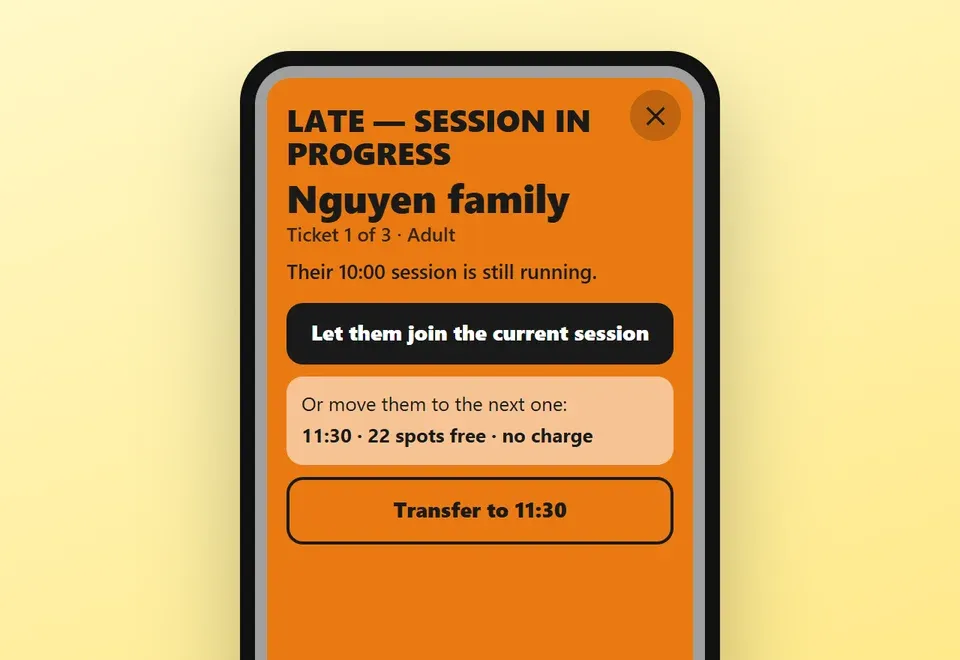
Early or late
The scanner shows the guest’s session and lets staff decide.
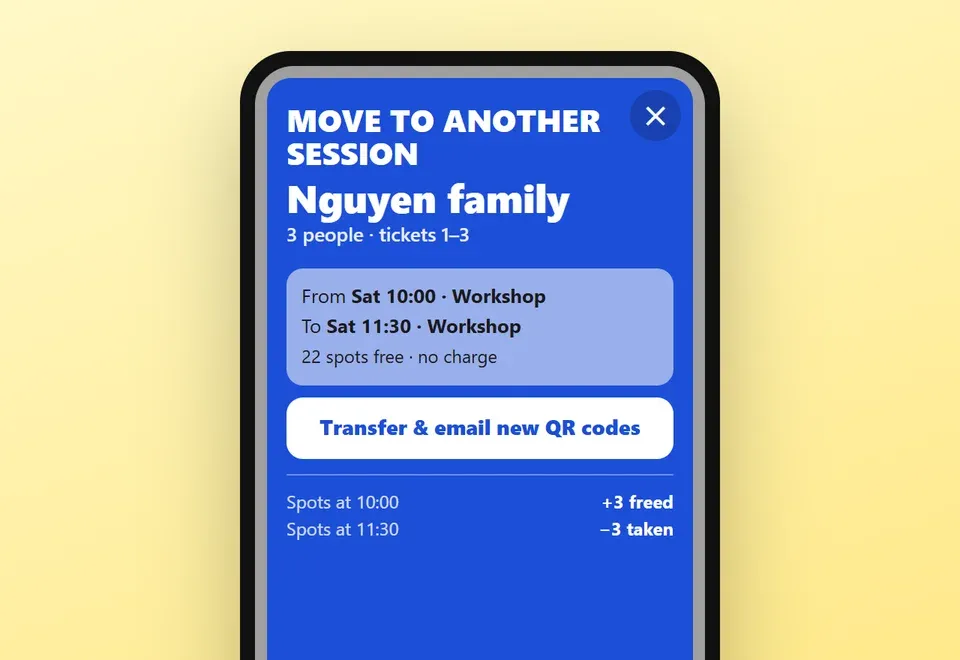
Move to another session
Staff move the booking, the seat count updates, and we test this before handover.
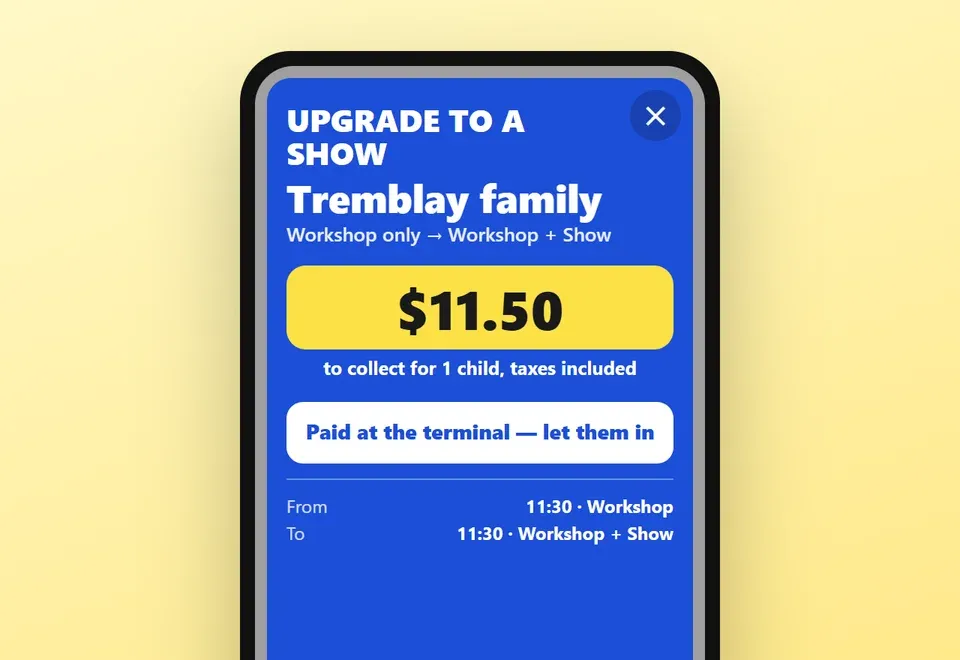
Extra payment
If the new session costs more, the system calculates the difference.
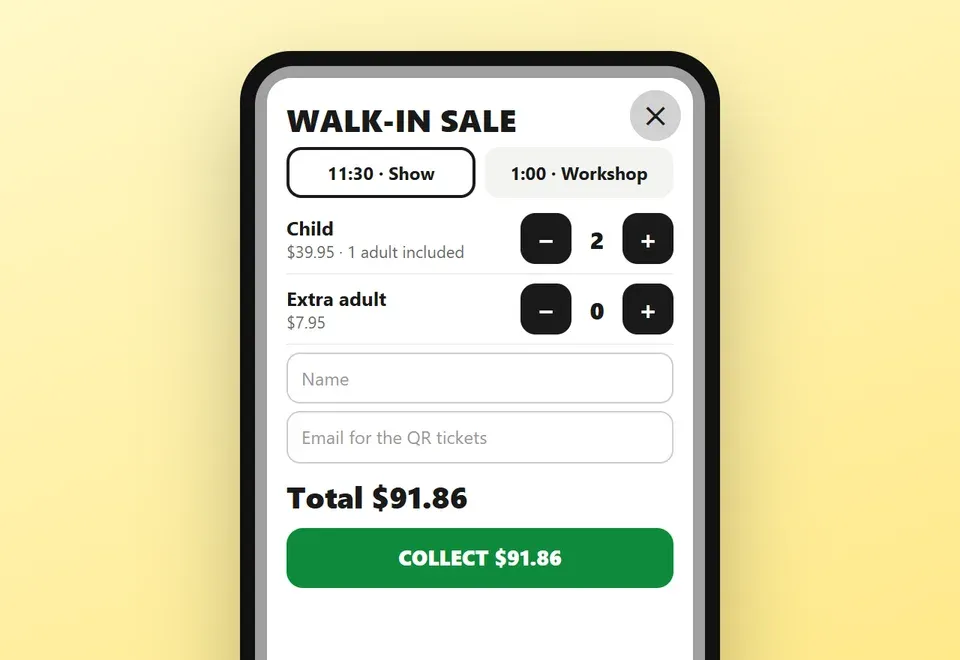
Sale on the spot
Staff sell a ticket at the door, and it counts against the same capacity.
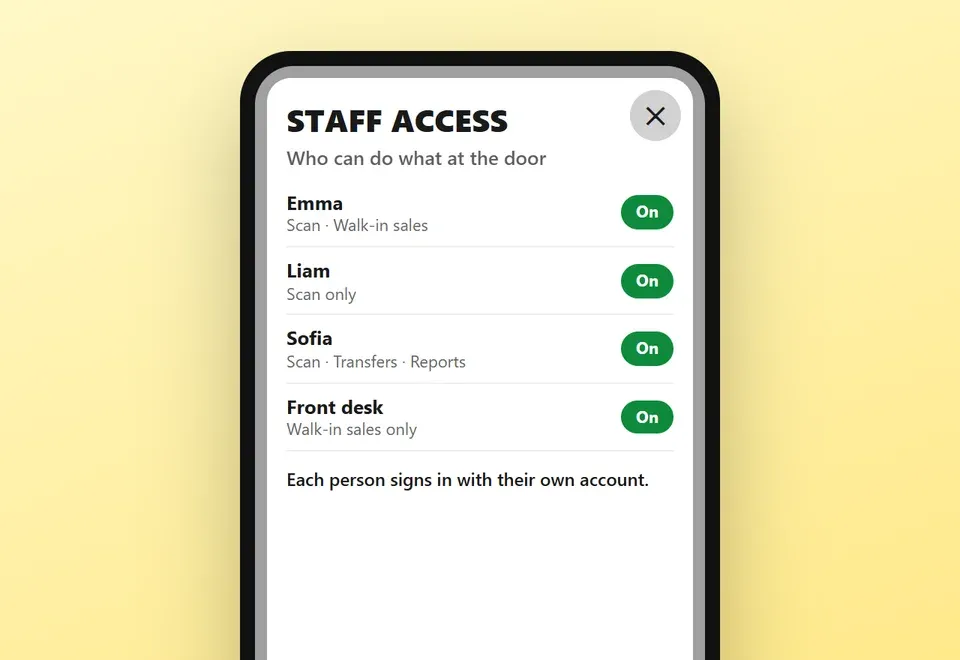
Staff roles
Each staff account gets limited access, set up with you.
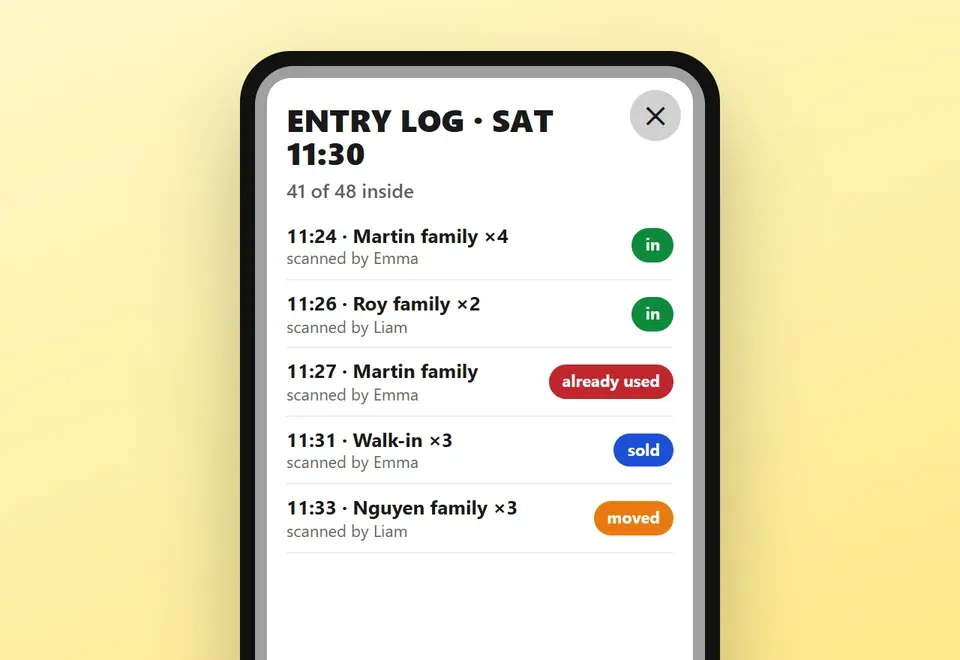
Entry log
Every scan is recorded, so you can find who entered and when.
Keep Eventbrite as a Sales Channel (Complete)
Eventbrite brings people who don’t know you yet; your regular buyers can buy from you with no platform fee. On a $25 ticket Eventbrite keeps about $3.44 in the US and $2.89 in Canada when you absorb the fees (Eventbrite pricing); on your own Stripe it’s about $1.03. Complete connects both channels.
Orders arrive instantly
An Eventbrite order reaches your site the moment it is placed and becomes a booking with a QR ticket.
Seats sync every two minutes
Seat counts sync both ways, so a session that sells out on one side closes on the other.
Another platform: from $500
Platforms with an open API are quoted for your task. Tickets sold on Eventbrite still carry Eventbrite’s fees.
How We Work: From Brief to Your First Sale
Five steps. The 10, 15 or 20 business days count from the day we have your brief and access to your site, if materials and approvals come on time.
Brief
You tell us about the event: sessions, seats, ticket types, prices, taxes. We list everything in writing.
Setup
We build the booking system on your site, connect Stripe, and set up emails, tracking, promo codes and links.
Test purchases
We buy tickets the way your guests will and check tax, capacity, emails and reports. In Pro and Complete, the door process too.
Launch
You approve and sales open. Need buyers? We also run Google Ads.
Season
You sell. System errors are fixed free in the first month; after that, support is optional.
How We Work: From Brief to Your First Sale
Five steps. The 10, 15 or 20 business days count from the day we have your brief and access to your site, if materials and approvals come on time.

Brief
You tell us about the event: sessions, seats, ticket types, prices, taxes. We list everything in writing.

Setup
We build the booking system on your site, connect Stripe, and set up emails, tracking, promo codes and links.

Test purchases
We buy tickets the way your guests will and check tax, capacity, emails and reports. In Pro and Complete, the door process too.

Launch
You approve and sales open. Need buyers? We also run Google Ads.

Season
You sell. System errors are fixed free in the first month; after that, support is optional.
After Launch: Help During the Season
Three ways to get help once tickets are selling. We reply the same day to requests received between 9 a.m. and 9 p.m. Eastern Time.
First month
Included with every package, from the day you launch.
System errors fixed free
Questions about the admin answered
One-off requests after that: $70/h
Season support
Best for: events with daily changes and questions.
Moving guests, replacing and resending tickets
Emails to buyers
Finding a guest at the door
New sessions and closing sales
8 hours a month included; extra time $70/h
AI assistant in Telegram
Best for: staff who'd rather type a request than open the admin.
Staff write requests in plain words
It finds the booking and shows the change with buttons
Acts only after someone confirms; every action logged
Resends tickets and creates promo codes
$400 setup · up to 1,000 requests · $50/month off season
Straight answers
Event Ticketing System FAQ
You can, if you have the time and know your way around WordPress. A license costs roughly $150 to $250 a year. The real work is the setup, the testing and fixing things on the day. We are for organizers who need it working from day one: we set up the plugin, test it with real purchases and add what it doesn’t do.
It is a commercial WordPress booking plugin. The license is included, so you don’t buy anything separately. If you stop working with us, the system keeps running on your site; we simply stop supporting it.
Yes. Packages are priced for a ready WordPress site. If you need a new site, or changes to your main one, we quote that at our usual rates. A site from scratch starts at $1,900.
The price covers one language and everything listed in the package. A second language is +$400, except in Complete. Another sales platform is from $500. Anything outside the list is $70/h.
Stripe charges its standard rate to your account: 2.9% + $0.30 for domestic cards as of October 2026. International cards and currency conversion cost more. We don’t take a percentage of your sales.
You do. Bookings are stored on your site, under your domain, and payments go to your own Stripe account.
On a $25 ticket, about $3.44 in the US and $2.89 in Canada when you absorb the fees, per Eventbrite’s published rates. On your own Stripe, about $1.03. Start pays for itself at roughly 620–800 tickets — and in Complete you keep Eventbrite as a channel.
No. It prepares the change and shows it with buttons; nothing happens until a staff member confirms. Every action goes in a log, and refunds and deletions stay with a person. In Complete it is included for 3 months, counted from the day it is connected.
Ready to Sell Tickets on Your Own Site?
Tell us about your event: sessions, seats, ticket types and where your buyers come from now. We reply with the package that fits you and its fixed price. Still comparing? Send us your ticket price and how many tickets you sell a season — we’ll show what the platform takes now and which package pays off.


Contact us and we’ll tell you everything you need to know!
Other Services That Work Alongside Your Ticketing

Website Development

Google Ads

Automation & AI