
Search “google ads dayparting” and you’ll get the same advice ten times over: run your account for four to six weeks, find your best hours, raise bids there, cut the rest everywhere else. For most small business accounts, that advice doesn’t hold up. Not because dayparting is fake — it isn’t — but because the method behind “find your best hours” rarely works at the volume a small account actually generates.
The dayparting arithmetic nobody in that advice runs
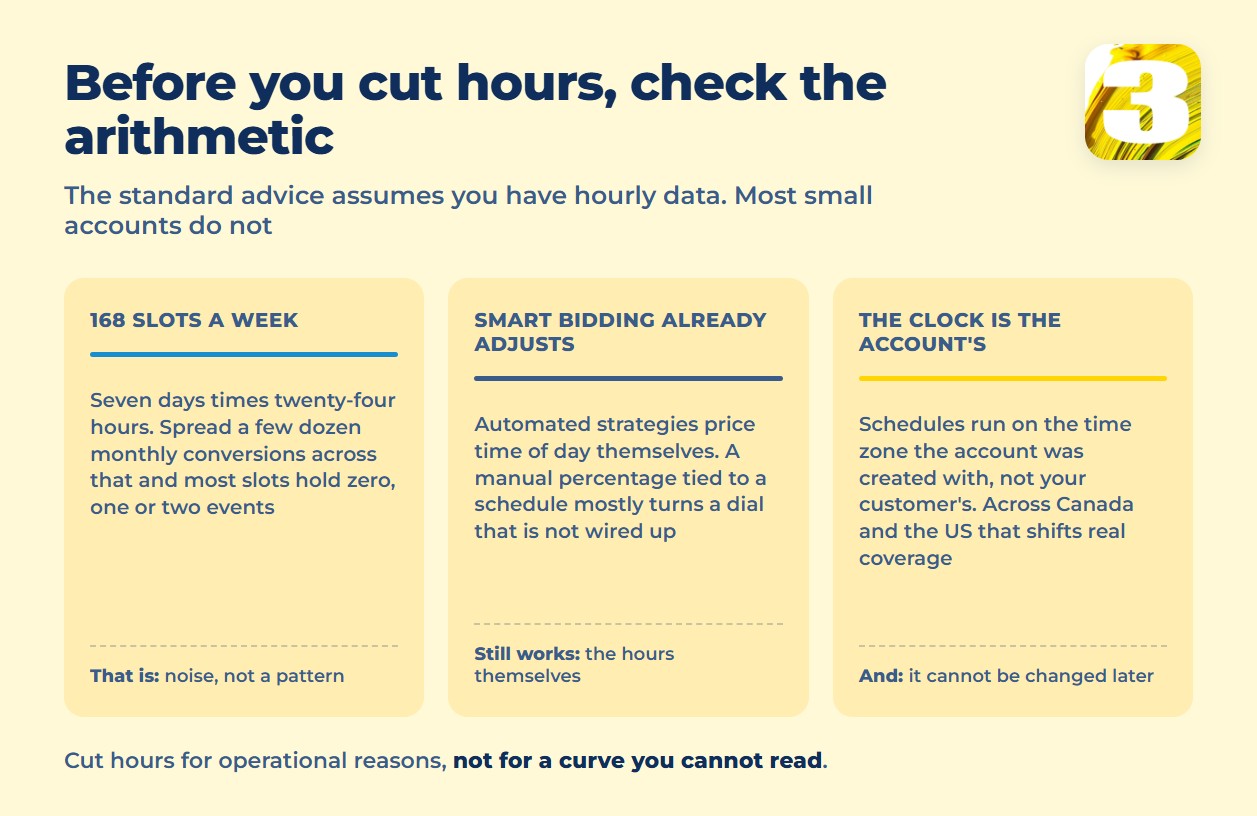
A week has 168 hourly slots. A typical small business account converts a few dozen times a month — not a few dozen times a day. Spread three or four dozen conversions across 168 buckets and most buckets land on zero, one, or two events. That’s not a pattern. That’s a handful of data points wearing a pattern’s clothes.
Whatever “best hours” you find by staring at six weeks of that kind of data would look different in the next six weeks, for no better reason than that you were reading noise as if it were a trend. Collecting more weeks doesn’t fix it either — you’re still slicing a small monthly total into 168 pieces. The fix isn’t a longer lookback window. It’s not doing this at all, at this volume, this way.
Smart Bidding is already doing this
If your campaigns run on Target CPA, Target ROAS, or Maximize Conversions, the platform is already adjusting for time of day and day of week on its own, using far more signal across far more accounts than you’ll ever see in one dashboard. That’s the part the “raise bids in your peak hours” advice tends to leave out: a manual, percentage-based bid adjustment tied to an ad schedule mostly gets ignored once Smart Bidding is running the auction. You’d be turning a dial that isn’t wired to anything.
What the ad schedule still controls, even under Smart Bidding, is whether your ads are eligible to show at all during a given hour. That’s a gate, not a bid multiplier. Smart Bidding respects the hours you set — it just doesn’t take instructions on how hard to bid within them from a schedule modifier. So the honest move for most automated campaigns isn’t raising or lowering bids by hour. It’s deciding which hours belong in the auction in the first place, and turning the rest off with a schedule, not a bid percentage.
And before you narrow the hours at all, it’s worth checking whether the account is already losing impressions to a budget ceiling — cutting hours on top of that just hides the problem. The two columns that answer that question are in the search impression share formula.

What’s still a legitimate reason to turn hours off
None of this makes dayparting pointless. It means the reason to use it is usually operational, not financial. You’re not chasing a cheaper hour. You’re matching ad delivery to the hours a human being on your end can actually act on the result.
Turn hours off when there’s a real business reason behind the click: a clinic or a law firm running ads only during the hours someone actually picks up the phone, a sales team that goes home at six and won’t call a lead back until the next morning, or an overnight window that reliably produces low-intent, wrong-time-zone traffic and nothing else. In those cases you’re not optimizing a curve. You’re closing a gap between when the ad runs and when anyone is there to do something with the result.
Before you cut hours on that basis, confirm the calls and form fills feeding your reports are actually attributed correctly. If a call gets logged to the wrong channel or the wrong time slot, you’re cutting hours based on a report that was already wrong before you touched the schedule. If the calls themselves are landing in the wrong place, start there: what breaks in conversion tracking.
For a clinic or a law firm, the honest schedule is usually the one built around staffed phone hours, not around a bid curve pulled from a few weeks of clicks. Getting there takes attribution you can trust — we use our own lead-tracking plugin, which ties each call back to the channel and the time slot it came from — it’s part of how we run Google Ads accounts, and it’s the difference between an hourly report you can act on and one you can only look at. Without that attribution, “our best hour is 2pm” is a guess with a metric stapled to it.
Google Ads ad scheduling: the mechanics, if you build one
A couple of limits shape what’s even possible. By Google’s current documentation you can set up to six ad schedules per day on a single campaign — enough to carve out a business-hours block, a lunch dip, and an evening cutoff, not enough to micromanage every hour on its own. On campaigns that aren’t running Smart Bidding, and where a manual bid adjustment by schedule still does something, the documented adjustment range runs from −90% to +900% — wide enough to nearly pause an hour without formally excluding it, and wide enough to badly overspend one if you set the sign backwards. See Google’s overview of ad scheduling and how bid adjustments by schedule work before setting either.
The ad schedule time zone trap
Every ad schedule runs on the time zone your account was set to when it was created — not the time zone your customer is in, and not the time zone you’re looking at the dashboard from. For a business running one account across both Canada and the US, that’s a real gap, not a rounding error. An account set to Eastern time treats “9am” as 9am Eastern everywhere, which quietly shifts the actual coverage window by two or three hours for customers on the Pacific or Mountain side.
You can’t patch this by editing the account later, either. Time zone changes aren’t supported on an existing standard account — the only fix is a new account, which means new history and a real migration, not a settings change. Check your account’s time zone before you build any schedule around it; a perfectly reasonable-looking schedule can be running against the wrong clock entirely.
Test it before you commit to it
If dayparting still makes sense once you’ve settled on staffing hours rather than cost, don’t just flip the schedule and eyeball the next week of results. Treat the change the same way you’d treat any other test you want to trust, over a long enough window and with enough volume behind it to mean something. How to run that kind of test properly is covered in testing ads and landing pages without wasting budget.
None of this matters if the conversions feeding your reports weren’t accurate to begin with. Before you cut a single hour, check whether your calls and form fills are actually being counted — and where the gaps are. Or have someone read it with you: a twenty-minute account audit.