


Most things called a “Google Ads audit” promise a full teardown — every setting, every asset, a checklist forty rows long. That’s not what actually finds the leak. Five checks, done in the right order, catch most of what’s wrong with an account, and they take about twenty minutes if you know where to look.
Two different people end up reading this. One wants to check their own account before spending anything else on it. The other wants to know what an agency is actually doing inside a “free audit” — and whether it’s a real look at their account or a form letter. If you haven’t set a budget yet, that’s a separate question, and it starts with what a realistic Google Ads budget actually looks like. There’s a separate piece on what a month of Google Ads actually costs.
But if campaigns are already running, the first useful thing you can do is check whether the money going out is even being counted right.

The Two Kinds of “Free Audit”
“Free audit” gets offered two ways, and they are not the same service. One is a person opening your actual account and reading your actual traffic — the searches people typed, the calls that came in, the campaigns that quietly overspent. The other is a five-minute automated report, run by third-party software against generic benchmarks, dropped into a PDF with a logo on the cover, and emailed to you the same day you asked.
The fastest way to tell them apart: does it quote your search terms and your numbers, or does it quote a score? Google’s own optimization score is often the centerpiece of the second kind. Google itself is careful about what that score claims to be — “an estimate of how well your Google Ads account is set to perform,” running from 0 to 100%, and any single recommendation behind it can be dismissed if it doesn’t fit your account. That’s a real, useful number. It measures how the account is configured. It doesn’t tell you where last month’s budget actually went.
| A real audit reads | An automated report reads |
| Your search terms — what people actually typed | A generic benchmark for your industry |
| Your calls and form leads against your own numbers | Google’s optimization score, unchanged |
| Your account’s change history and who owns it | Nothing — it has no account access |
| Your actual spend against your actual budget | An estimated grade, 0–100% |
The Five Checks That Catch Most of the Leak, in Order
1. Conversions are counted once — not zero times, not twice. Before anything else, open the conversions being tracked and confirm what actually counts as one. A duplicate tag — one fired by the site, another left over from an old tag manager setup — inflates every report built on top of it. Bidding on inflated numbers is worse than bidding on none, because it looks like the account is working.
2. Calls show up in the report at all. This is the single most common leak in service businesses, and it’s easy to miss because nothing looks broken — the phone rings, the job gets booked, and the ad report never hears about it. We wrote the long version of this one separately: why a Google Ads report can’t see phone leads. Our own proof that it’s fixable: we run dynamic call tracking by channel on our own numbers, so a call from a Google ad, an organic search, and a referral each show up tagged to the right source — not lumped into one line that says “phone.”
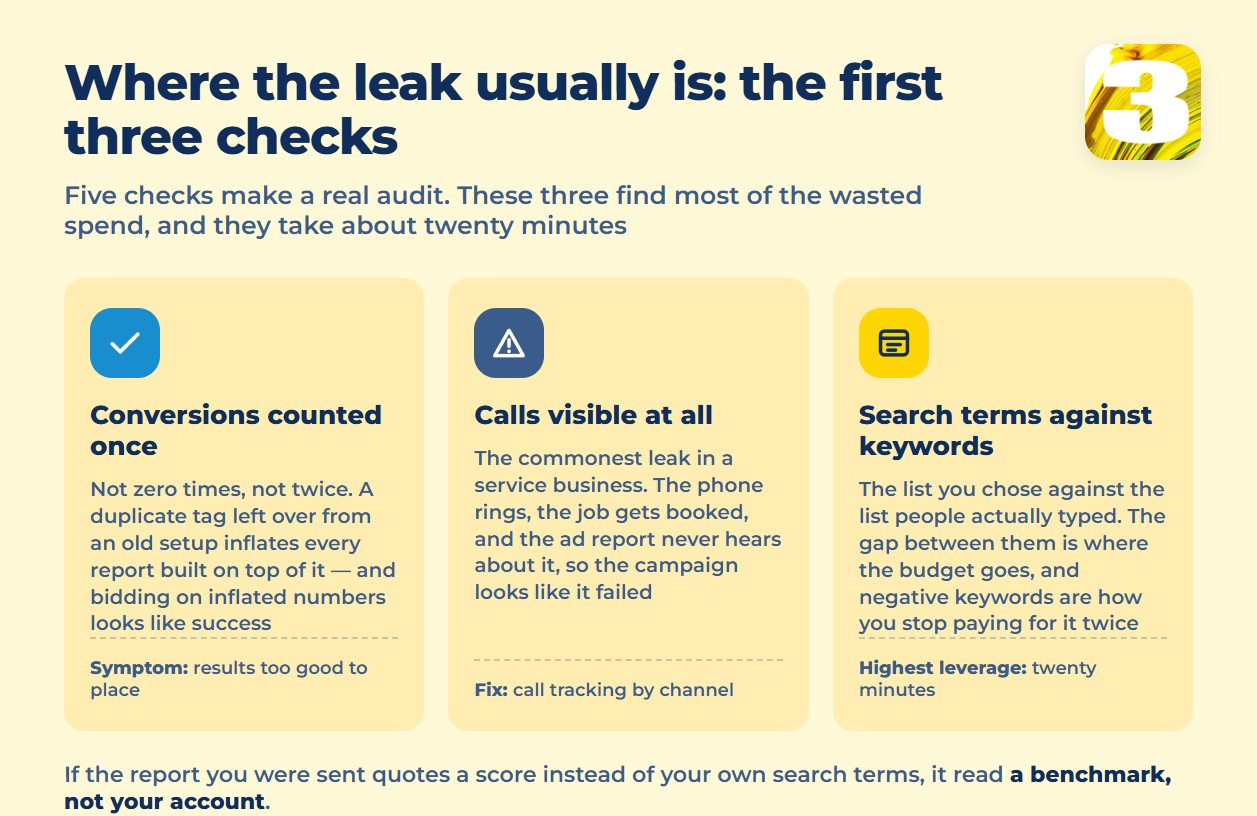
3. Search terms against keywords — where the money actually went. Every account has a keyword list you chose and a search terms list of what people actually typed to trigger your ads, and the gap between the two is where budget quietly leaks. Google’s own search terms report exists for exactly this: in Google’s own example, an eyewear seller notices the search term “wine glasses” is triggering their ads and adds “wine” as a negative keyword. Reading this list is the single highest-leverage twenty minutes in the account, and we cover it in more depth here: search terms aren’t just data.
4. Negative keywords are actually in place. This is the fix on the other end of check three — once you know which searches are wasting spend, negative keywords stop you paying for them again. Getting this right, and not wrong, since an over-broad negative can block searches you wanted, is its own topic: how to use negative keywords the right way.
5. Who owns the account, and its learning history. The account has been running for months or years, learning what converts and what doesn’t. Confirm whose name is actually on it. If it’s the agency’s manager account and not yours, that history — and the account itself — doesn’t move with you if you switch. This is a standing position on our own Google Ads management page: the account and everything built inside it belong to the client, not to us.
If any one of those five turns up a real problem, that’s the work a proper audit does end to end — read the account, not just score it.
Where the Money Actually Goes When Nobody’s Watching
A few more free tools are worth knowing before you pay anyone to look. Auction insights shows how your account performs against the other advertisers bidding in the same auctions — a direct read on whether you’re losing position or losing to a higher bid. Google Ads Editor is a free downloadable application for managing campaigns outside the browser interface.
And one budget rule worth knowing when a bill looks larger than expected: Google can spend “up to twice your average daily budget” on any single day “to take advantage of fluctuations of traffic,” but caps the month at no more than 30.4 times that daily average. A spike on one day isn’t automatically an error — it’s the mechanism working as designed. Whether the campaign behind it is worth that spend is a separate question, and it’s the one an audit should actually answer.
Everything above holds whether Google Ads is the only channel or one of two. If you’re also weighing Meta, the two platforms don’t count a conversion the same way, which is worth understanding before shifting budget between them. Worth reading next: which channel to fund first, Google or Meta.
Book a Free Audit
None of this replaces someone reading your account end to end — these five checks just tell you where to look first, and whether what you’re being offered as a “free audit” actually does that. Our own offer is the same thing described above, done on your account: an in-depth audit of any existing Google Ads account, with no PDF of generic benchmarks included.









