


You didn’t skip conversion tracking. Conversion actions exist, a tag fires, maybe enhanced conversions got switched on at some point last year. And you still don’t believe the number sitting in the Conversions column. That’s a different problem from having no tracking at all, and the guides ranking for “google ads conversion tracking” are almost all written for the other problem — step one, connect the tag, step two, verify it fired, step three, buy their tool.
If you’re past step one, what you actually need is a way to start from the symptom in front of you and work backward: conversions have gone quiet, conversions have multiplied, or conversions are still counting something, just not the thing you assumed. This isn’t a setup guide. It’s a map from what you’re seeing to where to look.

Start From the Symptom, Not the Conversion Tracking Setup
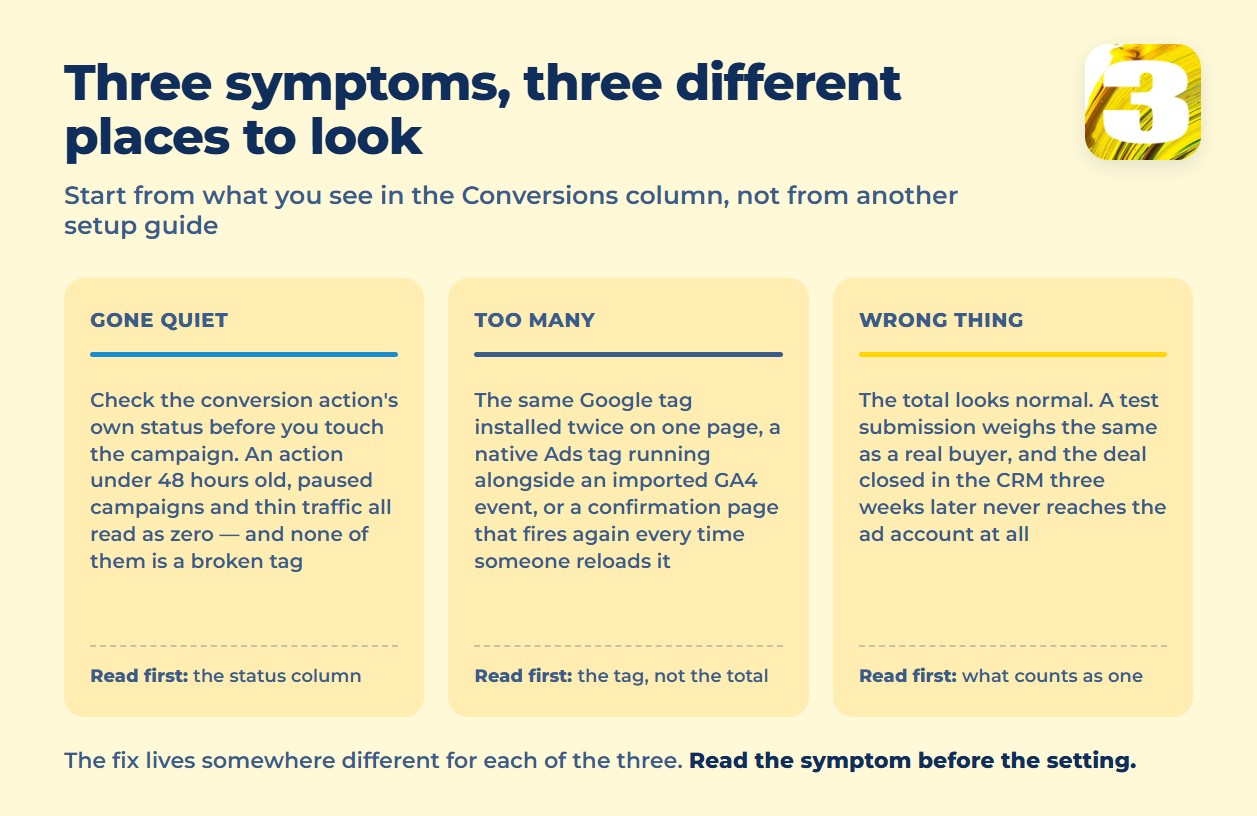
Almost every “my numbers are wrong” complaint we run into fits one of three states. Before touching a single setting, figure out which one you’re actually in — the fix, and the place you check for it, is different for each.
Conversions Have Gone to Zero, or Close to It
First check is the conversion action’s own status, not the campaign. A brand-new action showing nothing isn’t broken — Google’s own description of this state says it “typically means the conversion action was created under 48 hours ago, your campaigns are paused, or website traffic is currently too low to trigger a conversion.” That’s a waiting problem, not a tag problem.
An action that’s been live for months and has simply gone silent is a different story, and the account will usually tell you which one it is if you look at the status column instead of guessing. If the tag itself has been touched recently — a site redesign, a new page builder, someone “cleaning up” old code — that’s the first place to check, and it’s also the point where a lot of accounts quietly lose ownership of the problem: nobody on the ad side can see the tag, and nobody on the site side knows which tag matters. Which method you picked matters far less than who’s going to maintain it in six months. That question gets its own answer in Google Tag Manager or a direct tag.
If you haven’t run a structured pass over the account recently, Google Ads Audit: What to Check in the First 20 Minutes covers the faster version of this same triage.
You’re Getting More Conversions Than Feels Right
This is the opposite complaint, and it’s just as common. The three most likely causes all live inside one account: the same Google tag installed twice on one page, a native Ads tag running alongside an imported GA4 event for the same action, or a page that fires again every time someone reloads it or returns to it after a purchase.
Google warns against all three, and the exact mechanics of each — which one to look for first, and what a clean account should look like afterward — are worth reading in full. Each of the three is laid out in how one sale gets counted twice. The short version for triage purposes: the reload case is solved with a transaction ID, because a repeated ID on the same conversion action gets flagged and thrown out automatically. Without one, there’s nothing for Google to compare against, so the reload just counts again. None of this is a bug in how Google Ads counts things. It’s a gap in what the account was told to compare.
The Count Looks Right, But It’s the Wrong Thing
The quietest failure mode, because the total doesn’t look alarming. A “submit lead form” action can count every form fill with equal weight, whether the person behind it was a real buyer or someone testing your contact form. A purchase action can count a completed checkout while an imported CRM record for the same customer never gets connected to it, so the ad account keeps optimizing toward form fills while the business keeps closing (or losing) actual deals somewhere the account can’t see. That gap between a submitted form and a signed deal is the whole subject of how offline conversion import is supposed to close it, and the maintenance work involved is bigger than it looks. That gap is the whole subject of offline conversion import.
Phone conversions belong in this same bucket, and they deserve more space than one paragraph gives them — we’ve covered that failure mode on its own at Why Your Google Ads Report Can’t See Your Phone Leads. Here, the short version is enough: a call that never gets tied back to the click that produced it is a form of “wrong thing,” not “no thing.”
Five Conversion Tracking Statuses, and the One Confusion That Costs the Most
Every conversion action in your account carries one of five statuses, and Google’s own definitions are worth reading exactly as written, because two of them get mixed up constantly.
| Symptom in the account | Status to check | What it actually means |
| Green, no flags, numbers look normal | Active | “Everything is working as intended.” |
| A yellow flag, but numbers keep coming in | Needs attention | “There are action items to address but haven’t stopped recording conversions entirely.” |
| Numbers have stopped completely | Misconfigured | “Conversions have stopped recording entirely due to a setup error or a broken tag.” |
| Nothing recorded in the last 7 days, action is new or traffic is thin | Awaiting conversions | Usually a timing issue, not a broken tag. |
| Action doesn’t appear in reports at all | Removed | “Manually deleted or archived and is no longer tracking data.” |
The one to burn into memory: Needs attention still means data is arriving. Misconfigured means it has stopped arriving entirely. Treating a yellow “needs attention” flag as an emergency, or treating “misconfigured” as something to circle back to next quarter, both waste time in the wrong direction. Read the status before you read the number.
Small step worth doing right now, before reading the rest of this: open Goals → Conversions → Summary in your own account and count how many actions have Primary next to them. If it’s more than the handful of actions you actually bid on, or if an action you stopped caring about a year ago is still marked Primary, that alone explains a fair amount of what Smart Bidding has been optimizing toward.
Conversion Action and Conversion Goal Are Not the Same Word Twice
Worth stating plainly, because a lot of forum threads get this wrong: Google did not rename “conversion actions” to “conversion goals.” Both terms are current, and they describe different levels of the same structure.
A conversion action is the specific thing you set up to track — a purchase, a lead form, a phone call. Google’s help page is exact about it: “A conversion action is a specific customer activity that is valuable to your business.” A conversion goal is the category those actions get sorted into automatically — “Conversion actions that you add are automatically grouped into conversion goals based on their conversion category type, for example, ‘Purchases,’ ‘Contacts,’ or ‘Submit lead forms.'” One is the individual tracked event; the other is the bucket it lands in. Neither replaced the other.
Sitting alongside both is the primary/secondary split, which decides what actually influences bidding: primary actions “are reported in the ‘Conversions’ column in your reports and used for bidding,” while secondary ones “are for observation only” and show up in “All conversions” without touching Smart Bidding at all. An action can be perfectly Active and still be quietly excluded from bidding if it’s set to secondary — which is one more reason the Primary count from the step above is worth checking before anything else.

What Changed in Google Ads in the Last Year
Most of what’s written about conversion tracking predates four changes that landed within the last twelve months, and none of them are optional reading if you’re troubleshooting an account today.
- April 2026: Google Ads stopped forcing a single method of sending user data. It now “[simultaneously accept[s] user-provided data from website tags, Data Manager, and API connections](https://support.google.com/google-ads/answer/16884284),” so the old advice to pick one path first no longer describes how the account behaves.
- June 2026: enhanced conversions for web and for leads were folded into one on/off switch. Existing setups were migrated automatically — “you’ll be automatically migrated to the new unified status if you have previously agreed to Google’s customer data terms” — which means a fair number of accounts already have this on and nobody there knows it. That auto-migration, and what it does and doesn’t change, is worth its own read. Start with what the unified switch turned on in June.
- June 15, 2026: the Google Ads API stopped accepting new adopters for offline conversion imports. It wasn’t switched off — accounts already uploading between December 2025 and May 2026 keep working while they move to the Data Manager API. New integrations built after that date hit an allowlist error instead.
- October 17, 2025: Google retired most of Privacy Sandbox — the Attribution Reporting API, Topics, Protected Audience, and several related technologies — while confirming that third-party cookies in Chrome are staying. Every section of older material that tells you to prepare for a cookieless future built on Privacy Sandbox is now describing a product that no longer exists.
One thing that did not change, despite how often it gets repeated: Consent Mode wasn’t retired or replaced. And if your customers are in Canada or the United States rather than Europe, it was never a legal requirement for you in the first place — Google’s own guidance on U.S. state privacy laws is explicit that “even when restricted data processing is enabled, features, such as conversion tracking and campaign measurement, will continue to function as normal.”
What Your Dashboard Structurally Can’t See
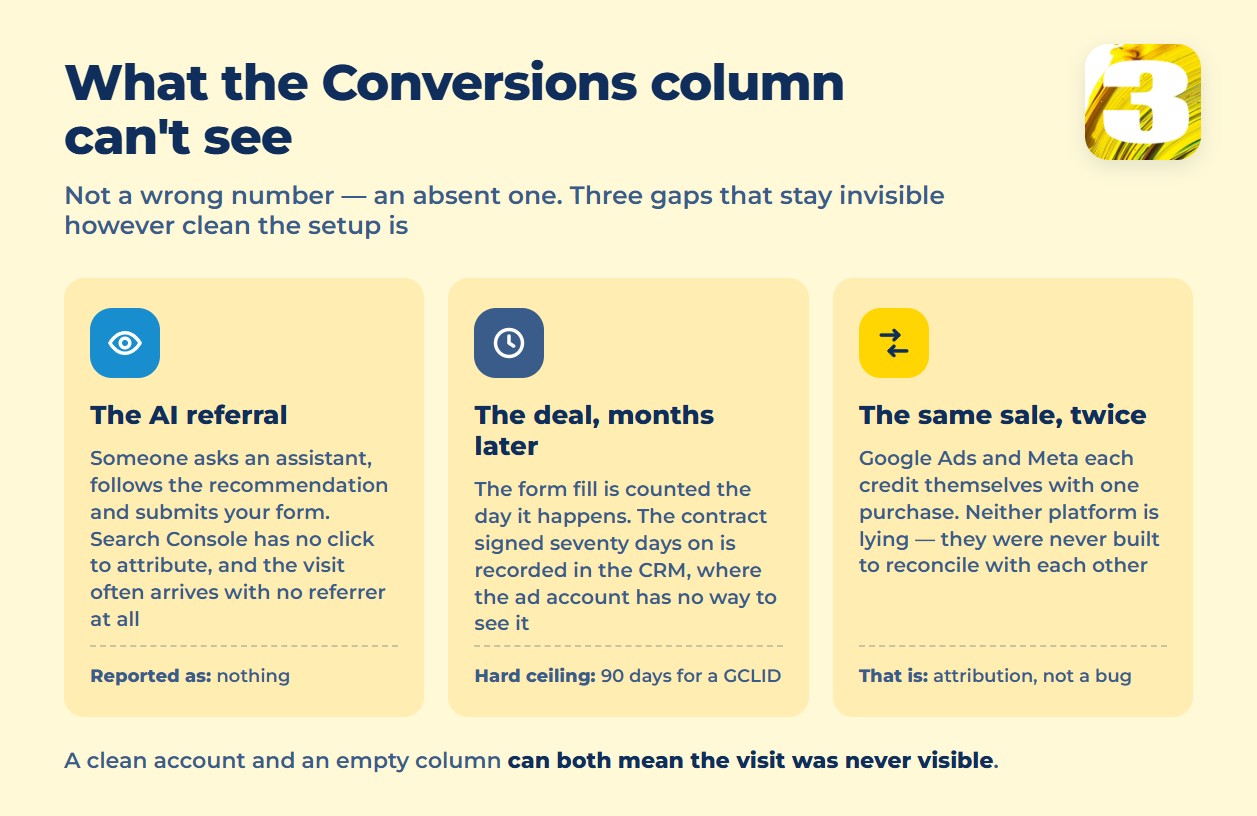
Some of what looks like broken tracking isn’t a misconfiguration at all — it’s a blind spot built into how these reports work. A conversion action can be perfectly Active and still miss activity the platform was never built to see.
A visitor who typed your product into a UTM-tagged campaign, clicked, and converted is visible end to end — assuming the tagging itself is consistent, which is really a naming discipline problem before it’s a tracking one. UTM Parameters: A Naming System, Not a List of Links covers that half of the picture. A separate, related confusion shows up when two platforms each claim the same sale — Google Ads and Meta both reporting a conversion that only happened once. That’s attribution, not broken tracking, and it’s a big enough topic to deserve its own explanation: Attribution Models: Why Two Platforms Claim One Sale.
Meta runs into a version of this same disease inside its own ads manager — duplicated pixel events, a Conversions API signal and a browser signal both firing for the same purchase — so none of this is unique to Google Ads. It’s what happens whenever more than one system is allowed to report on the same customer action.
Here’s a gap that doesn’t show up in either platform’s report at all: someone gets a recommendation from an AI assistant, follows it to your site, and submits a form. Search Console has no click to attribute, because there was no search click. GA4’s own channel groupings weren’t built to catch every AI referral path, and a conversation like that often arrives with no referrer at all. Standard reporting simply has nothing to show for that visitor — not a wrong number, just an absent one.
We built our own request-tracking system after running into this gap often enough on our own Google Ads accounts, and it does show us these submissions, including people who arrived after asking ChatGPT. We’re not putting a volume or a percentage on that, because we don’t have one worth quoting. The honest version is qualitative: it’s there, the platforms don’t show it, and if your only source of truth is the Conversions column, that traffic is invisible to you too.
If e-commerce conversions specifically are the part that feels shaky, that’s a large enough topic on its own — see Why E-Commerce Tracking Matters. And if the real question underneath all of this is closer to “is the campaign even any good,” that’s a separate question from what broke — covered at How to Tell if Your Google Ads Are Actually Working.
Where This Actually Goes Next
Everything above is checkable without anyone’s help: a status column, a Primary count, a transaction ID, a date on a Google support page. That’s deliberate — most of what’s broken in conversion tracking is diagnosable from inside the account, and no one should have to pay someone else to read a status label.
What doesn’t fit into a single afternoon is an account with years of history, several overlapping tags, and a CRM that was never connected to any of it. If that’s closer to where you are, we’ll go through the account and the tracking setup together and tell you plainly what’s actually broken versus what just looks that way — no flat fee tied to ad spend, just a straight look at the account.









