


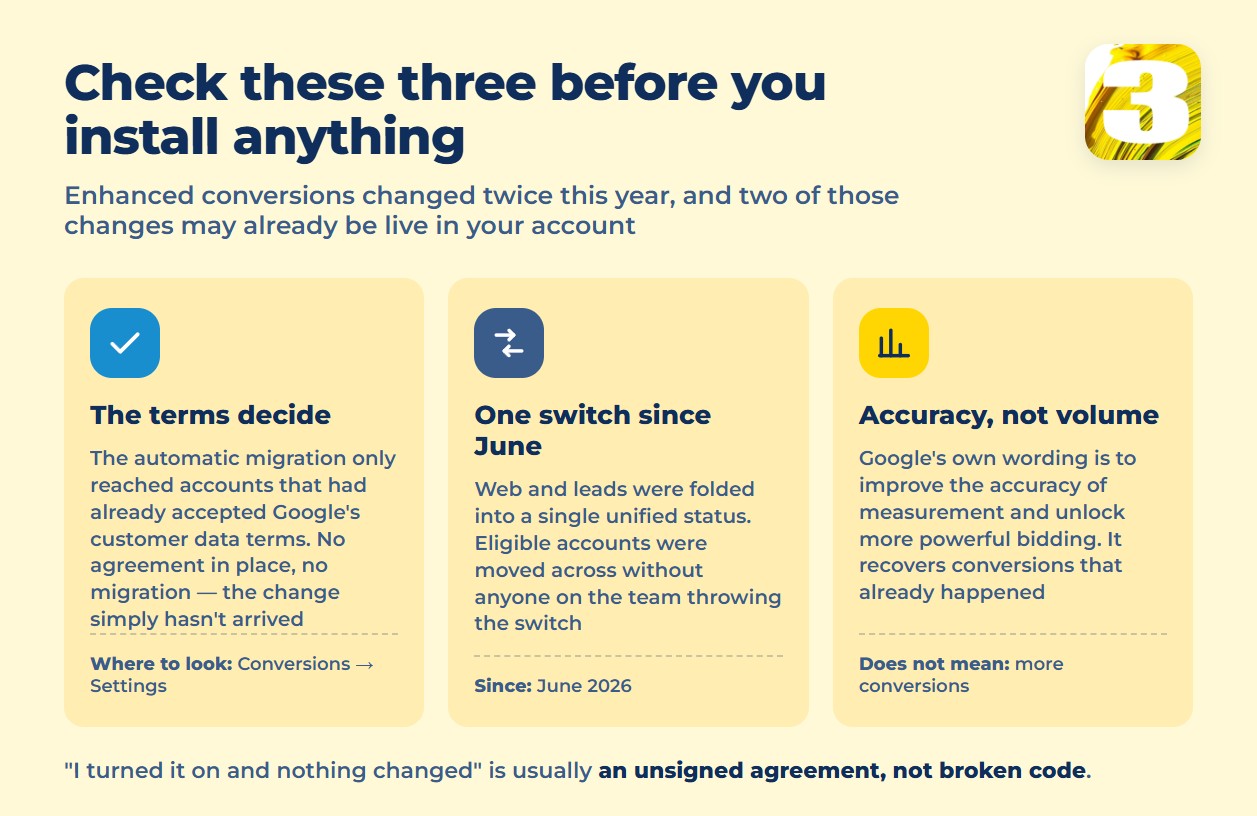
Enhanced conversions is a Google Ads feature that sends hashed first-party data — email, name, home address, phone number — back to Google, so it can reconnect an ad click to a conversion that a blocked cookie, an ad blocker, or a second device would otherwise hide from your reporting. Until this year, it came in two separate versions: one for website conversions, one for leads, each with its own on/off setting. That’s no longer how it works. Starting in June 2026, Google merged both into a single switch, and if your account had already agreed to Google’s Customer Data Terms, you didn’t have to flip anything — Google did it for you. Some accounts have had this running for weeks with nobody on the team aware of it. Before you read another setup guide, open Conversions → Settings and check what’s actually there.

April 2026 Ended the “Pick One Method” Debate
Nearly every article ranking for this topic still opens with the same instruction: decide whether you’ll send enhanced conversions data through a website tag, Google Tag Manager, or the API, because Google would only accept one channel at a time. That rule doesn’t exist anymore. Google states it plainly: “Starting in April 2026: Google Ads will simultaneously accept user-provided data from website tags, Data Manager, and API connections.” The either-or framing that dominates search results right now was already outdated by the time most of it was published — two connections feeding the same conversion action stopped being a conflict two months before June’s merge. If your conversions are still wrong after both dates, the setup itself is likely the real break, and that’s a bigger diagnostic question than enhanced conversions alone. That wider pass is in where to look when conversion tracking breaks.
Enhanced Conversions Without Signed Terms Do Nothing
The most common “I turned it on and nothing changed” story with enhanced conversions isn’t a coding mistake — it’s a missing agreement. Google’s wording on the automatic migration is conditional, and the condition is the part people skip: you’ll be moved to the unified status “if you have previously agreed to Google’s customer data terms.” No agreement, no migration — the change this article describes simply hasn’t reached your account yet. Check under Tools & Settings → Conversions → Enhanced conversions before assuming a switch on screen means the terms behind it were ever signed.
What This Doesn’t Do
Enhanced conversions is not a source of new conversions, and it doesn’t inflate a count that was already accurate. Google describes the feature as something that “can improve the accuracy of your conversion measurement and unlock more powerful bidding” — accuracy and bidding, not volume. What it recovers is attribution on conversions that already happened but got separated from the click that caused them. For leads specifically, Google is direct about the relationship: enhanced conversions for leads “is an upgraded version of offline conversion import that uses user-provided data, such as email addresses, to supplement imported offline conversion data.” It sits on top of an existing import pipeline rather than replacing it, and that pipeline has its own separate set of rules and its own deadline this year. Both are set out in offline conversion import and its two deadlines.
What Actually Leaves Your Site — and What Doesn’t
The data types are specific: email address, name, home address, and phone number, captured in your conversion tracking tags. Before any of it reaches Google, it’s run through SHA256 and sent only in that hashed form. Worth being precise about the difference here, because the two words get used interchangeably and shouldn’t be: hashing is not encryption. An encrypted value can be decrypted back into the original email with the right key. A hashed value can’t — it’s a one-way fingerprint that Google can compare against its own hashed record of the same customer, but it can’t be reversed into readable text on either end. That’s a meaningfully weaker privacy claim than “your data is encrypted,” and it’s worth knowing which one is actually true of your setup.
What shouldn’t go in that pipeline: data about people who aren’t your own converting customers. This is first-party, user-provided data by design — someone who filled out your form or bought from your store, hashed and sent back for that specific conversion. A purchased list, a scraped list, or contact data collected by someone other than you isn’t the same category, and running it through the same tag doesn’t make it compliant. A tag firing twice on the same order is a different failure entirely, worth keeping separate from anything above. It has its own article: one sale, counted more than once.
The Cookieless Future Everyone Was Preparing For Already Happened
For the past two years, a standard section in almost every conversion tracking article was “getting ready for cookieless with Privacy Sandbox.” On October 17, 2025, Google retired most of it. The company’s own announcement lists what’s gone: “Attribution Reporting API (Chrome and Android), IP Protection, On-Device Personalization, Private Aggregation… Protected Audience (Chrome and Android), Protected App Signals… SelectURL, SDK Runtime and Topics.” Third-party cookies in Chrome, meanwhile, were never removed. Every “prepare for Privacy Sandbox” section still circulating is describing a product that no longer exists. The actual replacement Google is pushing advertisers toward is first-party data sent directly by the advertiser — which is exactly what enhanced conversions is.
Who Actually Wrote What You’re Reading Right Now
Worth naming directly: “enhanced conversions” isn’t a query typed by curious shoppers. It’s typed by business owners with an ad budget, deciding whether this is worth their time — and that makes it valuable real estate for anyone selling server-side tracking setups or account management. Nearly everything ranking for it, including this article, was written by someone who sells something related. That doesn’t make the information wrong, but it’s worth being honest about where the free part ends. What you can do yourself, at no cost: flip the switch, confirm the Customer Data Terms are accepted, and check the conversion action’s status for anything flagged as needing attention. Where it stops being a five-minute task: pulling transaction data out of a CRM through Data Manager, untangling duplicate conversions in an account with years of accumulated history, or building the server-side matching logic behind a serious lead pipeline. That’s the part agencies and tracking vendors are actually charging for.
The Same Idea, on Meta
Facebook runs a version of this too. Advanced Matching hashes the same kind of customer data — email, phone — and sends it alongside the pixel event so Meta can match a conversion to a person across devices, using the same logic Google applies inside enhanced conversions. If your Meta ad accounts are set up by someone certified on the Meta side, this is usually already handled as part of the pixel install rather than a separate project.
How to Check Enhanced Conversions This Week
Before touching any of the above, confirm one thing: is your account’s Customer Data Terms status actually accepted? That single field decides whether the switch does anything at all.









