
In this article
Turn on Wix Multilingual, or make a Squarespace site multilingual through its Weglot integration, and the pages can be translated quickly — no plugin comparison, no database decision, just a switch and a language menu. That’s the appeal of a website builder.
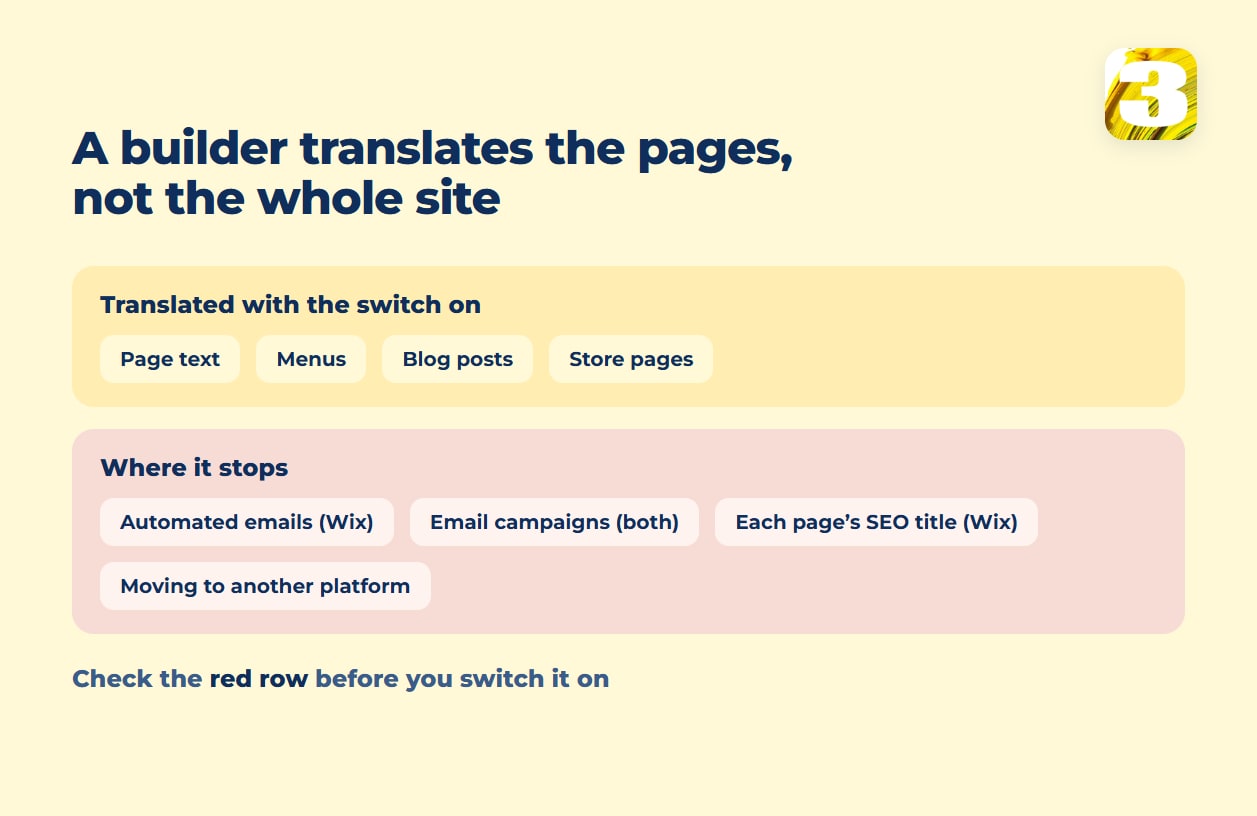
What doesn’t come along automatically is the rest of the site. On Wix, automated emails and each page’s second-language SEO title and description stay manual, and Email Marketing campaigns can’t be translated at all.
On Squarespace, Weglot translates customer notification emails by default, but email campaigns, Acuity Scheduling, and member login screens stay out of reach — and a site translated by hand shows built-in text like checkout in one language only. And if the site ever needs to move, the translation stays inside Wix or in Weglot’s cloud rather than on a site you can take elsewhere.

What Wix Multilingual and Squarespace’s Weglot Integration Translate
Wix Multilingual is free to install, per its App Market listing, and installing it adds a language menu to the editor automatically, per Wix’s own overview. The overview’s ceiling is “over 180 languages” you can translate manually or automatically — but the auto-translate feature specifically covers “over 130 languages”, so some languages can be translated by hand only. Auto-translating comes with 3,000 free word credits, then paid top-ups in 3K, 10K, or 50K blocks.
Squarespace doesn’t have a translation engine of its own. Its guide to going multilingual points straight to a third-party app, Weglot — and the integration is available only on Squarespace 7.1. A 7.0 site goes multilingual by duplicating pages by hand and rewriting the copy on each one. Weglot’s own free tier covers one language and 2,000 words; Squarespace’s guide lists a ten-day trial (Weglot’s own pricing page says 14 days) at up to 10,000 words in one other language. Past that, Weglot’s pricing starts at $17 a month for 10,000 words in one translated language.
| Wix Multilingual | Squarespace + Weglot | |
| How it turns on | Install the free Wix Multilingual app | Connect Weglot (Squarespace 7.1 only); on 7.0, duplicate pages by hand |
| What it can translate | Page text, images, blog, store, forms, and bookings — manually or with auto-translate; SEO settings per language, page by page | Whichever text Weglot’s proxy detects on the page, up to the plan’s word count |
| Stays manual or out of reach | Automated emails per language, new pages and edits, second-language page titles and descriptions; Store system text stays English in unsupported languages; Email Marketing campaigns, Invoices, and Google Maps can’t be translated | Email Campaigns, Acuity Scheduling, third-party blocks like the map block, and member and customer-account login screens (per Squarespace); anything past the word allowance. Built by hand instead: built-in text like checkout shows in one language |
| hreflang | Added automatically, with x-default | Only through Weglot’s language subdomains — a manually duplicated page doesn’t get it automatically |
| Where it lives | Inside Wix, on Wix’s own servers | Inside Weglot’s cloud, or as duplicated pages inside Squarespace if built by hand |
What Stays Manual on a Wix or Squarespace Bilingual Site
New pages and edits don’t travel with Wix Multilingual on their own. Wix’s documentation is direct about it: “new elements and pages that you add do not get automatically translated,” and “changes to translated content don’t automatically update in other site languages.” Auto-translate also skips collapsible text for now and doesn’t read icons as text. Layout is shared across languages as well: “it is not possible to add, reposition or resize elements only in a specific language,” so a longer translated label has to fit the same space (Wix).
Automated emails are their own job on Wix: “You will need to manually translate each language version of your automated emails” — and if a language isn’t published on the site, its emails aren’t even available to translate. Wix Stores translates its system text — totals, subtotals, checkout labels — on its own in its supported languages, French and Spanish among them; in any other language it “appears in English and cannot be edited.” Some parts don’t translate at all: Wix’s list of translatable content names Email Marketing campaigns, Invoices, and Google Maps among them.
Second-language SEO doesn’t come free either. Wix’s own SEO guide for multilingual sites tells site owners to “enter a page title and description in your secondary language for each and every page.”
On Squarespace, the line falls elsewhere. Its Weglot guide lists what isn’t integrated yet — Email Campaigns, Acuity Scheduling, third-party content blocks like the map block, and member and customer-account login screens — while “translated customer notification emails are enabled by default when you connect to Weglot.” Weglot says it translates the checkout too; a test order in the second language before launch is still worth the five minutes.
The stricter limits belong to the manual route: Squarespace’s guide to building a multilingual site by hand warns that such a site “can only display built-in text, like on the checkout page, in one language,” and that hand-translated content “won’t necessarily be searchable in the translated languages without optimizing your site.” Currency is a separate matter: the store keeps one primary currency for payouts, but with Squarespace Payments or Stripe, multi-currency checkout is on by default, so international customers “view prices and pay in their local currency at checkout.”
Where the Translation Lives If You Ever Move the Site
A Wix site can’t run anywhere but Wix. As Wix’s help center puts it, “since Wix is a SaaS solution, your site must run on Wix’s servers” — so the translated pages can’t leave Wix either. Wix does let you download content as a CSV, but it’s built for sending to a professional translator and importing back into Wix, not for moving the site somewhere else.
Squarespace’s export is narrower than it sounds: it covers layout pages and one blog with its posts, but store pages, portfolios, and several other page types aren’t included, and images “may not migrate with the rest of your content” if that export lands somewhere like WordPress. As on WordPress, Weglot keeps the translated text in its own account, not on the site. Getting it out as a file takes Weglot’s CSV or XLIFF export, which comes only with Advanced and higher plans — $329 a month and up; cancel the subscription instead, and the translated pages are progressively removed from search.
When a Website Builder Is Enough
None of this rules out a website builder — for a site with a handful of pages and no plan to leave, Wix Multilingual or Squarespace with Weglot gets a second language live fast, and what a multilingual website really costs breaks down what a second language costs beyond that first switch. The builder starts to strain once the second language has to reach automated emails or email campaigns, or once every page needs its own second-language search title. Wix versus WordPress as a platform choice is its own question, covered in Wix vs. WordPress for a small business.
We build on WordPress, and our own site runs bilingual on WordPress with WPML. Where a WordPress rebuild fits better — a store outgrowing its builder, or a second language that needs its own SEO from day one — WPML vs Polylang vs TranslatePress vs Weglot compares WordPress translation plugins by where each one stores the translation, and our hreflang guide for Canada and the US explains hreflang on any platform. If a WordPress build is the next step, start with our website development service — a second language is easier to plan before launch than to add after it.