


In this article
- Where the Translation Lives: Your Database or Someone Else’s Cloud
- Which Is the Best Translation Plugin for WordPress? Price, Machine Translation, WooCommerce
- What Happens If You Stop Paying
- Running WPML on Our Own WordPress Multilingual Site
- Skipping a WordPress Translation Plugin: Wix’s Built-In Option
- Two Things This Comparison Doesn’t Cover
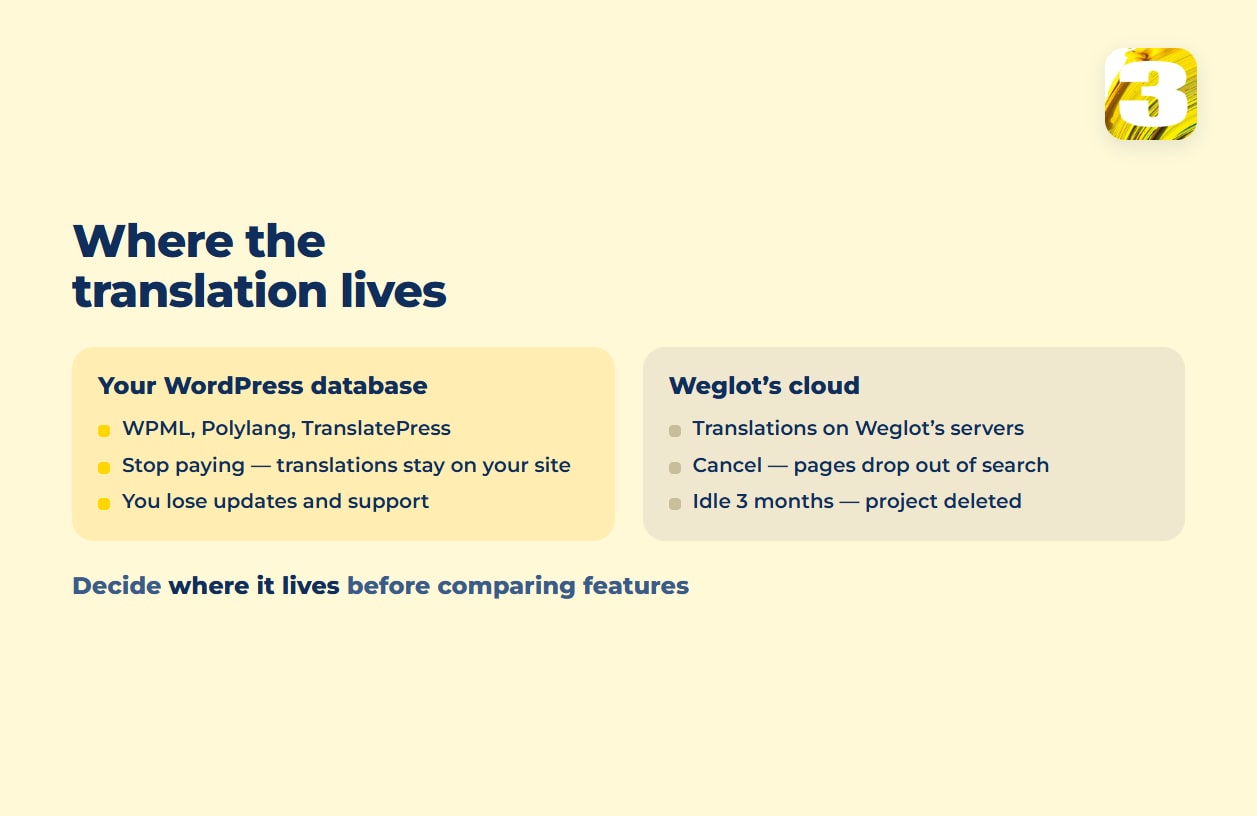
Pick a WordPress translation plugin and the decision that matters most is where the translated text lives. WPML, Polylang, and TranslatePress save it in your own WordPress database, next to your posts and pages. Weglot keeps it on Weglot’s servers; on WordPress, its plugin pulls the translations from Weglot’s cloud rather than from your database. That single difference matters more than price, because it decides what happens to your French or Spanish pages the day you stop paying.
Where the Translation Lives: Your Database or Someone Else’s Cloud
WPML stores translated posts in your own database. As WPML’s documentation on its custom tables puts it, “Entries of the same translation cluster share the same value in element_type and trid columns.”
Polylang works the same way by design. On its WordPress.org plugin page, it’s described as built “using only its built-in core features (taxonomies),” so your French posts sit in the same WordPress tables as your English ones, tagged by language rather than mirrored elsewhere. TranslatePress says it outright: a TranslatePress team member, replying on the plugin’s WordPress.org support forum, states that “the translations are stored in your site’s local database.”
Weglot is a different architecture. Its technical overview puts it this way: “Your translations are stored on the Weglot database.” On WordPress, the plugin reads each page — it will “parse the DOM in PHP,” per Weglot’s developer docs — and swaps in translations served from Weglot’s cloud. Weglot’s own plugin roundup lists the consequence as a con: translations “sit in your Weglot account rather than in your own WordPress database.” If you’re also weighing GTranslate or another cloud service, ask the same question: where the translations live, and what stays live if the subscription ends.
Which Is the Best Translation Plugin for WordPress? Price, Machine Translation, WooCommerce
Prices are listed the way each vendor lists them: euros for WPML, Polylang, and TranslatePress; dollars for Weglot.
| Plugin | Machine translation | WooCommerce | Price |
| WPML | AI translation on the CMS and Agency plans only — “22,500 words” (CMS) or “45,000 words” (Agency), none on the €39 Blog plan; legacy DeepL, Google, and Microsoft engines “translate one segment at a time without page-level context” | E-commerce listed among CMS and Agency plan features | €39–€199/year |
| Polylang | DeepL, through your own API key, on Polylang Pro | Sold as a separate add-on, Polylang for WooCommerce, “from 99€ / year” | Free core; Pro “from 99€ / year” |
| TranslatePress | Built-in AI-translated words, from “50K” (Personal) to “500K” (Developer) | “Out of the box WooCommerce compatibility,” per its WordPress.org plugin page — no separate add-on | Free version (one extra language, 2,000 AI words); paid €99–€349/year |
| Weglot | Built-in: Weglot “uses 3 of the leading AI translation providers (Google Translate, DeepL, and Microsoft),” per its AI translation page | “Cart, checkout, and account pages. Customer emails in the shopper’s own language.” — per its WordPress.org plugin page | $0–$769/month; every plan caps words and languages |
Polylang’s free core alone covers posts, pages, media, categories, tags, and custom post types — a real option if you only need the site translated, not the store.
Weglot’s tiers cap languages as well as words: Starter covers one extra language, Business ($32/month, 50,000 words) three — so an English site adding both French and Spanish starts at Business.
So which one fits? It depends on the site more than the plugin:
- A WooCommerce store, translations kept in your own database: WPML on the CMS plan (€99/year), where e-commerce is included, or Polylang for WooCommerce (from €99/year), which works with free Polylang or Pro — the Business Pack bundles both from €139/year.
- A brochure site with no store and a tight budget: Polylang’s free core.
- You want AI translation bundled into the license: TranslatePress, from 50K AI-translated words on the Personal plan, or WPML CMS with 22,500.
- No developer, and speed of setup matters more than ownership: Weglot, accepting that the translations live on Weglot’s side, not yours.

What Happens If You Stop Paying
For WPML, Polylang, and TranslatePress, the architecture answers most of this before any terms of service do: the French or Spanish text sits in your own database. Nobody can revoke it remotely, because nobody else is hosting it. Still, read each vendor’s current license terms: a lapsed renewal typically ends updates and support, even though the content itself stays put.
Weglot’s cancellation terms are explicit. Cancel, and “the translations won’t be active anymore,” which means “your translated pages will be progressively removed from search engines.” A cancelled subscription drops to the Free plan, and the project is “automatically deleted after 3 months of inactivity… unless you manually delete it.” That’s the trade Weglot’s cloud model makes for being fast to set up: the translations you paid for don’t live on your site.
Exporting before you leave is only a partial way out: per Weglot’s help center, “The import/export feature is available for Advanced and higher plans” — $329 a month and up — and the export comes as a CSV or XLIFF file.
Running WPML on Our Own WordPress Multilingual Site
3my.org itself runs on WordPress with WPML, in English and French, so this isn’t theoretical for us. What’s cost us time is the plumbing around it.
French posts get their own categories and tags rather than sharing the English ones, so taxonomy has to be set up in both languages — and if you publish through the REST API, as we do, you assign the French terms yourself. The link between an English post and its French translation isn’t visible through the REST API — you can pull either post on its own, but not the pair, which matters if you’re scripting anything against the site.
And a link to a French page that isn’t published yet doesn’t stay as the clean URL you typed. WPML rewrites it back into a bare ?p=123 query string every time the post saves, until that target page goes live. None of this is a dealbreaker. It’s the kind of thing that shows up in week three, not on the pricing page.
Skipping a WordPress Translation Plugin: Wix’s Built-In Option
Not every bilingual site needs a WordPress translation plugin at all. Wix’s own Wix Multilingual feature translates a site “to over 180 languages” from inside the platform, no plugin decision required. The tradeoffs between a website builder and WordPress go well beyond translation, though, and we’ve laid those out separately in Wix vs. WordPress for a small business. If you’re already committed to WordPress, the four plugins above are the real shortlist.
Two Things This Comparison Doesn’t Cover
Plugin price is usually the smallest number in a multilingual budget; the full breakdown, beyond the license fee, is in what a multilingual website really costs. And once translated pages exist, search engines need to be told which page serves which language and country; that’s what hreflang does. WPML and Polylang, for example, set it on their own, Polylang with one gap worth knowing — see our hreflang guide for Canada and the US.
We build bilingual WordPress sites, and where WooCommerce is part of the plan, our store development work covers the translated catalog, checkout, and customer emails.









