
In this article
- What en-CA, en-US, fr-CA, and es-US Actually Mean
- Hreflang x-default: The Page for Everyone Else
- Return Links: the Rule That Breaks Most Often
- Three Ways to Add a Hreflang Tag to a Page
- A Page With No Translation Doesn’t Need a Fake One
- Hreflang in WordPress: What WPML and Polylang Set for You
- How to Check Your Site’s Hreflang Output
- Getting a Second Pair of Eyes on Your Technical SEO
Hreflang tags tell Google which version of a page to show in search results, based on language and location. For a business selling in Canada and the US, that can mean up to four codes: en-CA, en-US, fr-CA, es-US. Skip the tag, or break it, and Google decides on its own — a searcher in Vancouver can get the US-only page, a Spanish-speaking searcher in Miami the English page, even though a Spanish version exists. The codes are simple. Getting every page to point back correctly is where many sites lose the tag’s value.
What en-CA, en-US, fr-CA, and es-US Actually Mean
Google’s own documentation spells out the format: “The first code of the hreflang attribute is the language code (in ISO 639-1 format) followed by an optional second code that represents the region code (in ISO 3166-1 Alpha 2 format) of an alternate URL.” Language first, region second, joined by a hyphen.
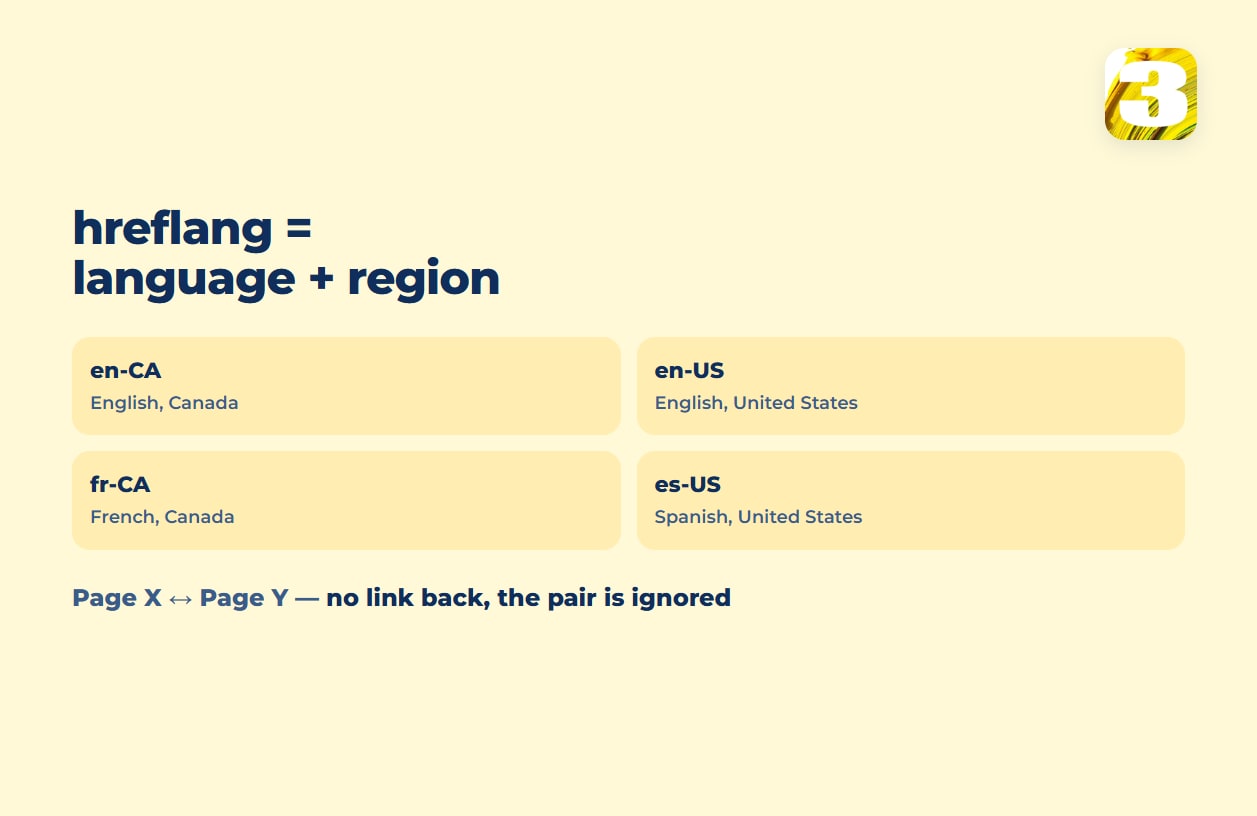
For Canada and the US, that gives four working pairs: en-CA (English, Canada), en-US (English, United States), fr-CA (French, Canada), es-US (Spanish, United States) — what Google Search Central calls localized versions. The region half is optional: if one English page serves both countries, plain en is valid — Google lets you “specify a language code by itself.” Separate en-CA and en-US pages earn their place only when the pages actually differ — prices, shipping, spelling. The reverse doesn’t work: “You can’t specify the country code by itself.” The first code is always read as a language, so a tag reading hreflang="ca" doesn’t mean Canada.
Hreflang x-default: The Page for Everyone Else
A fifth value covers visitors none of the four pairs match — someone browsing in German, or with no language setting that fits any pair you’ve built. Google’s definition: “The reserved x-default value is used when no other language/region matches the user’s browser setting.” It’s recommended “for specifying the fallback page for users whose language settings don’t match any of your site’s localized versions” — in practice, a language picker or your main English version.
Return Links: the Rule That Breaks Most Often
Hreflang isn’t a one-way label — it’s a pair of pointers, and Google’s rule is explicit: “If page X links to page Y, page Y must link back to page X. If this is not the case for all pages that use hreflang annotations, those annotations may be ignored or not interpreted correctly.” In practice, this is where hand-edited sites fail: someone adds a new English page, updates its hreflang list, and forgets to add the matching link on the French twin.
Google then drops that pair: “If two pages don’t both point to each other, the tags will be ignored.” Pairs that do point to each other keep working — which is why the gap goes unnoticed: nothing breaks site-wide, one page quietly loses its twin in search.
Three Ways to Add a Hreflang Tag to a Page
Google recognizes three implementations: HTML <link> tags inside <head>, an HTTP header, or an entry in the XML sitemap. HTML tags are the default for ordinary web pages; the HTTP header covers files that have no <head> element at all; the sitemap method keeps the markup out of the page itself, which matters more on a large catalog than on a five-page site. On WordPress, the HTML method is what a multilingual plugin generates for you. A single page’s set looks like this:
<link rel="alternate" hreflang="en-CA" href="https://example.com/en-ca/page/" />
<link rel="alternate" hreflang="en-US" href="https://example.com/en-us/page/" />
<link rel="alternate" hreflang="fr-CA" href="https://example.com/fr-ca/page/" />
<link rel="alternate" hreflang="es-US" href="https://example.com/es-us/page/" />
<link rel="alternate" hreflang="x-default" href="https://example.com/en-us/page/" />
Notice the page lists itself too. That’s not redundant: Google’s rule is that “each language version must list itself as well as all other language versions.”

A Page With No Translation Doesn’t Need a Fake One
Not every page has to carry all four codes. Take a service page that exists only in English: there’s no French version to link to, so its hreflang set is just en and x-default — or no hreflang at all, since there’s no alternate to point to. Either is correct, not an oversight. The mistake would be listing a fr-CA alternate that points at a page that doesn’t exist, or at a French page on some other topic instead. A page without a translation should carry no tag for the language it doesn’t have — and no page on another topic should list it as its alternate either.
Hreflang in WordPress: What WPML and Polylang Set for You
On WordPress, this is usually handled by the multilingual plugin, not typed by hand. WPML‘s documentation: “WPML automatically inserts hreflang tags to your pages, and updates them as you make changes to your website” — which is the return-link problem above, solved by the plugin rewriting both sides whenever either page changes.
Polylang does the same: “Polylang automatically uses the hreflang HTML tag attributes on your multilingual site so you don’t need to do anything!” One gap is worth knowing before you rely on it: “Polylang generates a x-default hreflang only for the homepage, as recommended by Google.” Every other page on a Polylang site ships without an x-default value. x-default is optional, so that’s not an error — just a missing fallback on inner pages. And “as recommended by Google” is Polylang’s reading: Google says the value can be used on any page, though it was designed for language selector pages and works best there.
3my.org runs on WPML, and the hreflang tags on its pages are the plugin’s output, not hand-typed. How the four main plugins compare is in WPML vs Polylang vs TranslatePress vs Weglot; what a second language costs overall is in what a multilingual website really costs.
How to Check Your Site’s Hreflang Output
Right-click any page, choose “View Page Source,” and search for hreflang. Confirm every language version is listed, that the URLs are live rather than a redirect chain, and that the page you’re on appears in the list on each of its counterparts too.
While you’re in the source, search for rel="canonical" as well. Each language version should name itself as its canonical page; a French page whose canonical points at the English one sends Google two conflicting signals. Google’s rule, from its guide to canonical URLs: “If you’re using hreflang elements, make sure to specify a canonical page in the same language, or the best possible substitute language if a canonical page doesn’t exist for the same language.”
On WordPress, fix a wrong canonical in the SEO or multilingual plugin’s settings, not by pasting tags into the theme. To test a single live page beyond reading the source, Google’s documentation points to third-party validators such as Merkle SEO’s hreflang testing tool.
Worth remembering while you look: “Google doesn’t use hreflang or the HTML lang attribute to detect the language of a page; instead, we use algorithms to determine the language.” The tag routes visitors between versions you’ve already built correctly — it doesn’t fix a page written in the wrong language, or make a thin translation rank on its own.
That’s a separate problem, covered in why a translated page doesn’t rank. Hreflang is one check among many in a technical audit; the rest of the list is in our technical SEO audit checklist.
Getting a Second Pair of Eyes on Your Technical SEO
Our free SEO audit looks at a site’s technical basics — speed, mobile layout, indexing errors, pages competing with each other — and ends with a plain order of what to fix first.