
A Google Ads script is JavaScript that runs inside your account on a schedule, with nobody watching. Google’s own documentation describes it plainly: scripts “provide a way to programmatically manage and query your Google Ads data using JavaScript in a browser-based IDE,” and they run “without needing an active user session.” You write the code once, in the editor built into the interface, tell it when to run, and it keeps running whether or not you ever log in again. It can call outside services too — check a URL, post to Slack, hit a weather API — and if you manage more than one account, the same script can run across all of them at once through a manager account.
That’s the appeal in one sentence: free labour that doesn’t need you present. What matters is which kind of labour it’s good at. A script makes an excellent watchman and a poor decision-maker, and most disappointment with Google Ads scripts comes from asking it to do the second job.
What a script is actually good for: standing guard
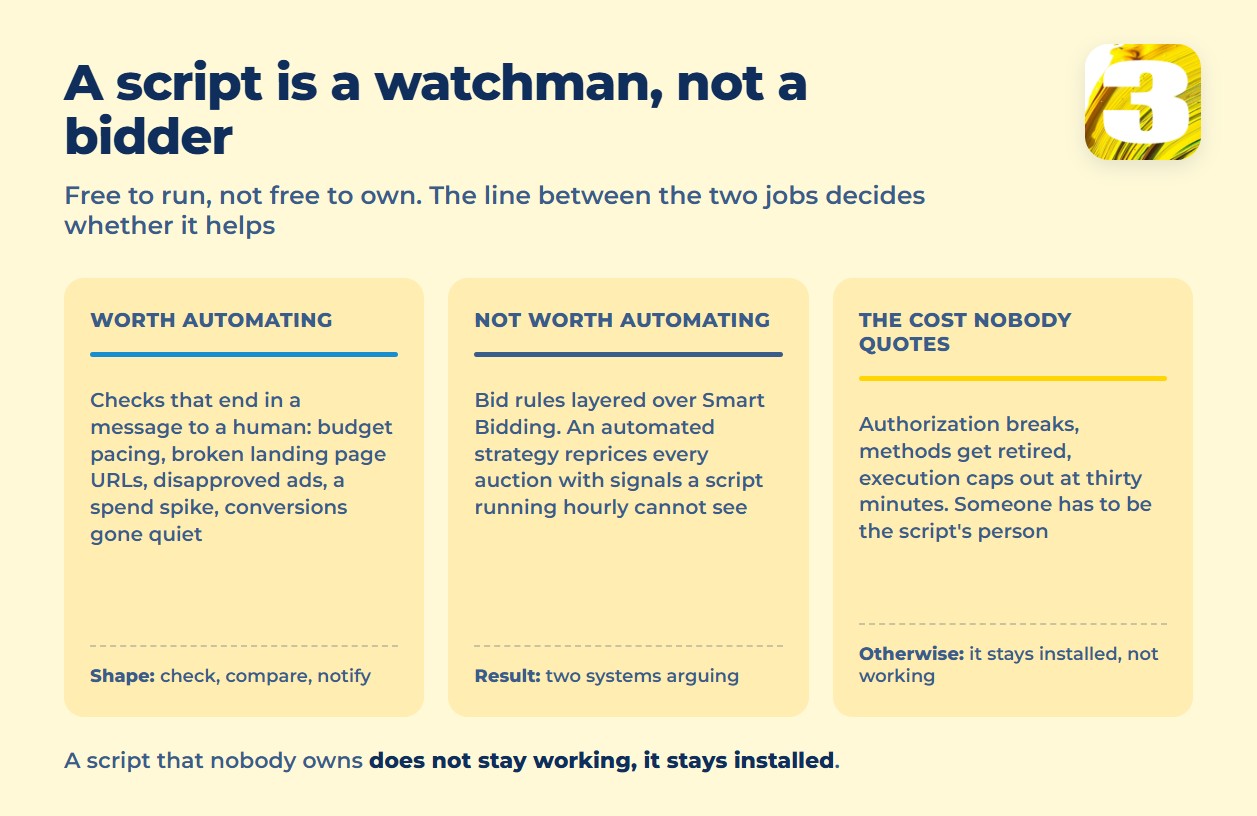
The tasks where a script earns its keep all share one shape — check something, compare it to a threshold, tell a human. None of them require judgment, and all of them are boring enough that a person forgets to do them by hand:
- Budget pacing. A script checks spend against the day’s date and flags a campaign on track to blow through its monthly number before the month is over.
- Broken landing page URLs. It requests every final URL on a schedule and reports the ones returning an error, instead of you finding out from a dropped Quality Score three weeks later.
- Disapproved ads. It scans ad status and sends a message the moment something gets rejected, rather than a week after the ad stopped serving.
- A spend spike on a single keyword. It compares today’s cost against a rolling average and flags the outlier before the invoice does.
- Zero conversions where they used to happen. It notices a campaign that converted reliably and has gone quiet — usually a tracking break, not a demand problem.
None of that touches a bid. Every one of those examples ends the same way: a script sends a notification, a person decides what to do about it. That division of labor is the difference between a script that saves you time and one that quietly makes things worse while looking automated.
What not to put in a script: rules on top of Smart Bidding
The other common use of scripts is writing bid rules — raise the bid if X, lower it if Y, on a schedule. That’s the one place scripts consistently earn their bad reputation, and for a specific mechanical reason: if the account runs Smart Bidding, an automated strategy is already recalculating bids at every single auction, using signals — device, time of day, audience, search terms — that a script running once an hour can’t see. A script layering its own bid logic on top isn’t assisting that system. It’s arguing with it, on a much slower clock, with much less information.
The result is rarely dramatic. It’s just two systems quietly working against each other, and the account owner paying for both. If a bid genuinely needs a rule-based override, that’s a reason to look at bid limits or portfolio strategy settings inside the interface — not a reason to write JavaScript that repeats, badly, what Smart Bidding already does continuously. The wider case for automating an ads operation is made in why automation matters for agencies.

The part that isn’t actually free
The pitch is “free automation,” and the code itself does cost nothing. What isn’t free is keeping it alive. A script authorizes against your account and needs re-authorizing if that access breaks. Google retires methods and changes report formats on its own schedule, not yours, and a script written against last year’s behaviour can start failing quietly. Execution limits mean a script that grows past what it was built for just times out instead of finishing. None of that shows up until the day the script stops doing the one thing you were relying on it for — and by then, whoever wrote it may not be around to explain what it was supposed to do.
That’s the real cost of ownership: someone has to be the script’s person. Not a subscription line item, a name — whoever gets the message when it breaks and knows enough JavaScript to fix it. We write and maintain automation for clients as part of our Google Ads work, and everything we build stays yours — the account, the code, the access. That’s exactly why we’re direct about this: code that nobody owns doesn’t stay working, it just stays installed.
The limits, in Google’s own numbers
Before writing anything, it’s worth knowing the ceiling. Google’s scripts documentation states it directly: “Google Ads scripts for advertiser accounts can execute for a maximum of 30 minutes” — stretching to 60 with `executeInParallel` and a callback. Other ceilings matter once a script does real work: the default iterator stops around 50,000 results, a `withIds()` selector tops out at 10,000 IDs, the execution log truncates at 100 Kb (enough to hide the error you needed), and one account holds at most 250 authorized scripts.
None of that is a reason to avoid scripts. It’s a reason to scope them small — one watchdog task, one script — instead of one giant script trying to run the account.
One practical note: Google reorganized this documentation in September 2025 and pulled the scattered code samples into a single examples reference, so a snippet copied from an old forum post may no longer match the current guides.
Are scripts still worth it in 2026?
Google hasn’t published a position on this, so treat what follows as the view of people who manage accounts, not a company statement. The argument for scripts fading is real: native automation — Smart Bidding, automatically created assets, Performance Max — now handles a lot of the optimization that used to require a script watching for a pattern inside one campaign. What native automation still doesn’t do is watch the account from above: whether spend is pacing sanely across campaigns, whether a URL broke somewhere, whether one manager account’s worth of clients all just had their conversions go quiet at once. That’s oversight, not optimization, and it’s the job scripts were never really competing with Smart Bidding for in the first place.
Someone has to be the one watching
A script is a good idea with an owner and a bad idea without one. If what you actually need is someone checking pacing, URLs, and disapprovals across accounts every day — and doing something about what they find — that’s a person’s job description before it’s a line of code. If the automation question extends past ads into the rest of how the business runs, that’s what our automation work looks at separately.
Not sure what your own account would flag if someone were watching it properly? Start by reading the numbers that show whether the account is losing ground to budget or to rank. Those numbers are the search impression share formula.