
In this article
You can move from Wix to WordPress and keep your domain, but not with one export button. Some content comes across, some you rebuild, and keeping your rankings depends largely on redirecting every changed address with a server-side 301 (permanent) redirect set up on the WordPress side.
Wix’s help center is direct about the first limit: “Currently, it is not possible to export blog posts to other platforms.” Wix does give you an RSS feed (an automatic list of recent posts) and a CSV file for products.

What You Can and Can’t Export From Wix
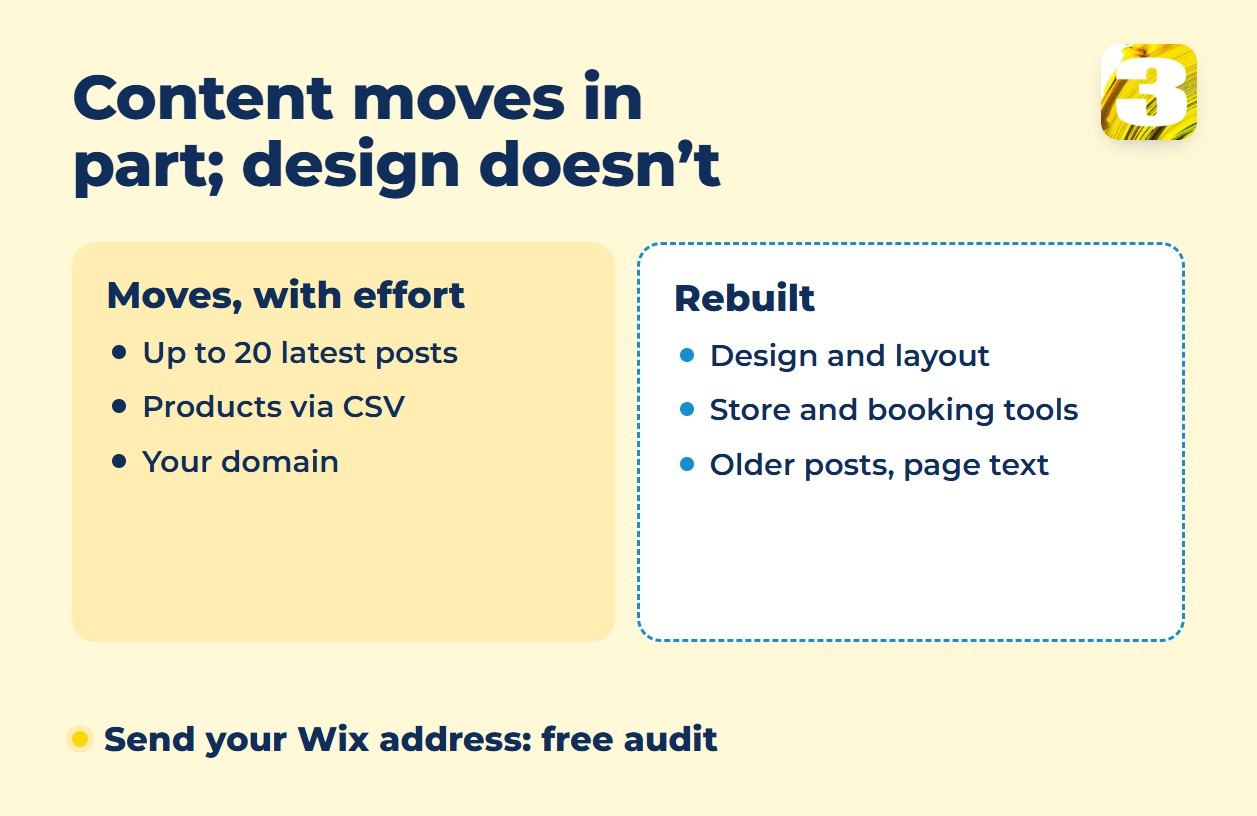
Blog posts. WordPress can import from Wix’s RSS feed: save the feed as an .xml file, then upload it with the RSS importer on the Tools → Import screen. The catch is in Wix’s own note: the blog feed “can only display up to 20 of the most recent blog posts,” and categories get no feed. Treat 20 as a ceiling, not a promise, and plan to copy older posts by hand.
After the import, open a few posts and check that their images sit in your WordPress media library, not on Wix’s servers. Any that still load from Wix, upload to the media library and swap into the post.
Products. Wix Stores exports products, with all their data, to a CSV file. It has two limits: “up to 5,000 rows per CSV file,” and “Exporting digital products is not currently supported.” More than 5,000 rows means several files.
Design, layout and apps. None of it travels. Even between two Wix sites, Wix lists “Site theme, design and layout” among twelve features that cannot be transferred, next to Wix Stores and Wix Bookings. In WordPress, you rebuild the look, the store, bookings and your contact forms; send a test message from each new form to check that it reaches your inbox.
Regular pages. For home, services and about pages we found no export in Wix’s help articles, so plan to copy text and images by hand. Copy each page’s SEO title and meta description too, and each imported post’s, since the RSS feed doesn’t carry them: WordPress has no meta description field until you add an SEO plugin such as Yoast SEO.
Wix Website Redesign: Stay or Move?
A new template on Wix isn’t a shortcut. Wix says: “It is not currently possible to change your site’s template, even if you haven’t added any content or elements.” The alternative is a new site on the template you want, with your Premium plan and domain reassigned. Another Wix article adds: “It is not currently possible to transfer all your site’s content, media, and SEO settings from an existing site to a new template.”
Switching from the Wix Editor to the Studio Editor doesn’t help either. Wix’s FAQ answers: “No, the Wix Editor and Studio Editor are separate platforms, and sites created in one cannot be transferred to the other.” So a full redesign on Wix is already a rebuild, just inside Wix. If you only want a fresher look, Wix points to the Site Design panel for colors, text and page transitions. That is a restyle, not a redesign.
Our rule of thumb: stay if the site works and only the look is tired. Look at moving if you face a rebuild anyway, or if your blog, store or bookings have outgrown what Wix gives you. For cost, control and support, see our Wix vs WordPress comparison for small businesses.
Not sure which case is yours? Start with a free site audit. Along with what Google shows and what’s broken, we tell you what on the site is worth keeping.
Transfer Your Wix Domain or Just Point It to WordPress
Wix says you can transfer a domain purchased from Wix to another domain host, but “your Wix site is disconnected” if you do. There is also a lock: under ICANN rules, a domain can’t be transferred within 60 days of registering it, changing the registrant contact information or transferring it between providers. If the lock blocks the transfer, Wix’s lock-policy page adds that “you can keep the domain in your Wix account and point it to your external site in the meantime.”
So moving the registration isn’t a must. What matters is whose name it’s in: keep the domain registered to your business. When we buy a domain for a client, we always register it in the client’s name, never ours. One check before you point the domain: if your business email uses this domain, write down its current DNS records before you change anything, so the switch doesn’t cut off your mail.
The order that keeps your site online. Wix includes hosting; WordPress needs a host of its own, so choose one first: yours, or ours if we build the site. Build the new site on a temporary address, hidden from search engines, while the Wix site stays live, and load the redirects; only then point the domain and open the new site to search engines. Keep your Wix plan until the new site is live and the redirects check out.
Redirects After Leaving Wix: Use Server-Side 301s
Rankings follow addresses. Wix blog post addresses include a prefix such as /post/. The address WordPress gives a post depends on the permalink structure you choose under Settings → Permalinks, where “Post name” gives addresses like http://www.sample.com/sample-post. You can also choose a custom structure such as /post/%postname%: posts whose slug (the last part of the address) stays the same then keep their old address. Any old address that differs from its new one needs a redirect.
Some guides suggest a JavaScript redirect. Google’s redirect documentation is blunt: “Only use JavaScript redirects if you can’t do server-side or meta refresh redirects.” With a JavaScript redirect, “Google might never see it if rendering of the content failed.”
Google’s site-move guide says to “Use server side permanent redirects if technically possible,” meaning “HTTP permanent redirects if possible, such as 301 and 308.” You may also see Wix’s own URL Redirect Manager suggested as the fix, but it lives in the Wix dashboard, so once visitors reach WordPress instead of Wix, that tool is out of the picture.
On the WordPress side:
- List the old Wix addresses, starting with pages that bring traffic or links, and pick the closest new page for each. Don’t send everything to the home page: Google warns that doing so “might be treated as a soft 404 error,” meaning Google may read the redirect as a missing page.
- Load these old-to-new pairs into the Redirection plugin, which calls itself “the most popular redirect manager for WordPress.” Its vendor documents a CSV import with columns such as “source URL,target URL.”
- After launch, check the plugin’s 404 log for old addresses you missed, and keep the redirects in place: Google’s guide says “generally at least 1 year.”
The full redirect routine is in our guide to website redesign SEO.
Frequently Asked Questions
1. Will my rankings drop after I move from Wix to WordPress?
They may move for a while, and nobody can promise otherwise. Google says visibility in Search “may fluctuate temporarily during the move.” For medium-sized sites, it can take “a few weeks or more” before Google gradually shows the new URLs. Correct redirects are the part you control.
2. What if my Wix site is on a free Wix address, not my own domain?
Wix says “301 redirects only work with custom domains,” so its URL Redirect Manager can’t forward a free address. Without a 301, Google gets no clear signal that the old pages moved, so the new site may have to build its visibility largely from scratch.
3. What does moving from Wix to WordPress cost with 3MY?
We quote after a free audit, because situations differ a lot. Moving from Wix means rebuilding the design in any case; when the structure, copy and images all have to be redone too, it’s priced like a new site: from $1,900, sometimes more, and whatever still works is credited. Copy for every page is included in that price. The line items behind a redesign price are in our guide to website redesign cost.
Send Us Your Wix Address
Send us the address of your Wix site and we’ll run a free audit. If it shows it’s time to rebuild on WordPress, we do it through our website development service. We build on WordPress, so if you ever leave, you take what you paid for.