
In this article
- How to Redesign a Website Without Losing SEO: Take Inventory First
- If Your URLs Stay the Same
- SEO Site Migration: What Changes When URLs Do
- Three Mistakes That Cost Rankings in a Redesign
- SEO Migration Checklist: Before and After Launch
- Traffic Fell After Someone Else’s Redesign: What to Check First
- Frequently Asked Questions
- Check Your Site Before You Redesign It
You can redesign a website without wrecking your rankings, but nobody can promise zero movement. Website redesign SEO comes down to one question: do your page addresses change? If they stay the same, the risk sits in content and indexing settings; if they change, old addresses need permanent redirects to their closest new matches.
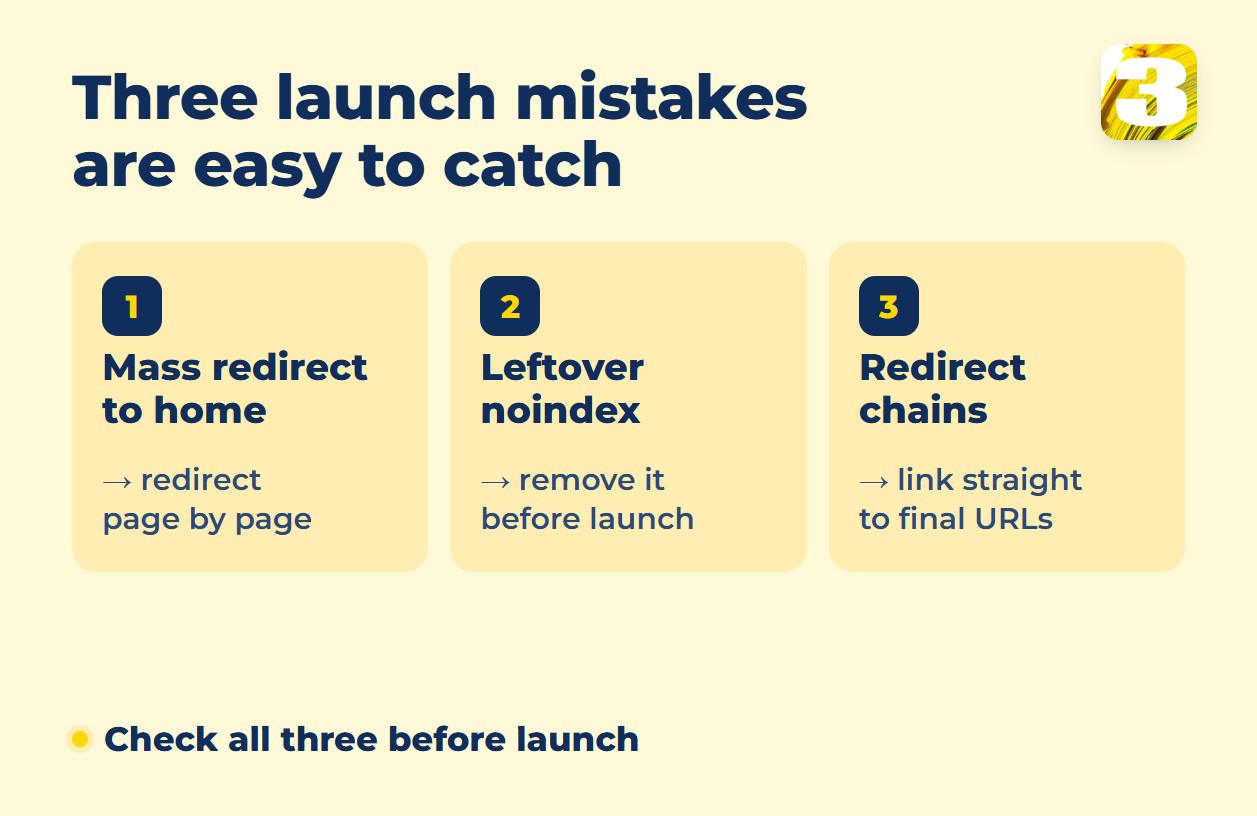
Three launch-day mistakes are easy to prevent: sending every old page to the home page, leaving the test copy’s noindex on the live site and linking through chains of redirects.

How to Redesign a Website Without Losing SEO: Take Inventory First
In Search Console, export the pages with impressions and clicks, and open the Links report for the pages other sites link to most. Google says the report shows “a sample of internal and external links,” so treat it as a guide, not a full list.
These reports show your most important pages, not every address. For the full list, Google’s site-move guide points to your sitemaps, server logs and your content management system, and says the CMS “can typically provide a straightforward way to get a listing of all URLs that host content.” Include images and other embedded files, and save each top page’s title, main heading and text: if traffic drops later, that copy is what you compare against.
Then record a baseline: traffic, leads and key rankings. One of our clients, a home-services business, had an old site with neither Analytics nor Search Console, so after the rebuild there was no honest before-and-after in numbers. Set both up before the redesign starts.
If Your URLs Stay the Same
With every address unchanged, nothing needs a redirect. Google’s guide to moves without URL changes is about hosting and CDN switches, not redesigns, but its advice to “Remove any temporary blocks to crawling” fits any launch from a test copy.
Check three things:
- Are the addresses identical? A new platform can quietly change trailing slashes or folders, and any difference sends you to the next section.
- Do pages with traffic keep their text, title and main heading? Cutting the copy a page ranks for can cost it the position.
- Is the new design slower, or worse on mobile? Compare Core Web Vitals before and after.
Then rule out a leftover noindex (mistake 2 below).
SEO Site Migration: What Changes When URLs Do
If any page gets a new address, Google has a separate guide for site moves with URL changes, and changed URL paths are among its examples. A redesign lands here whenever the new site builds addresses differently, for example when a menu restructure moves pages into new folders. The extra steps when you’re leaving Wix are in our guide to moving from Wix to WordPress.
Start with a map: for every old URL that has a counterpart, pick the closest page by meaning and redirect permanently. Google recommends “HTTP permanent redirects if possible, such as 301 and 308” and keeping them “for as long as possible, generally at least 1 year.”
Then update internal links, the sitemap you submit in Search Console, a self-referencing canonical tag on each new page and, on multilingual sites, hreflang annotations.
Expect movement. Google says visibility “may fluctuate temporarily during the move,” and for medium-sized sites the switch “can take a few weeks or more.” That is how long Google takes to start showing the new addresses, not a date your positions return.
Three Mistakes That Cost Rankings in a Redesign
1. Redirecting Every Old Page to the Home Page
Google advises against redirecting “many old URLs to one irrelevant single URL destination, such as the home page of the new site,” which “might be treated as a soft 404 error,” meaning Google may read the redirect as a missing page. If several old pages were merged into one, Google allows redirecting them to it. Otherwise redirect page to page. For a page you drop with no equivalent, Google says to “make sure those URLs correctly return an HTTP 404 or 410 error response code on the new site.”
2. Launching With the Test Copy’s noindex
A test copy is usually hidden from search on purpose, with a noindex tag that tells search engines not to list a page, and those settings can travel to the live site. When Googlebot reads a noindex tag or header, Google “will drop that page entirely from Google Search results.” Check the live site’s page source, HTTP headers and robots.txt for leftovers. On WordPress, also make sure “Discourage search engines from indexing this site” is unchecked under Settings → Reading.
3. Linking Through Redirect Chains
Redirects are a safety net for outside links and old bookmarks, not a plan for your own menu. A chain forms when one redirect leads to another, and a chain can start with an earlier redesign: if the old site already redirects some addresses, point those redirects straight at the new pages too.
Google’s guide says to “Change the internal links on the new site from the old URLs to the new URLs.” It also advises “redirecting to the final destination directly” and, failing that, keeping the chain to “ideally no more than 3 and fewer than 5” redirects.
SEO Migration Checklist: Before and After Launch
- List every old URL (sitemap, CMS, server logs), flag pages with impressions, clicks and inbound links, save their titles, headings and text, and record a baseline.
- If addresses change, map each old URL that has a counterpart to its closest new page and redirect permanently; pages you drop return 404 or 410.
- Point internal links, the sitemap and canonical tags at the new addresses.
- Test the redirects: the URL Inspection tool for single pages, a crawler or script for the full list of old URLs.
- Remove noindex and crawl blocks, and confirm Analytics and key events still track on the new site before launch.
- After launch, check the Page indexing report and keep redirects generally at least a year.
Our guide to a website redesign RFP (request for proposal) shows how to compare quotes, including a separate line for the redirect map.
Traffic Fell After Someone Else’s Redesign: What to Check First
- Can Google index the pages? The URL Inspection tool tests whether a page might be indexable, and the Page indexing report lists pages left out because of noindex or treated as soft 404s.
- Where do your top pages’ old addresses go? Open them: a redirect to the home page, or a 404 on a page you meant to keep, usually means damage. Also check that redirects are 301 or 308 and reach the final address in one step.
- Did the content change? Compare the title, main heading and text of top pages with the copy you saved before the redesign, if you have one.
- Could it be timing? If the launch was days or a few weeks ago and the checks above are clean, some movement is expected. If a check found a problem, waiting won’t fix it.
If you’d rather not dig through this alone, start with the free site audit: it lists which pages Google shows now, what’s broken (speed, mobile layout, indexing, competing pages) and what to fix first. If problems turn up, our one-time SEO work costs $489 for a one-page site or $1,489 for a home page plus four service pages, in one language. More checks are in our technical SEO audit checklist.
Frequently Asked Questions
1. Do 301 redirects lose link value?
No, according to Google’s site-move guide: “301 and other permanent redirects don’t cause a loss in PageRank.”
2. Do I need Search Console’s Change of Address tool?
Not for a redesign that keeps your domain. The tool is only for moving your website “from one domain or subdomain to another,” as Google’s help page puts it, not for a switch from HTTP to HTTPS.
3. What does a redesign cost with 3MY?
Price depends on what your site needs: some sites need a few fixes, others need everything redone, so we quote after a free audit. When a site needs everything rebuilt (structure, copy, images), it’s priced like a new site: from $1,900, sometimes more; whatever still works is credited. The full breakdown is in our guide to website redesign cost.
Check Your Site Before You Redesign It
Not sure which case your site is in? Send us the address for a free audit, and we’ll tell you what on the site is worth keeping. Then we quote, and you choose: a refresh, a redesign or a rebuild with our website development service.