


Running ads on Google can feel like progress. The dashboard fills with data, clicks start flowing, and impressions pile up. Numbers go green, graphs rise, and everything looks like it’s working. But then comes the uncomfortable question — are those clicks turning into real revenue? Or are you just paying for digital noise?
This is where many campaigns fall into a trap: they focus on surface metrics. Click-through rate looks strong, cost-per-click is manageable, but no one’s checking what happens after the click. Are people buying? Are they turning into leads? Are they worth more than what you spent to reach them?
That’s where ROAS steps in — not just as a formula, but as a filter. It cuts through vanity metrics and focuses your attention on the only thing that matters: return.
ROAS (return on ad spend) tells you how much revenue you make for every dollar spent on advertising. It’s the cleanest way to measure whether your campaigns are merely active — or actually profitable.
What Is ROAS?
ROAS is a straightforward ratio between the revenue you earn from a campaign and the amount you spend on it.
ROAS = Revenue from ads / Cost of ads
If you spend $1,000 and earn $4,000 back, your ROAS is 4.0 — meaning you earn $4 for every $1 spent.
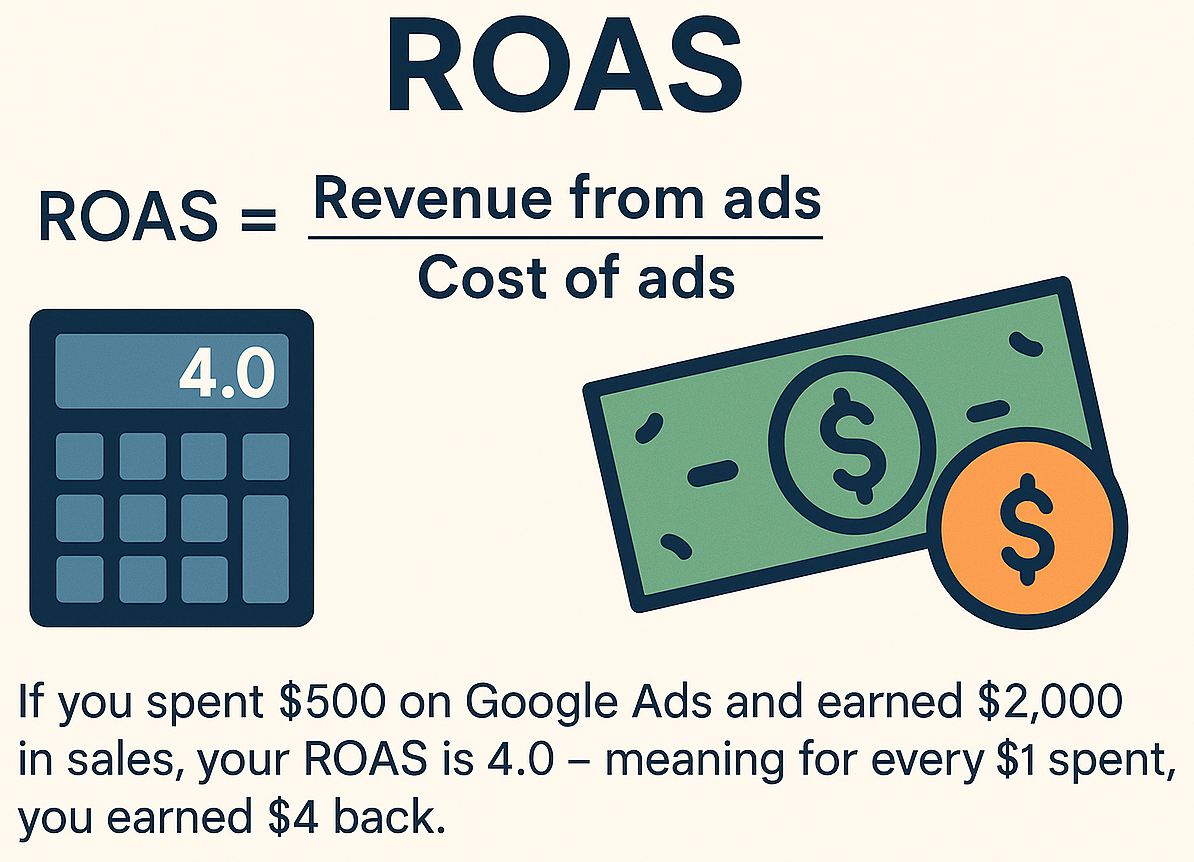
The example above runs the same math at a smaller scale: $500 spent, $2,000 in sales, ROAS of 4.0. The ratio is what matters, not the size of the budget.
Unlike CTR or CPC, which measure engagement, ROAS tracks profitability. It’s a direct line between marketing cost and business return.
ROAS vs. ROI: What’s the Difference?
ROAS focuses specifically on ad performance. ROI (Return on Investment) includes broader expenses: production, labor, shipping, tools, etc.
Example:
- Ad spend: $1,000
- Revenue from ads: $3,000
- Cost of goods sold: $1,500
ROAS = 3,000 / 1,000 = 3.0
ROI = (3,000 – 1,000 – 1,500) / (1,000 + 1,500) = 20%
If you want to evaluate just the ad strategy, use ROAS. If you want to evaluate your business overall, look at ROI.
How to Track ROAS Accurately
1. Use Real Revenue Data, Not Just Leads
Leads don’t pay the bills — paying customers do. To get an accurate ROAS, connect your Google Ads account to a system that records actual revenue. This might mean:
- Turning on enhanced conversions, which send hashed first-party data alongside the tag to recover conversions the tag alone would miss
- Using ecommerce tracking, in Google Ads or in Analytics — note that GA4 no longer calls them conversions: an action has to be marked as a key event before it can be imported
- Importing offline conversions from your CRM, so the deal that closed three weeks after the click still counts against the click that started it
2. Include All Ad Spend
If you pay an agency or freelancer to manage your ads, or spend money on creatives, consider including that in your total cost — especially for internal calculations. For basic ROAS, the ad platform spend is enough.
3. Track Conversions Properly
Set up conversion tracking for actions that mean something: purchases, completed forms, booked calls. Shallow goals like page views or time on site won’t help you calculate ROAS — and if the tracking itself is off, every number below it is decoration. That is worth ruling out first, because broken conversion tracking is more common than most accounts assume.
What Is a Good ROAS?
There’s no one-size-fits-all answer. It depends on your margins and business model.
But here’s a rough benchmark:
| ROAS | Meaning |
|---|---|
| 1.0 | Break-even |
| 2.0–3.0 | Common minimum for sustainable profitability |
| 4.0+ | Strong performance, depending on product margins |
For example, if your profit margin is only 20%, you’ll need a ROAS of 5.0+ to be profitable.
If you’re selling a digital product or course with 80%+ margins, a 2.0 ROAS might be more than enough.
Sample Calculation
Scenario A: Online Retail
- Google Ads spend: $1,200
- Sales generated: $4,800
- ROAS = 4.0
Scenario B: Lead Generation
- Google Ads spend: $800
- 50 leads generated
- 10 leads converted into clients
- Average order value: $200
- Revenue: $2,000
- ROAS = 2,000 / 800 = 2.5
In Scenario A, the campaign is clearly profitable. In Scenario B, it may still work — depending on service costs and overhead.
How to Improve ROAS
- Optimise keywords: read the search terms report, then add the irrelevant queries as negative keywords.
- Improve landing pages: Better design, faster load speed, and clearer CTAs all help boost conversions.
- Automate the sales process: Use email follow-ups, chatbots, or CRM workflows to close more leads.
- Use value-based bidding: switch from “Maximise clicks” to “Maximise conversion value”, optionally with a target ROAS. Smart Bidding can only chase value if you are actually sending it values — without revenue data it has nothing to optimise towards.
- Test creatives and copy: Ads that resonate bring higher CTR and better conversion rates.
Common Mistakes That Tank ROAS
- Tracking form submissions but not actual revenue
- Not segmenting campaigns by product type or audience
- Ignoring low-performing keywords and placements
- Focusing on volume (clicks) instead of quality (buyers)
- Judging campaigns too early — some need weeks to optimize
Should You Trust ROAS Alone?
ROAS is powerful — but incomplete on its own.
A campaign with ROAS 2.5 might look okay, but if fulfillment costs are high or customers churn fast, the real value might be much lower. On the flip side, a low ROAS campaign might build your brand or feed long-term sales pipelines.
Always use ROAS in context.
Final Check: Would You Pay for This Again?
If your campaign spent $2,000 this month, and you paused it next month — would you miss the revenue?
It is the same question we ask in a broader form when checking whether Google Ads are actually working. ROAS is the arithmetic version of it.
If yes — you’re running a real lead engine.
If no — you might be paying for visibility, not results.
What We Do at 3MY
At 3MY, we help companies run ads that make money — not just activity. When we audit your Google Ads campaigns, we look at the full picture:
- Are the right users clicking?
- Are they buying or bouncing?
- Are the campaigns profitable — or just active?
- Is the cost per click reasonable for what a customer is worth here?
Ready to find out your real ROAS?
and we’ll show you exactly where the value (and waste) is hiding.









