


Your products disappeared from Google today, and Merchant Center is showing a suspension instead of a diagnostics page. Before you touch the appeal button, there’s an order to this, and doing it out of order is the most common way to burn the one review you get.

The One Merchant Center Violation That Skips the Warning
Most Merchant Center problems come with time to fix them. Google’s misrepresentation policy states the general rule directly: “For most violations, we’ll send you a warning email detailing the policy violation and give you 7 or 28 calendar days to fix your issue.” That’s the version of a suspension most sellers picture — an email, a deadline, a chance to correct course.
Misrepresentation doesn’t work that way. The same page says plainly: “However, we may not issue a warning for egregious policy violations.” Google defines egregious as “a violation so serious that it’s unlawful or poses significant harm to our users” — and treats every misrepresentation case under that standard. That’s why your account can go from normal to suspended overnight, with no email in between, no countdown, and no chance to fix anything before the products come down.
The policy itself covers a wide range: false claims of approval or partnership, offering products you can’t actually deliver, hiding your business identity, phishing for customer data, and refusing refunds you’d promised. But in practice, almost none of that describes what actually trips most stores. The far more common trigger is one line buried in the same policy: “Promoting products that aren’t stocked, promoting a deal that’s no longer active.” That’s not fraud — that’s a feed that says `in_stock` for a product your website has marked sold out, or a price in Merchant Center that no longer matches the price a shopper sees when they click through. There’s a separate piece on the feed fields that keep a product from showing.
Fix the Data Before You Touch the Policy Pages
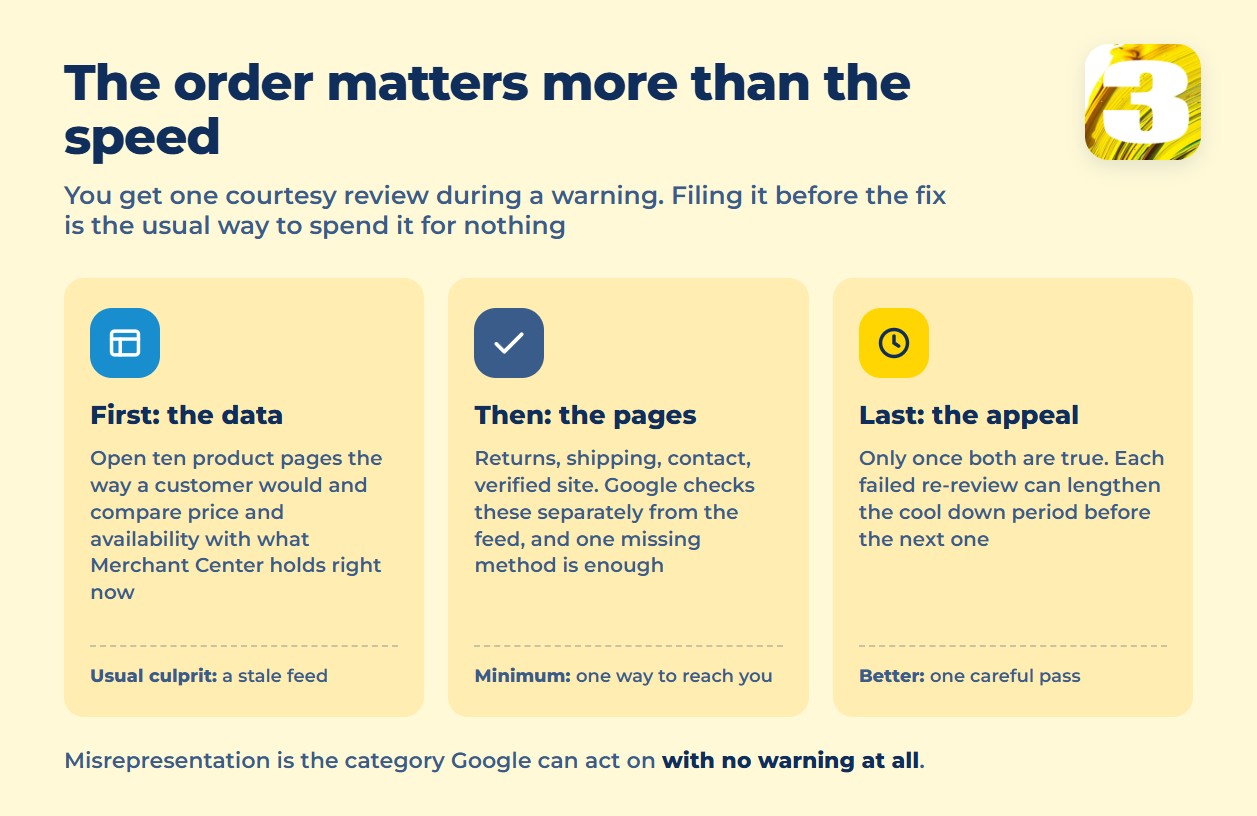
That distinction changes what you should do first. If the root cause is a mismatch between what your feed claims and what your live pages actually show, appealing without touching the feed just sends Google back to the same evidence that got you suspended. Start there: pull ten to twenty product pages at random, open them in a browser the way a customer would, and check the price and availability against what’s live in Merchant Center right now. Discount codes, out-of-season items marked available, and prices that update on the site but not in the feed are the usual culprits.
Only after the data lines up should you move to the second layer: the pages Google checks separately from the feed. Google’s editorial and professional requirements flag stores “that are missing required contact information, have unverified business information in Merchant Center, or both,” and separately flag any site “missing or provide incomplete return, refund, or cancellation information.” On contact information specifically, the bar is lower than most sellers assume — Google’s guidance asks for one of several options, not all of them: “Show at least a business address, phone number, email, contact form, or social media business profile on your online store.” A visible support email or a working contact form is enough; you don’t need to publish a phone number if you’d rather not.
The return policy page has to do more than exist — it has to say what happens, including timelines, or the same absence of clarity gets read as a violation on its own. Google’s guidance on the return and refund policy page is specific: it needs to “clearly state how you handle these actions, including all requirements and any timelines.” Don’t accept returns at all? Say that too — the guidance is explicit that a no-returns policy still has to be stated on the site, not left blank.
Appeal Last, and Only Once You Mean It
Only once the feed matches the live pages and the policy pages are complete does the appeal make sense. Google confirms there’s a built-in second chance during a warning: “You can request one courtesy review of your account at any time during the warning period of 7 or 28 days. If all of your issues are resolved, the warning will be lifted and your products will show as normal.” One review, and it only works if the issues are actually gone when Google looks.
For an account that’s already suspended rather than just warned, Google doesn’t publish a fixed number of allowed appeals. What its guidance on warnings and suspensions does say is that repeated failed reviews cost you time: “with each unsuccessful re-review afterwards, an increase of the cool down period may be applied.” In plain terms, a rejected appeal doesn’t just fail — it makes the next one slower to get. One careful pass through the feed and the policy pages, submitted once you’ve actually confirmed the fix, beats three quick appeals filed in the hope that something sticks.
Four Merchant Center Settings Worth Checking Before a Suspension
The same fixes that lift a suspension also prevent the next one, and Google names most of them in one place. Its guidance for connecting Merchant Center data to Performance Max lists exactly what the account needs: “business details, tax information (US only), verified and claimed website, shipping settings, feed with all of your product information.” Strip that down to a setup checklist and you get four things worth confirming today, suspension or not: your website is claimed and verified in Merchant Center, your return policy is written out in full, your shipping settings match what you actually charge and deliver, and at least one contact method is live on the site. None of the four takes long to check. All four show up again and again in suspension cases.
The Content API Shutdown Made This More Likely, Not Less
If your store syncs to Merchant Center through an older integration, there’s a second reason feeds are drifting from live pages right now. Google confirmed the Content API for Shopping’s end date directly: “we are also announcing the future sunset of the Content API for Shopping… will provide access to the Content API until August 18, 2026, after which the Content API will be shut down.” That date passed three days ago.
An integration still calling the old API doesn’t fail loudly — it just stops pushing price and stock updates, while Google keeps comparing your feed against the live pages exactly as before. The gap that opens between them is the same gap that triggers a misrepresentation suspension. Official channels from platforms like Shopify and WooCommerce typically move their own integrations forward automatically, but that depends on your plugin being current — check the version before assuming you’re covered. Custom-built or unmaintained integrations are the ones most likely to have quietly stopped syncing.
What We Can Actually Help With
We can’t reinstate your account — that decision belongs to Google, and no one outside Google can promise otherwise. What we can do is go through your catalog and feed line by line against your live site, the same check described above, and tell you exactly where the data disagrees before you file anything.
If you’re at an earlier stage than this — still deciding whether product ads belong in your marketing at all — that’s a different question, and worth answering before you invest in fixing anything. whether Shopping belongs in your ad mix at all If you’d rather have someone who builds Google Ads campaigns look at the account once the feed is clean, that’s a separate conversation too, and it comes after the data is fixed, not instead of it. Send us the catalog and we’ll tell you what’s actually causing the mismatch.









