


If you sell physical products, you’ve probably typed some version of this question into Google: is Shopping worth setting up, or is a regular search campaign enough on its own? The honest answer depends on four things about your catalog, not on how polished the ads look, and you can check all four before you build anything.
Quick answer first, then the mechanics. Shopping tends to work when people search for your product by name or category rather than by a vague need, your price sits close to what a shopper sees listed next to you, your stock numbers are actually accurate rather than “usually in stock,” and every product has a real photo and a real price on the page it links to. Miss two or more of those, and Shopping will spend your budget politely and produce very little. Not because the format is broken, but because Shopping runs on your data instead of your judgment.

The Real Difference: Who’s in Control, You or Your Catalog
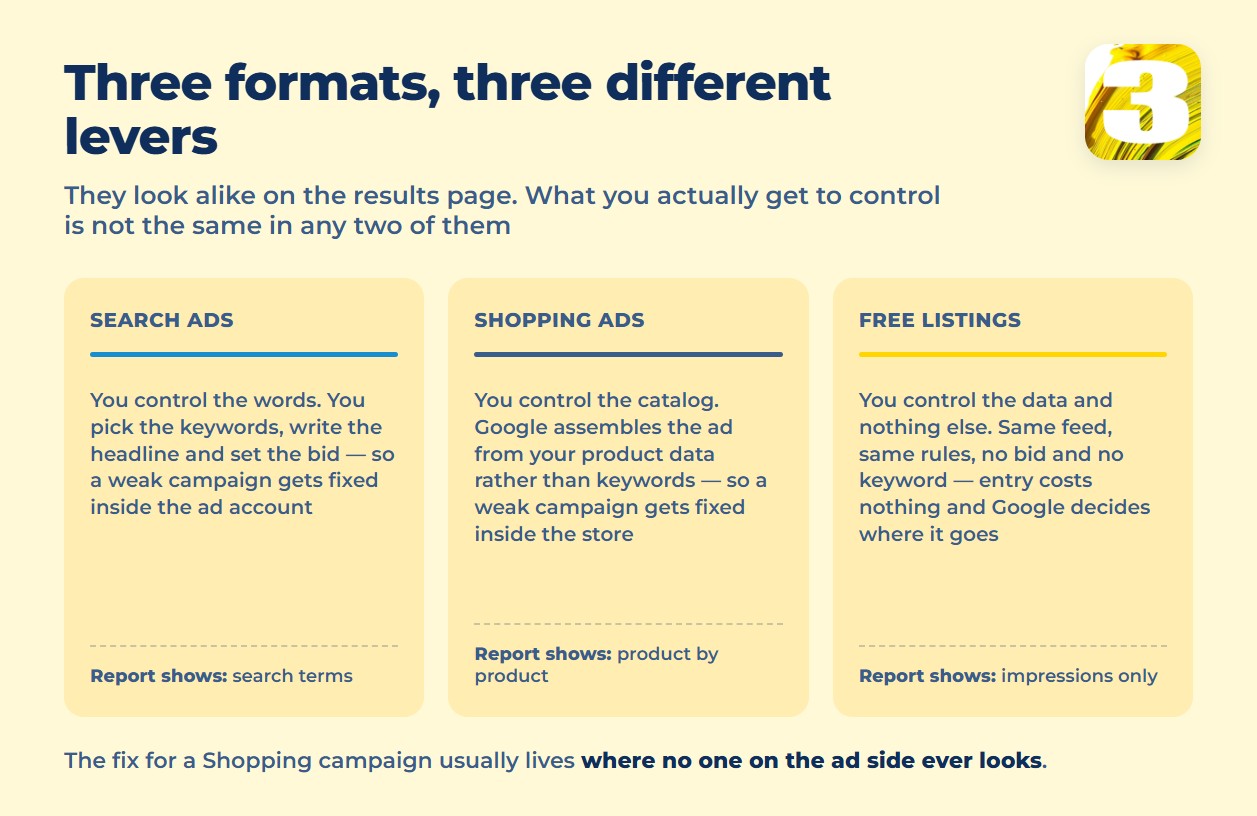
In a search campaign, you choose the keywords, write the headline, and set the bid. Google decides who wins that particular auction, but you decide what you’re bidding on in the first place. Google’s own description of Shopping ads works the opposite way: they pull from “your existing Merchant Center product data (not keywords)” and assemble a product photo, title, price, and store name directly out of your feed. You don’t write the ad. You write the catalog, and Google builds the ad from it.
That single shift moves where the real work happens. In search advertising, the fix for a weak campaign usually lives inside the ad account: better keywords, a sharper headline, a tighter negative-keyword list. In Shopping, the fix for a weak campaign usually lives inside the store: the price, the stock status, the image. An agency that only ever opens the ad account can adjust bids and settings all day without touching the actual problem, because the actual problem is sitting in a feed nobody on the ad side ever looks at.
One more mechanical fact worth knowing before you decide whether to run both formats: Google states outright that “a Shopping ad and a text ad can also appear at the same time” for the same search, and that “more than one of your Shopping ads can appear for a given user search.” Running both isn’t wasted duplication in Google’s eyes. The overlap is built into how the auction works, not a glitch you’re supposed to avoid.
Do You Actually Need Shopping? A Four-Point Test
Run your catalog against these four questions before spending anything on Shopping:
- Do people search by product name or category, not by a vague problem? Shopping shows a photo, price, and store name against a specific query. If your typical customer searches “best way to fix a leaky faucet” instead of “kitchen faucet cartridge replacement,” there’s no product data for Google to match against, and Shopping has nothing to work with.
- Is your price close to what shoppers see next to you? Shopping puts your price on the same results page as three competitors’ prices, in plain view, before anyone clicks. A search ad can win the click on copy alone. A Shopping ad loses on price before the click happens.
- Is your stock status honest, not aspirational? Google’s own product data rules require an accurate `availability` value — `in_stock`, `out_of_stock`, `preorder`, or `backorder` — and a feed that says “in stock” for something that isn’t gets flagged the same way a fake price does.
- Does every product page actually show a photo and a price? If your product pages are missing images, hide pricing behind a “request a quote” form, or don’t match what the feed says, Shopping has no honest source to draw from, and Google’s disapproval process exists specifically to catch that gap.
Three or four “yes” answers means Shopping is worth building. One or two means fix the catalog first, or stay with search until it’s fixed.
What Changed in Google Shopping in 2026
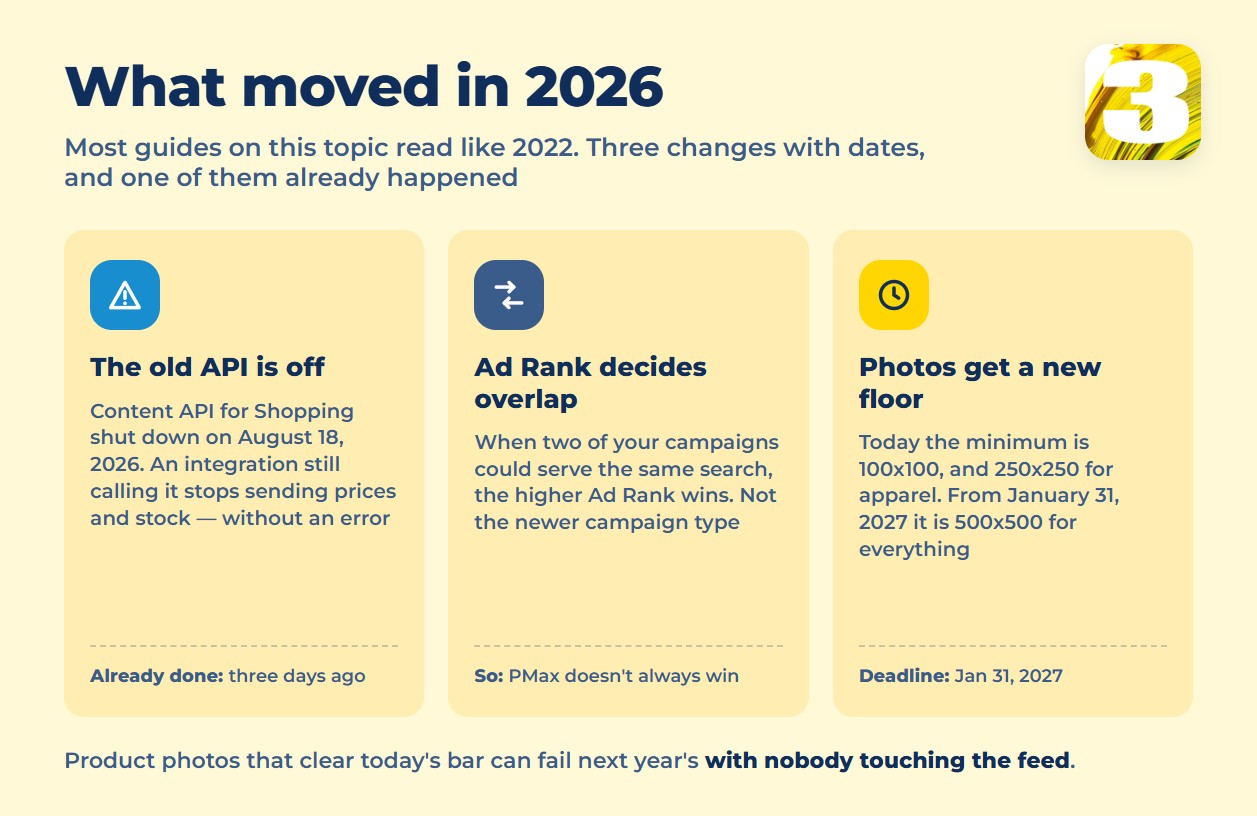
Most guides to this topic read like they were written in 2022 and never touched again. Four things have moved since, and each one changes what you build this year.
- The Content API for Shopping shut down on August 18, 2026. Google confirmed the date directly: it “will provide access to the Content API until August 18, 2026, after which the Content API will be shut down,” with Merchant API as the replacement. Any store still running a custom or unmaintained integration against the old API stops syncing prices, stock, and new products, silently, while Google keeps comparing the stale feed against the live site.
- Ad Rank decides which campaign shows, not campaign type. When a Shopping campaign and a Performance Max campaign could both serve on the same search, Google’s help center is direct: “Google Ads prioritizes the campaign with the highest Ad Rank.” The one exception is a Search campaign with a keyword that exactly matches the query. “Performance Max always wins” isn’t how the auction actually works.
- Image requirements tighten on January 31, 2027. Right now the minimum is 100×100 pixels for most products and 250×250 for apparel. Starting January 31, 2027, Google drops that split entirely and requires “at least 500 x 500 pixels for all products.” Product photos that clear today’s bar can fail next year’s without anyone touching the feed.
- Free product listings now officially include Gemini and Lens. Google’s current list of surfaces reads: “Google Search, Google Maps, Gemini, YouTube, the Shopping tab, Google Images, and Google Lens.” A clean catalog now feeds AI surfaces, not only the Shopping tab.
Search Ads, Shopping Ads, and Free Listings, Side by Side
The three formats look similar on the results page and work on entirely different inputs. This is the comparison most guides skip because it forces you to admit that Shopping isn’t a prettier version of search — it’s a different lever, attached to a different part of your business.
| Search ads | Shopping ads | Free listings | |
| What you control | Keywords, bids, ad copy | Product feed (title, price, image, availability), bids, campaign priority | Product feed only, no bids, no keywords |
| What’s needed upfront | Keyword list, ad copy, landing page | Merchant Center account, verified business, a clean feed | Merchant Center account, verified business, a clean feed |
| Where it shows | Search results, matched to your keywords | Shopping tab, Search, Google Images | Search, Maps, Gemini, YouTube, Shopping tab, Images, Lens |
| What’s in the report | Search terms and keyword-level performance | Product-level clicks, impressions, and cost | Impressions only; Google states plainly it “doesn’t guarantee that your products will be shown to customers” |
Who’s Really Bidding on “Google Shopping Ads”
Here’s an honest thing worth sitting with before you trust anything you read on this topic, including this article. The people typing “google shopping ads” into Google aren’t shoppers looking for a product. They’re store owners who are about to spend money on advertising and are trying to understand the format first. That’s exactly the audience feed platforms, agencies, and freelance consultants are all bidding to reach, which is why the auction for this phrase runs expensive and why the search results are packed with guides that all sound suspiciously alike.
Almost everything written about this topic, including what you’re reading right now, comes from someone who has something to sell. The honest response isn’t pretending otherwise. It’s saying plainly what we sell — building the store, keeping the catalog clean, and managing the ad account — and then pointing you at Google’s own help pages so you can check every claim in this article yourself instead of taking our word for it.
Merchant Center Is Where the Catalog Becomes the Ad Account
Before a single Shopping ad can run, your products have to live somewhere Google trusts: a Merchant Center account, connected to a feed, holding the data Google actually serves against. That connection point is also where things quietly go wrong. A feed that drifts out of sync with your live prices or stock, or a store missing a clear return policy, doesn’t just get a warning inside the ad account. It can get the entire Merchant Center account suspended, which pulls both the paid Shopping ads and the free listings offline at the same time. There’s a separate piece on what gets a Merchant Center account suspended.
The Feed Is the New Keyword List
In search advertising, the keyword list is the thing you tune constantly. In Shopping, the product data feed plays that role instead: title, price, image, availability, and a handful of conditionally required fields decide whether a product shows at all. A product can sit in your store, fully in stock, and still go completely silent in Shopping because one field in the feed doesn’t match what’s on the page. That’s a different kind of troubleshooting than anything a search campaign ever needs, and it’s usually invisible from inside the ad account. Worth reading next: the feed fields that keep a product from showing.
Shopping Campaigns or Performance Max?
Once the catalog is clean enough to run Shopping, the next decision is which campaign type actually carries it: a Standard Shopping campaign, where you set bids and campaign priority yourself, or Performance Max, which automates that layer across more of Google’s inventory. We’ve written separately about choosing between Performance Max and a text-based Search strategy for lead-generation businesses, but the Shopping version of this question is its own decision, built entirely around product data rather than search intent. More on choosing between a Shopping campaign and Performance Max.
Free Listings: What “Free” Doesn’t Include
Free listings cost nothing in media spend, and Google’s help page for them doesn’t name a Google Ads account as a requirement — Merchant Center alone is what it describes. What Google is equally upfront about is what free doesn’t buy: no guaranteed placement, no ranking control, no report as detailed as a paid campaign gives you. “Free” here means free entry, not free results. Getting anything out of it still runs through the same clean feed that paid Shopping needs. Covered separately: what free product listings do and do not give you.
Why the Same Agency Rarely Owns Both Sides
Most of the Shopping problems above don’t live inside the ad account or inside the store. They live exactly on the seam between the two: the price in the feed against the price on the page, the stock status in Merchant Center against the actual shelf, the image in the feed against Google’s size requirements. At most agencies, the person running the ad account and the person maintaining the product catalog work for different companies entirely, and neither one is positioned to see that seam, let alone fix it. The ad manager tunes bids around a feed problem they can’t touch. The catalog team fixes data without knowing which fields the ad account actually depends on.
We manage the ad account, keep the product feed synced and clean, and build the store itself, which means the seam is one team’s job instead of a handoff between two. When a Shopping campaign underperforms, we can tell you whether the cause sits in the bid strategy or in a stale availability field, because both are visible from the same desk.
What to Do Next
Before spending anything on Shopping, log into Merchant Center and check one setting: which data source is currently feeding your account, and whether it’s still pointed at anything that depended on the old Content API. That single check catches most of the silent sync failures this article describes, and it costs nothing but ten minutes.
Past that, the honest next step is a look at both sides at once: the account and the catalog together, since a problem in either one can sink the other.









