


Nothing in Merchant Center is red. No warnings, no disapprovals, no policy notice waiting in your inbox. The product page loads fine, the price is right, the item is in stock — and it still isn’t showing in Shopping results or in free listings. This is the most common feed problem there is, and it’s also the hardest one to catch, because the account gives you no error to point at.
Most advice about “optimizing” a feed assumes the product is already showing and just needs to rank better: sharper titles, custom labels, a fuller description. That’s a different problem, and it’s the one most guides on this topic are actually solving. If a product that should be showing simply isn’t, the cause almost always sits in one of a handful of fields that Google reads but Merchant Center never surfaces as an error. Search ads respond to keywords you choose; Shopping ads respond to data you submit, which is why one wrong field can quietly keep a product out of an auction a text ad would have entered without any trouble at all. There’s a separate piece on whether Shopping belongs in your ad mix at all.

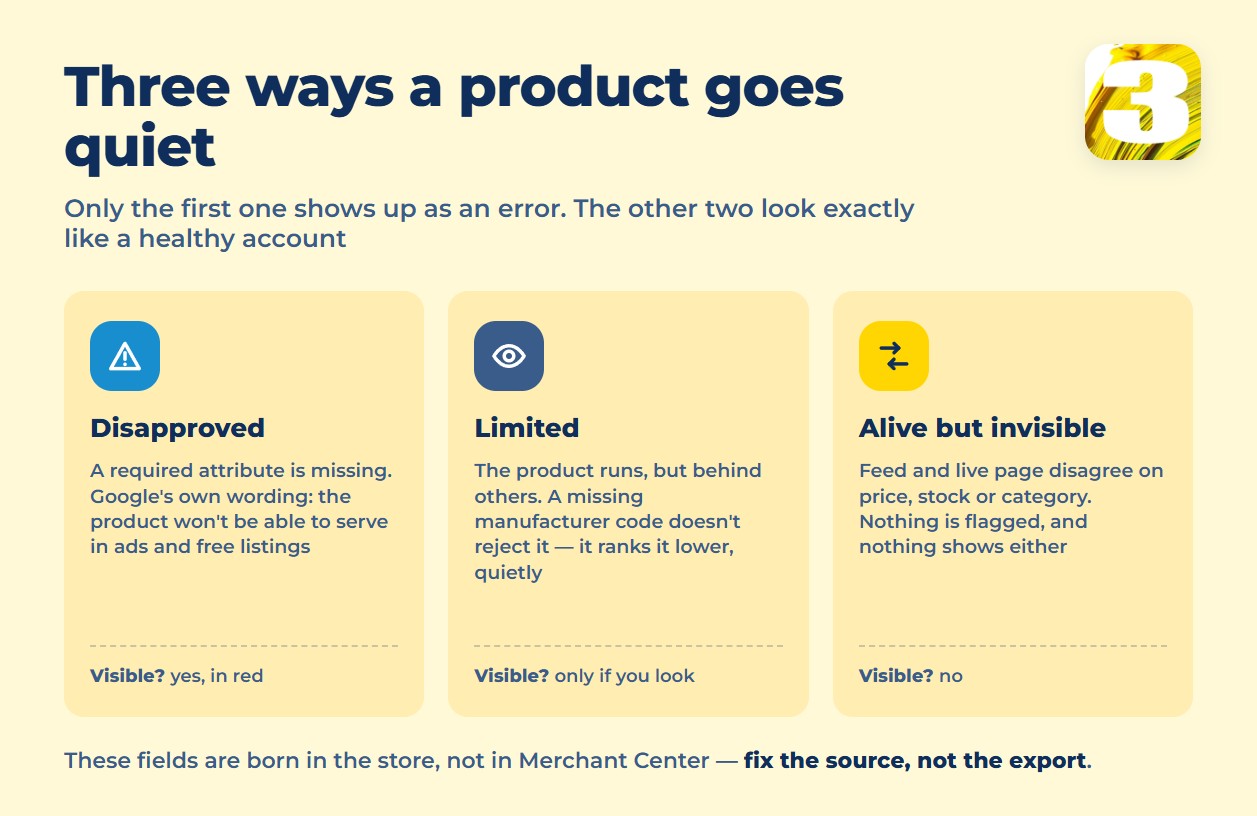
Three Ways a Product Goes Quiet
Disapproved — you’d see this one. A product is missing a required attribute: `id`, `title`, `description`, `link`, `image_link`, `availability`, `price`, or `brand`. Google’s own product data page is direct about the consequence: “If you don’t [submit required attributes], your product won’t be able to serve in ads and free listings.” For products that share a variant group, Google’s own fix-it guidance is clear that one missing required attribute in that group can keep the whole set from showing, not just the one item missing it.
Limited — you’d see this one if you looked closely. The product is live, but Google is deliberately showing it less. A missing `gtin` is the clearest example: according to industry sources tracking the requirement, Google no longer disapproves products over a missing manufacturer-assigned GTIN outright, but it does rank them behind products that have one. Google doesn’t flag this as an error, because technically it isn’t one. `condition` sits in a stricter bracket — Google’s spec makes it required whenever a product is used or refurbished, so leaving it blank on those items is a missing required attribute, not a soft penalty.
Technically alive, invisible in practice. This is the state that causes the most confusion, because nothing in the account looks wrong at all. Google’s crawler compares your feed against the live product page, and a mismatch here doesn’t always throw a visible error before it starts suppressing the listing. Three fields cause this more than any others: `availability` set to `in_stock` when the page shows a backorder notice; `price` set to the shelf price when the live page shows a discounted or tax-inclusive figure; and `product_type` or `google_product_category` pointing at the wrong category, which quietly removes the product from the searches it should be matching.
The Attributes That Actually Gate a Listing
Per Google’s product data specification, these are required for every submitted product, with the exact limits Google enforces:
| Attribute | What it needs | Limit |
| `id` | A unique identifier for the product | Up to 50 characters |
| `title` | The product’s name | Up to 150 characters |
| `description` | The product’s description | Up to 5,000 characters |
| `price` | The product’s price | Must use ISO 4217 currency format |
| `availability` | Current stock status | Only `in_stock`, `out_of_stock`, `preorder`, or `backorder` |
| `brand` | Manufacturer name | Required for all new products except movies, books, and music |
Two more required fields don’t fit a table of limits the same way: `link`, the product’s landing page URL, and `image_link`, which gets its own section below because Google’s image rules are changing on a schedule. A field that technically has a value but breaks one of these limits is treated the same as a missing one.
The Spec Is Changing on a Schedule
Google has published a timeline for the next round of feed requirements, and none of it is speculation:
- April 14, 2026 — new attributes go live: `handling_cutoff_time`, “a daily deadline for processing online orders”; `minimum_order_value`, “the minimum spend required to purchase and ship an order”; `video_link`, for submitting product videos; and loyalty program labels attached to shipping.
- June 30, 2026 — the next set of changes takes effect, including video submitted through `video_link` becoming eligible to appear.
- January 31, 2027 — the minimum image size becomes 500×500 pixels for every product category. Google’s own wording, from its image link requirements page, is unambiguous: “at least 500 x 500 pixels for all products beginning January 31, 2027.”
Right now, the minimum is still 100×100 pixels for most products and 250×250 for apparel — the same page recommends 1500×1500 or larger regardless of the minimum. A feed built to the current floor will start failing quietly in 2027 unless someone revisits image sizing before then, not after.
What Can’t Be in the Photo Itself
Google’s requirements for `image_link` cover more than resolution. The same page rules out, in the image itself: watermarks, brand overlays, or logos placed over the photo; borders; barcodes; calls to action like “buy”; the price or a claim like “free shipping” printed on the image; promotional language such as “best” or “cheap”; and generic placeholder graphics, with an exception carved out for hardware, vehicles, and software. The image also has to show the entire product, and if a product has color or size variants, each image can show only one value of that variant — not a grid of every option.
Fix the Store, Not the Export
None of these fields are typed into Merchant Center by hand. They come from the store platform — Shopify, WooCommerce, Magento, whatever runs the catalog — and Merchant Center just reads what it’s given. A feed tool can reformat a price or reshuffle a category, but it can’t fix a page that shows a different price than the export, because the export was never wrong to begin with; the store was.
There’s a timing reason this is worse right now than it used to be. Google shut down the Content API for Shopping on August 18, 2026, replacing it with the Merchant API. An older custom integration still calling the retired endpoint doesn’t announce itself — it simply stops pushing price and stock changes, while your product pages keep updating normally. That is exactly the mismatch described above, arriving without anyone changing a single field.
This is where most catalogs actually break. At a lot of stores, the person running the ad account and the person maintaining the product catalog are two different people, sometimes at two different companies. The ad manager never opens the product database, and whoever keeps the catalog current never looks at what Merchant Center is doing with it. Every field on this page lives exactly on that seam. The same price-and-availability mismatch that quietly suppresses a listing is also the most common trigger behind an account getting suspended without warning. what gets a Merchant Center account suspended And the fields that keep a paid Shopping ad from showing are the identical fields that feed your free listings across Search, Maps, and Gemini — clean them once and both channels benefit. Worth reading next: what free product listings do and do not give you.
Where to Start
Pick ten products that you’d expect to be performing and go through six fields on each one: availability against real stock, price against what the live page actually charges, GTIN, image dimensions, shipping settings, and whether the category mapping matches what the product actually is. If that turns up more problems than ten products should have, the catalog is the thing to fix — and for stores with a few thousand SKUs instead of ten, that’s the exact work covered by our product feed and catalog upload work.









