


Excel calculates. Airtable — and tools like it — remembers. That’s the real difference, and it’s why “Airtable vs Excel” is a strange fight to watch: the two aren’t competing for the same job.
A spreadsheet is a calculator with rows. Give it numbers and a formula, and it will turn them into an answer faster and more transparently than almost anything else. Build a forecast, model three pricing scenarios, reconcile a budget once a quarter — a spreadsheet is the right tool, and usually the fastest one.
What a spreadsheet doesn’t do well is hold a record that changes over time. A customer whose status moves from “quoted” to “approved” to “invoiced.” A piece of equipment that’s checked out, then back, then checked out again. A row that needs to know it’s linked to three other rows, and who touched it last. That’s a database’s job — it stores state, relationships, and history, not just values. Airtable is popular precisely because it does that job while still looking like a grid, so the jump from spreadsheet habits doesn’t feel like learning new software. Both sides publish their own ceilings — Airtable caps records per base by plan, and Excel’s own specifications stop at 1,048,576 rows per sheet — but the practical wall almost always arrives long before either number.
You don’t have to guess which camp your situation falls into. There are specific, visible signs that a spreadsheet has stopped being the right tool for what you’re actually doing with it.

Six Signs Excel Has Hit Its Ceiling
None of these are about how the file “feels.” They’re things you can point to.
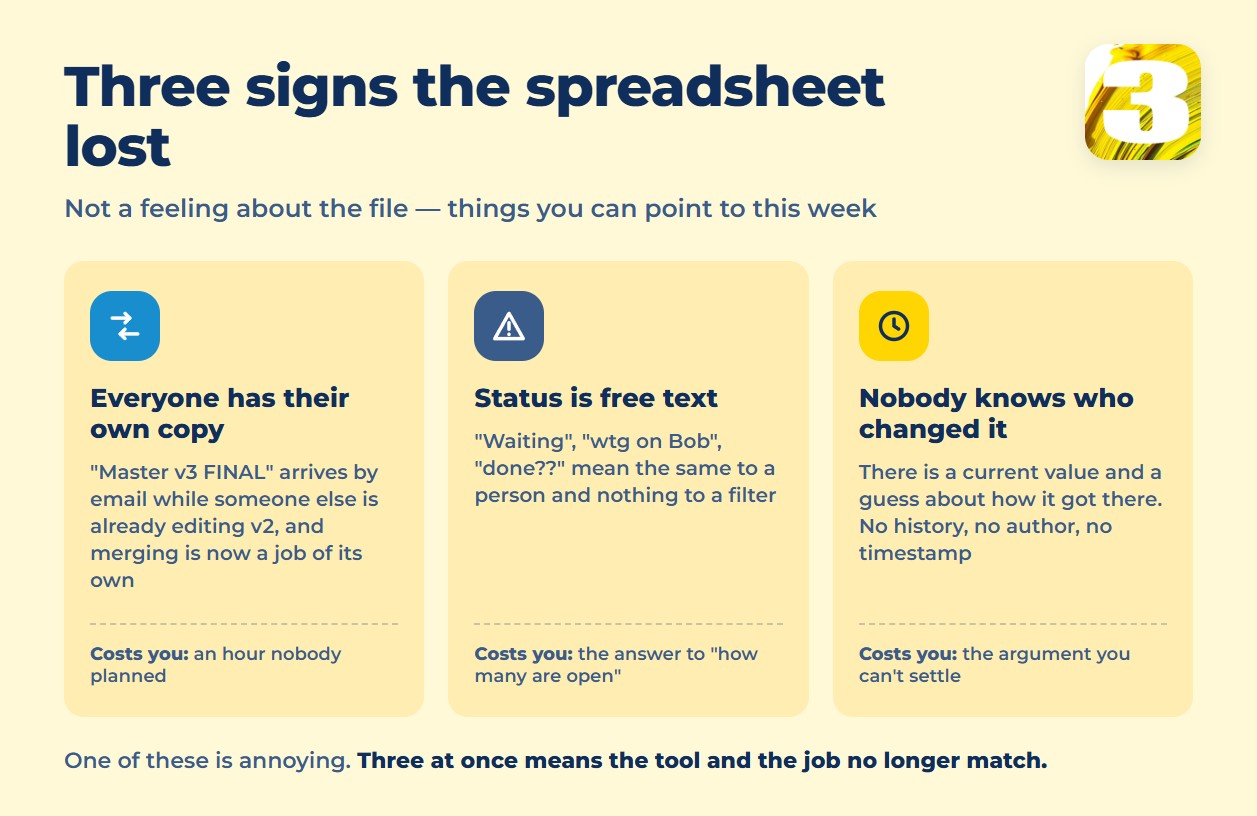
- More than one person edits their own copy of the same file. Someone emails “Master v3 FINAL” and someone else has already made changes to “Master v2,” and merging them is now a manual job on top of the actual work.
- The “status” column is free text, not a fixed list. “Waiting,” “wtg on Bob,” “done??,” “pending — see notes” all mean roughly the same thing to a human and nothing to a filter. Nobody can reliably answer “how many are still open” without reading every row.
- A row gets duplicated because nobody was sure it already existed. Someone searches, doesn’t find it fast enough, and re-enters it. Now there are two records with two histories and no way to know which one is current.
- A formula breaks when someone inserts a row. A reference shifts, a sum silently stops including the new line, and the error isn’t caught until a total looks wrong weeks later.
- Nobody can say who changed a cell, or when, or what it said before. There’s no audit trail — just the current value and a guess about how it got there.
- The file gets opened “just to check one thing” and takes several seconds to load, because it’s grown to tens of megabytes — years of rows nobody has the nerve to delete.
Any one of these is annoying. Two or three of them at once, on a file that runs part of your operation, is a sign the tool and the job no longer match.
What Belongs in a Spreadsheet, What Belongs in a Database
The right way to sort this isn’t by feature list — it’s by what the thing is actually for.
| Keep it in a spreadsheet | Move it to a database |
| A financial model or forecast you’re building once | An ongoing list of jobs, leads, or inventory that changes every day |
| A report formatted for a bank, investor, or auditor | A queue of records waiting on approval from more than one person |
| A one-off “what if” calculation | A list of equipment, units, or accounts with a status and an owner |
| Numbers you compute, present, and archive | Records that need a history of who changed what, and when |
Notice the pattern: a spreadsheet is right when the output is an *answer*. A database is right when the output is a *record that keeps living* after you close the file.
One place we see this constantly is accounts payable. A stack of invoices sitting in a shared spreadsheet works fine when there are ten of them a month. It stops working the moment more than one person needs to approve them, someone’s on vacation, and nobody can say which invoices are actually waiting on whom. We wrote a longer breakdown of that exact situation, including what the alternatives cost, in our guide to accounts payable automation software.
Airtable vs Excel: The Honest Tradeoff
Moving from a spreadsheet to a database isn’t free, and it’s worth saying plainly: for a lot of small teams, Excel is still the right answer, and switching would be a step backward.
A spreadsheet lets you type anything, anywhere, immediately. A database asks you to decide in advance what a “record” is, what fields it has, and what a valid status looks like. That structure is the whole point — it’s what makes filtering, linking, and history possible — but it’s also friction. Someone has to design the fields. Someone has to teach the team to stop pasting free text into a status column. And some of the spreadsheet’s improvisational freedom — the ability to just add a column because you thought of something — goes away, or at least gets slower.
If your team is small, your process changes every month anyway, and the file mostly serves one person who already knows where everything is, that friction may not be worth paying. The signs above exist so you’re deciding based on what’s actually happening, not on a sense that the fancier tool must be better.
Where the Line Really Is
Here’s the part that gets lost in “Airtable vs Excel” arguments: a database, on its own, only solves half the problem. It stores state — but it doesn’t move that state anywhere on its own. It won’t notice a new invoice landing in an inbox and create a record for it. It won’t tell a supervisor that an approval has been sitting untouched for three days. It won’t push a status change into your accounting software the moment it happens.
That’s a different job — connecting systems so information moves without someone re-typing it — and it’s worth knowing where a database’s job ends and that one begins before you commit to either. If you’re weighing whether to adopt a tool like this, build something custom, or keep patching what you have, our piece on build vs. buy for business software walks through how to make that call without guessing.
At 3MY, this is the layer we work in most: taking a database, a spreadsheet, an inbox, and a piece of accounting software, and getting them to talk to each other so nobody is copying rows by hand. If your team has already outgrown the spreadsheet and now needs the pieces connected, our automation and AI services page covers how we scope that kind of work.









