


Buy it. That’s the honest default answer to “should we build software or buy it,” and it holds for most businesses, most of the time. Off-the-shelf tools are cheaper to start, faster to launch, and someone else patches the security holes. If a low-cost, off-the-shelf plan — Xero’s $25-a-month entry tier is a fair example — does what you need, custom development isn’t a smarter move — it’s a more expensive way to arrive at the same place.
The question only gets interesting when the cheap, fast option keeps failing you in the same specific way. Not “it’s not perfect” — every tool has rough edges. The real signal is a process that quietly refuses to fit inside someone else’s software, month after month, no matter which plan you upgrade to.
That’s the actual decision point, and it isn’t about the sticker price at signup. It’s about how closely your process matches the process the vendor built the software around. Match it, and there’s nothing to debate — buy, and move on. Miss it, and you’ll be paying a small tax on every workflow, every month, for as long as you keep the subscription.

Four Honest Signs Off-the-Shelf Won’t Fit
Most “we should build our own” conversations start from frustration, not evidence. Here’s the difference between a bad mood and a real signal.
- Your process differs from the industry standard in ways that matter, not in cosmetic ones. A different button label is cosmetic. A different approval order, a step nobody else’s software assumes exists, a document type the vendor’s form doesn’t have a field for — that’s structural, and no amount of custom fields fixes it cleanly.
- You’re paying per seat for people who log in once a month. Per-user pricing assumes daily use. If half your “users” are approvers who click in once to sign off on an invoice, you’re funding a full seat for a five-minute task — and that math gets worse, not better, as the team grows.
- The systems you actually need don’t talk to each other. Your accounting tool, your field team’s app, and your CRM each do their job well alone. The problem is the space between them, where someone re-types the same information three times a week. No single piece of software owns that space, because it isn’t one system’s job.
- The software wants you to restructure your business around it, not the other way around. A tool that ships with one rigid workflow is fine if that workflow is yours. If your team spends onboarding weeks learning to work “the platform’s way,” you’re not buying a solution — you’re buying a second job description.
If none of these describe you, the conversation is over: buy the tool, spend the saved time on the business instead of on a build. A spreadsheet that’s started to strain under its own weight is usually the first place this shows up — worth a look if that’s where you are.
What Buying Really Costs — Beyond the Subscription Line
The advertised price is the smallest number in the decision. Accounts payable software is a clean example, because vendors publish real tiers and the gap between “starting price” and “what you’ll actually pay” is easy to see.
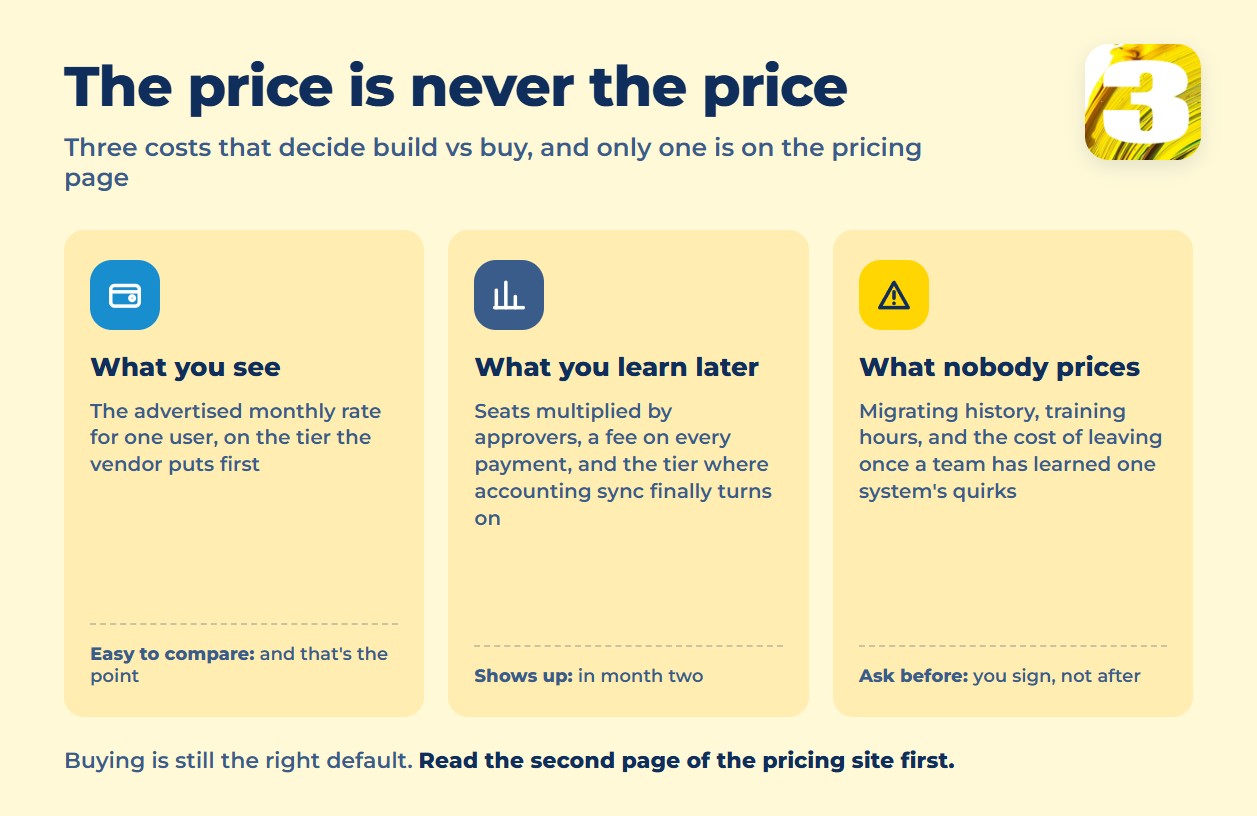
BILL lists Essentials at $49 per user per month; five approvers on a small operations team already puts that at $245 a month before a single payment fee. Multiply the seats, add a per-transaction fee on every ACH, check, and wire, and factor in the tier where accounting sync even turns on — we broke down all of that, vendor by vendor, in our accounts payable automation pricing guide. The point for a build-vs-buy call isn’t which vendor is cheapest — it’s that the sticker price is never the real price.
Then there’s the part that doesn’t show up on any pricing page at all: the price jump when you outgrow a tier (BILL’s sync with QuickBooks and Xero only turns on starting at the $65 plan, not the $49 one, per its published pricing), the time spent migrating vendor and invoice history, the training hours when the interface changes under your team, and — the one people forget to price out — what it costs to leave. Contracts, data exports, and a team that’s already learned one system’s quirks all make switching out more expensive than switching in was. None of that is a reason to avoid buying. It’s a reason to read the second page of the pricing site, not just the first.
Stretch that over the number of years you actually keep a tool, and the shape of the bill matters more than its opening number. A subscription grows along three axes at once: more seats as the team grows, more volume as the business grows, and the tier step that finally switches on the feature you assumed you already had. None of those three bends downward. Five approvers on a $49-per-user tier is $245 a month, or $2,940 a year, before a single payment fee — and the accounting sync most teams treat as table stakes sits one tier above that.
A built workflow is a flat line instead: we quote one connected workflow at a fixed $800, or $1,500 for a set of up to three, priced once rather than monthly, and it doesn’t get more expensive because you hired two people or doubled your invoice volume. The honest comparison isn’t “cheaper” — it’s which shape fits. If your headcount and volume are steady and the tool does the job, the subscription stays the cheaper line for years. If both are climbing, the crossover arrives earlier than the first invoice suggests, and it’s worth knowing roughly where it sits before signing a multi-year plan.
What Building Really Costs — And This Part Isn’t Flattering
Custom software has its own hidden column, and it’s worth stating plainly instead of selling around it. Development is the visible cost. The invisible one shows up a year later: who maintains this thing once it’s running? Software isn’t a purchase you make once — it’s a system that needs someone to fix it when an API changes upstream, when a field gets renamed, when the one integration it depends on updates its format without warning.
The sharpest risk in any custom build is a single point of failure that isn’t a server — it’s a person. If one developer understood how the whole thing fit together and that person leaves, you don’t just lose a contact. You lose the only documentation that mattered. A tool nobody can safely touch isn’t an asset anymore; it’s a liability with a login screen. Anyone recommending a custom build who skips this part isn’t giving you the full picture.
The Third Path: Connect What You Already Have
Most businesses that reach this point don’t actually need a full custom build, and they don’t need another subscription either. What they need is for the tools they already own to pass information to each other without a person copying it by hand. That’s a narrower, cheaper job than “build us an app” — and it’s the one we do.
We connect your existing systems into working automations: a form that turns into a record without retyping, an inbox that files itself, a status change in one tool that updates another. One workflow runs $800; a set of up to three runs $1,500. It usually takes one to two weeks, more often two — the exact timeline depends on the project, and we’ll tell you which before we start, not after. There’s no subscription to a platform layered on top, and the monthly bill doesn’t climb as your volume does — the price is fixed at the start, and that stays true whether you run the workflow ten times a month or ten thousand. If you want a sense of what this looks like end to end, including a full cost comparison against buying, our workflow automation pricing breakdown walks through it in more detail. A construction client’s map-based job tracking case is a good example of the same idea applied outside of finance — the point was never the map, it was removing the retyping.
When Not to Call Us
If a cheap, off-the-shelf tool already covers ninety percent of what you need and the missing ten percent isn’t costing you real time, buy the tool and stop there — paying us to solve a problem that isn’t expensive yet is a bad trade for you. If what you’re picturing is a product you plan to sell to other businesses, that’s software product development, a different kind of project with a different kind of team. And if nobody on staff will actually open a dashboard once it exists, don’t pay to build one just because it sounds like progress.
More on how the automation work itself is scoped and delivered is on our automation and AI services page. Everything else — a process that doesn’t fit the box, tools that won’t talk to each other, a team paying per seat for people who barely log in — is worth a five-minute conversation.









