


Search “ap automation software” and you’ll land on review sites that list the same eight logos, praise all of them, and skip the one number you need: the price. Some of these vendors publish a per-user rate and let you do the multiplication yourself — or, more often, don’t. Others won’t put a dollar figure on their own website at all.
We went to nine vendors’ own pricing pages, wrote down what was there — and, for two of them, wrote down that nothing was. Then we added up what a real accounts payable team pays once you count every approver and every payment fee, and checked which parts of the process still need a person no matter which tool you buy. This isn’t a “best of” list. It’s the arithmetic the listicles skip.
If you’re evaluating software for your own AP process, three things decide the real cost: the subscription tier your accounting sync requires, the per-transaction fee on every ACH and wire payment, and the share of invoices that still land in someone’s inbox for review. All three are below, with sources.

What AP Automation Software Actually Costs
Every price below is pulled straight from the vendor’s own pricing page, checked in August 2026. One detail matters before you read the table: every price here is in US dollars, whether you’re paying from Toronto or Texas — Plooto is the one exception, a Canadian vendor pricing in CAD. If you’re budgeting in Canadian dollars, add the exchange rate on top of every other number here.
The last column is the one to read closely. Nearly every vendor’s entry tier is missing something a working AP process needs — usually the accounting sync, sometimes a cap on how many bills you can enter — and the tier that fixes it is rarely the one advertised on the front page.
| Vendor | Starting price | Publishes price on site? | What’s missing at that price |
| BILL | Essentials $49/user/mo | Yes | QuickBooks/Xero sync only from Team ($65); ERP sync from Corporate ($89) |
| Ramp | Free $0; Plus $15/user/mo + platform fee | Yes, except Enterprise | Enterprise tier is “Contact Sales” |
| Melio | Go $0; Core $25/mo ($20 annual) | Yes | Card payments cost 2.9% on every plan, including Go |
| QuickBooks Bill Pay | Basic $0 (bundled with QuickBooks Online) | Yes | Requires QuickBooks Online, which starts at $38/mo on its own |
| Plooto | Go CA$9/mo (accounting-firm clients only) | Yes | Go caps at 5 internal transactions/mo and CA$5,000; real use starts at Grow, CA$32/mo |
| Xero | Early $25/mo | Yes | Early caps at 5 bills; automatic invoice entry only from Growing, $55/mo |
| Tipalti | AP from $99/mo, unlimited users | Partially | Mass Payments starts separately at $249/mo; nothing above either floor is public, and per-invoice fees aren’t published at all |
| Stampli | Not published | No | Every tier is “Request a Quote” |
| AvidXchange | Not published | No | No pricing page exists at all — modules are quoted after a demo |
That’s the split worth naming out loud: BILL, Ramp, Melio, QuickBooks Bill Pay, Plooto, and Xero all show a number a small business owner can act on without a sales call. Tipalti shows two floors and nothing above them. Stampli and AvidXchange show nothing at all, which is itself information — a product sold entirely through demos and quotes is built for a buyer with a procurement team, not a five-person accounting department.
Tipalti’s line is worth a second look, because it cuts against the argument that follows: unlimited users at $99 a month can beat per-seat pricing outright once your approver count climbs. What it doesn’t tell you is the per-invoice and per-payment fee layered on top, which the vendor doesn’t publish — so the comparison stops being possible exactly where it starts to matter.
None of the review sites that rank for this search print a “publishes price” column. Many of those roundups run on affiliate and sponsored placements, which is worth knowing before you treat a ranking as a recommendation.
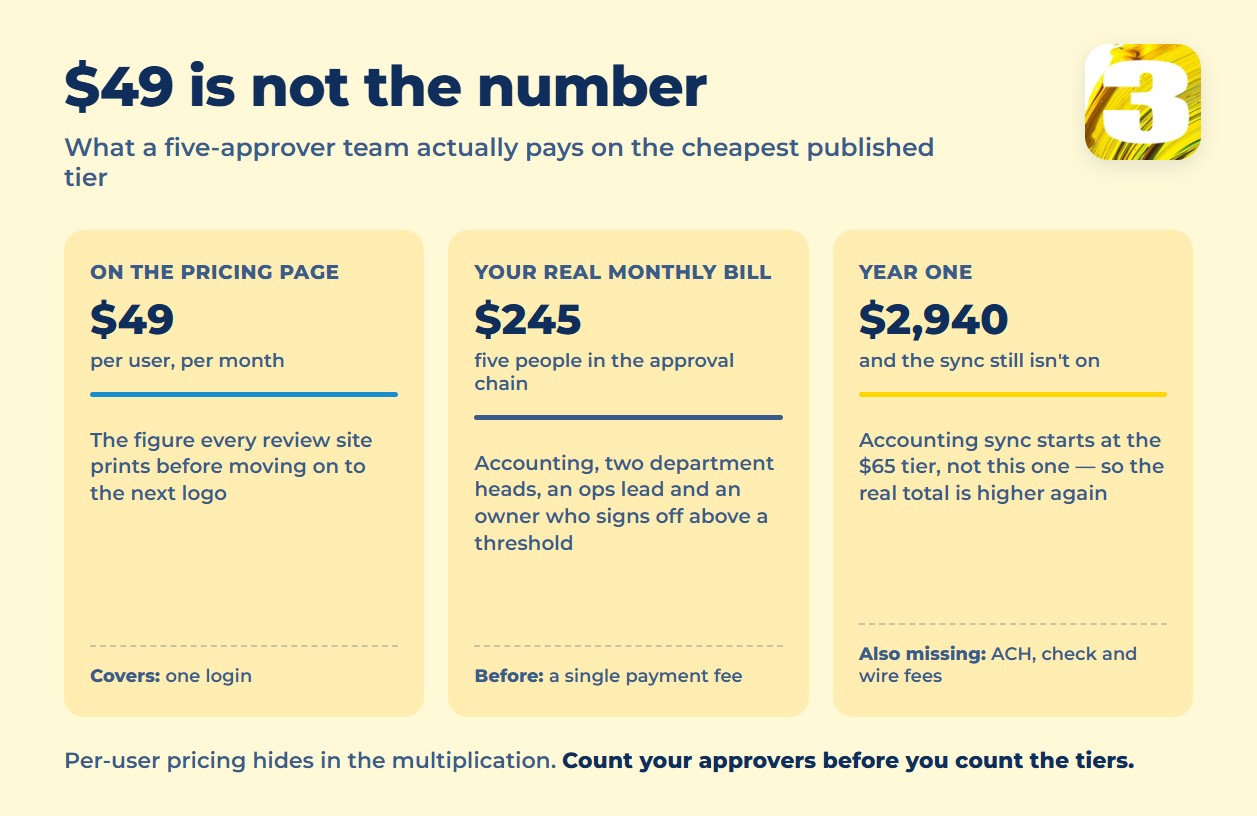
The number that gets skipped even by the vendors who *do* publish a price: what it costs once more than one person has to approve an invoice. Take BILL’s cheapest tier, Essentials, at $49 per user per month. A small business with five people in the approval chain — accounting, two department heads, an ops lead, and an owner who signs off on anything over a threshold — pays 5 × $49 = $245 a month, or $2,940 a year, before a single payment fee and before anyone syncs a bank account. Review sites print “$49/user” and move on to the next logo. The per-user math is where the real annual number lives.
Payment Fees Nobody Mentions on the Pricing Page
The subscription is the number vendors want you to see. The transaction fee is the one that scales with your business and usually doesn’t show up until you’re already a customer.
Read the table below by your own payment mix, not by the cheapest cell. A business that pays everyone by ACH cares about one column; a business still mailing checks to half its suppliers cares about a different one; and anyone paying an overseas supplier monthly should look at the last column first. “Not published” means exactly that — we checked the vendor’s own pages and the number isn’t there.
| Vendor | Standard ACH | Check | Card | Rush | International |
| BILL | $0.59 | $1.99 | Virtual card free | 1% ($9.99–$100) | $19.99 wire |
| Ramp | $0.59 | $1.99 | — | $10 ACH; $20 check | $15 domestic wire; $20 SWIFT |
| Melio | Free up to the plan’s monthly limit, then $0.50 | Not published | 2.9% on every plan, including the free one | — | $20 flat plus exchange rate |
| Plooto | CA$1 on Go; CA$0.50 on Grow and Pro | Not published | Not published | — | Not published |
| QuickBooks Bill Pay | Free on all three tiers | $1.50 | — | $10 faster ACH; 1% instant | — |
Two things stand out. Ramp’s fees mostly disappear if the payment is funded from a Ramp Checking account — the fee schedule is a lever to move you onto their banking product, not just a price. And QuickBooks Bill Pay is the outlier in the other direction: standard ACH is free on all three tiers, including the one bundled into a subscription you’re already paying for.
For a business paying a handful of vendors a month, none of this changes the decision. For a business running fifty or a hundred payments a month, the per-transaction fee usually adds up to more than the subscription line by year two — and it’s the number that’s hardest to find before you sign up, because it lives on a support page, not the pricing page.
What AP Automation Software Doesn’t Automate
The accounts payable cycle has seven steps: receiving the invoice, reading it, matching it to a purchase order, routing it for approval, posting it to the general ledger, paying it, and archiving it. Software handles most of that chain reliably. It doesn’t handle all of it, and the gap is where a lot of “automation” budgets go quiet.
| Step | Handled by the software | Still needs a person |
| Receiving | Dedicated inbox, PDF/photo upload, vendor portal | — |
| Reading the invoice | Most standard-format invoices | Handwritten notes, phone photos, nonstandard vendor layouts |
| Matching to a PO (2-way/3-way match) | 80–90% straight-through once tolerances are tuned | 10–20% flagged for manual review: price mismatch to purchasing, quantity mismatch to receiving, no PO at all to the ops team |
| Approval routing | Fully automated by amount, department, or limit — the most reliable part of the chain | — |
| Posting to the ledger | Suggests a GL code from vendor history | New vendor or an unusual expense category, first time through; sales tax coded differently in Ontario, Alberta and Texas |
| Paying | Fully automated for ACH and card | International and unusual payments still get a manual compliance check |
| Handling the mess | Flags obvious duplicates | The supplier who emailed the same invoice three times, a partial delivery billed in full, a disputed line nobody has agreed on yet |
| Archiving | Fully automated — the cheapest step for software | — |
Two rows there deserve a note. Tax coding is where Canadian and US businesses diverge: GST, HST and provincial sales tax split differently across provinces, and US sales tax varies by state and sometimes by city. Software learns your pattern from history; it doesn’t know when a supplier in another jurisdiction should have charged something else. And the “handling the mess” row is the one no pricing page mentions at all, because it’s the least automatable part of the job and the most common.
Across North America, the share of invoices that go start-to-finish without a human touch — the “touchless” rate — averages 25–35%, with the best-run AP departments reaching 60–80%. That range comes from a single 2025 research report from Ardent Partners, cited by multiple industry blogs; when you see the figure repeated across three or four vendor sites, it’s usually the same original study, not three separate ones.
Note that these two numbers measure different things and shouldn’t be added together. The 80–90% above is match rate — how often a matching invoice sails past one step. The 25–35% is straight-through processing for the whole cycle, from arrival to posting. An invoice can clear matching cleanly and still stop at approval or coding.
The gap between the vendor pitch and the touchless number is a recognition problem as much as a matching problem. Vendors claim 95–99% field-level accuracy on standard invoices, with some claiming up to 99.9% once AI is layered on top. Independent research (IOFM/Levvel) puts manual keying error at 1–4% and AI extraction error under 1% — which sounds like software wins easily. The one number pointing the other way deserves its caveats stated plainly: in a 2025 survey of 35 large enterprises run by Avaali, itself a vendor of automation software, only 8.8% of respondents said they clear a 90% accuracy threshold in their own AP operation. That’s a small, self-reported sample from big companies collected by an interested party — not a measurement, and not your five-person accounting department. Treat it as a hint that lab accuracy and production accuracy diverge, not as a benchmark. The gap between “field-level accuracy” in a spec sheet and “document-level accuracy” on your invoices is where most disappointment happens — we go deeper into exactly where recognition breaks down, and how to test a vendor’s claim against your own invoices, in our review of invoice processing accuracy.
What breaks recognition, consistently, across every source that tests it: handwritten notes added in the field (a site correction, a batch number, a bill-of-lading number scrawled on a delivery slip); phone photos with glare, blur, or heavy compression; multi-page invoices where a line-item table crosses a page break and gets duplicated; and any vendor’s one-off invoice layout the model hasn’t seen before.

How Long You Have to Keep These Invoices: Canada vs. the US
Once an invoice is processed, someone still has to decide how long to keep it — and the rule depends on which side of the border you’re on. This is a summary of the general retention rule, not legal or tax advice for your specific situation; check with your accountant for anything unusual.
In Canada, the rule is one flat number for almost everything. The CRA states it directly: “Usually, you must keep your records for 6 years from the end of the year to which they relate.” You can’t shorten that on your own — early destruction requires a written request to your local tax services office and CRA approval — and the agency can ask you to keep records longer than six years in specific cases. Electronic copies are fine, as long as they’re reproducible on paper on request, stored in a machine-readable format, and backed up. (canada.ca)
In the US, there’s no single number — the IRS runs a floating system depending on the situation. The base rule is 3 years. A claim for a refund or credit gets 3 years from filing or 2 years from the tax being paid, whichever is later. A loss from worthless securities or a bad debt deduction extends the window to 7 years. Underreporting income by more than 25% pushes it to 6 years. If a return was never filed, or shows signs of fraud, there’s no time limit at all. Payroll tax records need a minimum of 4 years. Electronic records are acceptable if they’re accurate, complete, and accessible. (irs.gov)
The practical difference: a Canadian business can set one retention policy and apply it everywhere. A US business needs to know which category an invoice falls into before it decides when it’s safe to delete it — which is one more reason “archive everything, forever, in the cloud” is the easiest and cheapest rule to follow if storage cost isn’t the constraint.
The Third Path: What We Build Instead of a Subscription
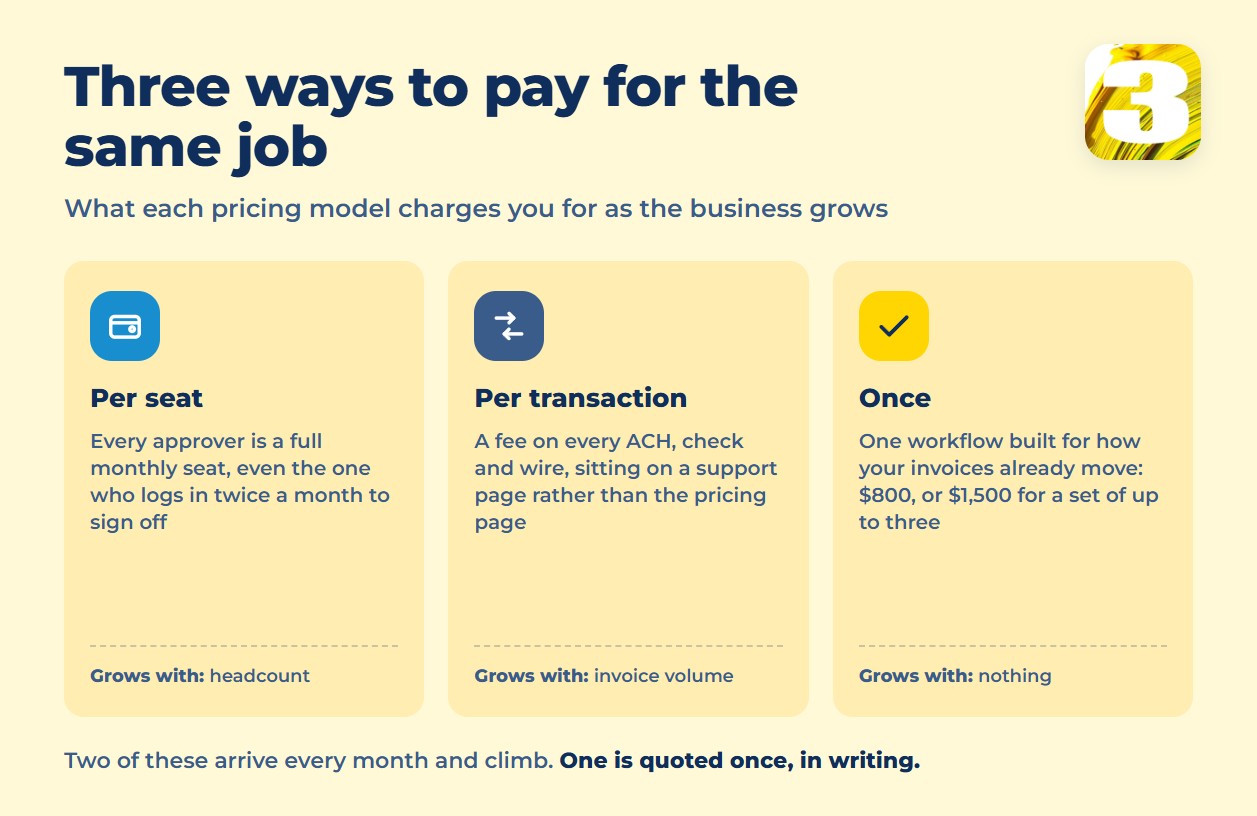
Every product in the table above sells you a seat, a tier, and a transaction fee that grows with your business for as long as you use it. At 3MY, we don’t sell a platform — we build the specific workflow your invoices need to run through and price it once.
A single workflow — say, pulling invoices out of a shared inbox and routing them to the right approver by amount — is $800. A set of up to three connected workflows is $1,500. Canadian clients are quoted in CAD, US clients in USD. It usually takes one to two weeks, more often two; the exact timeline is scoped to the project, not promised up front. There’s no monthly platform fee sitting underneath it, and the cost doesn’t climb as your invoice volume climbs, because you’re not paying per user or per transaction — you’re paying for a workflow that’s already built. Details on the automation services we build this way, and a broader breakdown of what workflow automation costs across use cases beyond accounts payable, are on their own pages. We take on no more than five new automation projects a month, so the ones we build get finished properly instead of queued behind a backlog.
On ownership, the honest version: you can ask for the finished workflow exported and take it elsewhere. What’s worth asking any contractor — us included — is who maintains it a year from now, because that’s the part a handover doesn’t solve on its own.
One example of the shape of this work: a contractor’s site-tracking project, where emailed job requests and site photos turn into structured, mapped records without anyone retyping an address. That case isn’t about accounts payable — it’s a different job. But it’s the same shape of problem: unstructured input arriving by email, turned into structured data without a person copying it by hand. If your invoices arrive the same chaotic way — PDFs, photos, a mix of formats from a dozen vendors — that’s the part of AP automation software’s job description that a subscription tier can’t fully solve on its own, and it’s the part we scope by hand.
7 Questions to Ask Any AP Automation Vendor Before You Sign
A short list to run through before a contract, whether you’re talking to a vendor or a contractor:
- Do you publish your price anywhere, or is everything “Request a Quote”?
- What does the base plan sync with — QuickBooks, Xero, your ERP — and at what tier does that sync start?
- What’s the fee on ACH, wire, and card payments, and does it change as volume grows?
- What percentage of *my* invoices — not your demo file — will still need manual review? Ask for a test on a real sample, not a marketing figure.
- Who owns the finished workflow or configuration if we stop working together?
- What happens to a duplicate invoice, a partial delivery, or a bill with no purchase order attached?
- Is there a cap on users, transactions, or approvers before the price changes?
When Not to Call Us
Honestly: if your invoice volume is low and you’ve got one or two people approving payments, what’s already built into your accounting software is probably enough. QuickBooks Bill Pay and Xero’s own AP tools cost nothing extra on top of a subscription you’re already paying for — paying for a separate platform on top of that is solving a problem you don’t have yet. If the real problem is that invoices are still tracked in a spreadsheet before software even enters the picture, that’s a different fix — we cover when a spreadsheet stops being enough separately.
If your volume is higher — several approvers, more than one entity, invoices from dozens of vendors — a ready product like BILL, Ramp, or Melio will likely get you most of the way there for a subscription price, backed by a support team and regular updates, which a two-person automation project can’t match.
Custom scoping starts making sense once your process has edge cases nobody’s written down yet, or your volume is high enough that a per-user or per-transaction fee stops making financial sense. If you’re weighing a ready product against something built for your process specifically, our build vs. buy breakdown walks through the decision in general. And if you’re not sure whether what you’re describing even counts as “automation” yet, our plain-language explainer on what business process automation actually is is the place to start.
FAQ
Is AP automation software worth it for a small business?
It depends on your approver count more than your invoice count. A business with one or two approvers and steady vendors often does fine with what’s built into QuickBooks or Xero. Add a third or fourth approver, and the per-user pricing of a dedicated platform starts paying for itself.
How much does AP automation software cost per month?
Published starting prices range from $0 (Ramp’s free tier, QuickBooks Bill Pay’s Basic tier) to $49–$99 per user or per account on the low end. Multiply by every approver, then add payment fees — a five-approver team on BILL’s cheapest tier runs $245/month before fees, not $49.
What percentage of invoices can AP automation handle without a person?
Industry-wide, 25–35% of invoices go fully touchless on average, with the best-run AP teams reaching 60–80%, per Ardent Partners’ 2025 research. The rest need a person somewhere in the chain — usually at matching, a new vendor’s first invoice, or an unusual payment.
Do I need to keep paper copies once invoices are digitized?
Both the CRA and the IRS accept electronic records, as long as they’re complete, accurate, reproducible, and backed up. Neither requires paper originals once digital storage meets those conditions — but check the exact rule for your situation, since this isn’t legal or tax advice.
Does AP automation software replace bookkeeping software like QuickBooks or Xero?
No — it sits on top of it or beside it. BILL, Ramp, and Melio sync with QuickBooks or Xero rather than replacing them, and often only at a higher paid tier. QuickBooks Bill Pay and Xero’s own AP tools skip that step because they’re already inside the accounting software.
Where to Start
If your invoices don’t fit neatly into any of the boxes above — a mix of PDFs, photos, and portal downloads, a process nobody’s written down, a volume too small for enterprise pricing and too messy for the entry tier — send us a note describing how invoices move through your business today. We’ll tell you honestly whether a $49-a-month tool solves it or whether it needs something built.









