


Choosing the right keyword match types is one of the most underrated levers in Google Ads performance. If your ads aren’t showing for the right queries — or are triggering the wrong clicks — the problem usually starts here.
In this article, we’ll break down the current keyword match types, show how they work in real search scenarios, and explain when (and why) to use each for better results.
What Are Keyword Match Types?
Keyword match types control how closely a user’s search query must align with your selected keyword in order for your ad to appear. Each type gives you a different level of control over reach, targeting precision, and cost.
Understanding match types is fundamental for:
- Getting qualified traffic
- Reducing irrelevant clicks
- Lowering cost-per-acquisition (CPA)
- Improving ad relevance and Quality Score
Google Ads supports three keyword match types:
- Exact Match
- Phrase Match
- Broad Match
Let’s explore how each one works in practice.
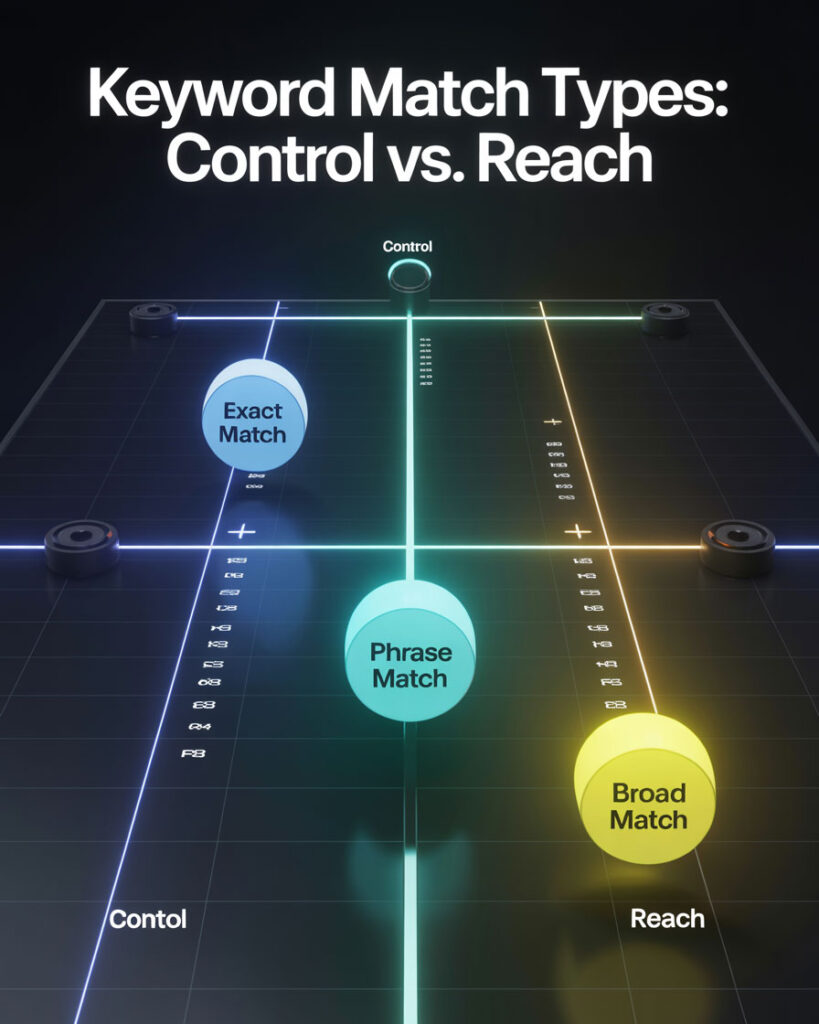
1. Exact Match: Hyper-Targeted, High-Intent Traffic
Format: [keyword]
Definition: Ads appear only for searches that match your keyword exactly or are close variants (e.g., plurals, misspellings, reordered words with the same meaning).
Example:
- Your keyword: [wedding photographer nyc]
- May trigger: wedding photographer nyc, nyc wedding photographer
- Won’t trigger: best photographers for weddings in nyc
Use When:
- You want to attract users ready to convert
- You have a limited budget and need maximum efficiency
- You’re targeting branded, niche, or high-intent terms
Pros:
- Highest relevance and intent
- Minimal wasted ad spend
- Easier to control ROI
Cons:
- Limited reach
- Requires comprehensive keyword lists
- “Exact” is not literal: close variants cover reordered words, implied words and same-meaning paraphrases, so an exact match keyword can still pick up a query that shares none of its words
2. Phrase Match: Balanced Control and Flexibility
Format: “keyword”
Definition: Ads trigger for queries that include the meaning of your keyword phrase, possibly with extra words before or after. Word order matters only when changing it changes the meaning — “toronto family lawyer” and “family lawyer toronto” mean the same thing to Google, so both can match.
Example:
- Your keyword: “family lawyer toronto”
- May trigger: affordable family lawyer toronto, hire family lawyer toronto today
- Won’t trigger: toronto family legal advice, lawyer for custody issues
Use When:
- You want reach + relevance
- You’re targeting mid-funnel users (consideration phase)
- You want tighter control than broad match without sacrificing too much volume
Pros:
- Great balance of traffic and intent
- Fewer irrelevant clicks than broad match
- Useful for long-tail queries
Cons:
- Still possible to get irrelevant traffic
- Requires ongoing use of negative keywords
3. Broad Match: Maximum Reach, Machine-Learning Driven
Format: keyword
Definition: Google’s AI interprets user intent and matches your ad to relevant queries, even if they don’t contain the exact keyword. This includes synonyms, related concepts, and behavior-based predictions.
Example:
- Your keyword: women’s running shoes
- May trigger: athletic footwear for women, trail sneakers, best shoes for marathon training
Use When:
- You use smart bidding (Maximize Conversions, Target CPA)
- You want to discover new high-intent queries
- You have robust tracking and budget for experimentation
Pros:
- Maximum impression share
- Opportunity to scale quickly
- Helps find hidden-performing queries
Cons:
- Requires trust in Google’s automation
- Higher potential for irrelevant clicks
- Demands regular analysis of the Search Terms Report
What Changes in September 2026: Broad Match Becomes AI Max
Here is the part almost no guide to match types has caught up with yet. The campaign-level broad match setting is not staying where it is: Google is upgrading Dynamic Search Ads, automatically created assets and the campaign-level broad match setting to AI Max for Search campaigns, and campaigns whose owners do nothing get upgraded automatically starting in September 2026. Legacy settings are carried over so that nothing visibly breaks on the day — but after that you can no longer create new Dynamic Search Ads campaigns through Google Ads tools.
What matters here is what it does to matching. The search term matching layer in AI Max runs on broad match plus keywordless technology: it learns from your existing keywords, your ad text and your landing page URLs, then finds queries your keyword list never contained. The keyword stops being the only thing that decides when your ad can show.
That does not make match types obsolete. Exact and phrase still set the boundaries of what you deliberately bid on, and negatives still set the boundaries of what you refuse. It does change what “broad match” means in practice, and it makes the search terms report less optional than it has ever been: if the system can reach queries you never wrote down, reading what it actually reached is the control you have left.
Quotation Marks in Search Are Not Phrase Match
The same punctuation means two different things depending on where you type it, and mixing them up is how keyword decisions go wrong before a campaign is even built. In Google Search, quotes are a search operator: Google’s own documentation says that to search for an exact match of a word or phrase, you put it inside quotes. Drop them, and Google is free to substitute synonyms or return pages where your terms appear separately.
In Google Ads, quotes mean phrase match and brackets mean exact match — a separate matching system, run by a different Google product, that still allows close variants either way. So a result count you eyeballed in Search tells you nothing about how many people your phrase-match keyword will reach, and neither number is “the search volume for my keyword.”
Every time you skip the quotes, the number in front of you gets bigger — and the extra size isn’t extra demand, it’s Google being generous about what counts as related. The habit that fixes it costs one extra step: search a phrase twice, with and without quotes, and treat the gap between the two counts as the real signal rather than either number on its own. Both are rough estimates, not audits.
On the paid side, the equivalent check is the search terms report, which lists the queries that actually triggered your ad next to the keyword you bid on. For choosing what to target in the first place, our guide on picking keywords that actually bring clients covers the part that counting results can’t.
Why Negative Keywords Still Matter
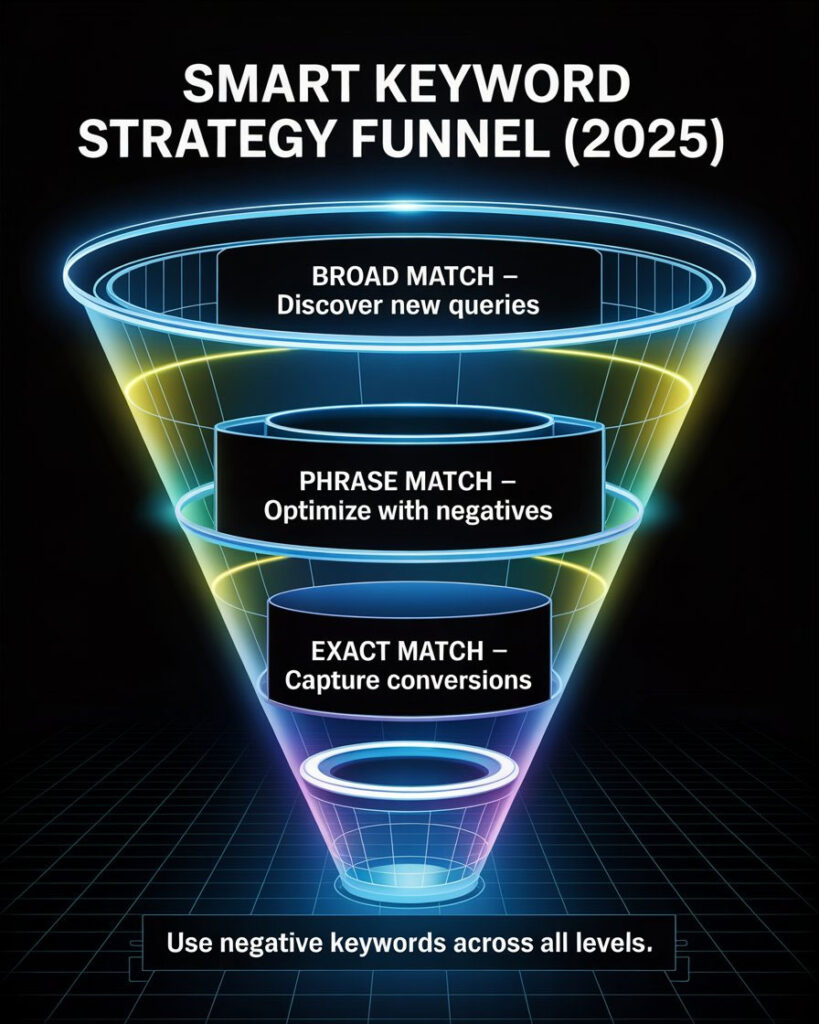
No matter what match type you choose, negative keywords are your insurance policy. They block your ads from appearing on irrelevant or low-converting searches.
Terms worth excluding in a lot of accounts:
- free
- job
- DIY
- cheap
A note on notation, because it trips people up: you add these to the negative keywords list as ordinary words. The minus sign in front of a term is Google Search operator syntax, not Google Ads syntax — typing -free into a negative list does nothing useful. Build and refine those lists continuously; it is one of the fastest ways to lift CTR and cut wasted spend.
Match Type Strategy Tips
- Exact match works best for bottom-of-funnel keywords (high intent, purchase-ready)
- Phrase match is your go-to for mid-funnel discovery with some flexibility
- Broad match is best paired with automated bidding and smart goals
- Use negative keywords with all match types — especially phrase and broad
- Check your Search Terms Report weekly (or daily in high-spend accounts)
- Group match types by ad group when testing: don’t mix exact and broad in one group
Final Thoughts: Mastering Match Types for ROI
Keyword match types shape the entire performance profile of your campaign. They influence:
- Who sees your ad
- Whether they click
- Whether they convert
- And how much it costs you to acquire a customer
Even small changes in match type strategy can dramatically improve (or tank) your results.
If you’re still guessing which match type to use, or relying too heavily on broad match without proper tracking — it’s time to stop gambling and start optimizing.
Work With 3MY: Your Google Ads Performance Partner
At 3MY, we specialize in ROI-focused PPC strategy — with keyword research, match type planning, negative keyword structures, and conversion tracking all built in from day one.
Whether you are launching your first Google Ads campaign or restructuring an account that has grown past what one person can watch, we can set it up for better efficiency, lower CPC and better-qualified leads.
Every campaign includes:
- Custom keyword strategy (exact, phrase, and broad mix)
- Negative keyword curation and monitoring
- Smart bidding setup and conversion tracking
- Weekly reporting and search term review
- Ongoing campaign refinements — not just a one-time setup
Let us help you turn paid traffic into predictable pipeline — keyword by keyword, match by match.









