


It’s one thing to launch a successful Google Ads campaign. It’s another to grow it — without breaking it.
Scaling ads isn’t just about increasing your budget. Do it carelessly, and you’ll drive up costs, dilute performance, and burn through ad spend without seeing a return. Do it strategically, and you can multiply your results without losing efficiency.
Let’s break down how to scale your Google Ads campaigns the smart way — sustainably, profitably, and with control.
Step 1: Know Your Baseline Before You Scale
Before you touch the budget, you need clarity:
- What’s your current ROAS (Return on Ad Spend)?
- What’s your profitable CPA (Cost per Acquisition)?
- Which campaigns, ad groups, or keywords are actually driving conversions?
If you can’t answer those, don’t scale. You might just amplify waste.
Start by identifying your most efficient campaigns, ad groups and keywords. Those are the building blocks for growth — everything else is a candidate for cutting, not for feeding.
Step 2: Increase Budget Gradually — Not All at Once
Google’s algorithm responds best to stable changes. If you suddenly double your daily budget, performance can suffer.
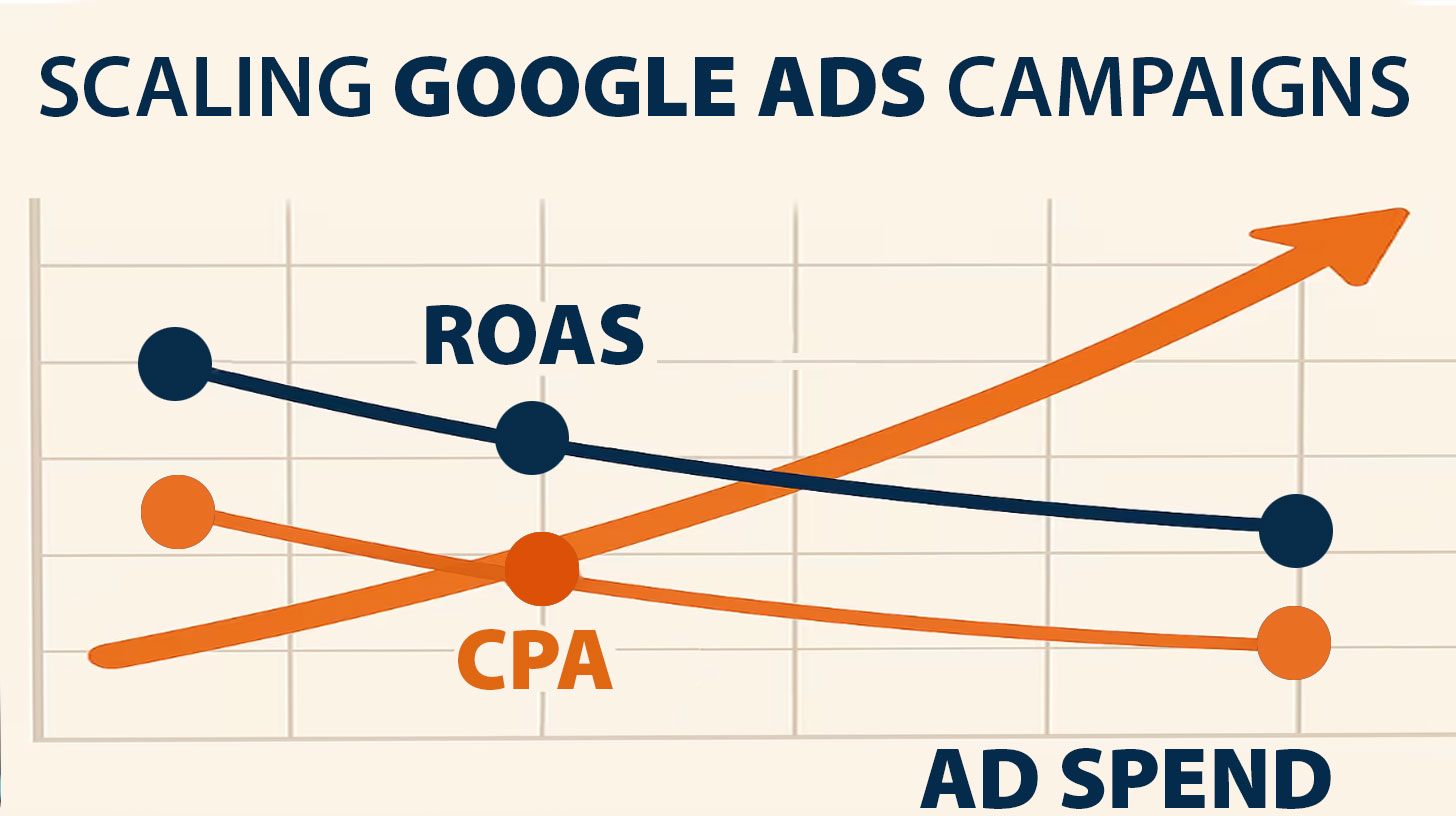
Instead:
- Increase your budget in steps of roughly 20–30% every few days — an industry rule of thumb, not a Google rule
- Monitor how it affects conversions, CPA, and ROAS
- Scale only the campaigns that are profitable and stable over time
It’s not about throwing more money in — it’s about seeing how each dollar behaves when the system gets more to work with.
Two things are worth keeping apart here. “20–30% every few days” is something the industry repeats; Google publishes no safe increment. What Google does publish is the mechanics your money runs on. You set an average daily budget, and on a high-traffic day the system can spend up to twice that amount, balancing it out across the month — but it will not exceed 30.4 times your daily budget in a calendar month. So a spike that looks alarming on a Tuesday may be well inside the monthly ceiling.
The reason to move in steps is the bid strategy relearning, not the fear of an unbounded charge. If you are still deciding what that daily number should be in the first place, we took that question apart separately: how much you should really spend.
And one recent change matters more to scaling than anything else on this page. Since 17 August 2026, campaigns that are limited by budget and run on a target-based strategy — Target CPA or Target ROAS — perform more consistently toward the target you set instead of quietly beating it. A campaign that was delivering a $5 CPA against a $10 target will drift up toward the $10. If your plan was “raise the budget and keep the same efficiency,” that cushion is gone: tighten the target first, then add budget.
Step 3: Duplicate What Works
Scaling doesn’t always mean bigger — it can also mean more of the same.
- Duplicate high-performing campaigns and test variations in targeting, location, or ad copy
- Isolate branded vs. non-branded search
- Segment audiences more granularly (by device, time of day, demographics)
This lets you scale horizontally — expanding reach without disrupting existing campaign stability.
Step 4: Expand Keywords Strategically
Don’t chase volume. Expand only once the existing keyword set has hit its ceiling — when impression share is high and you are still leaving conversions on the table.
Try:
- Long-tail variations of converting keywords
- Broad match with smart bidding (but only after success with phrase/exact)
- Search term reports to mine new intent-based queries
Always monitor new terms closely. New keywords often bring irrelevant traffic if left unchecked.
Step 5: Strengthen Your Funnel Before Scaling Further
More traffic doesn’t fix a broken funnel — it just makes problems more expensive.
Before pouring in more budget, tighten what happens after the click:
- Are landing pages optimized and fast?
- Is the CTA clear and relevant?
- Are leads followed up fast by sales or automated workflows?
- Is the CRM tagging campaign sources correctly?
Scaling works when your backend is built to handle it.
Step 6: Automate Bidding — But Only When Ready
Manual bidding gives control at small scale. But as complexity grows, smart bidding can help:
- Use Target ROAS or Maximize conversion value once you have enough data
- Give the algorithm a real conversion history before you hand it the wheel. “Thirty conversions a month per campaign” is the number the industry repeats; Google no longer publishes a minimum, so treat it as a floor to aim for rather than a threshold that unlocks anything
- Monitor performance to ensure it stays in line with your benchmarks
Smart bidding lets you scale faster — but only if the algorithm knows what “good” looks like.
Step 7: Expand to New Networks (Cautiously)
Search isn’t the only option. If performance is strong, consider:
- YouTube ads for top-of-funnel reach
- Demand Gen for visual placement across YouTube, Discover, Gmail and the Display Network. If a checklist still tells you to launch a “Discovery campaign,” it is out of date: Google converted those at the start of 2024, and Display campaigns are moving into Demand Gen as well
- Performance Max (with well-structured assets and clear goals)
But test new formats separately. Don’t blend them into existing high-performing campaigns too soon.
Step 8: Analyze Profit, Not Just Conversions
More conversions mean nothing if your profit drops.
Track:
- Margin per conversion
- Lifetime value vs. CPA
- Cross-channel impact — is Google Ads lifting your other sales channels, or just taking credit for them?
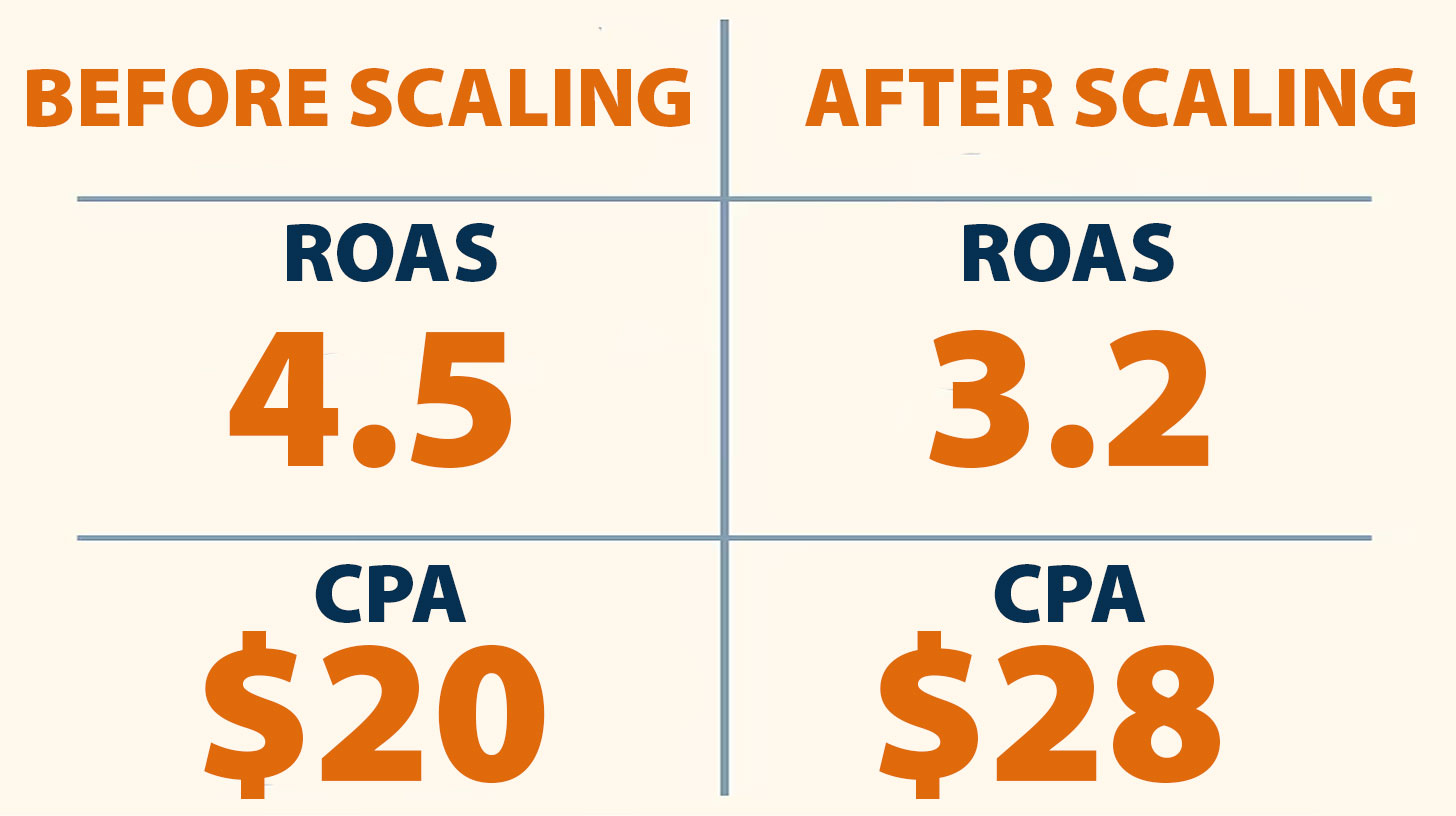
If your ROAS falls as budget rises, stop and investigate before scaling further.
Common Scaling Mistakes to Avoid
- Scaling low-performing campaigns “just to test”
- Jumping from $50/day to $500/day overnight
- Scaling without conversion tracking in place
- Ignoring post-click behavior and sales process
- Using broad match too early
Every mistake becomes more expensive at scale.
Final Tip: Scaling Is a System — Not a Switch
There’s no magic budget that turns Google Ads profitable overnight.
Scaling works when it’s data-backed, incremental, and tied to real business goals. If you’re optimizing only for impressions or clicks, you’ll lose control fast. But if you track the right metrics, test intentionally, and improve your funnel — scale becomes not just possible, but sustainable.
What We Do at 3MY
At 3MY, we don’t just launch campaigns — we help you scale what works.
We audit your current Google Ads setup, identify underperforming segments, and build a plan to grow your results rather than your costs — starting with the search terms report, because that is where the money leaks first.
Want to scale with clarity?
Book a Google Ads Growth Review
and let’s build a plan that actually scales profitably.









