


You run a store, you have one budget for ads this month, and two names keep showing up in every recommendation: Shopping campaign and Performance Max. Type “google shopping campaign” into a search bar and a good chunk of the results left over from the past two years tell you the decision is already made — Performance Max wins, Standard Shopping is finished, move on. That’s not what Google’s own help pages say, and the difference matters more the more products you have.

If you’re still working out whether Shopping belongs in your ad mix at all — as opposed to search ads built around keywords — that’s a separate, earlier question. There’s a separate piece on whether Shopping belongs in your ad mix at all.
What Actually Happens When the Two Overlap
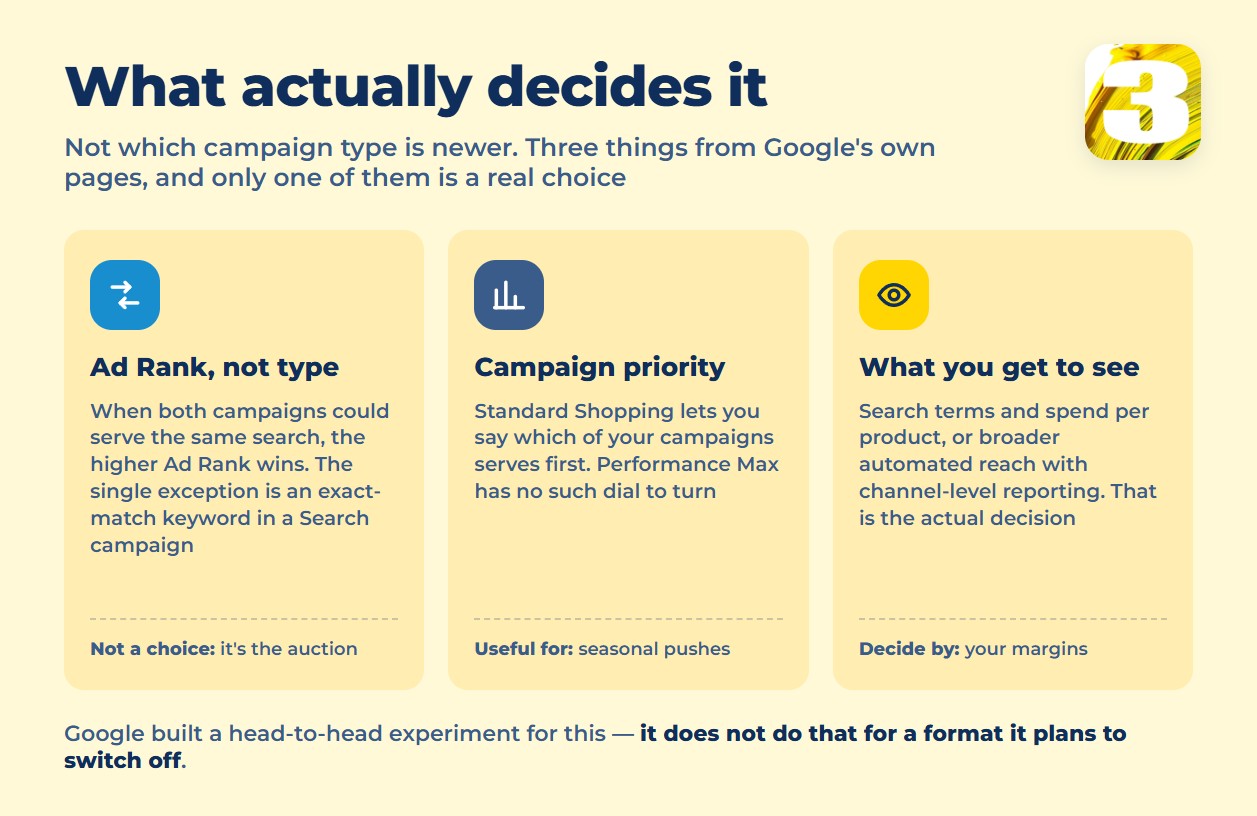
Google is direct about this in its own documentation on how overlapping campaigns are resolved: “Google Ads prioritizes the campaign with the highest Ad Rank.” Not the newer campaign type. Not the one with more budget behind it. The one that wins the auction on that specific impression.
There’s exactly one exception, and it isn’t Shopping-related at all: “A Search campaign with a keyword that exactly matches or is spell-corrected to a person’s query will be preferred over Performance Max.” That’s a narrow carve-out for exact-match keywords in a text campaign — it says nothing about Standard Shopping losing by default to Performance Max.
If the comparison you’re actually weighing is Performance Max against a keyword-based Search campaign rather than against Shopping, that’s a different question with its own answer, covered separately here: Performance Max vs. Search Campaigns: How to Choose the Best Google Ads Strategy.
Standard Shopping Hasn’t Been Shut Down
Here’s the second correction the topic needs. Smart Shopping campaigns were folded into Performance Max years ago. Local campaigns went the same way. Standard Shopping campaigns have not — and Google’s own page on using campaign priority frames the newer option as a choice, not a mandate: “This article covers Shopping campaigns. To get the best of Google Ads’ AI and serve ads on all Google properties, you can try Performance Max campaigns instead.” Instead, not “in place of.” The page describing Standard Shopping is still live, still maintained, and carries no notice that it’s going away.
Performance Max itself is described the same way in Google’s own overview: it “complements your keyword-based Search campaigns to find more customers who convert across Google’s channels.” Complements — the language Google uses for its newest campaign type is addition, not replacement, and no page anywhere announces a retirement date for Standard Shopping.
The One Lever Standard Shopping Has That Performance Max Doesn’t
If you run more than one Standard Shopping campaign against the same catalog, campaign priority lets you tell Google which one should serve first when they’d otherwise compete for the same product — low, standard, or high. That’s useful in practice for anything seasonal: push a holiday campaign above your always-on one without touching a single bid, since Shopping has no keywords to bid on in the first place.
Performance Max doesn’t have this dial. It’s one campaign making its own calls across every channel it touches, and there’s no priority setting to hand it a second campaign to defer to. For a store running a single, simple catalog that’s rarely a problem. For a store juggling clearance, private label, and full-price inventory at once, it’s the difference between steering the traffic and hoping it lands where you want.
What Should Actually Decide It: What You’re Allowed to See
This is the part that gets buried under the Ad Rank debate, and it’s the more practical one for a store that tracks profit by product. Standard Shopping shows you the search terms that triggered your ads and lets you cut spend at the product level — turn off a losing SKU, add a negative keyword, see exactly what a given term cost you. Performance Max doesn’t hand you that same view. You get channel-level and asset-level reporting, not a query-by-query list you can act on the way you can in Standard Shopping.
If your business runs on thin margins by product and you need to know which items are actually paying for themselves, that visibility is the real deciding factor — not which campaign type wins a theoretical Ad Rank contest.
Two of Your Own Ads Can Show at Once — Something Search Doesn’t Allow
One more mechanic worth knowing before you judge results by what shows on the results page. Google’s page on Shopping ads confirms: “More than one of your Shopping ads can appear for a given user search,” and “a Shopping ad and a text ad can also appear at the same time.” A Standard Shopping campaign and a Performance Max campaign pulling from the same feed can both show up for the same query without either one being suppressed — a text search campaign, by contrast, typically shows one ad per advertiser per page. Seeing both of your own campaigns on the same results page isn’t a sign anything is broken.
A Third Option Most Guides Don’t Mention Yet
Before you treat this as a two-way choice, there’s a newer middle path: AI Max for Shopping, which Google describes as a “beta suite of features” applied to a Shopping campaign you already run, rather than a separate campaign type to build from scratch. It pulls context straight from your product data — “by leveraging content from your Merchant Center feed, this setting automatically generates highly relevant, query-matched product titles” — and adds URL expansion on top, crawling your site for commercial pages beyond the exact product URLs in the feed. It’s recent enough, and still in beta, that most of the “Shopping vs Performance Max” articles online were written before it existed.
Test It on Your Own Account, Not on an Article
None of this — ours included — is a substitute for what your own account shows you. And Google didn’t leave this to blog posts either: it built the comparison into the product. Its Standard Shopping versus Performance Max experiment exists for exactly this argument, in Google’s own words letting you “compare one of your existing standard Shopping campaigns against another existing or brand new Performance Max campaign with similar settings,” so that the test “can help you determine which campaign type drives better results for your business.”
That tool is also the quietest evidence in this whole debate. Google does not build a head-to-head experiment against a campaign type it plans to switch off.
For a sense of where budgets are actually moving industry-wide: according to Tinuiti’s review of Q1 2026 ad spend, Performance Max accounted for 67% of Google Shopping spend and 68% of sales among its advertiser base, running slightly ahead of Standard Shopping on ROAS. That’s a data point about where other advertisers are spending, not a verdict for your store — your catalog, margins, and reporting needs aren’t Tinuiti’s.
Where This Leaves a Store With One Budget
There isn’t a universal winner here, and anyone telling you there is hasn’t looked at your catalog. Ad Rank decides overlap, not campaign type. Standard Shopping is still a fully supported option with a priority lever Performance Max doesn’t have. Performance Max trades that control for reach across more of Google’s surfaces at once. The deciding question is what you actually need to see and act on — search-term and SKU-level detail, or broader automated reach.
And none of it matters much if the feed feeding both campaign types is inconsistent to begin with. Worth reading next: the feed fields that keep a product from showing.
If you’d rather have someone look at your account and your catalog together before you commit a budget either way, that’s what our free Google Ads audit is for — we’ll tell you what we actually see in both.









