


UTM tracking works exactly the way it should on the day you set it up: add a source and a medium to a link, and GA4 shows the traffic where you expect it. The trouble shows up three weeks later, when the same campaign appears as four different rows in the report — because four people tagged it by hand, four different ways.
UTM parameters aren’t a tracking mechanism you configure once. They’re a naming system, and a naming system only works if everyone who touches a link uses the same names. Most explanations list what the parameters do and stop there, before the part where a freelancer, a client, and an agency each tag the same campaign differently and the report can’t tell they’re the same channel.

One Source, Four Spellings, Four Rows in the Report
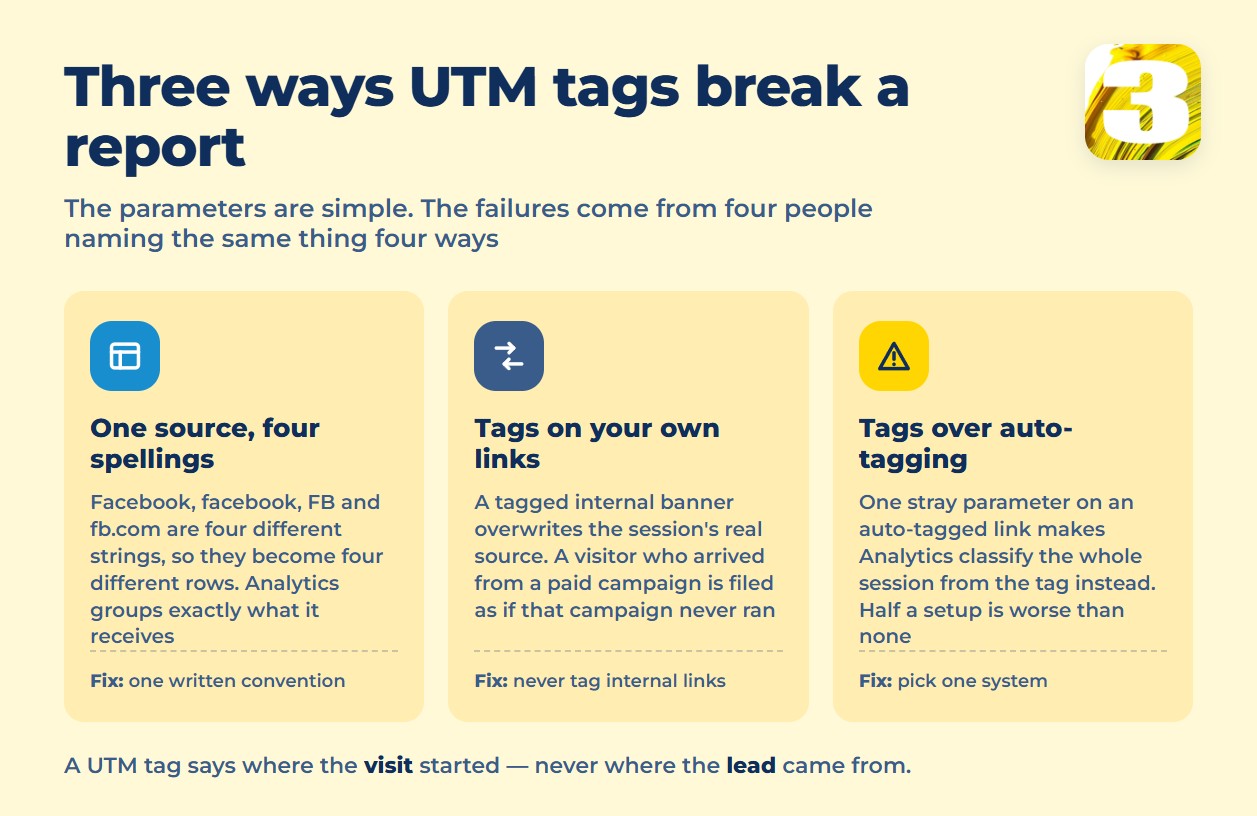
`Facebook`, `facebook`, `FB`, `fb.com` — type any of these into `utm_source` and GA4 has no way to know they’re the same place. Ask three people to tag links for one campaign with no written rule, and you’ll get three spellings, sometimes four, splitting one channel’s numbers across separate rows instead of adding them up.
Worth being precise here: this isn’t a documented GA4 rule about case sensitivity — Google’s help pages don’t make that claim anywhere. What’s true is simpler and applies to any system matching text: different strings are different strings, and GA4 groups traffic by exactly what it receives. Whether `Facebook` and `facebook` end up as one row or two isn’t something Google decides for you — it’s a decision your team has to make and write down: one spelling, agreed once, used everywhere.
UTM Tags Don’t Belong on Links to Your Own Site
The other place UTM parameters do damage is inside the site they’re supposed to be measuring. A homepage banner linking to a product page, tagged with its own `utm_source` “just to see what’s clicking,” doesn’t measure the banner — it overwrites the session’s real source, and a visitor who arrived from an actual Facebook campaign now reports as if that campaign never happened.
For a store or booking site, that’s the same session-integrity problem covered in why e-commerce tracking matters. The rule is short: don’t tag internal links. UTM describes how someone arrived from somewhere else — not a click after they’re already on the site.
What GA4 Requires, and What Breaks When Only Half the Link Is Tagged
Google’s guidance names three required parameters: “you should always use `utm_source`, `utm_medium`, and `utm_campaign`.” Beyond those, “we strongly recommend that you set all relevant UTM parameters, especially `utm_source`, `utm_medium`, `utm_campaign`, `utm_id`, and `utm_source_platform`.” Two more exist — `utm_creative_format` and `utm_marketing_tactic` — but Google says plainly each “isn’t currently reported in Google Analytics properties,” so setting them changes nothing you’ll see in a report.
The sharper problem is UTM meeting Google Ads’ own auto-tagging. Google is direct: “If you use manual tagging and auto tagging together, then the source, medium, and other traffic-classification dimensions use the auto-tagged values.” The bigger issue follows right after: “if any UTM parameter is present on the URL, Google Analytics will derive all cross-channel traffic source dimension values from UTM parameters, exclusively.” One stray `utm_source` on an otherwise auto-tagged link doesn’t just lose that argument — it pulls the whole session’s classification onto UTM logic. Google’s advice is to pick one system: auto-tagging on, or every final URL hand-tagged, not both. Half a tagging setup is worse than none.
A quieter side effect of the same auto-tagging: Google Ads clicks from iOS traffic can carry a `gbraid` or `wbraid` parameter added automatically, tied to Apple’s tracking rules — one more reason a hand-typed UTM on an already-tagged Google Ads link is redundant. The same discipline applies to Meta campaigns managed by certified specialists: one naming convention, applied everywhere, with the official Campaign URL Builder handling the mechanics — the tool was never the hard part.
None of this survives if it lives in one person’s head. A convention only the person who set up the first campaign remembers doesn’t outlast a new contractor, a new hire, or six months between campaigns. It has to be written down somewhere everyone touching a link can see it — closed enough that there’s no room to invent a new spelling mid-project.
That’s also where GA4 stops being forgiving: channel groupings are rule-based, and “default channel groups can’t be edited in Google Analytics.” Whatever source and medium values end up in the data get sorted after the fact by rules you don’t control — which is exactly why getting the values right at the point of tagging matters more than fixing them later.
The Source/Medium List You Can Hand to Anyone Touching Your Ads
| Source | Medium | Use it for |
| `google` | `cpc` | Paid Google Ads campaigns |
| `facebook` | `paid-social` | Meta Ads on Facebook placements |
| `instagram` | `paid-social` | Meta Ads on Instagram-only placements |
| `linkedin` | `paid-social` | LinkedIn Ads |
| `email` | `email` | Newsletter or email sends |
| `sms` | `sms` | Text message campaigns |
| `[partner-name]` | `referral` | A named referral partner — replace the bracket |
| `print` | `offline` | QR codes and printed materials |
Organic search and direct traffic deliberately aren’t on this list — both are already classified without a tag, and adding one only risks overwriting a classification that was already correct.
UTM Tells You Where the Visit Started, Not Where the Lead Came From
A UTM tag does its job the moment someone lands on the page. It has nothing left to say about what that visitor does three days later, back on their phone, filling out a form on a visit with no tag attached at all. GA4 can tell you the session that mattered started on a tagged Facebook link. It can’t attach that fact to the lead sitting in a CRM, because by the time the form is submitted, the tag is gone.
That gap is exactly what shows up as a CRM full of leads marked “organic” or “direct” that actually came from a paid campaign. It’s why we built our own lead-tracking plugin: it writes the originating source into the lead record at the moment the form is submitted, so the CRM shows the real campaign — not a fallback label assigned because the tag didn’t survive.
Comparing what different platforms count as a result once each has classified it is a separate problem from naming the source correctly. why two platforms claim the same sale And if events like on-site activity are part of the picture, that runs on a different mechanism entirely, worth checking on its own terms. There’s a separate piece on how to check the pixel is really counting.
Write the naming convention down once, put it in front of everyone who builds a link, and stop letting one tagged internal link or one stray parameter rewrite the story GA4 tells about where a lead came from.









