


Most retargeting advice is a list of who to add: people who visited the pricing page, people who watched half a product video, people who put something in a cart and left. Almost none of it says who to take back out. That’s the expensive half. A retargeting audience that never gets pruned quietly fills up with people who already bought, people who already said no, and people who were never a prospect in the first place — and you keep paying to reach every one of them.
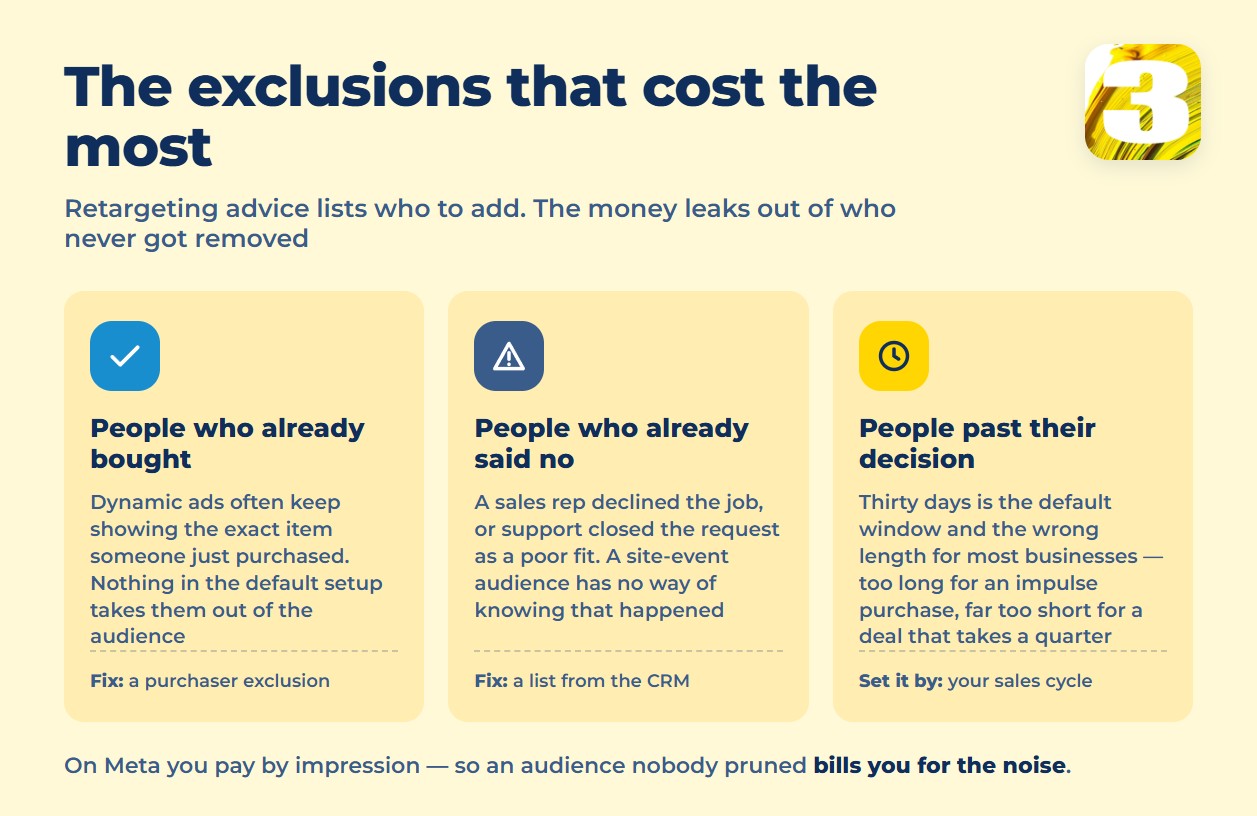
This matters more on some platforms than others. On Meta, delivery is priced by CPM — cost per thousand impressions, not per click. Every extra person sitting in a retargeting audience who shouldn’t be there costs money the moment the ad loads, whether they notice it or not. An ad that shows up a dozen times to someone who bought last month isn’t a mild annoyance. It’s a mild annoyance you’re billed for directly, on every single impression.
The fix isn’t a smarter algorithm. It’s five lists, checked before anything else about the campaign gets touched.

The Five Lists to Exclude
People who already bought. If dynamic retargeting ads pull from a product feed, the person who just bought that exact item is often still sitting in the audience it gets shown to — nothing in the default setup removes them. This gets a full answer of its own here: how to exclude existing customers from seeing your ads.
Customers already on a subscription. Anyone already paying every month doesn’t need to be told to start paying. If the retargeting audience is built from a site-visit pixel or an old list upload rather than a live feed of active accounts, this group gets left in by default and stays in until someone manually removes it.
Job applicants and your own staff. A careers page and an internal login page generate site visits like anything else, and a loosely scoped pixel picks up both. Showing product ads to someone who applied for a job, or to an employee logging into a portal, spends CPM on people who were never a customer to begin with.
People a human already said no to. If a sales rep already told someone “we can’t take that on” or a support agent closed a request as not a fit, an automated retargeting list has no way of knowing that. It keeps the ad running regardless. This list can’t come from a site event — it has to be built from a CRM stage or a call outcome.
People who’ve outlived their own decision window. This is the costliest one, and the one most accounts get wrong in both directions.
The Window Should Match the Deal, Not the Habit
Thirty days is the default retargeting window on more platforms than not, and it’s the wrong length for almost everything. An impulse purchase and a deal that takes a full quarter to close are not the same decision, and thirty days is wrong for both — in opposite directions.
For the impulse purchase, thirty days is too long. The decision happens in a day or two. Every day after that, the ad is reaching someone who already decided — usually “no” — and every impression past that point is CPM spent on a question that’s closed.
For the quarter-long deal, thirty days is too short. The list drops the person right as they’re actually getting close, and the retargeting stops right when it would have mattered most.
Google puts a hard number on this, worth knowing even if you never touch the setting: a remarketing list needs a minimum of 100 active visitors or users within the last 30 days to run at all, and no one can stay on a list longer than 540 days — Google removes them automatically once they hit that ceiling. The practical read for a small account: if a list isn’t reaching 100 people in 30 days, that’s not a settings problem. That’s a traffic problem, and no amount of audience tuning fixes it. Setting up the list itself — the tag, the timing, the feed — is its own topic: how to set up dynamic remarketing in Google Ads.
Lookalikes Have the Same Problem From the Other Side
Meta’s lookalike audiences run on the same logic in reverse. A source audience needs at least 100 people, but Meta’s own recommendation is 1,000 to 5,000 — the minimum technically works, but a source that thin gives the system too little to learn from. One source can generate up to 500 lookalike audiences, and anyone already in the source is automatically excluded from the lookalike built off it — so you’re not paying to reach the same person twice under two different labels.
One more exclusion is worth knowing before building a lookalike at all: Meta states that lookalike audiences “are limited or unavailable for some ads about financial products and services, employment or housing opportunities” — regardless of how strong the source list is.
Where Google Ads Remarketing Fits Next to This
Google calls this remarketing rather than retargeting, but the mechanics — and the five exclusion lists — carry over between the two platforms almost unchanged. What doesn’t carry over cleanly is which platform gets to claim credit when the same person sees a retargeting ad on both, closes weeks later, and two dashboards both show the sale. There’s a separate piece on why two platforms claim the same sale.
Before adding retargeting on top of a new campaign, it’s worth knowing what the campaign itself already costs to run — that’s a separate question, and it starts with what Facebook and Instagram ads actually cost. Worth reading next: what Facebook and Instagram ads actually cost.
We manage accounts on both platforms — Google Partner, and Meta Certified for Facebook Ads — and every retargeting audience we build starts with the exclusion list, not the inclusion one. We also run our own lead and call tracking by channel, because a returning customer who calls back gets logged as a repeat contact, not counted as a fresh conversion from whatever ad happened to be running when the phone rang. Get that wrong and a business ends up paying, in ad spend, for people who are already its customers, twice over. Flat fee, no percentage of budget.









