


If Google Ads flagged your landing page experience as Below average, load time is probably not the whole of what it is complaining about. Since February 5, 2025, Google runs a separate model that scores the page’s navigation — whether someone can actually get somewhere after they land. A fast, mobile-friendly, relevant page can still fail this check if it’s a dead end.
That’s the shift nobody selling landing page checklists has caught up with. Most advice on this topic is still 2019: match your ad, load fast, be mobile. Google added a fourth thing, and it’s structural, not cosmetic.
Here’s the announcement, from Google’s own blog:
“we recently developed a new prediction model that helps our ads quality systems more precisely capture the quality of your navigation experience when visiting a Search ad’s landing page”
And the part that matters most for anyone trying to fix this reactively — the model is built to “understand and predict if a Search ad leads to an unexpected destination and doesn’t offer other helpful navigation options,” and then to “show you fewer ads like this.”
Predict. Not “measure after enough clicks came in.” Google can form a view of your page’s navigation quality before meaningful traffic has hit it. The old advice — launch the campaign, wait, then look at the score — is only half the story now.
What Google actually checks — and what it doesn’t
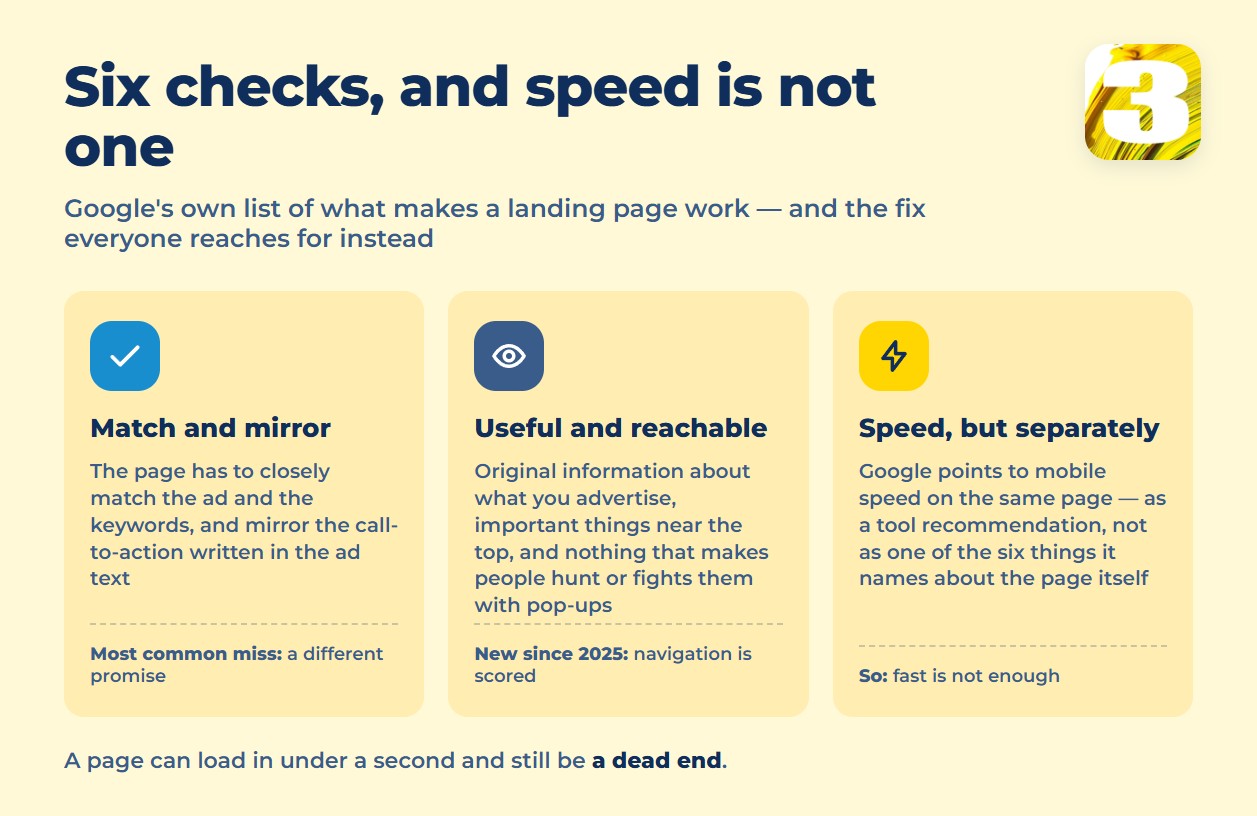
Google’s own guidance on landing pages lists six things, word for word:
“Choose a landing page that closely matches your ad and keywords.”
“Your landing page should also mirror the call-to-action in your ad text.”
“Many of your customers will be visiting your website on a mobile device.”
“It’s a good idea to put important information towards the top of the page.”
“Try to provide useful, original information on your landing page about whatever you’re advertising.”
“Don’t make people hunt around for information they might need. Avoid cluttering your site with too many ads or pop-ups.”
Read that list again. Not one of those six items is page speed. They are about matching the ad, mirroring the call-to-action, mobile visitors, where information sits, original content, and not making people hunt. Google does point to mobile speed further down the same page — “See if the speed of your mobile site is costing you customers” — but as a separate tool recommendation, not as one of the six things it names about the page itself.
That distinction is worth holding onto, because “just make it faster” is the single most repeated fix in every agency blog on this topic. Speed is genuinely part of how a page gets rated. It just isn’t the whole of it, and it is not what gets fixed when the flag comes from something structural. A page can load in under a second and still score Below average because the headline doesn’t match the ad, the call-to-action button says something different than the ad promised, or a visitor lands on a paragraph with no next step.

It’s not a penalty — it’s the auction scoring relevance
Landing page experience isn’t a fine for something you did wrong. It’s one of three signals — alongside expected click-through rate and ad relevance — that the auction uses to estimate whether your ad and its destination are actually useful for that search. We have made the related point about site speed in what happens after the click: the auction is not punishing you, it is scoring relevance. Speed feeds that same relevance judgment — navigation is the piece Google only started scoring on its own in 2025. A page that scores Below average doesn’t get banned — it competes at a disadvantage, because Google’s models think the person clicking is less likely to find what they came for.
That framing matters because it changes where you look for the fix. You’re not appealing a decision. You’re changing what the model sees when it looks at the page.
Why this doesn’t get fixed inside Google Ads
There’s no setting in the Ads interface that improves navigation. No bid strategy, no asset, no targeting change touches what happens after the click. The page itself — its layout, its links, what a visitor can do next — lives entirely outside the ad account. If the diagnosis is “unexpected destination, no helpful navigation options,” the fix is rebuilding or restructuring the page, not adjusting anything in the campaign that pointed to it.
That’s also usually the moment the person running the ads and the person who built the site turn out to be two different problems. An account manager can tell you the score is low. Someone has to actually go into the page and give a visitor somewhere to go — that’s website work, not ad management, and it’s worth being clear about which one you’re hiring for before either gets blamed for the other.
The wider picture is in what Quality Score actually changes.
What’s visible in the account, and what isn’t
Turn on the Quality Score, Landing Page Exp., Expected CTR, and Ad Relevance columns for your keywords and you’ll see a status — Above average, Average, or Below average — next to landing page experience. That status tells you *that* something’s off. It doesn’t tell you *what*: whether it’s the mismatch with the ad, the missing next step, the mobile layout, or all three. Google doesn’t break the component down further in the interface, and it doesn’t hand you a list of pages it considers dead ends.
What you can’t see: the reasoning behind the flag, a before-and-after preview, or which of the six checklist items tripped it. You’re left testing the page against Google’s own list by hand.
We’ve written a full walkthrough of what a strong landing page looks like structurally — What’s the Anatomy of a High-Performance Landing Page? — worth reading if the fix turns into a rebuild rather than a patch.
If the rebuild is worth testing before it goes live everywhere, see what to test before the AI Max migration.
One more landing page signal showing up in the data
A growing share of visitors reaching these pages aren’t coming from a search results page at all — they arrive after asking an AI assistant, having already read a summary of what you offer before they ever clicked. Their expectations are different: they’ve been told what to expect, and the page either confirms it quickly or it doesn’t. We see this in our own lead-tracking system, in requests that trace back to conversational tools rather than a search click. Neither Search Console nor a standard ad report will show you those visits.
The smallest possible landing page experience check
Open the exact page your ad points to, on your phone, the way a customer would land on it. Then try to go somewhere else from it — another product, a phone number, a form, anything. If there’s nowhere to go, you’ve found the reason for the flag. Everything else is detail.









