


If you searched “google sitelinks” hoping to add extra links under your listing in the free, organic search results, this isn’t that article — and the feature you want is still there. In October 2024 Google announced it was removing the sitelinks search box, the small search field that used to sit inside some organic results, starting November 21, 2024. That’s it. The regular sitelinks — the row of extra page links under an organic result — were not part of that change. Google said the removal “doesn’t affect rankings or the other sitelinks visual element.” Organic sitelinks are alive; only the search box inside them is gone.
This article is about the paid version: sitelinks and other assets in Google Ads. Different product, different rules, and a different reason yours might not be showing.
“Extensions” Doesn’t Exist in the Interface Anymore
If you’ve been clicking around Google Ads looking for a menu item called Extensions, stop — it isn’t there. Google renamed the category to assets years ago, and the specific feature that automatically generates extra ad text on your behalf has since been renamed too — from Automatically created assets to Text customization. Same mechanic, new label. Search the account for “extensions” and you’ll be searching for something that no longer has that name.

Why Your Sitelinks Aren’t Showing
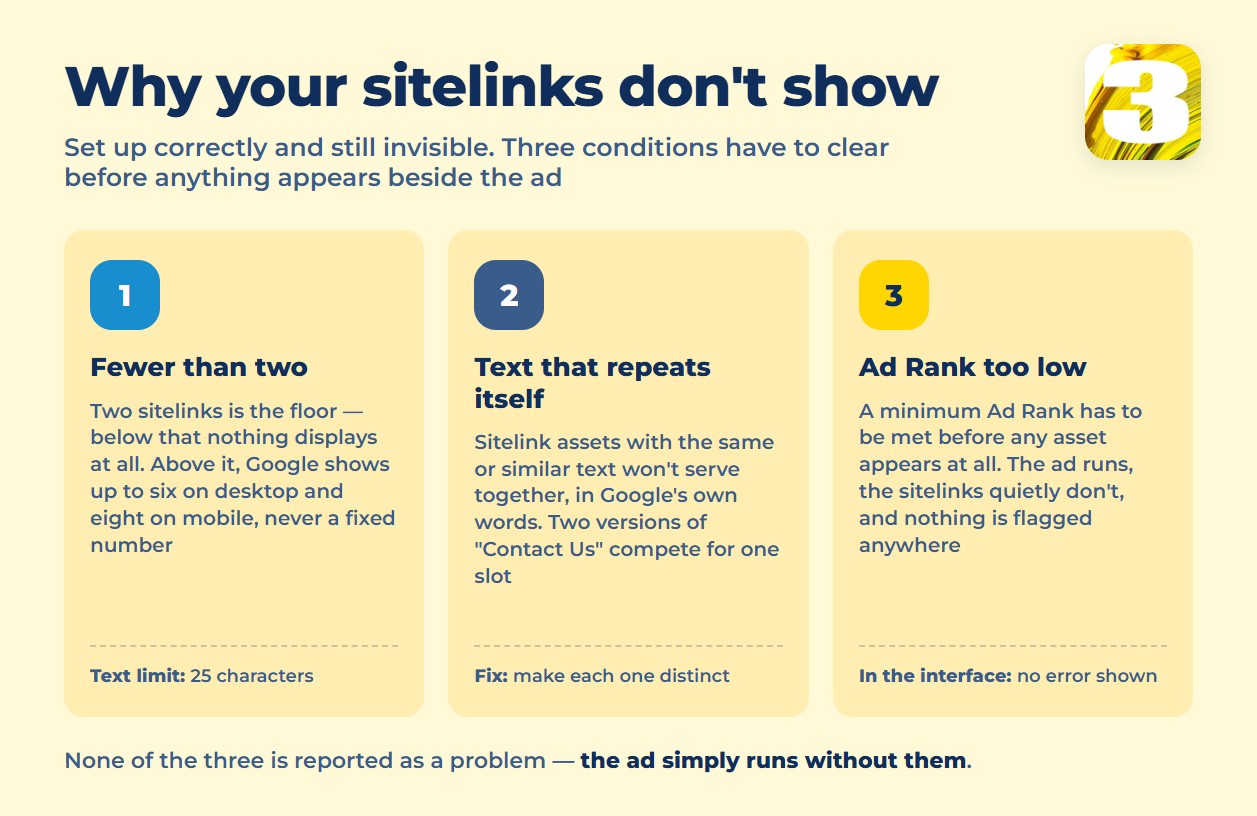
Most accounts have sitelinks set up and still don’t see them on every auction. That’s normal, and it’s not a bug. Google’s own sitelink help page lays out the conditions plainly: you need a minimum of two sitelinks for them to show at all, and even then Google will display up to six on desktop and up to eight on mobile — never all of them, and never a fixed number. Text is capped at 25 characters in most languages (12 in double-width languages like Chinese, Japanese, and Korean).
None of that guarantees a show. On top of the count and the character limit, Google states directly that assets “only show when they’re predicted to get you better results,” and a minimum Ad Rank — the same bid-and-quality calculation behind every auction — has to be met before any asset appears next to your ad at all. If your Ad Rank is borderline, the ad shows and the sitelinks quietly don’t. Nothing in the interface flags this as an error, because from Google’s side it isn’t one.
The diagnostic behind that threshold is explained in what Quality Score actually changes.
What Kills an Asset That’s Already Set Up
Three habits explain most of the sitelinks and callouts that never appear, even after someone built them correctly:
Text that repeats itself. Google states it outright: “Sitelink assets with the same or similar text won’t serve together.” If two of your six sitelinks both say some version of “Contact Us,” one of them is competing with the other for the same slot — and possibly losing to both.
Links that used to go somewhere. A sitelink pointed at “/spring-sale” two redesigns ago. The page is gone, redirected, or replaced with something unrelated to the link text. The ad can still run fine; the sitelink underneath it sends a click to a 404 or a page that no longer matches what the text promised.
Assets nobody remembers approving. Automatically created assets add extra ad text drawn from your own site without a setup step. Useful when the page is current and on-brand. Less useful when it quietly resurfaces a phrase, price, or promotion the page hasn’t carried in a year.
Assets Age With Your Site — Nobody Sends a Warning
This is the part that doesn’t show up in a “here’s every asset type” listicle. A sitelink pointing at your services page is fine until the day someone redesigns the site and the URL structure changes. The sitelink still exists in the account, still has its text, still technically “works” — it just lands on a 404, a redirect chain, or a page about something else entirely. Google Ads doesn’t email you when that happens. The ad keeps running. The click still gets charged. The only difference is what the visitor sees after they land.
The same applies in the other direction: a page gets rewritten, a promotion ends, a phone number changes — and the asset built around the old version keeps serving until someone opens the account and checks it by hand. Nobody does that on a schedule unless it’s someone’s actual job.
It is part of a bigger housekeeping problem: how many campaigns an account really needs.
Before September 1: Legacy Automatic Assets Move to AI Max
If your account still uses the older, standalone version of automatically created assets, that setup has an end date. Google’s developer blog confirmed that, starting September 1, 2026, Google Ads will begin automatically upgrading Search campaigns running standalone automatically created assets (or campaign-level broad match) into AI Max, with the migration rolling out progressively through the month. Creating a new legacy setup was already blocked across the interface, Google Ads Editor, and the API as of August 3, 2026. If you didn’t touch this setting yourself, it’s still moving — and the defaults it lands on (Text customization on by default for automatically created assets, Final URL expansion off) aren’t necessarily the ones you’d pick.
Sitelink and Asset Quick Reference
| Asset | Minimum to show | Character limit | What kills it most often |
| Sitelinks | 2 (fewer won’t display at all) | 25 characters (12 for double-width languages) | Text duplicated across two sitelinks — Google won’t serve them together |
| Automatically created assets (Text customization) | Added automatically when Google predicts they’ll improve performance | Drawn from your own page text | Nobody reviews what it pulled, so stale copy runs unnoticed |
| Any asset type | A minimum Ad Rank threshold, factored with bid and quality | Varies by type | Ad Rank too low for the slot — the ad shows, the asset doesn’t, no error appears |
What to Check This Week
Open Assets in your account and filter by Low performance. For each one that’s still flagged, click through the actual URL — not the label, the live link. If it lands somewhere that no longer matches the text above it, that’s a sitelink working exactly as configured and against you at the same time. It’s quick for a small account and takes considerably longer once a site has been redesigned once or twice since the campaign was built.
If checking this on a recurring basis isn’t something anyone on your team has time for, that ongoing check is part of what account management covers.









