


If your Google Business Profile has been suspended and the phone has gone quiet, do two things first — not five. Don’t create a second Business Profile for the business. Don’t submit a second appeal before the first one gets a decision. Both feel like progress, and both make things worse: a duplicate profile is its own guideline violation, and Google won’t attach a second appeal to a case that’s still under review. Before you touch anything else, open the suspension notice, read the reason if Google gave one, and pull together your business registration, license, or tax certificate. You’ll need it in a few minutes — not right now.
Why Google suspends a profile
Google states it plainly: “We may suspend or disable Business Profiles that don’t follow our guidelines.” The reasons behind a suspended Google Business Profile fall into a handful of official categories:
| Category | What it covers |
| Prohibited content | Reviews, photos, or videos that break policy |
| Account-level restrictions | The Google account behind the profile isn’t in good standing, is restricted, or is linked to another restricted Google account |
| Not meeting eligibility requirements | The business doesn’t qualify for a profile, doesn’t appear to exist, uses a P.O. box as its address, or shows a changed address or changed identity |
| Ownership issues | Unauthorized access to the profile, or an owner who’s gone inactive |
| Posting restrictions | Limits on what can be published to the profile |
Most suspensions land in the second or third row, not the first. A profile doesn’t need a fake review or explicit content to get pulled — a mismatched address or a Google account tangled up with a different restricted account is enough on its own.
The most common cause is the business name
The single most common trigger, by a wide margin, is the business name field. Google’s guidelines say it directly: “Including unnecessary information in your business name isn’t permitted, and could result in the suspension of your Business Profile.” That rules out slogans, store codes, trademark symbols, words in all caps, phone numbers, hours, and URLs stuffed into the name — anything beyond “your business’s real-world name, as used consistently on your storefront, website, stationery, and as known to customers.”
Address rules are almost as strict, and just as often missed. “P.O. boxes or mailboxes located at remote locations aren’t acceptable,” and a virtual office — a mailing address a business rents without operating out of it — isn’t eligible for a profile at all. There’s one narrow exception: a coworking space qualifies only if it “maintains clear signage, receives customers at the location during business hours, and is staffed during business hours by your business staff.” A desk rented by the month, with no sign and no front desk, doesn’t clear that bar.
If any of this sounds familiar, it’s usually not bad intent — it’s a profile filled in with rankings in mind instead of the guidelines: a keyword worked into the name field to catch a few extra searches, an address chosen for a better-sounding neighborhood. Both trade a short-term ranking bump for a suspended listing. We cover how to fill in every field the way Google actually asks for it in our guide to optimizing a Google Business Profile.
“Soft” and “hard” suspension — a term you’ll hear, but Google doesn’t use it
Search around and you’ll run into “soft suspension” and “hard suspension.” Neither term appears anywhere in Google’s own documentation. They come from community guides written by volunteer Product Experts on Google’s own support forum, and from agency blogs that picked the terms up afterward. The shorthand is common enough that it’s worth knowing what it usually means — and worth knowing it isn’t Google’s language.
| Term (not official) | What people mean by it |
| “Soft” suspension | The profile still shows in Search and Maps, but editing is locked |
| “Hard” suspension | The profile stops showing up anywhere |
Google’s own materials don’t draw this line, and the suspension notice itself won’t tell you which one you’re dealing with — only that the profile is suspended, and sometimes, a stated reason. Treat “soft” and “hard” as language you might hear from an SEO agency, not a setting you’ll find inside your dashboard.

How the appeal process actually works
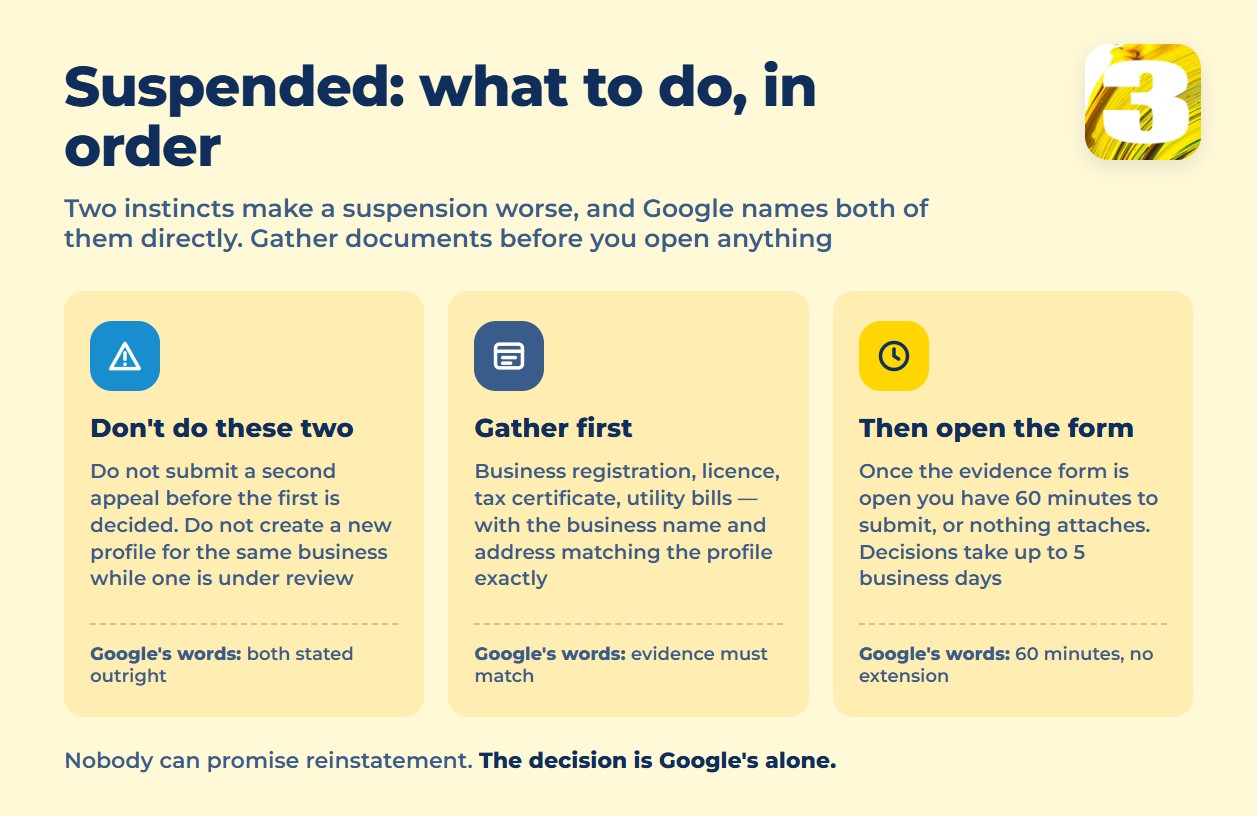
Reinstatement runs through the Google Business Profile appeals tool, opened from the same Google account that manages the profile — not a new one. Google’s appeal instructions ask for evidence that the business is real and matches the profile: a business registration, a license, a tax certificate, or utility bills, checked against one requirement — that “the business name and address match the profile.”
One detail that rarely makes it into other guides: once you start the evidence form, the clock is already running. “Once you open the evidence form, you must submit it within 60 minutes or it won’t be attached to your appeal.” Open it only after every document is already gathered, named clearly, and ready to upload — not before.
After submission, “appeal reviews and decisions can take up to 5 business days.” Google doesn’t publish what happens if an appeal is denied more than once — that part of the process isn’t documented, and neither we nor anyone else can tell you otherwise.
Two mistakes account for most of the damage done after a suspension, and Google names both directly: “Do not submit multiple appeals for the same issue before receiving a decision,” and “Do not create a new Business Profile for the same business while your appeal is under review.” Either one can turn a suspension that was on track for reinstatement into a longer, harder problem.
What to do before you file
A suspended profile is almost always a symptom of something filled in for search rankings instead of for accuracy — a name padded with a keyword, an address that doesn’t match a lease, a category chosen because it ranks rather than because it’s true. Before an appeal goes in, it’s worth having someone check the profile against the actual guidelines, not against what ranks well.
At 3MY, that’s the first thing we look at when a client’s profile goes down: what specifically the profile is doing wrong, before a single appeal gets filed — because there’s no filing a second one until the first is decided. We can’t promise reinstatement — that decision belongs to Google — but we can tell you, before you submit anything, what’s likely to be flagged. For the same reason a profile gets suspended in the first place, it’s worth getting the fundamentals right going forward; our local SEO service builds and maintains profiles against the actual rules, not shortcuts that put the whole listing at risk.









