


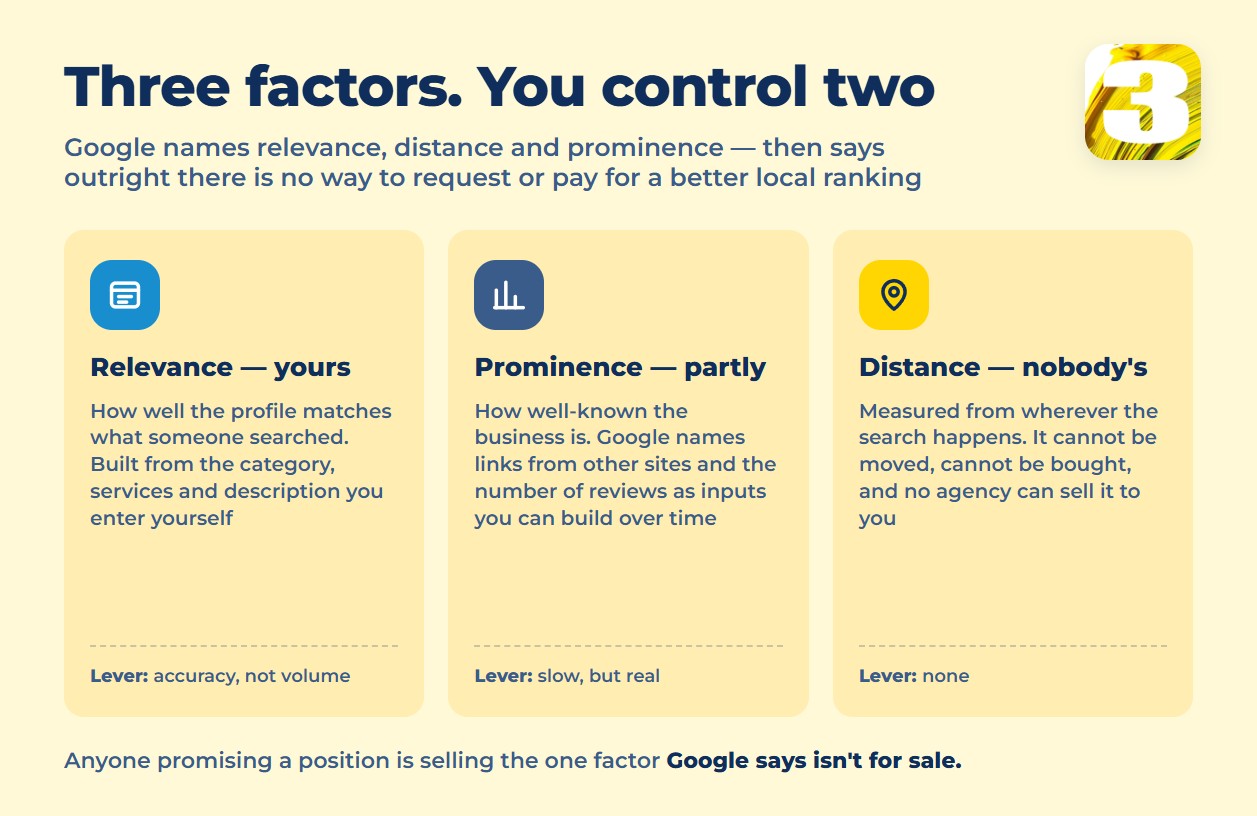
Google says local ranking comes down to three things: “relevance, distance, and prominence. Together, these factors help Google find the best match for customer’s searches.” That’s the entire official explanation. Everything sold as Google Business Profile optimization (GBP, if you’ve seen the acronym) is really an attempt to move one or two of those three — because the third one isn’t for sale.
Distance is “how far each business location is from the location term used in a search.” A contractor in Dallas ranks differently for a searcher in the same zip code than for one twenty miles out, and no amount of profile work changes that. Relevance is “how well a Business Profile matches what someone is searching for” — categories, services, and description. Prominence is “how well-known a business is,” and Google is specific about one of its inputs: “how many websites link to your business and how many reviews you have. More reviews and positive ratings can help your business’s local ranking.”
Google closes the loop with a sentence worth reading twice before you pay anyone for this work: “There’s no way to request or pay for a better local ranking on Google.” Nobody sells distance. What’s actually for sale is the labor of getting relevance and prominence right, and keeping them right — and that labor splits cleanly into two kinds, which is the part most guides skip.
What’s Outdated in Most 2025 Guides
Before the checklist, one correction that dates a surprising number of published guides. Google’s Q&A feature — where customers could post questions and business owners (or anyone) could answer publicly on the profile — is being phased out. The API was marked deprecated on November 3, 2025, and Google’s own changelog confirms the public-facing section is being removed starting December 2025.
Guides published earlier in 2025 still list “answer your Q&A” as a standing optimization task, because at the time it was one. A guide that tells you to actively manage Q&A today is describing a feature that’s being switched off — a fast way to tell whether you’re reading something current or something that used to be current.
A law firm in Vancouver or a clinic in Toronto checking a “complete GBP checklist” against this one fact can tell in seconds whether the rest of the advice was written this year or two years ago.
One-Time Setup vs. Ongoing Work
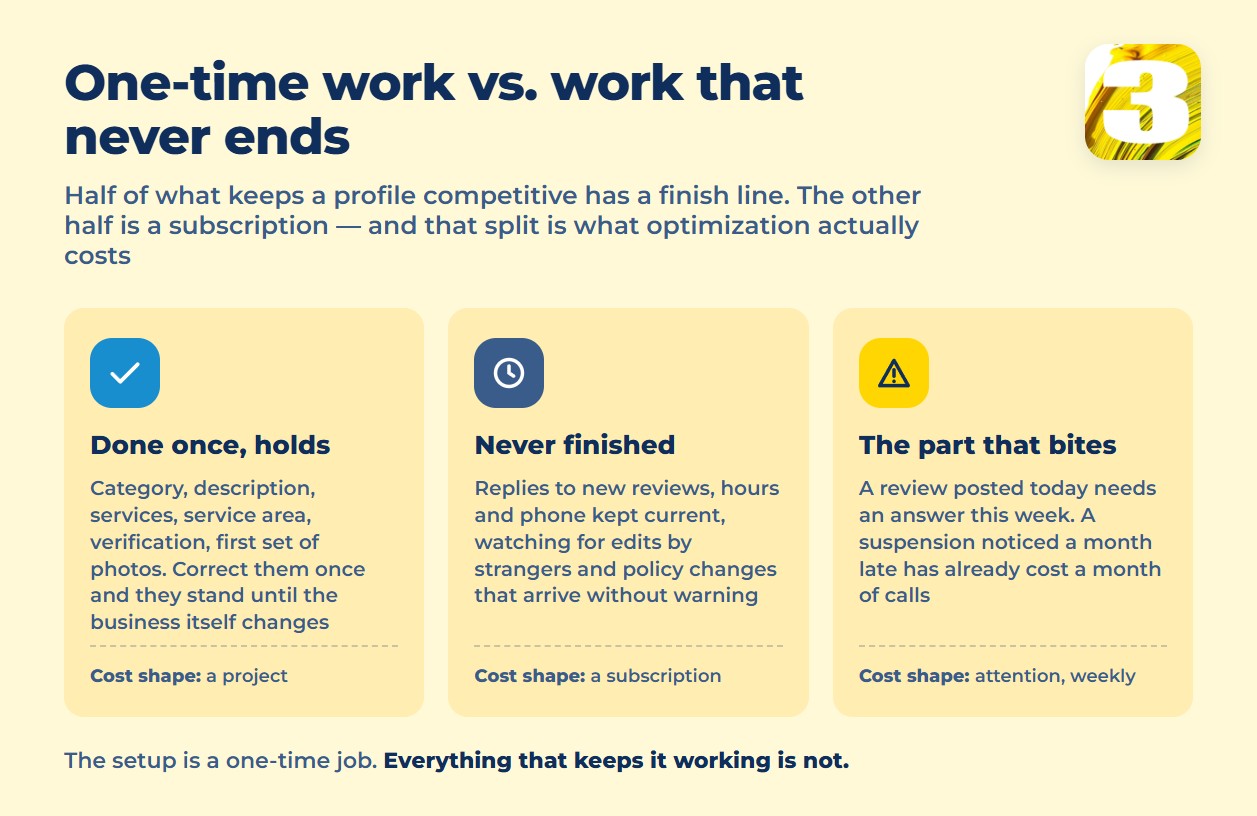
This is the split that determines what optimization actually costs, and it’s the one most pricing pages blur together.
| Task | Frequency |
| Choosing a category | One-time (revisit only if the business changes) |
| Writing the business description | One-time |
| Listing services or products | One-time, light updates as offerings change |
| Setting up service area or address | One-time |
| Verification | One-time |
| Uploading an initial set of photos | One-time |
| Responding to new reviews | Ongoing |
| Keeping hours, phone, and offers current | Ongoing |
| Watching for suspensions, edits by others, or policy changes | Ongoing |
| Adding fresh photos and posts over time | Ongoing |
The left column is a project: you do it once, correctly, and it holds until something about the business changes. The right column is a subscription, by nature — a review posted today needs a response this week, not whenever someone remembers to check. That’s also why local SEO work is usually billed monthly rather than as a flat one-time fee: half of what actually keeps a profile competitive doesn’t have a finish line. Our own local SEO service is priced that way for the same reason.
None of the one-time items are hard to do badly, either. Google’s category guidance is short and specific: “The categories that you select affect your local ranking on Google” and “use as few categories as possible.” You can’t invent your own category — you pick from Google’s list, as narrowly as the business actually fits. An HVAC company in Phoenix that adds every plumbing-adjacent category it can find isn’t being thorough; it’s diluting relevance for the one category that actually matches what it does.
What Can Get a Profile Suspended
Some of what agencies frame as “optimization tips” are really compliance rules, and getting them wrong doesn’t cost you ranking — it costs you the profile entirely. Google’s guidelines are direct about the business name: “Including unnecessary information in your business name isn’t permitted, and could result in the suspension of your Business Profile.” No slogans, no store codes, no trademark symbols, no capitalized keywords stuffed in after the real name. “Your name should reflect your business’s real-world name, as used consistently on your storefront, website, stationery, and as known to customers.”
Address rules are just as literal. “P.O. boxes or mailboxes located at remote locations aren’t acceptable.” Renting a mailing address you don’t operate out of — a virtual office — doesn’t qualify either: “If your business rents a physical mailing address but doesn’t operate out of that location, also known as a virtual office, that location isn’t eligible for a Business Profile.” A coworking space is the one exception, and only if “that office maintains clear signage, receives customers at the location during business hours, and is staffed during business hours by your business staff.” A shared desk you visit twice a month doesn’t clear that bar.
Duplicates are the third trap, usually created by accident rather than intent: an old listing from a previous manager, plus a new one from the current owner. Google’s rule: “Do not create more than one page for each location of your business, either in a single account or multiple accounts.” Two profiles for one location split your reviews, split your reports, and put you at risk of both getting flagged. If a profile has already been suspended, we’ve written a separate walkthrough on what to do about a suspended Google Business Profile.

If You Run a Service-Area Business
A plumber, an electrician, a landscaping crew, a mobile pet groomer — anyone who drives to the customer instead of the customer walking into a storefront falls under Google’s service-area rules, and they’re specific in ways that trip up a lot of otherwise well-run profiles.
You get one profile for the business, not one per neighborhood you cover, even if you’re tempted to “rank in more areas” by creating several. Google is explicit: “Service-area businesses… should have one profile for the central office or location with a designated service area.” If you work from a home office or a location you don’t want customers showing up at, Google says you “should hide your business address from customers” — there’s a setting for exactly this, and using it is normal, not evasive.
The size of that service area has a real limit, too: it “shouldn’t extend farther than about 2 hours of driving time from where your business is based.” A roofing company based outside a mid-size city that claims coverage across three states isn’t drawing an ambitious service area — it’s drawing one Google’s own guidance says shouldn’t exist, and an oversized area is a common reason a profile reads as low-relevance for searches close to the actual base.
Verification: What to Expect
Nothing else on the profile activates until verification clears, and the process runs on Google’s timeline, not yours. Google offers several methods — phone or SMS, email, a video call with support, a postcard by mail, instant verification through Search Console for eligible sites, and bulk verification for chains — but the choice isn’t yours to make: “Verification methods are automatically determined by Google and can’t be changed.” If Google offers you a postcard, that’s the option, whether or not you’d have picked something faster.
Postcards are the slowest path and the one most owners hit. “Most codes arrive within 14 days,” and once it lands, the code doesn’t wait forever: “Verification codes expire after 30 days.” After you submit a code, review itself can take “up to 5 business days.” Budget close to a month between requesting verification and having a fully live, editable profile if a postcard is the method Google assigns you — and don’t request a second one impatiently, since that usually restarts the clock rather than speeding it up.
Reviews: Real for Ranking, Unproven for Replies
Reviews are the one part of prominence Google names directly: “more reviews and positive ratings can help your business’s local ranking.” What Google does not say, anywhere in its own documentation, is that replying to those reviews affects ranking. What it says about replies lives in a different context entirely — customer trust, not search position: “helpful and positive replies to reviews can show that you’re responsive to your customers.”
That distinction matters more than it looks. Plenty of guides imply that answering every review is an SEO tactic. Google’s own wording only ever ties replies to trust, not rank — and the trust case turns out to be strong enough on its own. In BrightLocal’s 2026 Local Consumer Review Survey — published February 11, 2026, based on 1,002 U.S. adults — 71% of people said they read reviews specifically through Google, 80% said they’re more likely to use a business that responds to all its reviews, and 89% said they simply expect a response from the owner. A law firm or a clinic that never replies isn’t losing ranking points by any confirmed Google mechanism — it’s losing the 80% of readers who decide partly based on whether anyone’s home. For the specifics of what a good reply looks like, see our guide on how to respond to Google reviews.
Two more things worth knowing before you touch a review. Google prohibits paying for reviews outright — “offer incentives — such as payment, discounts, free goods and/or services — in exchange for posting any review” is against policy — and it prohibits fake ones: content “not based on a real experience” or that “does not accurately represent the location or product in question.” A review from a current or former employee counts as a conflict of interest under the same rules. Report a review you believe violates these through Business Profile → Read reviews → Report, and expect Google’s own language for the timeline: “review evaluation typically takes several days.” No official number of business days is published beyond that.

Where the “Prominence” Signals Overlap With Industry Jargon
Two terms come up constantly around this topic, and it’s worth being precise about which one is Google’s language and which one is the industry’s. “Citations” — your business name, address, and phone listed the same way across other directories — is not a phrase Google uses on any of its own ranking or data-source pages. Keeping that information consistent is still real, ongoing work; it’s just not something Google names as a ranking input in its own words. We cover the mechanics separately in our guide to local citations and NAP consistency.
“Local pack” and “3-pack” work the same way — useful shorthand for the map results block that shows above organic listings, but not terms Google uses officially. If you’re trying to understand how a business actually lands in that block, we go deeper on the mechanics in how ranking in the Google Maps local pack works. The distinction isn’t pedantic: a vendor who tells you “citations are a top-5 Google ranking factor” as if Google said so is quoting an industry survey, not a Google statement — and you should be able to tell the difference before you pay for either.
DIY vs. Freelancer vs. Agency
None of the one-time tasks require special access you don’t already have — any business owner can claim, verify, and fill out their own profile with an afternoon and the guidelines above open in another tab. The ongoing half is where the three options actually diverge.
| Doing it yourself | Hiring a freelancer | 3MY (agency) | |
| One-time setup | Free — your time | Paid per project, scope varies by who you hire | Included |
| Ongoing reviews and edits | Whenever you remember | Depends on the retainer you negotiate | Handled weekly |
| Suspension risk awareness | You catch what you happen to read | Depends on how current the freelancer’s knowledge is | Built into the process |
| Reporting | None, unless you build it | Varies by freelancer | Included |
| Monthly cost | $0 | Negotiated case by case | $490/month Starter, $1,290/month Growth |
A freelancer’s rate depends entirely on who you find and how they price their time — there’s no single number to quote there, and any guide that gives you one is guessing. What you’re actually deciding between isn’t price alone; it’s whether the ongoing half of the table above gets done reliably or gets done when someone has a spare hour. Our local SEO service runs the ongoing side — reviews, updates, monitoring — every week, on a flat monthly fee, with Enterprise scope priced separately for multi-location accounts.
What Optimization Can’t Buy You
Worth repeating at the end, because it’s the honest boundary of everything above: “there’s no way to request or pay for a better local ranking on Google.” Nobody — not us, not a freelancer, not a bigger agency — can move the distance factor, and nobody can promise you a specific position or a specific date by which you’ll reach it. What optimization does is make sure relevance and prominence aren’t working against you: a category that actually matches, a description that says what you do, photos that are current, reviews that get a reply, and a profile that isn’t sitting one policy violation away from suspension. That’s real, measurable work — it’s just not a guarantee, and anyone offering one isn’t describing how Google’s own system says it works.
See What’s Actually Filled In
The fastest way to know where a profile stands is to look at it the way Google’s own guidelines would: category, description, service area, verification status, and review response rate, checked against the rules above rather than a generic checklist. Send us your profile and we’ll tell you what’s filled in, what’s missing, and what’s putting you at risk of a suspension you didn’t see coming — no call required for that first look.









