


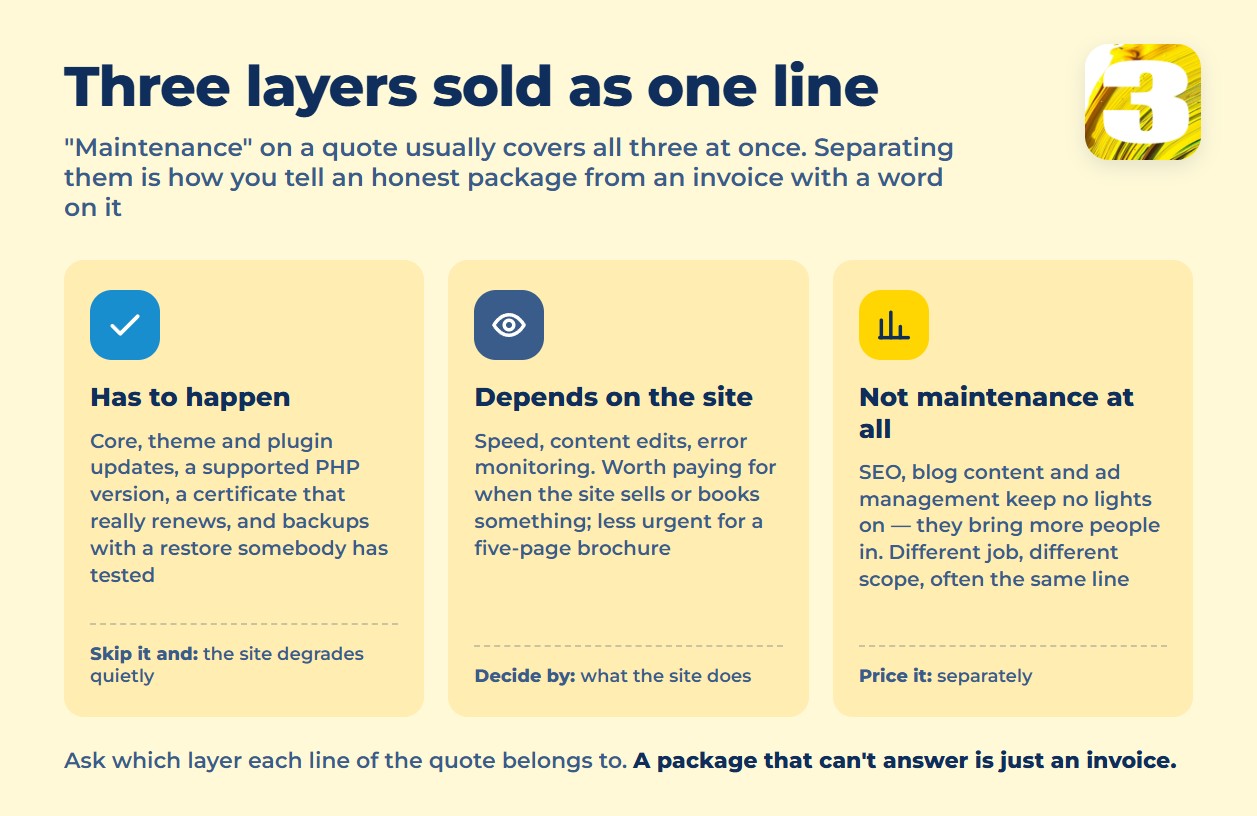
Website maintenance is the ongoing work that keeps a live site running after launch: software updates, a valid certificate, a supported server environment, and backups you’ve actually tested by restoring one. It does not include SEO, new content, or ad management — those get folded into “maintenance” packages and sold as one line item, but they’re marketing work, not upkeep, and an honest breakdown prices them separately.
What it costs depends on the size of the site and how much of that list a plan actually covers. Agencies that publish their pricing set monthly plans differently depending on the size of the site and what’s bundled in — there’s no single published range worth quoting here. We quote after looking at the site itself, because the work is genuinely different from one site to the next: a store whose stock changes every week, or a blog that publishes on a schedule, is a standing commitment; a five-page brochure site that changes twice a year is not. Small service items we’d rather fold in than itemize. If you’re still pricing out the build itself, see what a website costs first — this picks up after launch.
What Has to Happen, No Matter What
Some of this isn’t optional — skip it and the site degrades whether anyone’s watching or not.
- Core, theme, and plugin updates. Each one patches something specific; skip several in a row, and the eventual update has to jump multiple versions at once — that’s usually when things break.
- A supported PHP version. PHP publishes an end-of-life date for every version. Once a site sits on an unsupported one, plugin authors stop testing against it, and the next plugin update may simply refuse to run.
- A certificate that’s actually renewing. Most run on automatic renewal now, but automatic isn’t the same as monitored — the renewal job can fail without anyone noticing — and Let’s Encrypt no longer runs an expiration-email service to catch it for you (the service was shut down in 2025), so monitoring has to be someone’s job, not the certificate authority’s.
- Backups, and a restore that’s been tested. A backup nobody has ever restored from is a backup you’re guessing about. WordPress.org’s own guidance is blunt about this: back up before every update, not after something goes wrong.
What Depends on the Site
The rest is judgment, not a fixed checklist.
- Speed. Worth tracking closely if the site sells or books something; less urgent for a static five-page brochure that rarely changes.
- Content edits. A price list, a staff photo, a new service page — small changes that pile up once nobody’s assigned to make them.
- Error monitoring. Catching a broken form before a customer notices is worth more than most of a maintenance checklist combined — a form that’s been silently failing for three weeks doesn’t show up in a monthly report unless something is watching for it.
What’s Not Maintenance, Even Though It’s Sold That Way
SEO, blog content, and ad management show up inside plenty of “maintenance” retainers, but none of them keep the site running — they try to get more people to it. That’s a different job with a different scope, and folding it into a maintenance line makes it hard to tell what you’re paying to keep the lights on versus paying to grow traffic.
What Happens If None of It Gets Done
Nothing dramatic, usually — it’s slower than that.
An update sits unapplied long enough that the next one breaks something on install, because too many versions passed between the two. The server stays on an old PHP build, and eventually a plugin update simply won’t install on it — now it’s a choice between an insecure setup and an emergency rebuild. The certificate lapses, browsers show a warning page, and every visitor who hits it during that window leaves before reading a word. A form quietly stops sending email for a few weeks, and nobody notices until someone asks why leads have gone quiet. And the one time you actually need the backup — a bad update, a mistake, a compromised password — is exactly when you find out whether it existed and whether it restores.

Five Questions That Expose an Empty Package
Ask these before signing anything called a maintenance plan:
- How many hours of edits are included per month, and do unused hours roll over?
- Who owns the backups, and how fast is an actual restore — not “we have backups,” but a tested number.
- Are updates tested on a staging copy before they hit the live site?
- What counts as included work, and what gets billed as a separate project?
- Who pays for the licenses on any paid plugins or themes the site depends on?
A plan that can’t answer these in specifics is probably just an invoice with “maintenance” written on it.
If Your Site Runs on a Builder
Squarespace and Wix don’t sell a separate maintenance package — there’s nothing to buy, because the platform patches itself and there’s no server for you to keep current. What you’re paying for is baked into the plan price. That coverage ends exactly where your customization starts: custom code, a non-standard integration, anything outside what the builder’s own support handles. We’ve written about what you gain and give up either way if you’re weighing a builder against a built site.
What Managed Hosting Already Covers — and What It Doesn’t
Some hosts bundle real maintenance into the hosting bill. Kinsta’s managed plans officially include performance optimization, security monitoring, backups with 14-day retention, migrations, and a staging environment. SiteGround and Cloudways both include SSL, a CDN, backups, and migrations.
None of that is automatic on a plain self-hosted WordPress install. Buy hosting alone, and updates, a backup policy, and monitoring are still on you — either you handle them by hand or you pay someone to.
The Month We Already Give You
Every site we build — up to eight pages, $1,900 — comes with a month of support after launch, plus training on how to make basic edits yourself. That’s not a sample of a maintenance plan; it’s there so you’re not on your own the week after the site goes live. After that first month, ongoing maintenance is a separate conversation, priced after we’ve actually looked at the site — its size, its plugin list, how often it changes. See what’s included in the build itself if you’re earlier in the process.
What to Send Us
Send us the address of the site you’re already running, and we’ll tell you what’s overdue — the PHP version, the certificate, whether the last backup actually restores.









