
A technical SEO audit is not the finish line — it’s a list. The finish line is the day someone actually fixes what the list found. Most reports stop at the list: hundreds of rows, colored red and yellow, with no order of operations attached. Below is a short checklist you can run yourself, the buckets to sort the findings into, and the handful of items that almost never deserve your attention.
What a Technical SEO Audit Checklist Should Actually Cover
A crawler will hand you more findings than anyone can act on. A working technical SEO audit checklist does the opposite: it fits on one page, and every line has an owner. Here is the version worth running before anyone touches the site — eleven checks, split into the two buckets that call for action. The third bucket, the one you leave alone, comes after them.
Fix today: the site is invisible
These findings mean pages people search for cannot show up at all. Nothing else on this list matters until these are closed. Google’s own technical requirements for indexing come down to three things — Googlebot isn’t blocked, the page returns a 200, and the content is indexable — and every item in this bucket breaks one of them.
- A
robots.txtline blocking pages that should rank. A disallow rule written for a staging site, left in place after launch, hides the whole site from Google. - A leftover
noindextag. Developers add it so search engines skip a site before it’s ready, then forget to remove it when the site goes live. - A canonical tag pointing to the wrong URL, or to a page that no longer exists. It tells Google which version to show — get it wrong and Google shows neither.
- Server errors on money pages. A pricing or contact page returning a 5xx error, or looping through redirects, can quietly sit broken for weeks.
- A missing or outdated XML sitemap. If it still lists pages you deleted a year ago, or skips the ones you added last month, it stops being a map.
- Mixed
http/httpsorwww/non-wwwversions being linked internally. Google can end up treating one site as two, and neither version gets full credit.
Worth knowing before you promise anyone a result: meeting these requirements is the price of entry, not a guarantee. Google states it directly — “Just because a page meets these requirements doesn’t mean that a page will be indexed; indexing isn’t guaranteed.”
Add to the plan: the site is seen, just worse
These findings do not block indexing. They cost rankings and clicks a little at a time, and they belong on a roadmap, not a fire drill.
- Duplicate title tags across dozens of pages, usually from a template that never got customized per page.
- Thin, templated pages — city pages, tag pages, filtered category pages — that all say the same thing with a few words swapped.
- Orphan pages: real, useful pages that no other page on the site links to, so Google rarely revisits them.
- Slow-loading key landing pages. Speed is one input among several that Google groups under page experience, and it’s measured properly with Core Web Vitals — see the Core Web Vitals thresholds for the thresholds and how to read them.
- No structured data on the pages that represent the business itself. It won’t move rankings, but it changes what Google can display — covered in local business schema markup.
False Alarms: What Most SEO Audit Reports Get Wrong
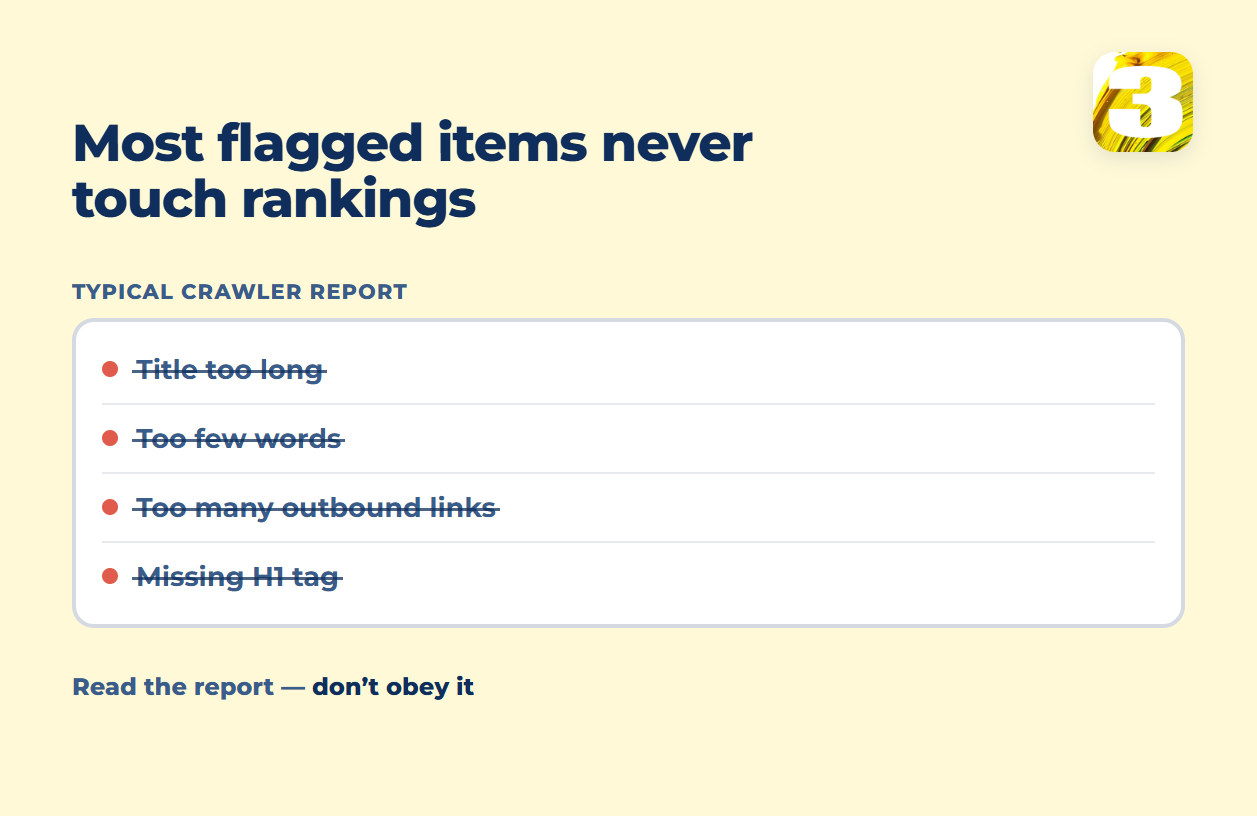
A crawler is a paid product, and paid products need to show their work. That pushes every tool toward flagging more, not less. A few items show up in almost every report and rarely deserve a fix:

- “Title too long.” Google doesn’t cut a title at a fixed character count, and it rewrites title links in the results when it judges its own version more useful. Trim a title for clarity, not to satisfy a counter.
- “Too few words on the page.” A word-count minimum is a crawler heuristic, not a Google requirement. A short, clear pricing page can outperform one padded with filler text.
- “Too many outbound links.” Linking out to a source, a vendor’s documentation, or a government page is normal writing, not a penalty trigger.
- “Missing H1 on a page that has a logo as its heading.” If the page has one clear, unique heading conveying the topic, the exact tag it sits in matters far less than the tool implies.
None of this means ignore the report. It means read it with a filter: does this change whether the page gets found, or is it a box the tool needed to fill in?
Why an Audit Alone Never Fixes Anything
A business that sells audits gets paid for the length of the list. A business that builds sites gets paid for the list being short. That’s the whole difference, and it’s worth naming plainly: the incentive to hand you a long list of flagged rows instead of a short one isn’t malice, it’s the business model. When we build a site, the technical checks above are handled inside the build — a template that doesn’t generate duplicate titles, a sitemap that updates itself, images that don’t need a separate pass to load fast. Much of what shows up on an audit of an old site simply doesn’t exist on a site built correctly the first time.
For a business built around local visibility specifically — a service area, a storefront, calls and directions rather than online checkout — the audit connects directly to local search work, since several of the “seen, just worse” items above are exactly what keeps a local business off the map pack.
Turn This Into Your Own SEO Audit Template
Keep it boring on purpose. An SEO audit template that works is a spreadsheet with four columns: the finding, which bucket it’s in, who owns it, and the date it closed. If a finding lands in the third bucket, it belongs in a note somewhere, not on the list of work.
Two adjacent checks worth running the same week: error tracking, so you catch a broken page before a crawler does, and, if paid traffic is part of the mix, a look at the ads account to make sure a technical fix on the site isn’t wasted on a landing page nobody sees.
Send us the report someone handed you, and we’ll tell you which rows are worth a day of work and which ones are noise.