


If you’re searching “migrate WooCommerce to Shopify” or “migrate from Shopify to WooCommerce,” you’ve already made the call — you’re not weighing platforms anymore, you’re planning a move. Shopify or WooCommerce, and who owns the store is where we argue the platform case, if you want it. This isn’t that. This is what happens on moving day, in either direction, and specifically what the migration tool quietly leaves behind so you don’t find out from a customer email.
Search “migrate from WordPress to Shopify” and nearly every result is written by someone selling the move — an app, an agency, a checklist that ends in a signup link. None of them dwell on what doesn’t come with you, because that’s not the part that closes the sale. It’s the part that costs you time after the sale closes, so it’s the part worth reading before you start.
What a WooCommerce to Shopify Migration Actually Transfers
Going WooCommerce to Shopify, Shopify’s own migration guide walks you through products and customers by CSV export and import. Orders travel a different road: there’s no CSV path for them at all, only a third-party app from Shopify’s own app store. Going Shopify to WooCommerce, there’s no equivalent guide from Shopify, but WooCommerce sells a paid extension, Migrate & Import Shopify to WooCommerce, that pulls products with images, customers, orders, and coupons out of a live Shopify store by API. WooCommerce’s own note: the process is resource-intensive, not instant.
Either way, the core catalog and customer list are the part that’s genuinely built for export. What isn’t is a longer list, and it’s the one that determines how much work is actually left after the import bar hits 100%.
What Quietly Doesn’t Move
This is the part the tools don’t advertise, straight from each platform’s own documentation:
- Products with more than three options lose the extras. Shopify’s guide is blunt: “Shopify only allows for 3 product options. Products with greater than 3 options won’t have their options imported.” A shirt sold in size, color, and fabric imports fine. Add sleeve length and the fourth option is simply gone.
- Reviews don’t come with you at all. “You can’t export or migrate reviews from WooCommerce to Shopify” — not partially, not with a workaround built in. Years of star ratings and customer photos stay on the old store unless a separate app pulls them across.
- Page addresses change, and old links stop working. Shopify’s link structure differs from WooCommerce’s, and the guide says so directly: old URLs “won’t load.” Every backlink and every bookmarked product page needs a redirect set up by hand, or the search traffic that took years to earn just goes to a 404.
- Order history doesn’t move through the admin. Shopify’s documentation on duplicating a store is precise about it: “Orders can’t be imported into a store through the Shopify admin, but they can be imported using third-party apps from the Shopify App Store, or through the Shopify API.” So the history is movable — just not by you, in the screen where you’d expect to find it.
- A purchased theme doesn’t travel. “When you buy a theme from the Shopify Theme Store, that theme is licensed only to the store that you originally bought it for” — a new store starts from a fresh theme purchase or a rebuild.
- Pages and blog posts are a manual job. Shopify’s guide lists them as an optional step you do by hand: “Copy and paste your blog posts and online store pages.” Every “About Us,” every FAQ, every blog post, one at a time.
- Gift cards already issued, saved reports, and visitor data stay behind entirely. None of it has an export path.
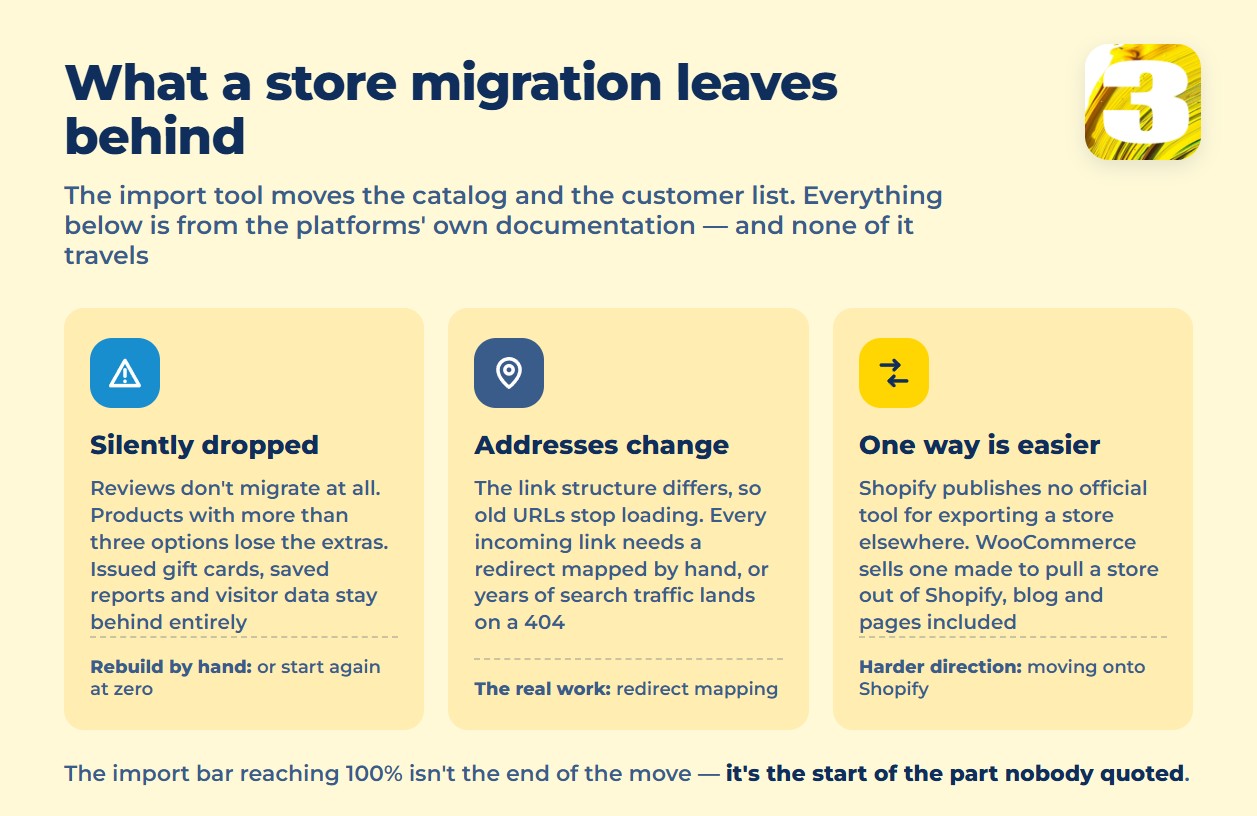
None of this is a flaw in the tools. It’s what “migration” actually means on both platforms: the parts with a clean database record move, and the parts that are opinionated — theme licensing, review systems, link structure — don’t, because they were never designed to leave.
The Asymmetry Nobody Selling You the Move Mentions
Here’s the detail that changes which direction feels easier: Shopify has never published an official tool for importing a store *from* Shopify to anywhere else. If you’re leaving Shopify, you’re relying on a third party. WooCommerce, on the other hand, sells its own import extension specifically for pulling stores *out of* Shopify — products, images, customers, orders, coupons, pages, and blog posts, all in one paid tool from the platform you’re moving to.
Put those two facts side by side and the pattern is plain: leaving Shopify is institutionally easier than joining it. That’s not our opinion — it’s simply what each platform chose to build and not build. Shopify made it easy to arrive and left the exit to someone else’s software.

Where the Real Migration Time Goes
Add up the list above and the honest answer to “how long does this take” isn’t the import — it’s everything after it. Redirect mapping for every changed URL. Splitting a fourth product option into a workaround (a second product, a note in the description, a manual variant). Deciding whether reviews are worth reimporting through a paid app or starting the counter at zero. Rebuilding the theme from scratch instead of reusing what you already paid for. None of that shows up in a migration tool’s progress bar, and all of it is billable work somewhere.
If you’re moving *onto* Shopify specifically, it’s also worth knowing what the store costs to run once the migration is done — the plan fee is the smallest line on that bill. what a Shopify store actually costs breaks down what actually shows up on the statement as revenue grows.
What We Charge to Do This
We take on migrations in both directions — WooCommerce to Shopify, and Shopify to WooCommerce, including the redirect mapping and manual rebuilding above, not just the CSV import. We don’t post a flat price for it, because moving five products and moving a thousand is a different job, and quoting one number for both would mean overcharging one of you.
Send us your store’s address and roughly how many products you’re carrying, and we’ll come back with a fixed number for your move — no range, no “starting at.”









