


Amazon A+ Content is the enhanced product page you see below the bullet points on some listings — extra images, comparison charts, brand modules — sitting where a plain “From the manufacturer” text block used to be. The detail that catches most sellers off guard: Amazon doesn’t charge for it. Basic and Premium A+ Content are both free to anyone who qualifies. The only invoice you’ll ever see is from whoever designs the modules for you, whether that’s an in-house team or an agency.
Whether that design spend earns its keep is a separate question, and we’ve already answered it in A+ Content vs. Plain Listings: What’s the ROI. This article covers what comes before that question: who’s actually allowed to publish A+ Content, and what’s inside each module you’d be paying someone to build.
Who Can Actually Use It
Eligibility comes down to an account type plus a status. You need a Professional selling account — $39.99 a month, on top of referral fees — and then one of three things has to be true: you’re Brand Registry-enrolled as the trademark owner of the product, you hold a Brand Representative or Reseller role tied to that brand (common for agencies managing an account on a client’s behalf), or you’re selling a generic, unbranded product, which qualifies without any registry at all.
Brand Registry itself has its own bar, and it trips people up more than the account fee does. Per Amazon’s own requirements, you need a trademark — either a word mark or an image-based mark that includes words, letters, or numbers — and you have to be the legal owner of it. A pending application is enough to enroll; you don’t have to wait for the mark to register. And the logo carrying your brand name has to actually appear on the product itself or its packaging, not just somewhere in the listing photos.

Basic, Premium, and Brand Story Aren’t the Same Module
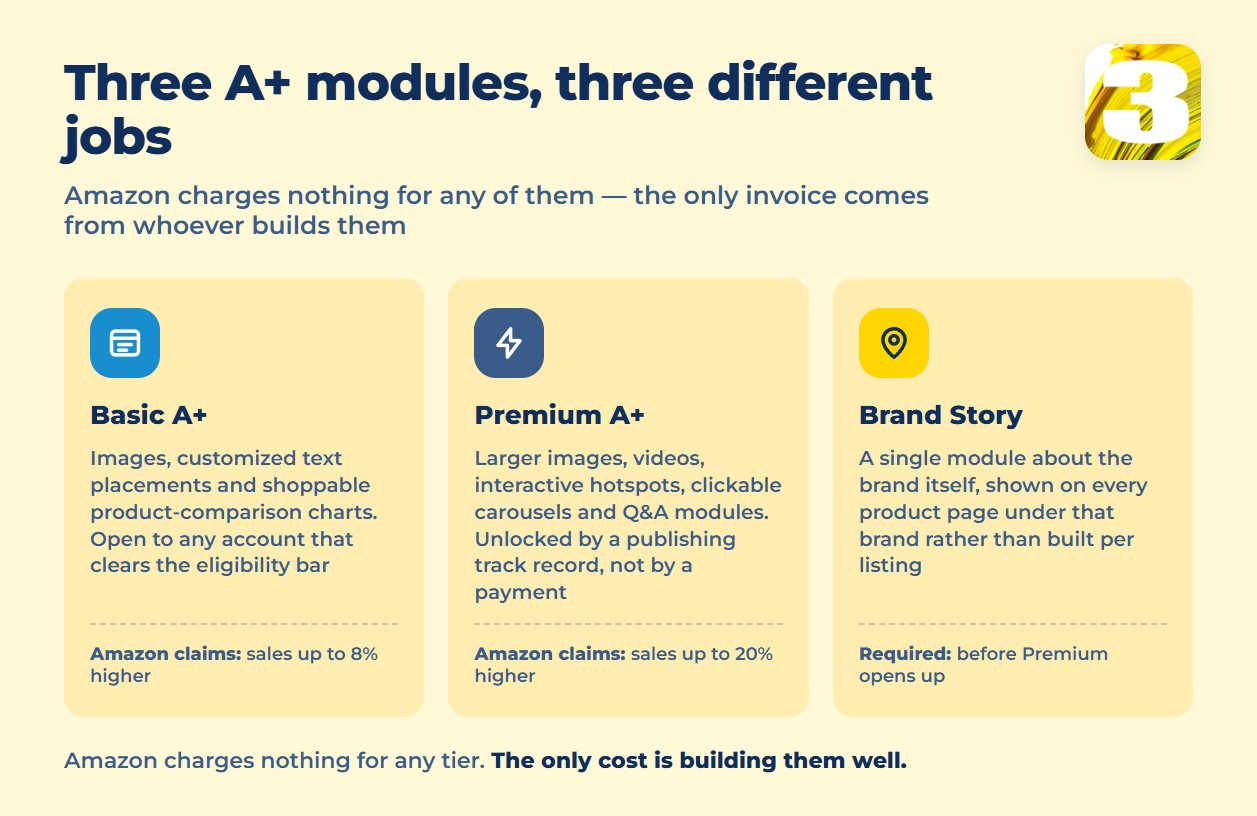
Sellers use “A+ Content” as a catch-all term, which is where the confusion starts. Amazon actually splits it into three distinct pieces, and only one of them is available to everyone who’s eligible in the first place.
| Module | What Amazon says it includes | Who gets it |
| Basic | Images, customized text placements, and shoppable product-comparison charts | Any account that clears the eligibility above |
| Premium | Larger images, videos, interactive hotspots, clickable image or video carousels, Q&A modules, and shoppable content | Brands that meet Amazon’s usage bar (below) |
| Brand Story | A standalone module about your brand and range, appears across every product page under that brand | Registered brands |
One practical detail worth knowing before you plan a layout: sellers widely report a cap of five modules on a Basic page and seven on Premium. That number circulates through blogs and forum threads that reference Amazon’s own support pages, but we couldn’t verify it on a public page ourselves — treat it as a planning guideline rather than a documented rule.
Getting Into Premium Costs Nothing — If You Clear the Bar
Premium isn’t a paid tier you unlock with a credit card. According to discussion on Amazon’s own Seller Central forum, brands become eligible once every Brand Owned ASIN in the account has a published Brand Story and the brand has racked up at least five approved A+ Content projects in the past 12 months. That’s forum-sourced information, not language from an official policy page, but it matches how Amazon tends to gate features generally: build a track record on the free tier first, then the better tier opens up on its own.
Practically, that means a brand new account can’t request Premium on day one even if it wants to pay someone for it — there’s no invoice to send. The path runs through publishing Basic content and a Brand Story consistently, not through a bigger budget.
What Amazon Actually Claims It Does for Sales
Amazon publishes exactly two numbers on this, both sitting on its own tools page. Basic A+ Content “can increase sales by up to 8%.” Well-implemented Premium “can increase sales by up to 20%.” Both are labeled “Amazon internal data” — no date attached, no sample size, no explanation of what “well-implemented” means in practice.
The wording matters more than it looks. “Up to” describes a ceiling, not an average — it’s the best result Amazon has seen somewhere in its own data, not what a typical listing should expect to gain. Plenty of blogs quote different pairs of numbers for the same claim; we’re using only the figures Amazon states about itself, and treating even those as directional rather than a forecast for any specific product.
What You’re Not Allowed to Write in It
A+ Content carries its own content policy, separate from the rules that govern the rest of your listing. The clearest published version we could find is Amazon’s UK guide to A+ Content — a US-specific version of the same document isn’t public, though Amazon’s content policies tend to hold steady across marketplaces. Off-limits: subjective superiority claims like “best” or “#1 rated”; absolute claims such as “100% satisfaction guaranteed”; any mention of competitors, by name or otherwise; price, discounts, or promotional language; guarantees or return terms that exist outside Amazon’s own policy; and any medical or health claim about treating or preventing a condition. Modules that break these rules get rejected during review, which delays the whole page going live — not just the offending line.
Why This Feeds Into Your Ad Spend
A+ Content doesn’t touch your bids, your keywords, or your budget caps. What it changes is what happens after someone clicks your ad and lands on the page. A stronger conversion rate there — which is the entire point of a well-built module — pulls your ACoS down more reliably than tweaking bids does, because ACoS is the ratio between what you spend on ads and what those ads generate in sales, and conversion rate sits on the revenue side of that math. We break down exactly how that ratio works, and what a reasonable ACoS looks like for your category, in Amazon Advertising Cost (ACoS) Explained.
If you already qualify for A+ Content and the account is still running on plain bullet points, that’s a free upgrade sitting unused. Our Amazon listing design work builds the modules; Amazon doesn’t bill you for having them.









