
In this article
- How Customers Reach a Small Business: Calls, Forms and Whoever Answers First
- Perfect Ads, Unanswered Phone: Where the Budget Goes
- Know Which Ad Brought Each Call and Form
- Is Google Ads Worth It for a Small Business? Budget and Three Checks
- Where Else Small Budgets Leak: Area, Season and Ad Rules
- Which Campaign Type to Start With
- Google Ads Management for a Small Business: Run It Yourself or Hire Someone
- Frequently Asked Questions
- Find Where Your Leads Slip: Start With a Free Audit
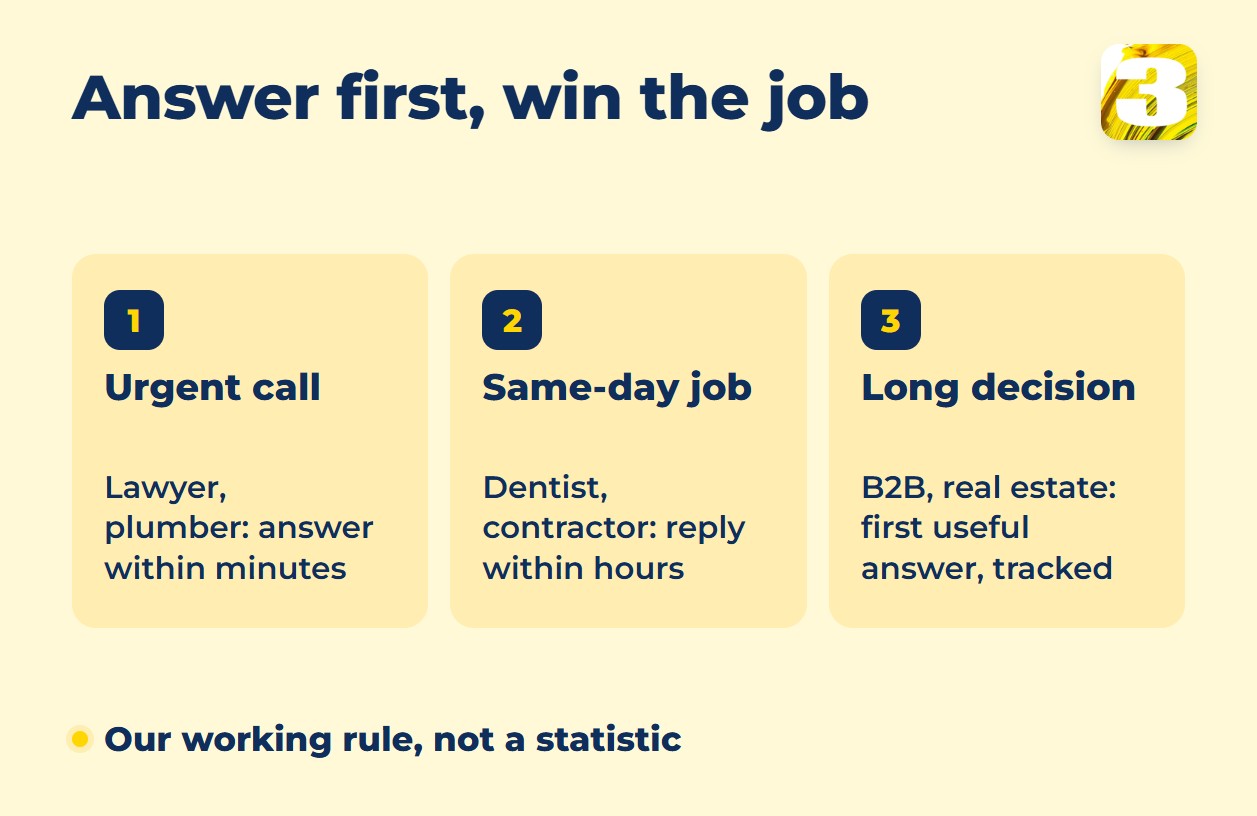
Your ad worked, the customer called, nobody picked up, and the job went to the next company on the list. That is the real game of Google Ads for a small business: it brings phone calls and forms (a store gets orders instead), and the lead goes to whoever answers first. How fast you need to answer depends on how urgent the job is. Someone who has just been arrested calls a lawyer at any hour, and in our experience the lawyer who picks up is usually the one who gets the case. Someone whose toilet has overflowed doesn’t wait for a reply to a form. From what we see, they call or message up to about ten companies, give it a couple of minutes and hire the first one that replies.
A perfect ad can’t pick up the phone.
At 3MY, we are a Google Partner, our Google Ads specialist has 15 years in the field, and we run ads for law firms, a clinic, a fence manufacturer and an event company.
Not sure who answers your ad calls? Start with a free audit, or see how we run Google Ads.
How Customers Reach a Small Business: Calls, Forms and Whoever Answers First
The more urgent the problem, the less waiting a customer accepts. In the family and criminal law campaigns we run, most people call rather than fill in a form: the phone is the form. We left immigration out of those campaigns because the urgency isn’t there.
The table is our working map, from urgent to slow: guideposts, not a recipe.
| How the lead arrives | Niches | If you’re slow | What to set up |
| Urgent call | criminal and family law, emergency plumbing, HVAC breakdowns | Calls the next company within minutes | Someone on the phone at all hours; call tracking |
| Call or form, same day | dentists, clinics and therapists, contractors, home services | Books whoever replies first | Form alerts to a phone; quick callback |
| Form, long decision | B2B and SaaS, real estate | Keeps shopping | A CRM; closed deals sent back to Google Ads |
| Cart | ecommerce | Buys elsewhere, no call | Product feed; checkout tracking |
Find your row and ask one question: if a customer reached you right now, who would pick up?

Perfect Ads, Unanswered Phone: Where the Budget Goes
A call nobody picks up is ad spend with nothing to show for it.
What the sources say
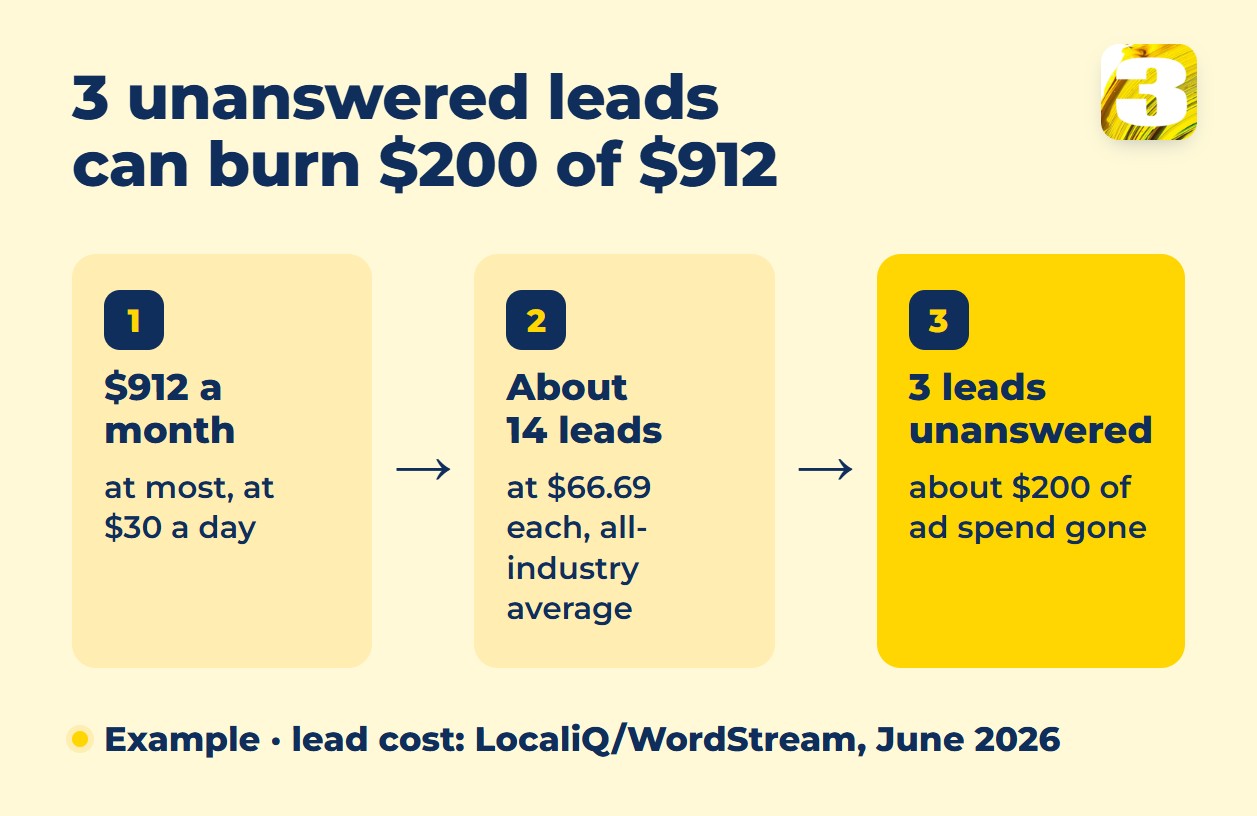
What it costs. On the LocaliQ/WordStream benchmark (Google and Microsoft Ads, updated June 2026), one search lead costs $66.69 on average across industries. At that price, three unanswered leads are about $200 of ad spend gone.
What Google says. For two kinds of ads, Google ties your answering to how your ads perform. Its help page on Local Services Ads, Google’s pay-per-lead listings for local service businesses, says: “Having a consistently fast response time could improve your ad’s ranking on search and increase your ability to receive leads.” For Performance Max campaigns with a pay-per-lead goal, Google’s help goes further: “Missed calls and slow response times can lower your ranking and visibility.” Neither page covers regular Search campaigns.
What research found. A study published in Harvard Business Review in 2011 sent test web inquiries to 2,241 US companies; 23% never replied at all. That was a form, not a call, and the data is old, but it shows how often leads are simply dropped.
How not to lose the lead:
- Decide who answers, in working hours and after. For nights, consider an after-hours answering service.
- Forward calls to a phone that someone actually carries. Send form inquiries to that phone at once and auto-reply to the customer.
- Send each ad to a page about that one service, with your phone number and a short form in view. A home page that covers everything makes the visitor dig; see homepage vs landing page.
- Match ad hours to answer hours. Ad scheduling lets you choose the days and hours your ads show; see our dayparting guide.
- If nobody can pick up after hours, a voice assistant or an instant text reply can hold the lead until you call back. We have built a voice assistant for incoming calls as part of our automation work.
Test it at an hour your ads run but the office is closed, say Saturday at 7 p.m. From another phone, type in the number from your own ad and dial it (tapping the ad costs a click). Count the rings, note who answers, then send a form inquiry and see where it lands.
Our call tracking shows how many calls from your ads nobody picked up; we review them every month, so the leak shows up as a number, not a guess. Rather not make the test call yourself? On request, we make it, along with a test form inquiry, as part of a free audit.
See how we run Google Ads and track every call →
Know Which Ad Brought Each Call and Form
If you can’t tell which campaign produced a call, you don’t know which campaign works, and the calls nobody answered stay invisible. Google offers its own forwarding numbers in Canada and the US; we don’t rely on them and set up our own call tracking. It shows which campaign each call came from, including the ones nobody answered. On WordPress sites, our own plugin also records which campaign a form inquiry came from.
If your report shows fewer calls than your phone does, read why Google Ads can’t see your phone leads. If conversions are missing altogether, see why Google Ads conversion tracking is broken.
Is Google Ads Worth It for a Small Business? Budget and Three Checks
Search ads catch demand that already exists: someone types a service and a city, and your ad is on the page. They don’t make anyone want a fence or a dental crown. If nobody searches for what you sell, another channel has to do that first; see Google Ads vs Facebook Ads. Three checks tell you whether Google Ads is worth it.
1. People search for your service where you work. Type it into Google with your city. Competitors’ ads mean someone is paying to reach those searchers.
2. A customer is worth more than a lead costs. A lead is not yet a customer. Say a lead costs $90 and a job brings you $270 in profit: you must close one lead in three just to cover the ad spend; management fees come on top. The numbers are an example; use your own.
3. Someone answers fast, and you can see where each lead came from. Both are covered above.
We start accounts from $30 a day, though the right figure depends heavily on the industry and the cost per click. A single day can spend up to twice the daily budget, but a month is capped at 30.4 times the average daily budget, so $30 a day means at most $912.
The table below comes from the same LocaliQ/WordStream benchmark. It doesn’t say which country the data covers, so treat the figures as a ballpark.
| Industry (LocaliQ category) | Cost per click | Cost per lead |
| All industries | $5.42 | $66.69 |
| Dentists and dental | $8.00 | $72.97 |
| Home and home improvement | $8.33 | $90.92 |
| Health and fitness | $6.17 | $67.36 |
| Attorneys and legal | $9.87 | $131.63 |
| Business services | $5.87 | $93.69 |
| Real estate | $3.22 | $102.51 |
A quick test for your niche: divide your monthly budget by its cost per lead. At $30 a day ($912 a month at most) that is about 14 leads at the all-industry average but only about 7 at the attorneys’ $131.63. With a handful of leads a month, bidding has little to learn from and one slow week looks like failure: the budget may be too small for that niche.
Real estate needs its own math: at $102.51 per lead, $912 a month buys about 9 leads, and deals take months. Our position is a large budget from day one, because a small one isn’t worth it. If deals close months after the form, send closed deals back to Google Ads. Full cost breakdown: How Much Does Google Ads Really Cost?.
Where Else Small Budgets Leak: Area, Season and Ad Rules
A fence manufacturer shows what keeps a small budget from leaking. Fence demand is seasonal, so out of season we switch the ads off. In season, three choices keep the spend on target: fences in all materials are one campaign, earthworks a second and lawns a third; ads run only in the areas the crews reach; and we review search terms continuously and block irrelevant clicks with negative keywords.
Also check the location setting: by default Google reaches people interested in your area, not only people in it (location targeting guide).
Health and housing ads carry extra Google restrictions, and regulated professions such as law may have regulator rules on top. For a naturopathy clinic we kept medical terms out of ads and keywords: our practice, not a Google rule.

Which Campaign Type to Start With
We mostly run Search campaigns: you pay for clicks from people already typing your service. The setup steps are in Google Ads for a local business. A store usually starts with Shopping or Performance Max and a product feed: see Shopping campaign or Performance Max.
Local Services Ads charge per valid lead, not per click, and cover some local service categories in Canada and the US. Google is moving them into Performance Max with a pay-per-lead goal: select US home services from August 2026, accounts outside the US in 2027 (Google’s help, checked October 20, 2026). See Google Guaranteed Is Gone and Local Search Ads on Google Maps.
Google Ads Management for a Small Business: Run It Yourself or Hire Someone
Small business PPC management, whether you do it yourself or hire a Google Ads agency, comes down to one question: who looks after the account? Already running ads yourself? Start with our 20-minute Google Ads audit. Running it yourself can make sense with one service and one area; outside help can pay off as you add services, areas or languages, or when the audit finds problems you can’t fix quickly.
Whoever manages the account, here is what it should include:
- Tracking for calls and forms, tested, with the source of each lead visible.
- An agreed answer plan: who picks up calls and form alerts, and at what hours.
- A live report, not a PDF once a month. Ours is a Looker Studio dashboard.
- The ad account in your name.
Our flat-fee Google Ads management is not a share of your spend. The base is $500 a month for an ad budget up to $2,000. Above that: $700 for budgets from $2,000 to $5,000, $1,000 from $5,000 to $10,000, and from $1,300 above $10,000. Setup is free with a contract of 3 months or more and $350 once on a shorter term.
The lowest step includes up to 3 campaigns and a call every 3 months; higher steps have a monthly call. Ads in English and French are included, and a campaign can launch from 48 hours. In our accounts the cost per lead falls only slightly, but we see noticeably more leads, and they fit better.
Benchmarks and studies are averages; your account isn’t. Before we launch anything, we run an audit: your field and business, your services, your region. Only then do we build the campaign. Everything above is a general guidepost; what to do in your account, the audit decides.
Frequently Asked Questions
1. Is there free Google advertising for small businesses?
Two things are free. A Google Business Profile costs nothing to create, and a store can show its products at no cost through free listings in Google Merchant Center. Ad Grants gives eligible nonprofits $10,000 of in-kind advertising a month, for text ads only; businesses don’t qualify. New advertisers may see a promotional credit; Google sets the amount and the spend condition, so read the offer in your account.
2. How much should a small business spend on Google Ads?
Work backward from leads: multiply the leads you need a month by the cost per lead in your niche. Ten leads at the all-industry average of $66.69 cost about $670 a month. Then check that someone will answer all ten.
3. How long until results?
Ads can show once they’re approved, but steady results take longer: Google says Smart Bidding needs a 7-to-14-day learning phase, and frequent changes to budgets or targets reset it. How fast depends on conversion volume and your customers’ decision time, so we can’t promise a date or a number.
4. How do I know my Google Ads are working?
Judge the ads by paying jobs, not clicks: of the calls and forms each campaign brought, how many became work? Check that each call also shows up as a conversion in Google Ads, because automated bidding learns only from the conversions it sees. If leads come in but jobs don’t, check two things: were those leads answered quickly, and do the search terms behind them match what you actually sell?
Benchmarks: LocaliQ/WordStream averages, June 2026. Google’s help and policy pages checked October 20–21, 2026. Where the niche is regulated, confirm current rules with Google and your regulator or lawyer before you launch.
Find Where Your Leads Slip: Start With a Free Audit
Tell us your industry, area and budget. We’ll check your account, how calls and forms are tracked, and where leads may be slipping. If you don’t run ads yet, we’ll tell you whether Google Ads fits your niche. On request, we also make a test call and a test form inquiry as a customer would.