


The Buy Box — Amazon now calls it the Featured Offer — is the single “Add to Cart” and “Buy Now” button shown at the top of a listing when more than one seller offers the same product. Amazon picks one winning offer out of all eligible ones on that ASIN and puts its button in front of the shopper; every other seller’s offer still exists on the same page, one click deeper, under “See All Buying Options.” That mechanic explains a complaint sellers raise constantly: the product is sitting in the catalog, price and stock look normal, and there is still no button to click.
This is not a glitch. It is Amazon deciding, per shopper, per moment, which offer deserves the default click. And as of mid-2026, the rules for who even gets considered just changed.

What Changed in July 2026
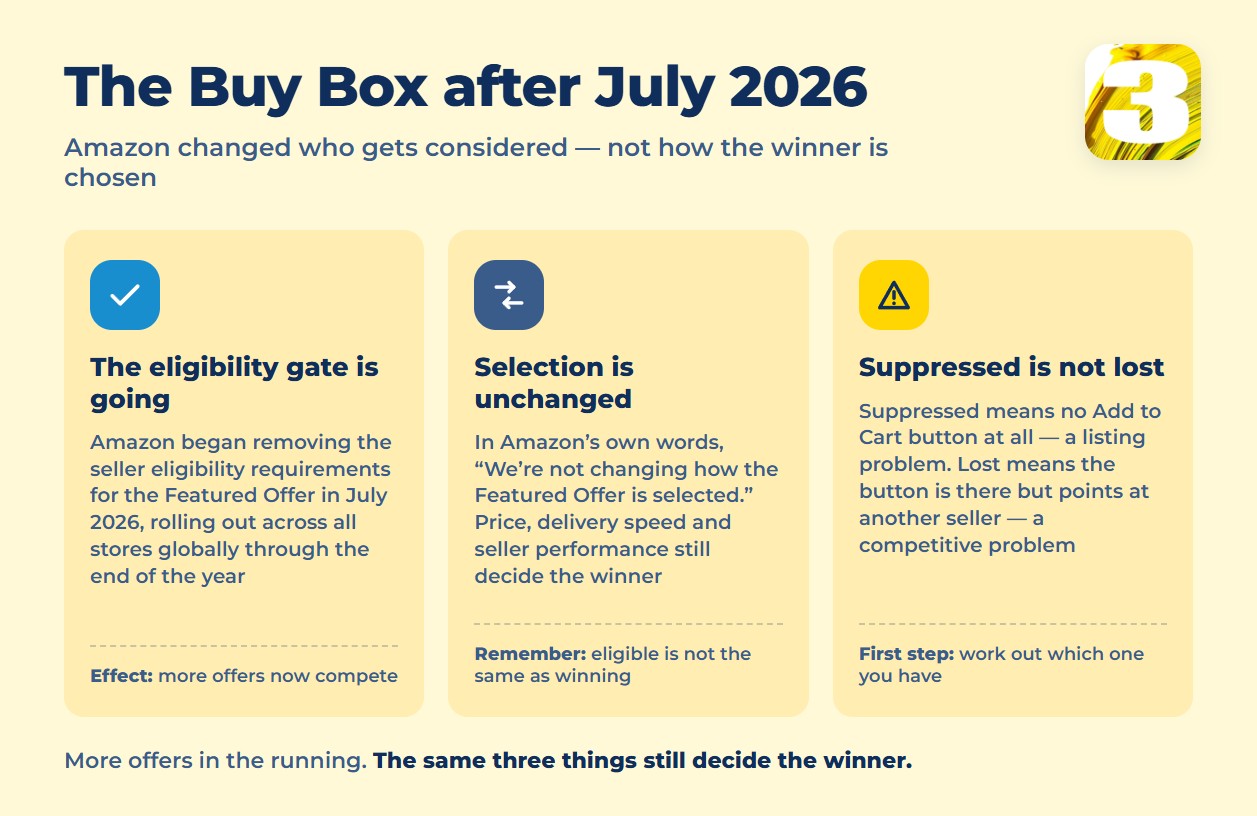
Amazon’s official seller-forum announcement, posted by the News_Amazon account in early July 2026, is worth reading in full before you troubleshoot anything: “Starting in July 2026, we’ll begin removing seller eligibility requirements for the Featured Offer… rolling out gradually across all Amazon stores globally, completing by the end of 2026.”
In practice, Amazon used to run offers through a preliminary “eligibility” gate — a pass/fail check — before those offers were even considered for the Featured Offer. That gate is being removed. More offers now make it into the pool that competes for the button.
What stays the same matters just as much. Amazon’s own words: “We’re not changing how the Featured Offer is selected.” Price, delivery speed, and seller performance still decide the winner — those factors are untouched. Only the upfront filter is gone. Amazon also adds a caution sellers should hold onto: “Being considered for the Featured Offer doesn’t guarantee your offer will be featured.” Eligible and winning are still two different things.
Because the rollout runs through the end of 2026, sellers reading older guides right now are working from rules that no longer fully apply — most of what is published about Buy Box eligibility online predates this change.
Suppressed vs. Lost the Buy Box: Two Different Problems
Sellers use “we lost the Buy Box” for two situations that need opposite fixes.
| Situation | What the shopper sees | What it usually means |
| Buy Box suppressed | No “Add to Cart” or “Buy Now” button at all — shopper has to open the offers page manually | None of the current offers cleared the bar; price, stock, or performance issue on the listing itself |
| Lost the Buy Box | The button is there, but it leads to a different seller’s offer | Your offer is live and eligible, another seller’s offer currently ranks ahead of yours |
Suppression is a listing problem — something about the offer itself is off. Losing to another seller is a competitive problem — your offer is fine, someone else’s is currently better. Chasing a suppression fix when you actually lost a competitive race (or the other way around) wastes time on the wrong lever.
What Actually Decides the Winner: Landed Price
Landed price — the item price plus shipping combined, not price alone — is one of the ranking factors Amazon uses to choose the Featured Offer. A seller technically priced lower on the item itself can still lose to a competitor with a lower landed price once shipping is added in.
Be careful with numbers you find elsewhere on this point. Amazon does not publicly state the threshold at which a price difference triggers suppression. The “2–5%” figures that circulate in seller blogs are not official — the same blogs that publish them label them unofficial. Treat any specific percentage you read as a guess, not a rule to price against.
When the Brand Owner Loses the Buy Box on Their Own Product
This is the part that catches brand owners off guard: owning the brand does not guarantee owning the button on your own listing. Sellers on the Seller Central forum have stated it plainly: “Amazon does not guarantee the Featured Offer to any seller, including FBA or Brand Owner.”
Two situations account for most of it. First, unauthorized resellers get hold of your product, undercut your price, and your own listed price stops looking competitive next to theirs — even though you set it deliberately, based on your margin. Second, Amazon Retail sometimes sells the product directly alongside third-party sellers and wins the Featured Offer itself.
Both of these trace back to the same root cause: someone else’s price on your ASIN is dragging the ranking against you. If that is what is happening, the fix is not a Buy Box tactic — it is finding and dealing with the underlying price problem, which starts with knowing who is selling your product and at what price. We’ve covered both sides of that separately: how to track competitor prices and what a MAP policy actually enforces. If you’re a registered brand owner, Brand Registry status is also worth checking directly with Amazon — it’s the account layer resellers underpricing you can’t touch. When the problem is reseller-driven, ongoing price monitoring is the practical answer; that’s what our competitor price monitoring and MAP compliance tools are built for.
Why This Matters for Your Ad Spend
Here is the part that ties Buy Box status directly to what you pay for advertising. A Sponsored Products ad can put your listing in front of a shopper, but if that listing has lost the Featured Offer — or is suppressed outright — the shopper lands on a page with no obvious way to buy from you. The click is charged either way. The conversion isn’t there to pay for it.
That’s the quiet reason ad cost per sale creeps up on listings that look fine at a glance: the spend is fine, the targeting is fine, and the button simply isn’t yours at the moment the ad fires. Before troubleshooting a rising ACoS, check Buy Box status on the ASIN — it’s a cheaper diagnostic than adjusting bids. For the full breakdown of what drives Amazon ad cost and how to read it, see our guide to Amazon advertising cost and ACoS.
If your ads keep pointing at a listing that isn’t consistently winning its own Featured Offer, that’s a campaign management problem as much as a pricing one — talk to us about managing your Amazon advertising so spend and Buy Box status get tracked together, not separately.
Questions about your own listings?









