


Business process automation is what happens when a rule you already follow starts running on its own. If you can write the rule as one sentence — when A happens, do B — it’s a candidate. That’s the whole definition. Nothing about artificial intelligence, robots, or “smart” software is required for it to count.
Most of what businesses automate isn’t clever at all. A form gets filled out, and instead of someone reading it and typing the same information into a second system, the second system fills itself in. A file lands in a folder, and instead of someone opening it and copying three numbers into a spreadsheet, those three numbers are already there. The rule was never complicated. What changed is who — or what — carries it out.
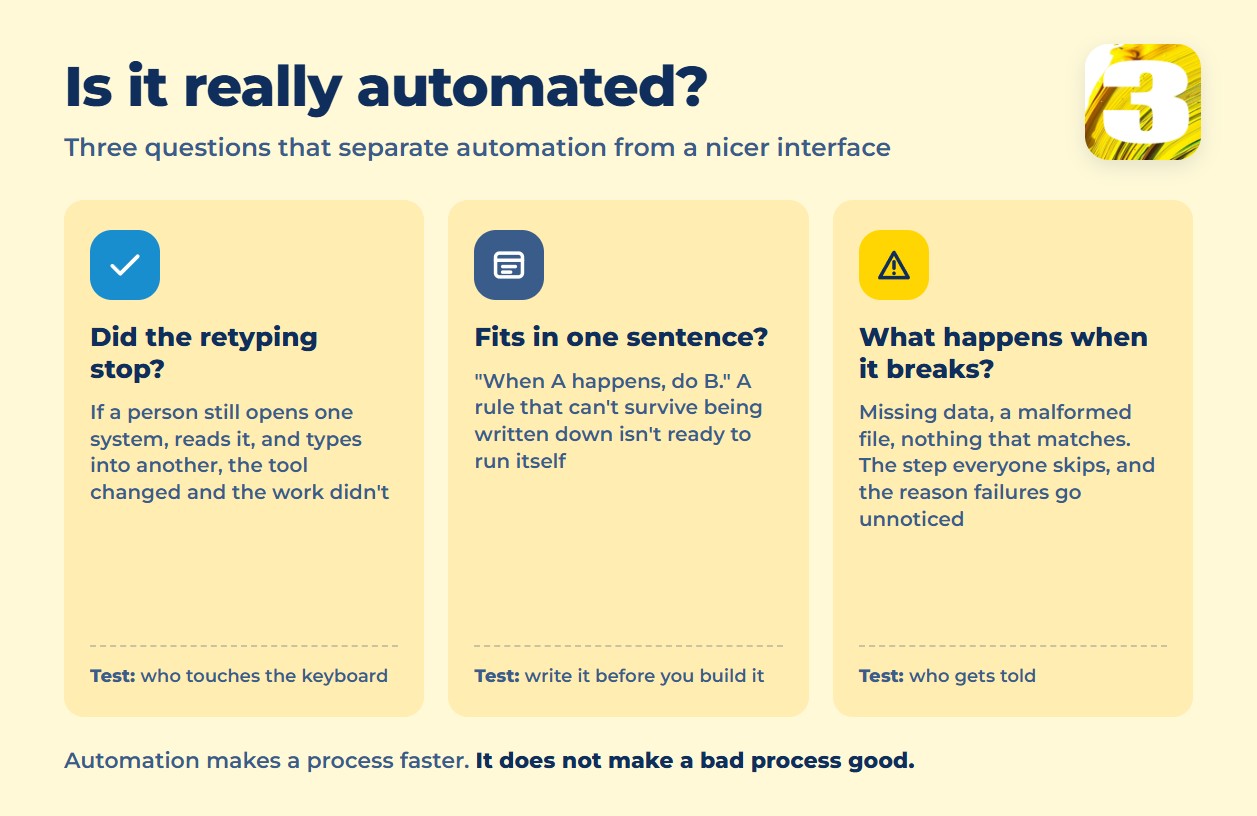
The clearest test of real automation is this: the person who used to do the step by hand no longer touches a keyboard to make it happen. Not “has an easier tool for it.” Doesn’t do it. If a human still has to open something, read it, and retype what it says into another place, the process hasn’t been automated — it’s been given a nicer interface.

What Gets Called Automation but Isn’t
A lot of software gets sold as automation and falls short of the test above. Worth knowing the difference before you pay for any of it — see our breakdown of building versus buying automation software if you’re weighing that decision.
- An app that still requires typing. Buying project management software doesn’t automate anything if someone still opens it every morning and re-enters what came in by email overnight. The tool changed; the manual step didn’t.
- A saved email template. It speeds up writing a reply. It doesn’t decide when to send one or fill in the details from another system.
- A calendar reminder. A reminder tells a person to go do the manual task later. That’s a to-do list with a bell on it, not automation.
- The Friday spreadsheet export. If someone still logs in every week, pulls a report, and reformats it by hand, the “automated report” is a person on a recurring schedule.
None of these are bad tools. They just don’t remove the retyping — and the retyping is the part that eats time and introduces mistakes.
The Parts of a Process That’s Actually Automated
Most of these rules get built on off-the-shelf connectors — Zapier and Microsoft Power Automate are the two most people meet first — rather than on custom code. Underneath, every real automation has the same five pieces, whether it’s built with a cheap subscription app or custom code:
- A trigger — the event that starts things: an email arrives, a form is submitted, a date passes, a status changes.
- A rule — the condition that decides what happens next. This is the “when A, do B” sentence.
- An action — the actual work: create a record, send a notification, move a card, update a field.
- A record of the result — proof the step happened, stored somewhere a person can check later without asking around.
- A plan for when it breaks — what happens when the trigger fires but the data is missing, malformed, or doesn’t match anything on file.
That last piece is the one almost everyone skips when they set up their first automation, and it’s the reason automated processes quietly fail for weeks before anyone notices. A rule that works for 90% of cases and silently drops the other 10% isn’t finished — it’s a process with a hole in it that nobody is watching.
What This Looks Like in a Real Small Business
- A service request that arrives by email becomes a line on the job list, with no one copying the customer’s name and address into a second system.
- A jobsite address mentioned inside an email turns into a project card on its own — this is close to what we built for a contractor tracking jobsites on a map, where the address never gets typed twice.
- An invoice that lands as a PDF attachment becomes a structured record waiting for someone’s approval, instead of a file sitting in a downloads folder until the end of the month. This exact chain — inbox to approval — is common enough that we wrote a full comparison of the software built specifically for it, accounts payable automation tools and their real prices.
- A signed contract triggers a welcome email and a task on someone’s list, instead of a person remembering to do both after they notice the signature came in.
Each of these follows the same shape: something happens, a rule fires, data moves, and a person only gets involved if the rule can’t handle what it sees.
Where the Line Is: What to Leave to a Person
Not everything that repeats is worth automating, and not everything worth fixing is worth automating first.
- Rare operations. If something happens four times a year, the time spent building and maintaining a rule for it can exceed the time it saves. Before committing budget, it’s worth checking what workflow automation actually costs to build against how often the task actually runs.
- Decisions that require judgment. Approving a routine invoice under a set limit is a rule. Deciding whether to extend credit to a new customer with a shaky payment history is not — that needs a person weighing context a rule can’t see.
- Anything involving negotiation or persuasion. A rule can route a quote request. It can’t talk a hesitant customer into signing.
Automating any of these doesn’t remove the work — it just moves the same decision to a person who now has less context, because the automation stripped away the details they’d normally use to make the call.
A Crooked Process, Automated, Is Still Crooked
Automation makes a process faster. It does not make a bad process good. If three people currently disagree about who approves what, wiring that disagreement into software just makes the disagreement happen faster and with less visibility into why something got stuck.
The order that works is: write the rule down in plain language first, get everyone doing the same version of it by hand for a couple of weeks, and only then build the automation. If the rule can’t survive being written as one sentence, it’s not ready to run itself yet.
That’s roughly the order we follow when we build automation workflows for small businesses — map the steps before touching a rule engine.









