
Your Facebook ads stopped running, and Ads Manager is showing an account that’s disabled or restricted. Before you touch anything else, open Account Quality in your business settings — that’s the one place Meta actually tells you what’s flagged, and it’s the same place you request a review. Writing to support isn’t step one. Checking Account Quality is.
This is written for a legitimate business whose account got flagged by mistake, by an employee who didn’t know the rules, or by an ad that a reviewer read wrong — not for anyone trying to work around a ban that’s already in place. If that’s the situation you’re in, the honest answer is further down, and it isn’t a good one.
Start With Account Quality, Not a Support Ticket
Account Quality lives inside Meta Business Suite, under your business settings, and it does two things nothing else does: it tells you why an ad account, Page, or the whole business is flagged, and it’s the actual channel for requesting a review. Screenshots of error messages, guesses from a Facebook group, or a generic email to Meta support skip this step and waste the one channel that has your specific case attached to it.
Read what it says before you do anything else. The reason listed — a rejected ad, a policy match on a landing page, a payment issue — tells you whether you’re dealing with the ad account itself or something bigger.
If you run ads through us, this is also where our Facebook Ads work starts when an account gets flagged: reading the actual notice before touching anything else.
Disabled, Restricted, and a Portfolio Restriction Are Three Different Problems
The search results blur these together, and the difference decides what you do next.
- Disabled means the problem sits with one ad account — its ads, its setup, its own history.
- Restricted means the problem is with how the whole business behaves, not one account’s ads.
- A portfolio-wide restriction is broader still: it can hit every asset tied to that business — ad accounts, Pages, WhatsApp numbers — at once, not just the one you were looking at.
All three get reviewed through the same place, Account Quality, but they aren’t the same repair. An ad account flagged over one bad creative isn’t the same fix as a business restricted for a pattern across several accounts. Read which one you actually have before you request a review — an appeal that answers the wrong question comes back without telling you anything you didn’t already know.

Facebook Ad Account Disabled: What Actually Helps in the First Hour
- Open Account Quality and read the specific reason given — not a general one, the one attached to your case.
- Request the review from inside that panel, once, with whatever it asks you to provide.
- Note what was actually running at the time — which ads, which audiences, which payment method — so whoever manages the account can look at it with a clear head.
- Tell anyone else with access — a contractor, an employee, an agency — what happened before they change a setting trying to help.
What Never Helps — and Makes It Worse
- Don’t open a second ad account to keep advertising. Meta doesn’t publish which signals tie one account to another, and that is exactly the problem: a fresh account sharing a payment method, a device, or an administrator with a flagged one can inherit the flag, and now there are two problems instead of one. Guessing at an undocumented system while your business is already flagged is the worst possible time to be wrong.
- Don’t file a second appeal, then a third, hoping one lands differently. A repeat submission with nothing new in it gives whoever reviews it nothing it didn’t already have. If something has genuinely changed on your side — the ad is down, the landing page is fixed, the payment issue is resolved — say what changed. If nothing has, a second appeal is just the first one again.
- Don’t change your payment method or account details to route around the restriction. Meta’s policy against circumventing enforcement treats an attempt to get around a restriction as its own violation, separate from whatever triggered the original one, and states that Meta uses automated and manual systems to restrict and remove accounts used to persistently violate its policies. A business with nothing to hide has nothing to gain from testing that.
None of this is a workaround waiting to be discovered. If your business is legitimate and the flag was a mistake, working around it doesn’t fix the mistake — it adds a harder one on top of it. If you’re here because you’re looking for a way past a ban that’s already final, this isn’t that guide, and it isn’t work we take on.
What a Disabled Ad Account Costs You While It Waits
The real cost of an account going down isn’t the days you can’t run ads. It’s what doesn’t come back once the review is over.
- Audiences built from your data stay with the ad account and portfolio that owns them, not with whoever happens to be running the campaigns.
- Pixel and dataset history stays attached to the portfolio, not to any single campaign — but if the account holding it is gone for good, so is your read on that history.
- Leads sitting unexported are the one that catches people off guard, for the reason we’ve laid out in where a Facebook lead actually goes: Meta keeps Lead Ads submissions available for a limited window, and a disabled account isn’t a reason that window pauses.
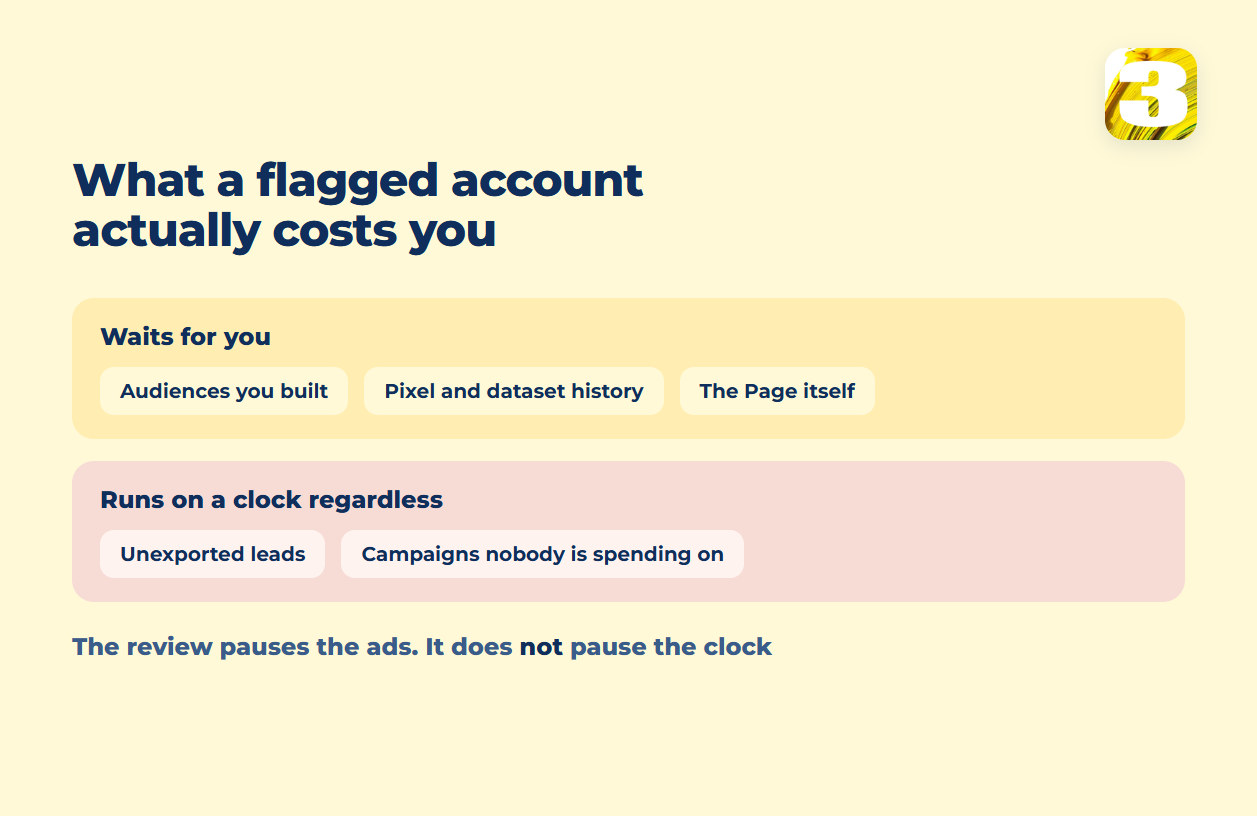
None of this is punishment for the flag itself. It’s just what a review takes time to sort out, and what doesn’t wait around while it does.
Preventing the Next One
The businesses that come through this with the least damage are the ones where the ad account was never really exposed to begin with:
- The business owns its own Business Portfolio and ad account. Whoever runs the campaigns works inside it through partner access rather than as the account’s owner — access that can be handed out and pulled back without touching who owns anything. Which assets that covers, and what happens to each one when an arrangement ends, is the whole subject of what actually stays yours when an agency leaves.
- Leads get exported on a schedule, not whenever someone remembers to check Ads Manager, so a flagged account never costs you a batch that was sitting there unclaimed.
This is the setup we’d rather work in, and the one worth insisting on with any agency — so that a flag on the account never turns into a second argument about who owns what.
If your account is disabled or restricted right now and the business behind it is legitimate, tell us what you were running and what Account Quality says. We can’t tell you when it clears — nobody honest can — but we can tell you what the notice actually means and what’s worth doing next.