
Someone fills out a Facebook lead ads form, taps submit, and the ad keeps running. A week later you check the campaign report: a few dozen leads. You check your inbox: nothing. Both numbers are true at once, because a submitted lead form doesn’t go to your email — it goes to Meta, and it sits there until something is built to pull it back out.
That gap is the real failure point behind most complaints about lead ads, and it has nothing to do with the form itself. It’s the plumbing after the click: where the submission lands, who’s allowed to take it out, and what happens the day that plumbing quietly stops working.
If lead ads are part of a campaign we run — through Facebook Ads management — this is the first place we check when a client says the leads have gone quiet, before touching targeting or budget.
Where a Submitted Form Actually Lands First
By default, a submitted form doesn’t land anywhere you own. It sits inside Meta itself, in Ads Manager’s On-Facebook Leads or in the Leads Center inside Business Suite. Getting a lead out from there takes one of three things: someone manually exports a CSV, a script pulls it through the Marketing API, or a connector picks it up through one of Meta’s pre-built CRM integrations. Nothing pushes a submission anywhere on its own — every route out is something someone had to set up.

The 90-Day Limit Nobody Reads Until It’s Too Late
Meta’s own limit on how long a submitted lead stays retrievable is 90 days. After that window the lead isn’t harder to find — it’s expired, not downloadable from Ads Manager and not pullable through the API. If the ad ran a messaging format and the person actually wrote to you, that conversation still sits in the Page inbox; a form submission doesn’t get the same second life. A business that logs into its ads account once a quarter to “check on things” isn’t behind schedule. It’s losing real submissions on a clock it never agreed to.
Why the CRM Shows Zero Leads While the Campaign Keeps Spending
This is the version of the problem that looks like a bug and isn’t, and it comes from a setting most businesses touch exactly once. Leads Access, in Business Suite under Integrations, controls who can pull lead data — people, partner businesses, and connected CRM systems, each as a separate list. Out of the box, every Page admin can download leads. The moment someone customizes those permissions — usually for a good reason, to keep customer data away from everyone who happens to have a Page role — access becomes an explicit grant. Anyone added after that, and any CRM connected after that, gets nothing until they’re assigned.
That’s the trap. The campaign runs, the report inside Ads Manager keeps counting, and the CRM stays at zero — not because the ads failed, but because the integration was connected after the door was locked and nobody handed it a key. We run lead ads for clients, and this is the first thing worth checking when the numbers in Ads Manager and the numbers in the CRM stop agreeing.
The Silent Failure Behind a Working Facebook Lead Form
Even with access granted and a connector wired up, there’s one more way this breaks: the connector itself. A webhook token expires, a CRM changes its API, an authorization quietly lapses — and none of it throws an error anyone sees. Ads Manager keeps counting leads on one side. The CRM keeps showing the same total it had last month on the other. Nothing crashes, nothing alerts, so nobody checks.
This is the exact gap our own lead-tracking plugin was built to close — not to guess at campaign performance, but to confirm, on our side, that a submitted lead actually turned into a record someone will read, not just a click Meta counted. That’s a question of routing and notification, not a bigger ad budget.
How to Test Your Lead Routing in Ten Minutes
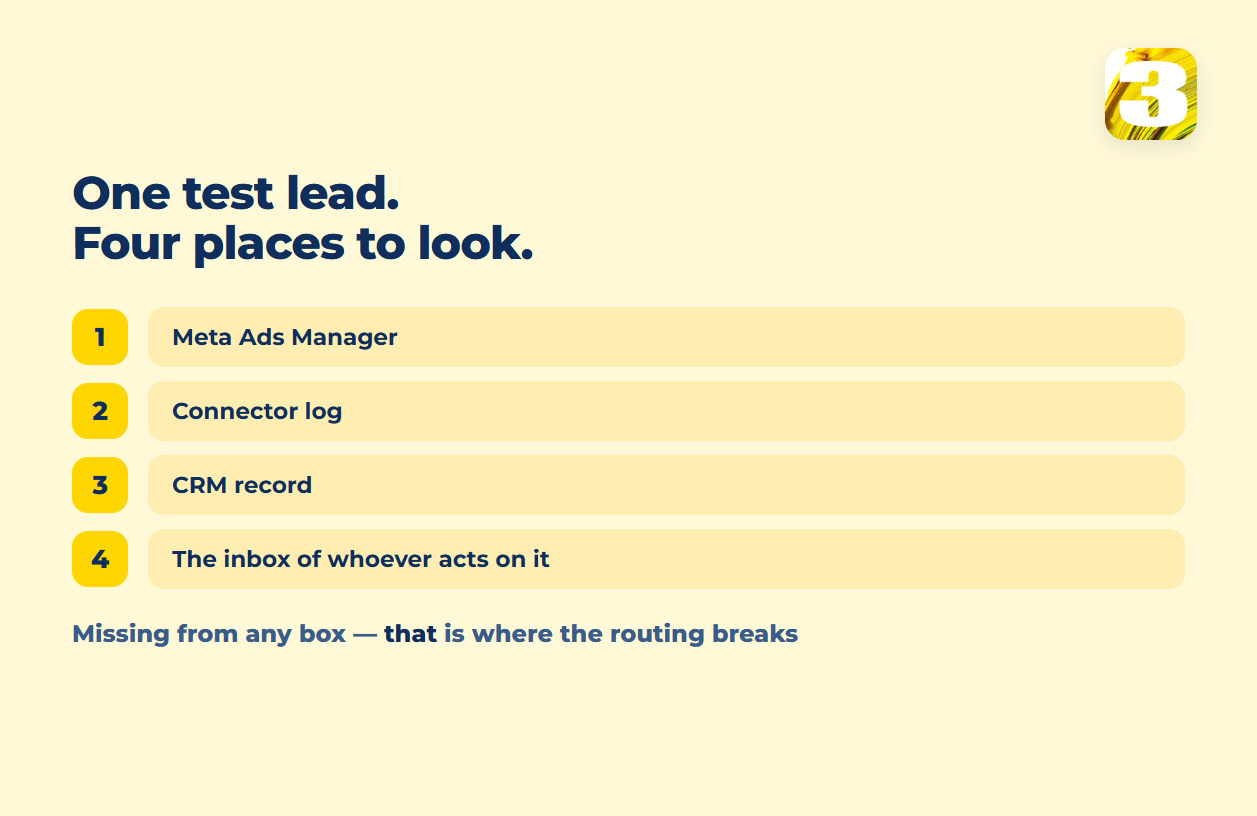
None of this needs a monitoring dashboard to catch. It needs one fake submission with a real, unique email address you’ve never used before. Submit it through the ad the way a real prospect would, then check four places, in order: Ads Manager’s lead list, the connector’s log, the CRM record, and the inbox of whoever is supposed to act on it. Whichever of those four is missing your test lead is where the chain actually breaks — not a guess, a location.
Instant Form or a Form on Your Own Site
Before any of the plumbing above matters, there’s an earlier choice: an Instant Form, which opens inside Facebook or Instagram with fields Meta can pre-fill from the person’s profile, or a form on your own website, reached by clicking through the ad. Instant Form trades away friction — someone can submit without leaving the app — for a page you don’t control and can’t easily qualify a visitor against. A website form costs a click more and usually a colder submit rate, but it sits on a page you wrote, tracked the way the rest of your site is tracked, next to whatever proof and context you put around it, and the submission lands in your own database rather than on a 90-day clock inside Meta.
That’s the part worth weighing, and it isn’t a budget question: when the destination page is one we build, its copy and on-page SEO come with the $1,900 site rather than as a separate line for whatever page an ad happens to point at.
More Volume or Higher Intent: The Two Facebook Lead Form Types
Meta ships two form types, and the names describe what they optimize for, not what they guarantee. More Volume is the plain form: fields, submit, done. Higher Intent adds one screen — a confirmation step where the person sees what they typed and has to confirm it before it goes anywhere. What Meta doesn’t publish is a number for how much that extra screen changes anything. Any specific percentage attached to it comes from an agency blog, not from Meta.
The choice matters less than it looks, though, if the routing above isn’t sorted: a form type only changes what lands inside Meta. Whether anyone on your side ever sees it is still a permissions question. And whatever a lead form does capture becomes raw material for something else entirely — the exclusion lists that keep future campaigns off people you’ve already converted.
Whoever holds Leads Access on your Page today is the same question as who holds the rest of the account — see what actually stays yours when an agency leaves for what else does and doesn’t move when an agency stops managing your Meta account. And that 90-day window cuts both ways: if the ad account gets disabled before someone exports what’s sitting inside it, those leads stop being retrievable for the same reason the account stops being usable at all — see what to do when an ad account is disabled.
If you’re not sure who has Leads Access on your Page right now, or whether the connector is still doing its job, send us the setup and we’ll tell you where it’s leaking.