


In this article
- Website Translation Services: Four Ways to Get There
- What Breaks When You Translate a Website
- Website Translation vs. Website Localization
- Which Language First: Spanish in the US, French in Canada
- Machine Translation, DeepL, and Human Review
- What a Multilingual Website Costs Over a Year
- Planning a Second Language Before Launch
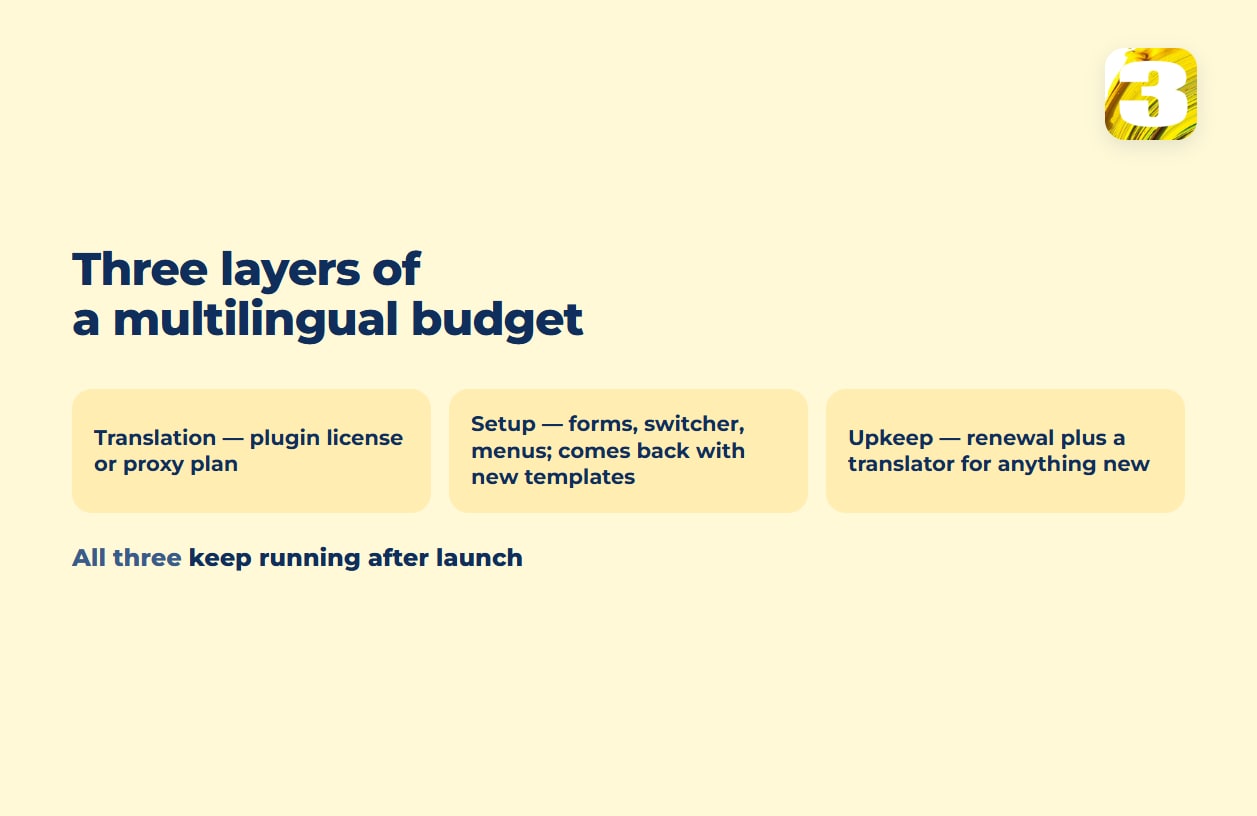
Machine-translating a page is the cheapest line item on a multilingual website. The real cost sits in three layers most vendors don’t put on one page: translation itself, setting the site up so the second language actually works, and paying to keep it working as the site changes. Skip any one of the three and a bilingual website looks fine on launch day and breaks quietly a few months in. For a site of about 15,000 words adding one language, the tool runs from €99 a year for a WordPress plugin to $320 a year for Weglot, and a human pass over machine translation roughly $900 to $1,800 — setup and upkeep come on top, and both are estimated below.
There are four common paths from one language to two, and vendors rarely put them side by side. What you get, what tends to break, what the vendor charges, and — the part nobody advertises — what happens to your translated pages if you stop paying. For one popular path that question has a documented answer — the translated pages are progressively removed from search, and an inactive project is deleted after three months — and that belongs in any comparison of which path is cheaper.
Website Translation Services: Four Ways to Get There
| Path | What you get | What breaks | Price, from the vendor’s site | If you stop paying |
| Browser’s built-in translate button | Any visitor auto-translates any page, free, no setup on your end | It isn’t your site translating — it’s the visitor’s browser guessing, sentence by sentence; search engines don’t index it | $0 | Nothing to lose — there was never anything on your server |
| Cloud proxy (e.g. Weglot) | A layer in front of your site serves translated pages at yoursite.com/fr/ or fr.yoursite.com, mostly without touching your code (on WordPress, Weglot installs as a plugin instead, but the translations still sit on Weglot’s servers) | Translations live on the vendor’s servers, not yours | Free up to 2,000 words in one language; Starter $17/mo (10,000 words); Business $32/mo (50,000 words, 3 languages), up to $769/mo for 5,000,000 words | Per Weglot’s help center: pages get “progressively removed from search engines,” and an inactive project is “automatically deleted after 3 months” |
| WordPress plugin, translation stored in your own database (WPML, Polylang, TranslatePress) | Translations live in your own database — as separate posts (WPML, Polylang) or as translated strings in the plugin’s own tables (TranslatePress); machine translation to start, human review after | Getting it right — forms, checkout, theme strings, menus — takes more than installing the plugin | WPML Multilingual CMS €99/yr (22,500 AI words); Polylang Pro from €99/yr; TranslatePress Personal €99/yr (50K AI words), Business €199/yr (200K words) | License lapses, but the translations stay in your own database and don’t depend on the vendor’s servers to render — check the renewal terms of your specific plugin for what stops (typically updates and support) |
| Separate content, written for each language’s search terms | Content matches what people actually type into Google in that language, not a translated version of your English keyword | Doubles the content workload — every update happens twice | Not a subscription — writing and SEO time | Nothing tied to a vendor — it’s pages on your own site either way |
Weglot’s free tier makes that tradeoff explicit before you ever pay for anything: cross 2,000 words, and per Weglot’s help article, “Weglot won’t display the translations until you go back under the limit” — the page quietly reverts to English until someone upgrades the plan.
Not every plan in that table is priced on word volume. Weglot’s proxy tiers step up by the number of translated words, and WPML’s and TranslatePress’s plans bundle an allowance of AI-translated words (TranslatePress refills it with every license renewal) — but Polylang Pro starts at €99 a year with no word allowance of its own; its machine translation runs through your own DeepL API key, billed separately by DeepL rather than by Polylang. The number that decides your own cost still comes down to how many words your site has to translate, just not through the same meter on every plan.
The storage line is the real fork in the road. Weglot’s technical page is direct about it: “Your translations are stored on the Weglot database.” WPML’s WPML tables documentation describes the opposite architecture — translated entries “share the same value in element_type and trid columns” as the original, meaning they’re rows in your own WordPress tables, and the TranslatePress team puts it just as plainly: “The translations are stored in your site’s local database.” One path rents you the second language. The other builds it into the site you already own.

What Breaks When You Translate a Website
Our own site runs bilingual, on WordPress with WPML — so part of this list comes from fixing it. Two things we hit that no pricing page mentions: the French version needs its own categories and tags, set up separately from the English ones, and a link to a French page that isn’t published yet gets rewritten into a bare ?p=123 address until that page goes live. Neither looks broken until someone checks.
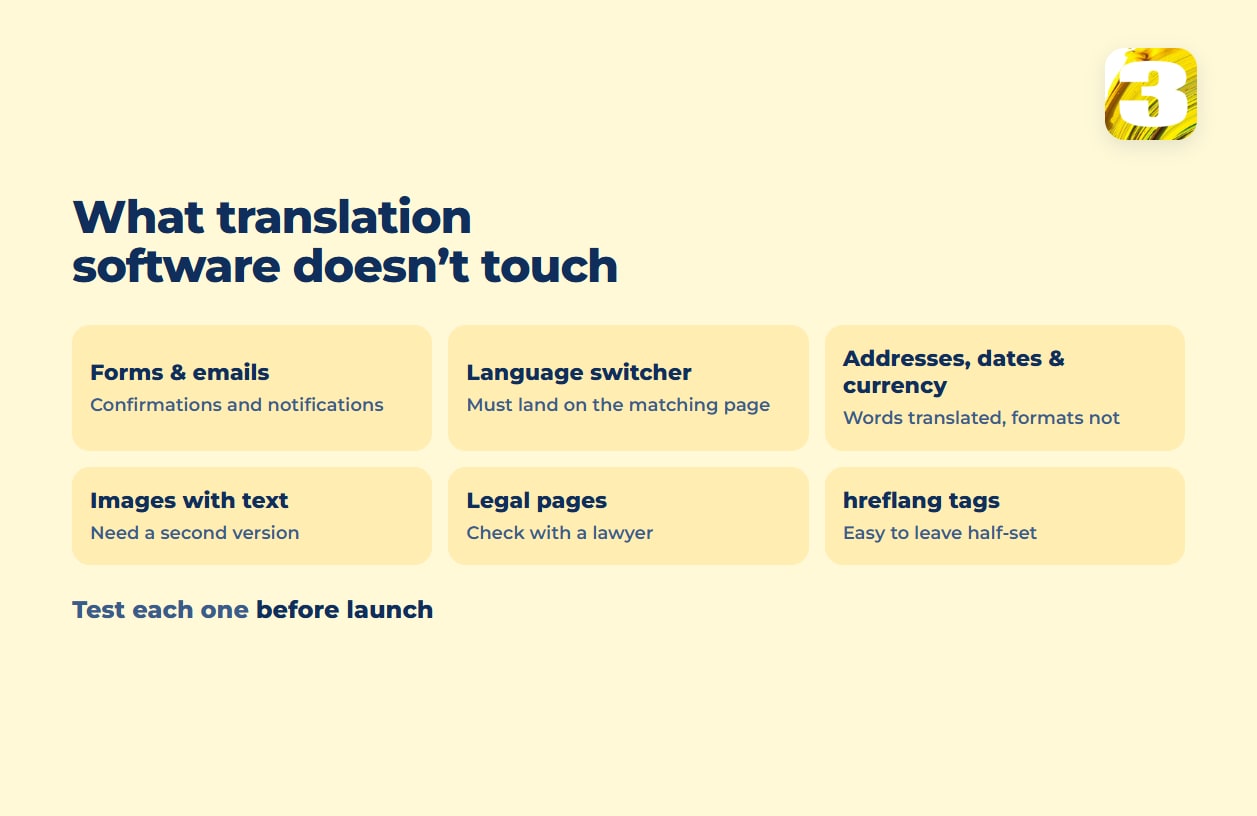
Forms and emails. The confirmation email a customer gets, and the notification your team gets when a form is submitted, are translatable pieces separate from the page text. A plugin that handles the page copy doesn’t automatically catch them. Weglot’s plugin listing spells this out as a selling point: “Cart, checkout, and account pages. Customer emails in the shopper’s own language.” — worth noticing what a vendor calls out as included, because it tells you what’s usually missed by default.
The language switcher. Switching language mid-page should land on the matching translated page, not bounce to the homepage. Test it three levels deep in the site, not just from the homepage.
Addresses, dates, and currency. A US-style address block, a date written month/day/year, or a price with no currency context can read as wrong to a visitor reading the page in another language — the words are translated, the formats aren’t.
Images with text baked in. Banners, infographics, and screenshots with English words stay English no matter which translation tool runs on the page around them. They need a second version, not a translation setting.
Legal pages. Whether a privacy policy or terms page has to exist in a second language depends on where your business actually operates — confirm that with a lawyer rather than a plugin’s default settings.
hreflang tags. The tag that tells Google which language version to show which visitor is its own mechanism, and it’s easy to leave half-configured. It’s a full topic by itself — see our hreflang guide for Canada and the US.
Website Translation vs. Website Localization
A translated page keeps every price in dollars and every date written the way your own team writes it; a localized one adjusts both for the reader. Website localization services cover the wider job: currency display, date format, measurement units, region-appropriate images, and the legal or cultural details a straight word swap skips. A translation can pass a proofread and still read foreign to a local reader, because “correct” and “natural” aren’t the same test.
For a store specifically, localization also means product data — currency on the price, size charts in the reader’s system, shipping and return copy that matches the country the order ships to. If you’re pricing that build alongside the storefront itself, what an ecommerce website costs covers the store question; this article stays with the language question.
Which Language First: Spanish in the US, French in Canada
In the US, Spanish is the default second language by a wide margin. The Census Bureau’s American Community Survey found that among people who speak a language other than English at home, “Spanish (61.1%), Chinese… (5.1%), and Tagalog… (2.5%) were the three most spoken languages at home” in 2018-2022 — no other language comes close.
Canada is different, because the choice isn’t really yours to make from scratch: French and English are already the country’s two official languages. What that legally requires depends on who you are. The Official Languages Act guarantees “equality of status and equal rights…” for English and French and gives “any member of the public in Canada… the right to communicate with and to receive available services from federal institutions…” in either language.
That’s written for federal institutions, not private businesses. A company selling nationally in Canada isn’t bound by the Act the way a government office is; French there is generally a business decision, not a legal one — confirm with a lawyer if your business is federally regulated or you’re unsure where you stand.
Quebec adds its own layer on top of anything federal — the province’s language rules live in a separate law, the Charter of the French Language, worth checking with a lawyer if you operate there. That’s a provincial detail, not the rule for the rest of Canada.

Machine Translation, DeepL, and Human Review
Every plugin in the table above ships some form of machine translation. Polylang Pro lists “DeepL Machine Translation integration (your own API key required)” on its pricing page. WPML’s automatic-translation documentation names the weak spot of the classic engines: “the legacy engines (DeepL, Google, Microsoft) translate one segment at a time without page-level context.” Each sentence is translated blind to its neighbours, which is where machine output reads stiff even when every word is correct. Newer context-aware engines narrow that gap; they don’t remove the need for a human pass.
DeepL website translation usually means DeepL’s API — a text-translation engine other tools plug into, priced by usage, not a website translator on its own. It’s the layer under the plugin, not a replacement for one. The developer tier lets you “test out the API” for free, with a one-time credit of 1 million characters before usage-based pricing kicks in.
The review step is where a human translator’s pricing looks nothing like a plugin’s. The American Translators Association notes that translation “is often charged on a per-word basis (or per-character basis for languages that use characters), so a longer document will result in a higher price,” and that “most professional translators have a minimum service charge, even for a document that is just one or two pages.”
For marketing work specifically, the ATA notes that “translators may charge hourly rates… especially for creative translations in the marketing world, or if the job includes more than one step” — which describes exactly what reviewing machine-translated marketing copy is.
Rush jobs cost more too: the ATA notes that “translators usually charge a rush fee for quick turnaround or weekend work” — a detail worth knowing before asking a translator to turn a site around by Friday.
Store platforms put their own cap on machine translation: Shopify’s Translate & Adapt app has its own limit on how many languages it will translate automatically; past it, the rest is translated by hand. The ceiling moves depending on the platform, but it doesn’t disappear.
What a Multilingual Website Costs Over a Year
Take a site with about 15,000 words and one extra language. On Weglot, that’s past the Starter cap of 10,000 words, so Business at $320 a year billed annually. On WPML Multilingual CMS it’s €99 a year, with 22,500 AI words — enough for the first pass. TranslatePress Personal is €99 a year with 50K AI words. That’s the tool line — and it’s the small one.
Weglot’s own cost guide says “Professional rates average around $0.17-$0.50 per word,” and translation agency Transphere’s pricing breakdown puts full post-editing of machine output — a linguist bringing it “up to human-quality standards” — at $0.06 to $0.12 per word.
On 15,000 words, that’s roughly $900 to $1,800 for a human pass over machine translation, or $2,550 to $7,500 to translate from scratch. Both are secondary estimates, not quotes: ask a translator to price your actual word count. Setup comes on top, and it isn’t on any vendor’s pricing page.
Web studios that quote a bilingual build as one project fold the second language into a premium instead: Allusive Digital, an Ottawa agency, puts bilingual web design at “20 to 35 percent more than a standard English-only website” — translation included — and says that when the French content is already written, “the premium is closer to 10–20%.” That lower figure is the nearer proxy for what setup adds at build time. The base price of the site itself is a separate question — see how much a website costs.
Setup isn’t a subscription, and it isn’t a one-time cost either. It’s forms, the switcher, theme strings, and menus — the list from earlier in this article — not the page copy, and parts of it come back whenever a new form, menu item, or product template gets added.
Upkeep is the layer with no natural end date, and no plugin’s pricing page covers it — a license renewal buys the tool, not the translation. The license renews every year at the prices in the table above.
Whichever tool renews, someone still has to translate whatever gets added — new pages, new products, updated pricing. At the post-editing rates above, a new 1,000-word service page costs roughly $60 to $120 to bring up to human quality, and since most translators have a minimum charge, even a one-paragraph change can cost more than its word count suggests.
Planning a Second Language Before Launch
If you’re still planning the site, it’s cheaper to decide on the second language before launch than to retrofit it: a business website, with the second language planned from the start, avoids re-doing forms, menus, and switcher logic later. Tell us which languages you need and we’ll scope it before quoting.
Once a site is up in two languages, keeping each language findable is a separate job from keeping it translated — see why a translated page doesn’t rank. And if the open question is which tool, not whether to use one, see WPML vs Polylang vs TranslatePress vs Weglot — compared on what happens on an actual WordPress site, not on a features page. For the SEO side, we offer second-language SEO, priced at +30%, with keyword research done separately for each language rather than a translated list.









