


In this article
- What a WooCommerce Dropshipping Plugin Actually Does
- The Catalog Belongs to the Plugin, Not to You
- The Official Extension Takes a Supplier CSV — By Hand
- When Your Supplier Isn’t in Any Plugin: WooCommerce Dropshipping From Your Own Wholesaler
- The Rules a Dropshipping Plugin Won’t Decide for You
- What It Costs to Set the Import Up
Search for a WooCommerce dropshipping plugin and you get a long list, each one described as the easiest way to fill a store. The useful question is narrower: which half of the job does any of them do? These plugins are good at moving products and orders between your store and a supplier the plugin already knows — and almost none of them does anything for the supplier you found yourself, the regional wholesaler who emails a spreadsheet every second Tuesday. That split decides whether you’re buying a finished process or only the start of one.
What a WooCommerce Dropshipping Plugin Actually Does
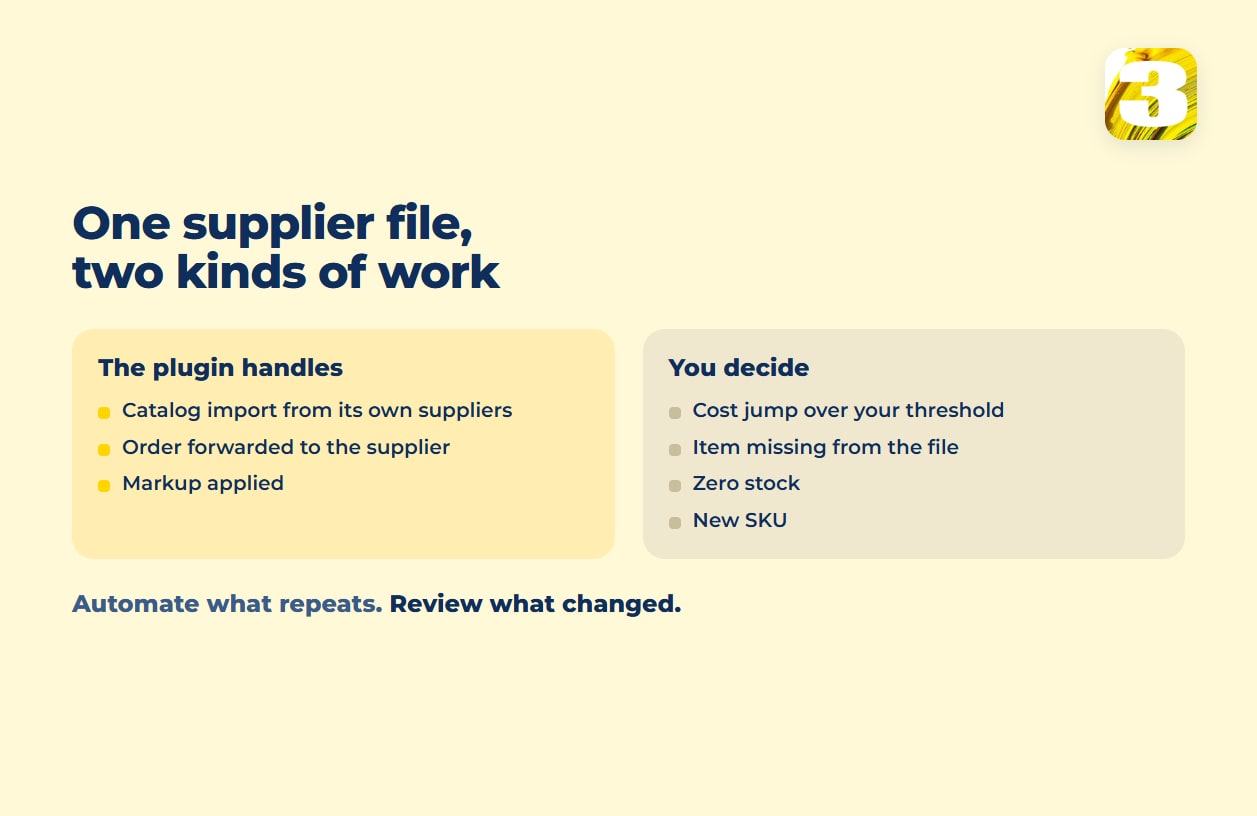
Almost every plugin in this category does three things. It imports products from a catalog into WooCommerce — titles, images, variants, supplier cost. It forwards the order to the supplier when someone buys, so you never touch the item. And it applies a markup rule, so the price your customer sees is the supplier’s cost plus whatever margin you set.
The Catalog Belongs to the Plugin, Not to You
Here’s the part the plugin listings tend to bury. When a dropshipping plugin says it syncs prices and stock automatically, it means prices and stock inside its own supplier network. Those suppliers signed up with the plugin. Yours probably didn’t.
| Tool | What the catalog is | Published price |
| Spocket | Its own marketplace of US, EU and global suppliers, described as “100 million+ products” | Starter $39.99 a month, Professional $59.99, Empire $99.99, Unicorn $299.99 |
| Syncee | A “dropshipping and wholesale marketplace where online stores from multiple ecommerce platforms connect to sell each other’s products” ; its DataFeed Manager also takes your own supplier’s feed | Free, then Basic $39.99 (100 products, one supplier), Pro $59.99 (250 products, unlimited suppliers), Business $99.99 (10,000 products) |
| CJdropshipping | Its own sourcing network, with products from 1688 and Taobao; “everything automatically syncs with your WooCommerce stores” | Not published |
| AliDropship | Built around AliExpress | $89, one-time |
Every marketplace here is a closed catalog. If your supplier is in it, the automation is real and you should use it. If not, the subscription buys you nothing — with one exception, Syncee’s feed tool, which comes up below.
The Official Extension Takes a Supplier CSV — By Hand
The official Dropshipping for WooCommerce extension works differently. It’s built around suppliers you already have: it “auto-generates order notifications and sends them to your suppliers via email,” and its Local Suppliers feature lets you assign products to a supplier and let them fulfill orders from inside your site. It can also bulk import from AliExpress, and it’s sold as a yearly subscription on WooCommerce.com.
So your regional wholesaler does fit — with a catch. The extension’s own documentation puts it plainly: “Suppliers with a CSV of their inventory can import SKUs and other information using WooCommerce Dropshipping,” and importing and exporting local supplier products “work similar to WooCommerce built-in CSV importer and exporter.”
Similar to the built-in importer means exactly what it sounds like: you map the columns, you match by ID or SKU, you press the button. Even the AliExpress side refreshes price and stock only when you click “update product.” The file from your wholesaler gets less than that — nothing watches it for changes, nothing re-imports it because a new version landed in your inbox, and nothing tells you a cost moved. How the same import behaves for ordinary catalog work, scheduled or manual, is the subject of our piece on WooCommerce product import.

When Your Supplier Isn’t in Any Plugin: WooCommerce Dropshipping From Your Own Wholesaler
Wholesalers outside the dropshipping marketplaces usually send data in one of four ways, and only one of them has a ready-made connector.
A spreadsheet by email. An XLSX arrives when the supplier feels like sending it, with the columns in whatever order the person who built it preferred.
A file at a URL or on FTP. A CSV or XML that’s always at the same address. This is the case that automates cleanly: a feed tool such as Syncee’s DataFeed Manager or a scheduled importer fetches it at a time you set, and Syncee’s tool can also connect to a supplier API. Ask every supplier whether they have a feed or an API before assuming they don’t.
A PDF price list. Readable by a human, not by an importer — it has to be parsed or retyped before anything can map to a column.
Nothing at all. Just a website with your trade rates — which means asking the supplier for an export, or for permission to use the data on their site, before anything can be automated.
The other three need a process built around them, not a plugin bought for them. And all four need the same thing at the center: a mapping between the supplier’s SKU and yours, because the supplier’s part number is almost never the one in your store. That matching key is where most catalog projects fail, and it’s covered properly in our guide to PIM software and what to use instead.
The Rules a Dropshipping Plugin Won’t Decide for You
Once the file arrives and the import runs, you own four decisions no plugin makes, each with a wrong answer that costs real money.
The cost jumps. A supplier cost jumps sharply overnight. Straight markup arithmetic republishes that as a retail price your customers bounce off, silently, across the whole category. The usual rule: a change larger than a threshold you pick stops and waits for a person.
The item is discontinued. It’s not in this week’s file. Absence is ambiguous — the supplier may have dropped it, or left it out by mistake. Deleting the product loses the URL and whatever ranking it had, so the safer default is to unpublish and review the list of disappeared items before anything goes for good.
Stock is zero. Decide once whether zero means hidden, or visible-but-unbuyable, or on backorder — and decide it per category, because a seasonal item and a staple aren’t the same case.
A new SKU appears. New rows are the case that runs unattended least well. A new product needs a category, a description, images to your store’s standard, and a decision about whether you want to sell it at all.
The pattern across all four: the machine handles what’s identical week to week, a person looks at what changed. The same division of labor keeps stock honest when you also sell on a marketplace — a case taken apart in our piece on multichannel inventory management.
One thing this is not: repricing. Syncing to your supplier’s price list means following your own cost upward or downward, while repricing follows what competitors charge — different inputs, different risks, and easy to confuse when both are described as “automatic price updates.”
What It Costs to Set the Import Up
We build the catalog side of this. Loading products starts from $0.02 per product — descriptions and photos collected from the supplier’s website with the supplier’s permission, AI processing with a person reading every line, photos brought to one standard, and the upload. Ongoing syncing of prices and stock from your supplier’s own price list is quoted after we look at the project, because a daily FTP file and a monthly emailed spreadsheet are not the same amount of work.
Our catalog work has been on WooCommerce, Magento and marketplaces. If the store itself doesn’t exist yet, what an ecommerce build costs is the earlier question.









