


In this article
- What a PIM System Actually Does
- Where Your Product Data Lives Right Now
- Four Questions That Decide It — Not a SKU Count
- When You Don’t Need a PIM
- What a PIM Doesn’t Do: Fill Itself
- PIM vs ERP: Different Jobs, Different Owners
- The Matching Key: Where Every Catalog Tool Breaks
- Product Catalog Management Beyond Your Own Store
- What We Do Instead of Buying Catalog Management Software
Most store owners meet PIM software the same way. The catalog outgrows one person’s memory, something goes wrong — wrong price on a marketplace, a product missing half its specs, images in four different sizes — and a search for a fix turns up product information management software. Some businesses genuinely need it. Plenty don’t, and buy a subscription that leaves the actual problem where it was.
The actual problem is almost never the first upload. It’s the second week after it. Keeping prices, stock, and new items in agreement with suppliers who send files in their own format, on their own schedule, never stops. That’s the job to look at before software. It’s also why the client catalogs we run have no PIM in the stack.
What a PIM System Actually Does
A PIM is a database for product data that sits outside the place where you sell. Your store already has a product database: that’s what the admin is. A PIM adds a separate one, because one product has to appear in several places, in several shapes.
What the tools handle: an attribute model well past what a store admin offers (technical specs, compliance fields, marketing copy, multiple languages), completeness rules that flag products not ready to publish, roles and approvals, asset management, and channel-specific output — the same product described one way for your site and another for a marketplace.
Pricing is uneven across the category, and a lot of it isn’t published at all:
- Plytix lists a Standard plan at $0/month for up to 500 SKUs, Pro at $499/month for up to 50,000 SKUs, and Enterprise on request.
- Akeneo offers a Community Edition: “we offer an open-source free PIM” you can “download, install, and use … for free.” Paid editions have no public price.
- Pimcore publishes its Community Edition under the Pimcore Open Core License, free “for non-production use, academic and non-profit institutions,” and for companies with under $5 million in annual revenue. Paid editions, again, have no public price.
- Salsify, inriver, and Sales Layer publish no prices at all. Every route ends at a demo or quote request.
Two things follow. “Free” comes in two shapes: a capped hosted plan (Plytix stops at 500 SKUs) and self-hosted open source, where you aren’t paying a subscription — you’re paying a developer to run the application, back it up, and upgrade it. And outside a few published plans, the real budget number isn’t on a pricing page. It’s behind a sales call.
Where Your Product Data Lives Right Now
Before adding a system, name the one you already have. Every store runs one of these three, chosen deliberately or not.
| Where the data lives | What it handles well | Where it breaks | What it costs |
| The store admin (WooCommerce, Magento, Shopify) | One channel, one team, edits made where they’re published. Each ships a CSV import tool, so bulk changes need no extra software. | A second channel with different field requirements. Two people editing at once. The product list shows the current price, not who set it or when. | Included in the platform. |
| A master spreadsheet or database, then import into the store | Supplier files land somewhere before they touch the live store, so a human can review a price jump before customers see it. | Nobody owns the file. Version conflicts. Manual steps only one person knows how to run. Images and long copy fit a spreadsheet badly. | The import tool, plus building and running the process. |
| A PIM | Many channels, many attributes, several people, formal approval before publishing. Completeness rules catch missing data before a channel rejects it. | It’s empty on day one. Supplier files still need mapping. Somebody still owns the link to the store. | Free tiers and open-source editions exist. Of the vendors above, only Plytix publishes a paid price (Pro, $499/month); Salsify, inriver, and Sales Layer quote privately. |
The middle row is where most growing stores actually are, and it’s a legitimate setup rather than a failure to buy software. It’s also what we use on client projects. Which import route to take on WordPress is its own decision, laid out in our piece on WooCommerce product import.

Four Questions That Decide It — Not a SKU Count
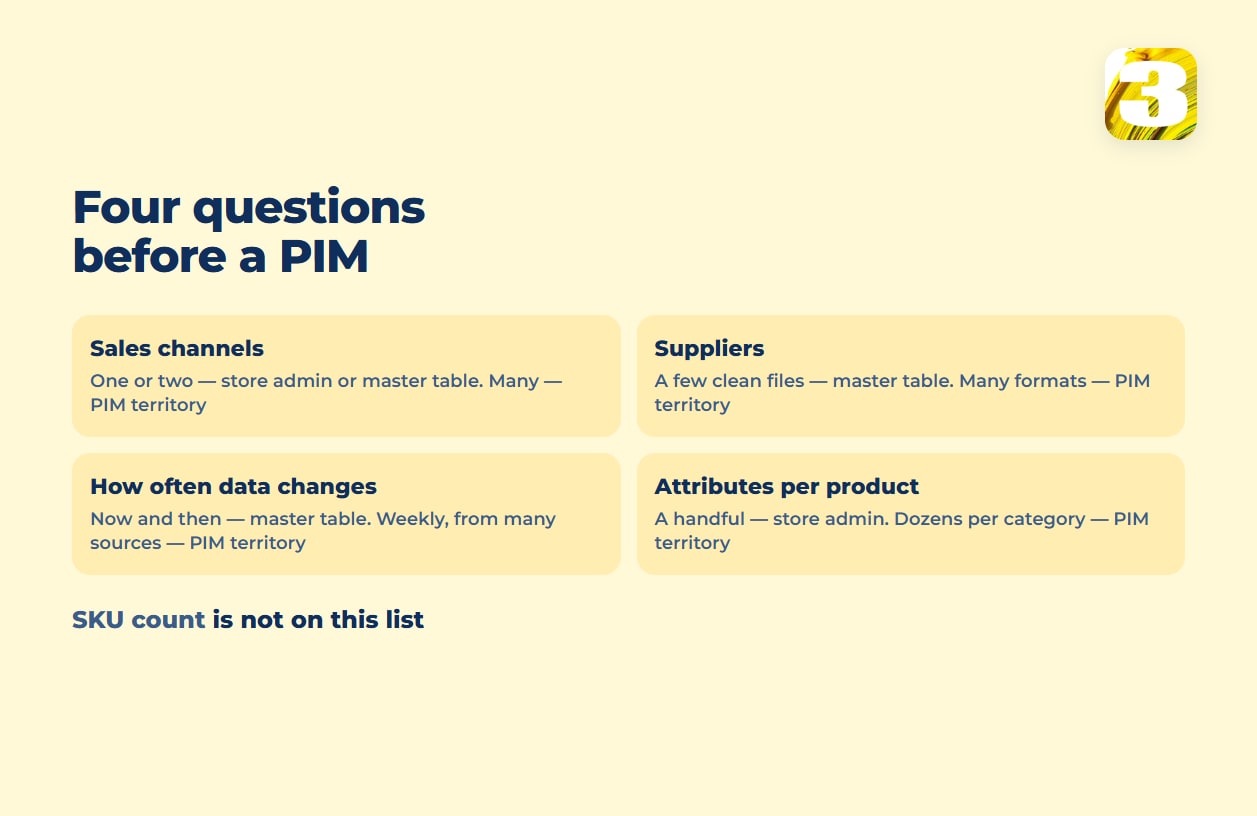
Vendors and comparison sites like thresholds: above N SKUs you need a PIM. We don’t give one, because the number of products isn’t what makes a catalog hard. A few thousand near-identical items with a handful of fields each is easier than a couple of hundred items with dozens of fields each going to several channels. Ask these four instead.
1. How many places does one product have to appear in? One store, one language, one audience: your admin is enough. Your own store plus a marketplace plus a shopping feed, each with different required fields and different rules about what counts as a valid image, is the case a PIM was built for.
2. How many suppliers send you data, and in what shape? One supplier with a clean, stable CSV is a mapping job you set up once. Several suppliers, each with their own column names, their own idea of what “in stock” means, and one who emails an XLSX when he remembers, is a process problem. Buying a PIM doesn’t make that problem go away: each supplier’s columns still have to be mapped, and somebody still has to chase the late file.
3. How often does the data change, and who starts the change? Prices that move quarterly, updated by the one person who owns the catalog: a spreadsheet is fine. Prices and stock levels that move weekly, from files arriving on someone else’s schedule, need a real process with a person checking it. That’s a sync project, not a software purchase.
4. How many attributes does one product carry? Title, price, one image and a paragraph is not a data-modeling problem. Dozens of technical fields, unit conversions, compliance documents, size charts per region is. It’s also what makes on-site search work or fail, since a filter can only filter on a field that’s populated — see why your store’s search can’t find products.
When You Don’t Need a PIM
If you sell on one storefront, in one language, with one or two suppliers whose files don’t change shape, a PIM adds a system to maintain without removing any work. The data still has to be collected, cleaned, and loaded; you’ve added a stop on the way.
The same holds if your pain is bulk editing rather than data modeling. “Raise a few hundred prices by the same percentage” is a bulk-edit problem: WooCommerce’s bulk edit raises existing prices by a percentage right in the product list, and an import file covers the rest. “Product copy in two languages, different marketing text per channel, approved by two people before it publishes” is a PIM problem. The two feel similar from the inside and cost wildly different amounts to fix.
What replaces the PIM in that case is a plainer loop. Product data sits in a master table or a small database and reaches the store through its import tool. Next to it lives a mapping table that pairs each supplier SKU with yours, so a new price list updates existing products instead of creating new ones. Whether the loop holds depends on ownership: one named person keeps that mapping table and updates it every time a supplier sends a new price list, adding new codes before the import runs.
And if your suppliers hold the stock and a plugin already pulls their catalog, the gap is narrower than it looks. Read our piece on WooCommerce dropshipping plugins for what those plugins do and don’t sync, and what a supplier’s price list still needs from you.
What a PIM Doesn’t Do: Fill Itself
A PIM is an empty container on the day it’s installed. Every attribute still has to be gathered, normalized to one vocabulary, and loaded in. If your product data lives on a supplier’s website, in a stack of PDFs, and across three spreadsheets with different column names, that’s the work, and it’s the same work with or without a PIM.
Plytix, which sells one, is plain about the timeline: “A focused team with clean data can be up and running in a few weeks. Larger catalogs with data spread across multiple systems typically take a few months.”
That’s the work we do. We build catalogs starting from $0.02 per product, covering the whole chain: collecting product data from the supplier’s website with the supplier’s permission, running descriptions and specifications through AI so the catalog reads in one voice and uses one set of attribute names, standardizing photos to a single format and size, and doing the upload.
The same per-product rate applies whether the catalog is going into your store or onto a marketplace, Amazon included. The AI drafts; a person proofreads every item before anything is loaded. That generation step is described in how we automate product descriptions using AI, and the image side in optimizing product images for store speed.
Ongoing price and stock synchronization is priced separately, after we look at the project, because what it takes depends entirely on what the supplier can give you: an API, a file at a URL, an FTP drop, or a spreadsheet in an email.
Two notes on that price. It’s priced per product on a defined catalog, not per month, so setting it next to a monthly software fee compares two different kinds of spending. And it isn’t a PIM implementation: we don’t implement PIM systems. What the service covers is on the bulk product upload and supplier price sync page.

PIM vs ERP: Different Jobs, Different Owners
The PIM vs ERP question comes up because both systems hold product records and both are expensive, so it looks like a choice. Usually it isn’t. The two hold different things about the same product.
An ERP holds the operational and financial truth: what an item costs you, what’s on the purchase order, what’s in the warehouse, what got invoiced. A PIM holds the customer-facing truth: what the product is called, what it’s made of, which photo represents it, how it reads in a second language. Akeneo, a PIM vendor with an obvious interest in the question, puts it this way: “ERP systems are important, but they’re rigid back-office systems. They aren’t flexible enough to meet the needs of business users managing high-quality product catalogs.”
If you run an ERP, it’s your source of truth for cost and stock, and the customer-facing side should take those numbers from it. If you don’t run one, a PIM won’t become one.
PIM vs multichannel inventory tool. A third category gets confused with both. Tools sitting between your store and your marketplaces synchronize quantities — they watch orders across channels and push stock levels back out to keep you from selling the last unit twice. They aren’t built to model dozens of attributes, and a PIM isn’t built to decrement stock when a marketplace order lands. If overselling is the symptom, the fix sits in that third category, not in product information management software; see our piece on multichannel inventory management for where the drift starts: order lag, mismatched identifiers, returns.
The Matching Key: Where Every Catalog Tool Breaks
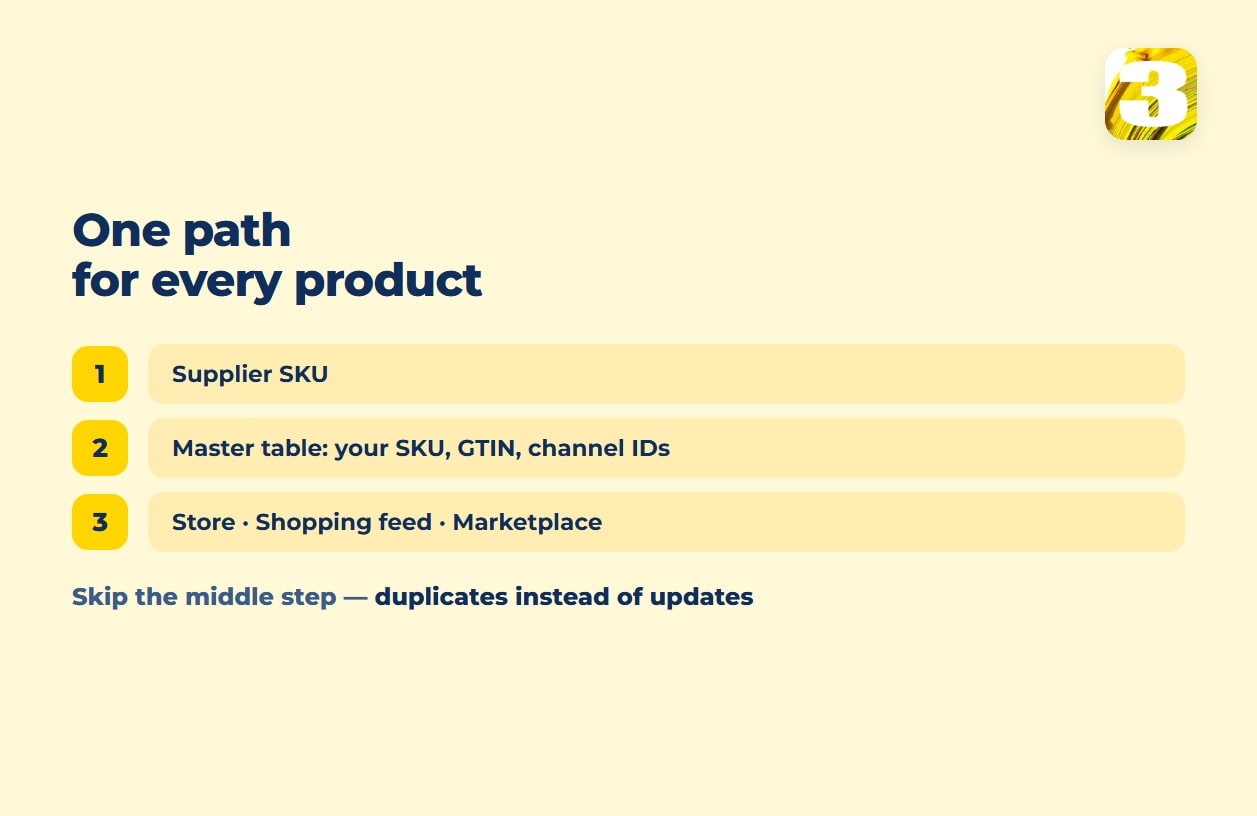
Every tool in this article shares one failure point. Your supplier calls a product AB-1140-BLK. You call it TS-BLK-M. A marketplace knows it by its own identifier, your accounting system by a fourth. Any import, sync, or PIM load is, underneath, an attempt to line those up. When the key doesn’t match, the tool does exactly what it was told: depending on the mode, it creates a duplicate next to the existing product or skips the row, and the old price stays live.
Platforms are explicit about this. WooCommerce’s product CSV importer states that “the importer uses product IDs or SKUs in the CSV to match existing products,” and rows that don’t match get skipped on update. Adobe Commerce (formerly Magento) matches on SKU and won’t change it: in Add/Update behavior, “all fields except sku can be updated,” and a SKU it doesn’t recognize becomes a new product. Multichannel tools work the same way: Zoho Inventory links channel items when the name or SKU matches what it already holds, and freezes the orders attached to items that don’t.
Above the SKU sits the GTIN — the identifier behind a barcode. GS1 describes itself as the only official provider of GS1 GTINs and UPC barcodes globally, and the rule that catches people is granularity: “each variation of each product you sell requires a unique GTIN.” GS1 US illustrates it with a t-shirt in three sizes and three colors — nine barcodes, not one. If your variants share one code, or your supplier’s file carries GTINs at the parent level only, marketplace uploads can be rejected.
So the deliverable that makes a catalog work isn’t a subscription. It’s a mapping table: your SKU, the supplier’s SKU, the GTIN, the identifier each channel uses. Build it once and every tool downstream — importer, plugin, sync app, PIM — has something to match on. Skip it and each fails in its own way — duplicates, skipped rows, frozen orders — from the same cause.
Product Catalog Management Beyond Your Own Store
Once product data leaves the store, the systems reading it hold stricter standards than your storefront does.
Shopping feeds. Merchant Center enforces field rules your storefront doesn’t — identifiers, availability, condition, image rules. A product that renders perfectly on your site can be absent from free listings. It helps to know how free Google product listings work before digging into why your product feed fields aren’t showing.
Marketplaces. Amazon’s bulk upload doesn’t accept your supplier’s file or your store’s export. It accepts its own template, with its own attribute names, and answers with a processing report. What the file has to contain and why uploads get rejected is walked through in our piece on Amazon flat files. GTIN exemptions there are a manual approval request, not a checkbox.
AI assistants. Some shoppers now ask an AI assistant, which answers from whatever product data it can read. Sparse attributes, inconsistent naming, and specs buried in an image all limit what an assistant can say accurately; more in AI search optimization.
None of the three requires a PIM. All three require the same thing: complete, consistent attributes with a stable identifier attached. That’s a data problem, and only sometimes a software problem.
What We Do Instead of Buying Catalog Management Software
For the catalogs we run, product data lives in a master table or database we control, gets cleaned there, and is loaded into the store or marketplace from there. Projects have run on WooCommerce, Magento, and marketplaces, including bulk uploads and stock synchronization, with more than 100,000 products uploaded across them. No PIM, because at that shape of catalog it adds a system without removing a step.
Where custom fields, a custom attribute model, or a purpose-built plugin genuinely are the answer, that’s a build rather than a subscription. E-commerce development is where that lives, and store build costs are broken down in what an ecommerce website costs.
Run the four questions on your own catalog. “One channel, a couple of suppliers, quarterly changes, a handful of fields”: keep your money. “Several channels, many suppliers, weekly files, dozens of fields”: the software conversation is worth having, but start it by building the mapping table, because that work happens either way. A catalog estimate from us is free: we look at what you sell and how your suppliers deliver data, then tell you which setup fits and what loading it costs.









