


Most guides to Amazon keyword research send you shopping for a paid tool that estimates which search terms drive traffic to a listing. There’s a faster route, and it costs nothing: Amazon already records the exact phrases shoppers typed before they found your product, added it to a cart, and bought it. The report is called Search Query Performance, it lives inside Amazon Brand Analytics, and most sellers who qualify for it never open it.
Third-party keyword tools reverse-engineer Amazon’s search index from the outside — they scrape listings, model rank positions, and infer volume from patterns they can observe. That’s useful for scouting new phrases to test. But for the words that already matter to your own product, Amazon hands you real numbers directly, measured on your own listing, with no modeling in between. That’s where Amazon keyword research should start.

What Brand Analytics Actually Shows You
Brand Analytics is free, but it isn’t open to everyone. You need a Professional selling account and the Brand Representative role on a brand enrolled in Brand Registry. If your brand qualifies, the reports are already sitting in Seller Central, unused, according to Amazon’s own Brand Analytics page.
Inside, you get six reports: Search Catalog Performance, Search Query Performance, Top Search Terms, Demographics, Market Basket Analysis, and Repeat Purchase Behavior.
Search Query Performance is the one that answers “where do keywords come from.” For each query shoppers actually used, it shows impressions, clicks, cart adds, and purchases — tied to your ASIN, not a competitor’s guess about your category. A third-party tool can tell you a phrase probably gets searched often. Brand Analytics tells you it got searched, how many people saw your listing for it, and how many of them bought. That’s the difference between an estimate and a measurement.
Where Keywords Actually Belong on the Listing
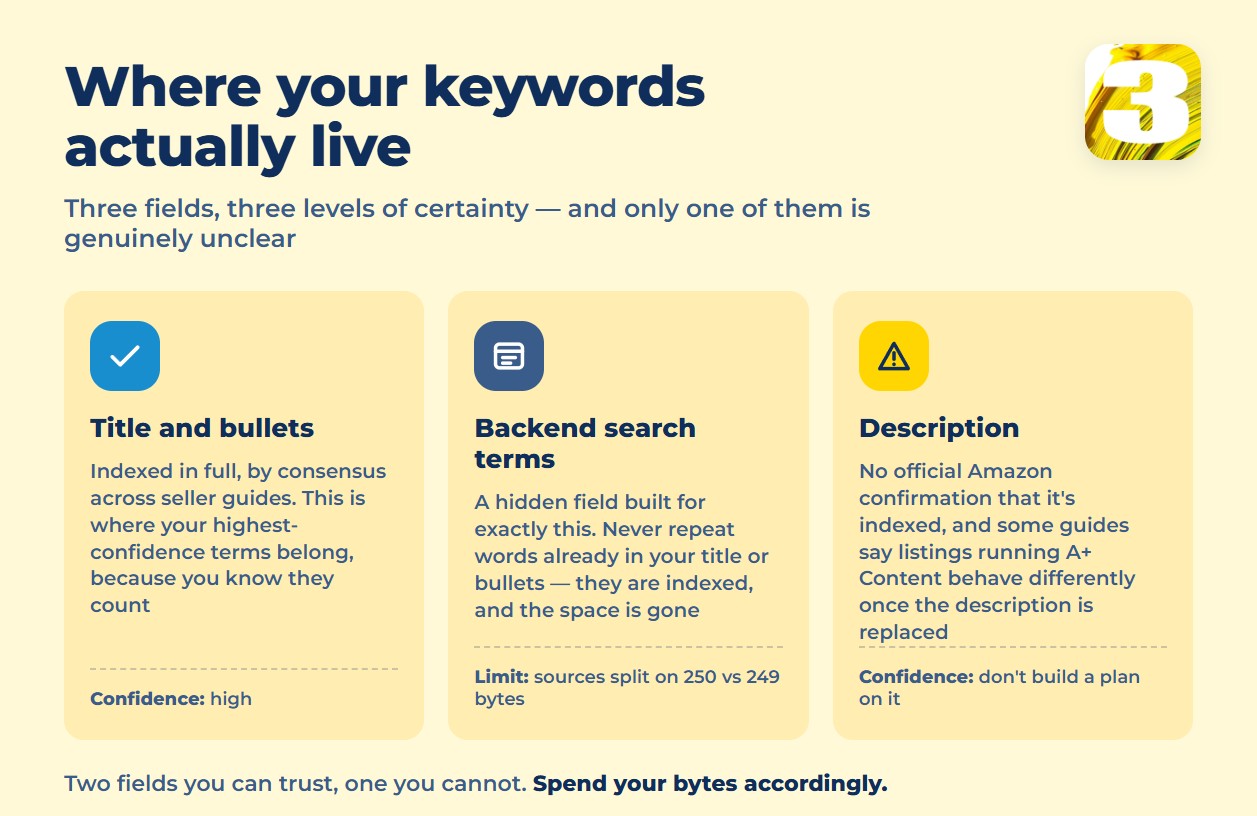
Finding the right terms only matters if they land somewhere Amazon’s search actually reads. By consensus among seller guides, title and bullet points are fully indexed — every word in them is searchable. Backend search terms are a hidden field built for exactly this purpose. The description is the one field nobody can agree on: some guides say it’s indexed the same way, others say listings running A+ Content behave differently once the description is replaced on the page. Amazon has not published a clear answer either way, so we’re not going to pretend one exists.
| Field | Indexed for search? |
| Title | Yes — consensus among seller guides |
| Bullet points | Yes — consensus among seller guides |
| Backend search terms | Yes — hidden field built for this |
| Description | Unclear — no official Amazon confirmation |
Practically, this means your highest-confidence terms go in the title and bullets first, because you know they count. Backend search terms are the overflow space for everything that’s true about the product but doesn’t read naturally as customer-facing copy.
Amazon Backend Search Terms: The Byte Limit Nobody Fully Agrees On
Backend search terms have a byte limit, and the exact number is one of the few places where the sources we checked don’t line up. The widely cited figure is 250 bytes, tracing back to an Amazon reference code (G23501). A smaller set of sources gives a practical limit of 249 bytes and claims that going over the cap doesn’t trim the field — it makes Amazon drop the whole thing from indexing, silently. For Latin characters, one character equals one byte, so the two numbers are effectively “250” and “one character less than that.”
We looked for Amazon’s own page on this and couldn’t reach it — the seller help center content is locked behind a Seller Central login, so we can’t confirm either number directly from Amazon. Given that a small miscount could cost you the entire field, the practical move is the same either way: don’t fill the box right up to the edge. Leave a byte or two of margin instead of counting exactly to 250 and hoping.
What Doesn’t Belong in Backend Search Terms
Space back there is limited and easy to waste. Guides agree these categories don’t earn their spot:
- Competitor brand names — not allowed, and irrelevant to your own product anyway
- Subjective claims — “best,” “cheapest,” and similar words Amazon’s own A+ Content policy also bans for being unverifiable
- ASINs — not search terms shoppers type
- Stop words — a, an, and, by, for, of, the, with
- Time-bound or promotional language — “new,” “on sale now,” “limited time”
- Anything already in your title or bullets — those words are already indexed there; repeating them in the backend field burns bytes without adding coverage
That last point trips up more listings than any of the others. If a term is already sitting in the title, putting it in backend search terms too doesn’t double its weight — it just leaves less room for a term Amazon hasn’t seen from you yet. We covered how title and bullet structure fit into the bigger listing picture in Amazon listings: 7 rules that actually boost your visibility; this piece is specifically about where the terms themselves come from.
Why This Also Shapes What You Pay for Ads
The same terms that pull organic traffic define which searches your ads can realistically compete on. If your listing isn’t actually relevant to a keyword — nothing in the title, bullets, or backend supports it — an ad running on that term collects clicks that don’t convert. Those clicks still cost money, and they push your cost of sales up without adding sales to offset it. Search Query Performance data, pulled straight from your own listing’s real search traffic, is a more reliable starting point for an ad keyword list than a volume estimate from outside Amazon’s system. We break down how that spend-to-sales math actually works in Amazon Advertising Cost of Sales (ACoS), explained.
Getting keyword placement right across title, bullets, and backend search terms — and pulling from Amazon’s own query data instead of a third-party estimate — is exactly the kind of listing work our team handles for brands who’d rather not learn Seller Central’s quirks the hard way.









