
Schema markup is code added to a page that tells Google, in a format it can parse directly, what the page is about — a business, a product, a review, an event. It does not raise rankings. What it changes is what Google is able to show for a page it already understands: a business card in the Knowledge Panel, a listing on Maps, richer text in a result. For a local business, the type that matters most is a single one — LocalBusiness — and getting it right is a smaller job than most guides make it look.
Schema Markup for SEO: What Google Uses and What It Ignores
Schema.org defines hundreds of data types, but Google only turns a small, closed set of them into a different-looking search result. Its gallery of search result types lists about 25 of them — local business among them, alongside products, events, and job postings. Mark up a type outside that list correctly, and Google reads it, but nothing on the results page changes. This matters because a lot of advice online treats “add more schema” as a free win. It isn’t free, and it isn’t automatic.
A specific version of that myth is worth naming directly: adding a rating to your own page does not produce star ratings in search. Google’s rules for review snippets do not treat a self-declared aggregateRating with no reviews behind it as something to surface, and reading it as a shortcut to stars is one of the most persistent misunderstandings of this topic.
Schema Markup Doesn’t Move Rankings — It Changes the Result
This is worth stating plainly, because it’s the point most schema guides bury. Google’s documentation for local business markup says:
Google does not guarantee that features that consume structured data will show up in search results.
A separate page, covering structured data rules generally, says something close but distinct:
Google does not guarantee that your structured data will show up in search results, even if your page is marked up correctly.
Two different pages, two different sentences, one message: marking up a page is a request, not a purchase. What schema markup for SEO actually buys you is a page Google can describe accurately and, in the cases on that closed list, a richer way to describe it. It is not a lever on position.

Local Business Schema: What to Include
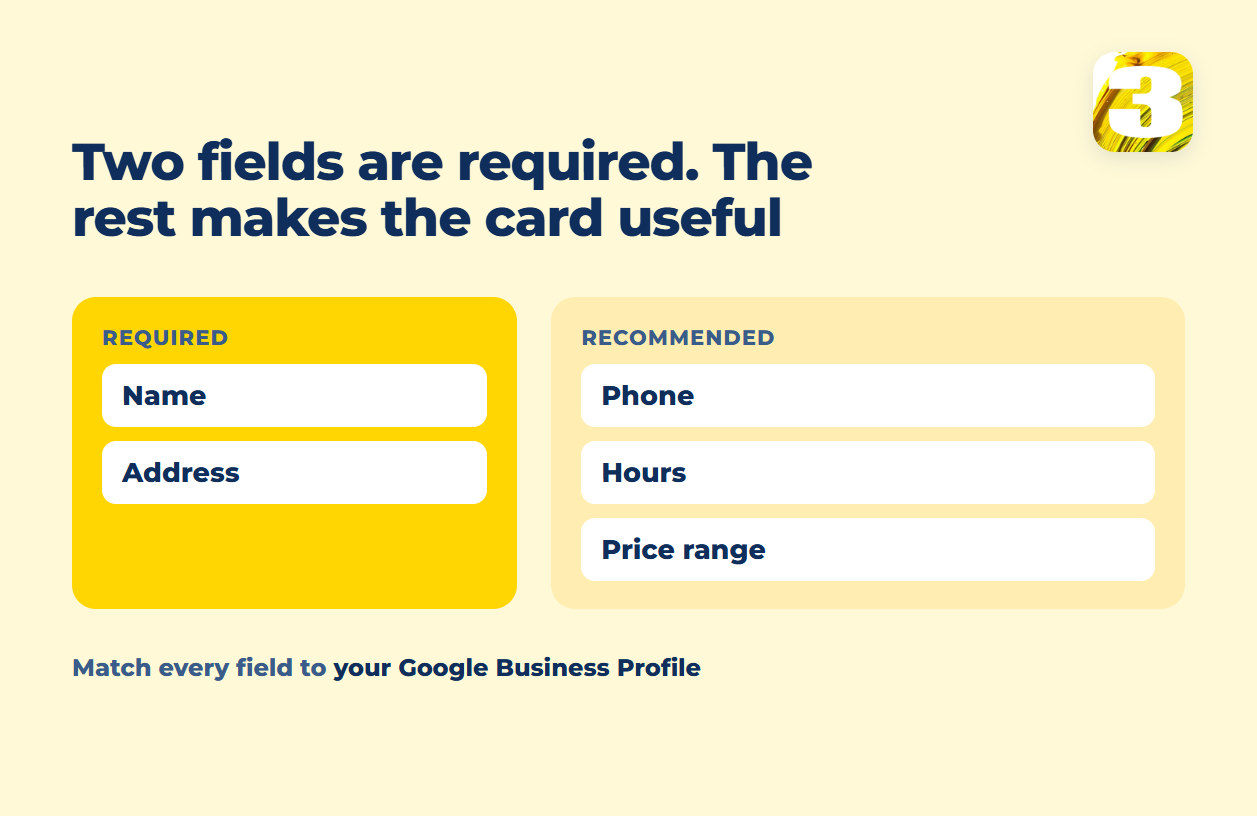
For a local business specifically, the structured data worth writing comes down to a handful of fields:
| Field | Status | What it does |
name | Required | The business name, matched to how it appears everywhere else |
address | Required | Street address, city, region, postal code |
telephone | Recommended | The number customers actually call |
openingHoursSpecification | Recommended | Hours, including exceptions |
priceRange | Recommended | A general indicator, not a full price list |
geo | Recommended | Latitude and longitude, for map placement |
url | Recommended | The canonical page for that business or location |
Every recommended field is optional in the sense that the page still validates without it. It is not optional in the sense of usefulness — a LocalBusiness entry with only a name and an address gives Google far less to work with on Maps and in the Knowledge Panel than one with hours and a phone number attached.
The Part Most Guides Skip: It Has to Match Your Google Business Profile
This is the piece that separates a correct implementation from a working one. The name, address, phone number, and hours in your schema markup and the same fields in your Google Business Profile need to say the same thing. Not similar — the same. If the profile lists a suite number the website drops, or the hours on the page haven’t been updated since a holiday schedule changed, the markup and the profile now disagree about basic facts of the business. Google doesn’t resolve that disagreement in your favor; it just has two sources that contradict each other. Getting this alignment right is covered in more detail in the profile setup itself, and the same consistency question extends to every directory the business appears in — see what NAP consistency means in practice.
A Minimal, Readable Example
This is deliberately small. A working LocalBusiness block does not need every optional field to be valid — it needs the required ones correct and a few recommended ones filled in honestly.
{
  "@context": "https://schema.org",
  "@type": "LocalBusiness",
  "name": "Riverside Hardware",
  "address": {
    "@type": "PostalAddress",
    "streetAddress": "48 Main Street",
    "addressLocality": "Springfield",
    "addressRegion": "IL",
    "postalCode": "62701"
  },
  "telephone": "+1-217-555-0148",
  "url": "https://example.com",
  "openingHoursSpecification": {
    "@type": "OpeningHoursSpecification",
    "dayOfWeek": ["Monday", "Tuesday", "Wednesday", "Thursday", "Friday"],
    "opens": "09:00",
    "closes": "17:00"
  }
}
That block goes inside a <script type="application/ld+json"> tag in the page’s <head> — without the wrapper it is text on the page and Google reads nothing. Swap in the real business details, then confirm them against the address and hours on the Google Business Profile before publishing either one.
Where This Fits Next to AI Search
The same structured, machine-readable description that helps Google’s search results also helps the newer wave of AI answers describe a business correctly instead of guessing from unstructured page text — a factor covered separately in how AI search actually reads a site. It’s the same underlying idea: a clearly labeled fact is easier for a machine to reuse than a sentence buried in a paragraph.
Checking the Work
After the markup is live, run the page through Google’s Rich Results Test — it will confirm the code parses and show which result types Google recognizes for that page, without promising that any of them will appear. A page can pass that test cleanly and still show up as a plain blue link; that’s the guarantee Google itself declines to make, not a sign the markup was wasted. If the page also has broader visibility gaps, that’s worth checking against a general audit first — see a technical SEO audit — because schema is one line item on that list, not a substitute for the rest of it.
Building the site is often where this gets skipped entirely — a template built without local business fields in mind rarely gets schema added later. That’s part of what a proper build includes by default rather than as an add-on. For a business built around local search specifically, this sits inside local SEO work as one piece of a larger setup, alongside the Google Business Profile and the map pack itself.
Run your own page through the Rich Results Test first and see what Google recognizes. If it comes back empty, or if the fields are there but none of them match your Google Business Profile, send us the address and we will tell you which of the two is wrong.