

If you’ve been looking into AI for contractors, somebody is probably pitching you a tool right now — an app that turns a floor plan into a bid, a camera that writes your site report for you, a bot that answers the phone while you’re on a roof. Some of that is worth paying for. Some of it is solving a problem you don’t actually have, because the real problem isn’t a missing app. It’s where your job data lives before any tool touches it.
For the wider version of that question — which everyday tasks are worth an AI tool, which are cheaper left to a rule, and which still need a person — see our piece on where AI tools actually save time, which runs the same test across common small-business tasks, not just contracting.
What One Contractor’s Job Data Looked Like Before Any AI Tool
A construction contractor running roughly 100 active projects across a territory stretching about 100 km (60 miles) north to south and 500 km (310 miles) east to west used to keep every job on paper. Finding the one he needed meant spreading the printouts across the garage floor.
That wasn’t a speed problem you could fix by typing faster. It was a structure problem: each printout holds plenty of detail, but no printout shows you all hundred jobs at once, sorted by where they are or what state they’re in. The bottleneck was the paper, not a lack of intelligence applied to it. Even a tool that could read every sheet would still have left a hundred separate sheets — nothing that shows all the jobs at once by location and status.
The fix was turning each job into a record with an address, a status, and a client attached — then putting all of those records on a map. Each project shows as a point positioned by its real address; the shape and color of the point carry the status, so the state of the whole operation is visible without opening a single file. Filters narrow the map by status. Clicking a point opens the project card, and one click goes to the client record, and from there to that client’s contracts. Every date on a project card syncs to Google Calendar — the contractor’s own calendar and the crews’ — so a schedule change shows up on the calendar everyone already checks each morning.
This kind of work — job records, a map, calendar sync — is what our workflow automation services cover, priced by the sprint. For the full walkthrough of the map, the filters, and the client and contract linking, see the full contractor map project. And if you’re weighing whether to build tracking like this or buy an off-the-shelf platform, that’s a separate decision covered in our build-or-buy look at construction project tracking software.

AI Tools for Contractors: What Each One Needs First
Once your jobs live as records instead of printouts, every tool below has somewhere to put its output — a report lands on the right project, a call becomes a note on the right client. Here’s how the common pitches break down.
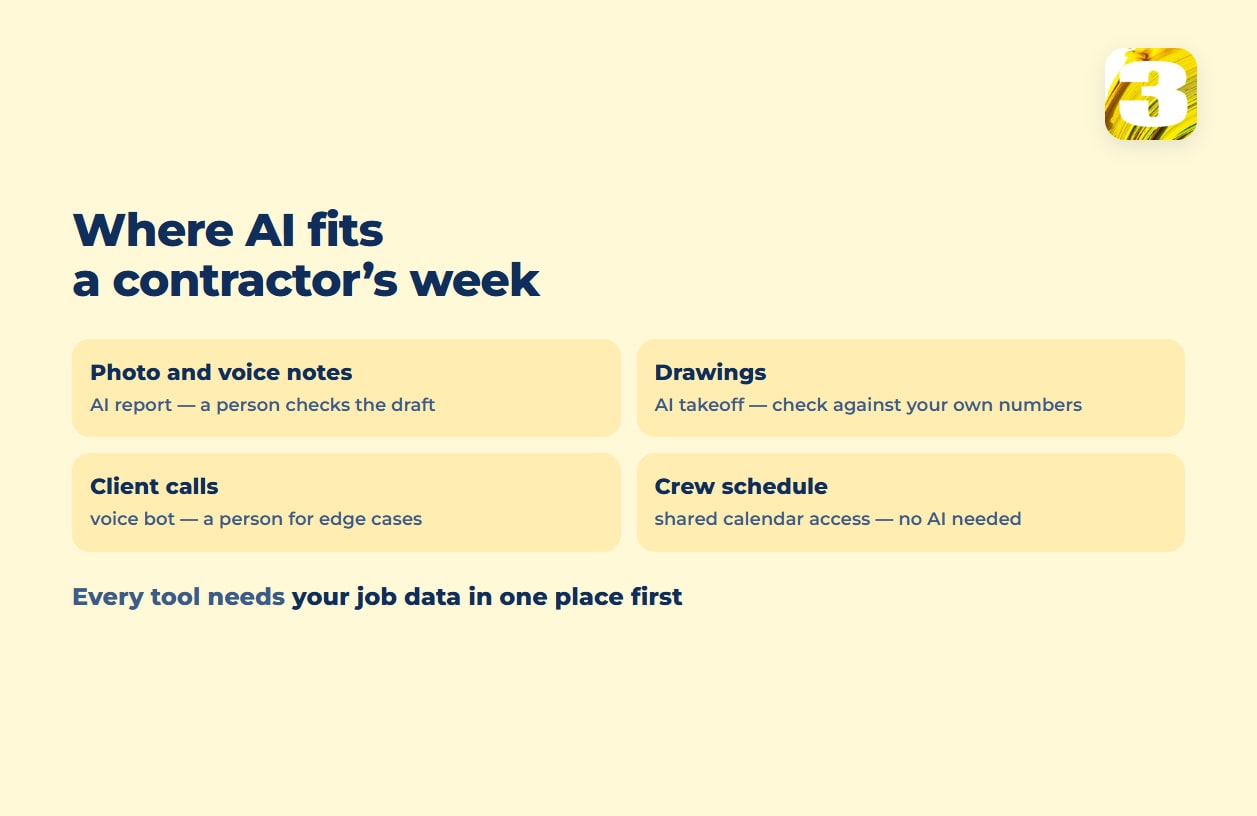
Photo and voice notes turned into reports. Tools like CompanyCam let a crew snap job-site photos or leave a voice note, and AI turns that into a written report. CompanyCam’s paid plans each include AI credits for this — 20 on Core, 100 on Crew, unlimited on Scale and Enterprise. Billed annually, the pricing page lists Core at $63 a month for one user, and Crew at $129 and Scale at $199 for three users each; paying month to month costs more. This is a genuine AI-for-unstructured-input case: a photo and a voice note aren’t in any field yet, so something has to read them before a report can exist. Someone still has to glance at the output before it goes to a client — AI drafts, it doesn’t sign off. Needs first: every photo tied to a project record. The same reading-versus-moving question, on the paperwork side, is covered in our piece on automating data entry.
Estimates and takeoffs from drawings. Togal.AI markets “98% accuracy on floor plans” for turning a set of drawings into a quantity takeoff. That’s the vendor’s own figure for floor plans; how it holds up on your drawing sets is something only your own check will show. Before you trust a takeoff number in a bid, run it against your own measurements on a job you already know cold. A tool that reads plans is worth having; a tool you haven’t checked against your own numbers isn’t one to price a bid on. Needs first: a past job you’ve measured yourself to test against.
Calls from clients. We’ve built a voice bot that answers incoming calls, and a bot that picks up while you’re mid-pour is a real option — but the tradeoffs, from cost to how it handles the calls that need a human, are their own subject. Where after-hours calls actually go covers the pricing and the limits. Needs first: a client record the call can be logged to.
Crew scheduling. This one usually doesn’t need AI at all. In the project above, a date set on a project card lands on the owner’s and the crews’ Google Calendars. Moving a known date into a known calendar is rule work: nothing has to be read or interpreted first, so there’s no per-use AI charge to plan for. What it does need is the right access: Google Calendar’s sharing settings let you give a crew lead edit rights on a shared calendar. Needs first: dates kept in one place.
What Fixing Your Job Data Costs
Automation work like this is priced by the sprint: $800 for a Starter sprint, $1,500 for Growth, and larger scopes priced by volume. What a given system comes to depends on its scope, and the price is fixed before work starts. There’s no subscription to a platform on top of that price and no per-seat fee. Where an AI step is involved, such as reading a photo, extracting data, or answering a call, who covers the per-use AI cost depends on the project, so it’s worth asking about before the sprint starts rather than assuming it’s bundled in.
The question to ask before buying any AI tool pitched to a contractor isn’t only “how accurate is it.” It’s “what does this tool need to already be true about my data before it can do anything useful” — and for most contractors still working off paper or scattered spreadsheets, that’s the part worth fixing first.