

“AI workflow automation” gets talked about as if it were one thing, but a workflow is a chain of small decisions, and each one has a cheapest way to make it. Some steps are already structured enough that a plain rule handles them with no model to pay for, however often they run. Some arrive as a pile of unstructured text or a phone call and need something that can read and judge — that’s where an AI step earns its cost. And some are rare enough, or expensive enough to get wrong, that a person should stay in the loop no matter how good the tooling gets. The same split for everyday tasks in general is in our piece on where AI tools actually save time; this piece walks through it for one workflow, step by step.
Mapping an AI Workflow: Six Steps, Three Possible Owners
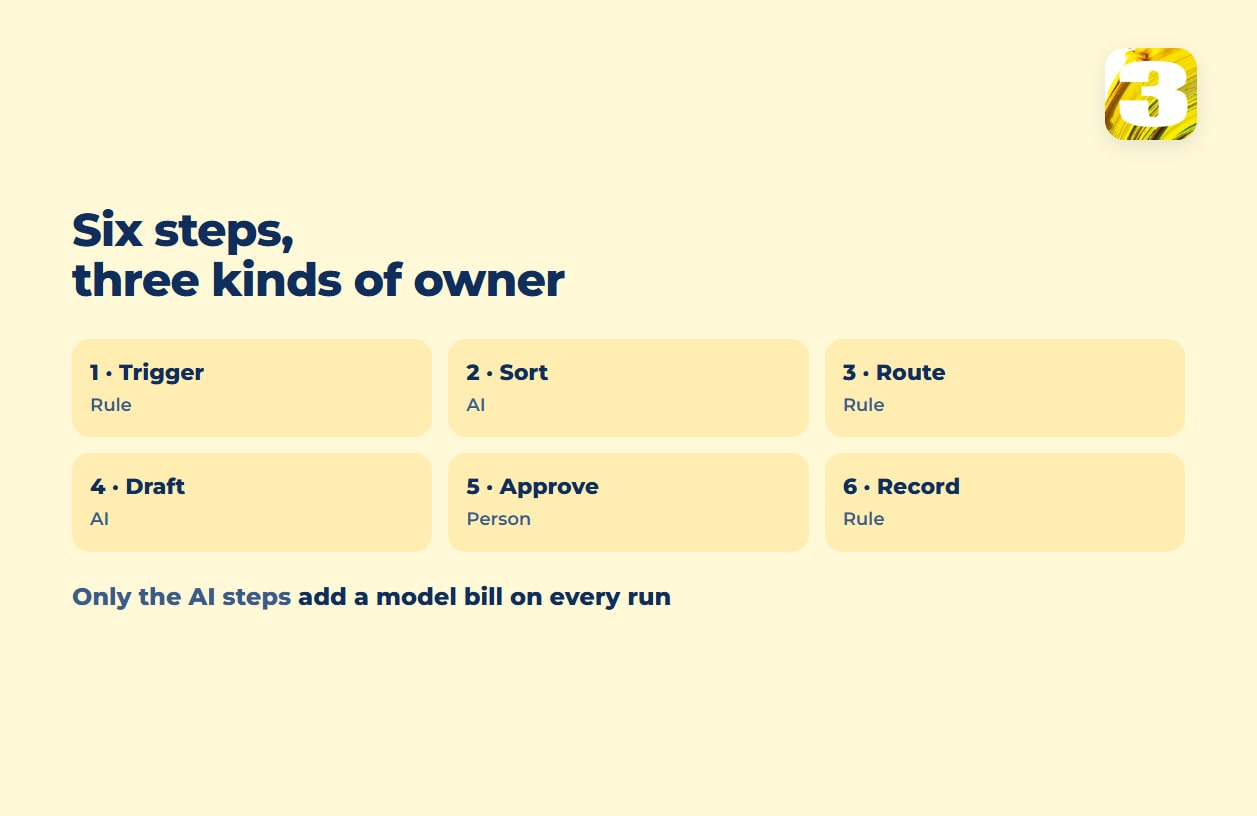
Most workflows people mean when they say “AI workflow automation” break into the same six moves, whether the trigger is an email, a form, or a call. Here’s who should own each one, and why.
| Step | What happens | Best owner | Why |
| Trigger | A new email, form submission, or webhook arrives | Rule | The event is already structured — a connector fires without needing to judge anything |
| Sort | Decide what kind of item this is (quote request, complaint, spam, invoice) | AI | The category isn’t sitting in a field yet; it has to be read out of free text |
| Route | Send it to the right queue, inbox, or person | Rule | Once sorted, routing is a lookup, not a decision |
| Draft | Write a first-pass reply, summary, or record | AI | Like sorting, it depends on reading meaning out of free text — and then writing from it |
| Approve | A person reads the draft before anything goes out or gets written | Person | This step decides whether the rest of the chain is safe to run — more on that below |
| Record | Save the approved outcome to the CRM, sheet, or ticket system | Rule | Once approved, writing a known value into a known field doesn’t need judgment |
Notice the pattern: rule steps sit on either side of the chain, where the data is already structured. AI sits in the middle, where it isn’t yet. That middle section is also the only part of the chain that adds a model bill on every run.

The Cost Side of AI Workflow Automation
A rule step and an AI step look identical in a workflow diagram — one box, one arrow — but they don’t cost the same to operate. A rule runs on the platform’s own logic: on a task-priced platform it can still count toward your plan, and on a self-hosted setup it adds nothing per run — but either way, no model is billed. An AI step calls a language model, and every call is billed by usage, on top of whatever the platform itself charges. Run it a thousand times and you’re billed a thousand times.
How much that comes to depends heavily on which model answers the call, and the gap between a smaller model and a larger one from the same vendor isn’t small. On OpenAI’s API pricing, gpt-5-mini runs $0.25 per million input tokens and $2.00 per million output tokens; gpt-5 runs $1.25 and $10.00 — five times as much on both sides. Anthropic’s pricing shows the same spread: Haiku 4.5 is $1 and $5 per million tokens, Opus 5 is $5 and $25.
Neither figure tells you what sorting one email costs, because that depends on how much text goes in and comes out. What the figures do tell you is that picking a model tier for a workflow step isn’t a rounding error — it’s a real fork in what the same step costs to run at volume, and it’s worth checking which tier a platform defaults to before it runs unattended all day. The practical way to price your own step is to run it on a batch of real items during testing, read the token counts in the provider’s usage dashboard, and multiply by how many items arrive in a month.
Zapier’s documentation makes that default visible. AI by Zapier prices its AI steps by model tier — Standard at 1x, Advanced at 3x, Premium at 5x, with Premium as the default for new steps on paid plans. Zapier states the formula plainly: “Tasks used per run = (1 × model rate) + (number of tool calls × model rate).” By that formula, a Premium-tier step that makes two tool calls comes to 15 tasks for one run, not one — and if a single run reaches 75 tasks, Zapier pauses the step and asks you to approve it before continuing. Other platforms count in different units, but the drivers are similar: which model tier the step uses, how many calls it makes per run, and how many times the workflow fires.
Where the Approval Step Belongs
The approve step in the table above is the one that decides whether the rest of the chain is safe to build at all. An AI step can sort a message and draft a reply. Whether it should also be allowed to send that reply, or write straight into a system of record without a person looking first, is a different question — the line drawn in where a chatbot ends and an AI agent begins.
A working rule of thumb: the more expensive a mistake is to undo, the closer that step should sit to a person. Routing a message to the wrong queue is a two-second fix. Sending a wrong reply to a customer, or writing a wrong number into a ledger, is not. Put the person where the error is expensive — not on every step, and not on none of them.
There’s also a failure mode worth planning for: an AI step that drafts from missing or outdated information often doesn’t hedge — it drafts confidently and wrongly. We’ve written about that failure in the context of chatbots, and the same logic applies to any AI step feeding on a knowledge base that’s gone stale. It’s the practical argument for keeping a person on approval for anything customer-facing, at least until a draft step has a track record worth trusting.
Building This Workflow as a Fixed-Price Sprint
We build workflows shaped like the one above — trigger, sort, route, draft, approve, record — as a fixed-price sprint: $800 for a Starter scope, $1,500 for Growth, and larger scopes priced by volume. There’s no subscription to a platform layered on top and no per-seat fee.
Where an AI step lands in that scope, and who pays for what the model calls cost to run, depends on the project. It’s worth asking about before the sprint starts. Our services page covers AI steps inside a fixed-price automation sprint.
We’ve built AI steps into client workflows, including a voice bot that answers incoming calls. How AI pulls data out of emails and PDFs at the entry point of a chain like this is covered in our piece on automating data entry.
If you’re weighing what a platform like Zapier, Make, or n8n would bill to run the same six steps, our breakdown of workflow automation pricing covers that ground. And if you’re not yet sure a given task counts as a process worth automating, what business process automation covers is the place to check before you scope anything.