
Every guide to conversion rate optimization opens the same way: measure your baseline, then start testing. That advice assumes something that often isn’t true — that every visitor who tries to contact you is actually being counted. If you’re getting traffic and not enough leads, the first question isn’t “what’s my conversion rate.” It’s “does my site even record every way someone can convert.” Answer that one first, because the fix for a page nobody notices and the fix for a page that isn’t measuring its own visitors are not the same job, and they don’t cost the same either.
This is written for the second half of that question — the owner who has traffic and wants to know where the leak is, not the reader who wants a textbook definition. We’ll give the definition in one paragraph and move on.
What Conversion Rate Optimization Actually Means
Conversion rate optimization is the practice of increasing the share of visitors who complete an action you’ve defined as valuable — a form submission, a call, a purchase — without paying for more visitors to do it. That definition is Google’s own: a conversion is what happens “when a customer does something you’ve defined as valuable.” Note the words doing the work in that sentence — you’ve defined. Analytics won’t decide it for you, and in GA4 the same idea now goes by a different name, a key event, which is worth knowing before two reports appear to disagree with each other. The formula is one line: conversion rate equals conversions divided by visits, times 100. That’s the entire math. Everything past that line is about which actions get counted as a conversion, how reliably they’re recorded, and which fix actually moves the number. Most of what’s published under “CRO” skips straight to a list of tactics and assumes the counting part is already solved. It usually isn’t.

The First Step in Website Conversion Rate Optimization Nobody Mentions
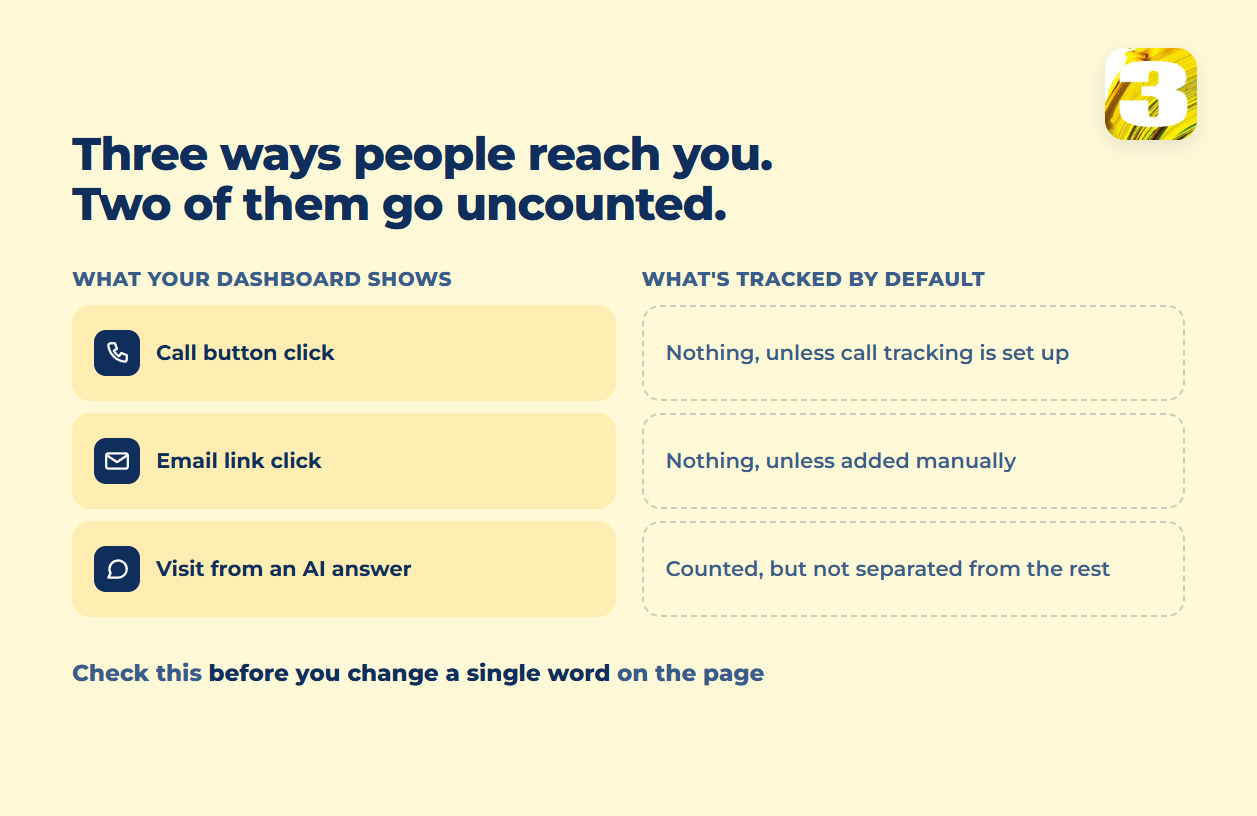
Here’s what nobody checks before recommending a new headline or a shorter form: whether the site is actually capturing every path a visitor uses to reach out.
Google Analytics 4 has a list of events it collects automatically the moment you install it — page views, scroll depth, outbound clicks, video engagement, file downloads, form starts and submits. Clicks on a phone number link (tel:) and clicks on an email link (mailto:) are not on that list. If someone taps your number from their phone and calls you, GA4 has no built-in record that it happened. It has to be added manually through Google Tag Manager — which makes it one of the first things worth checking on a site that looks like it isn’t converting.
Google Ads has its own version of the same gap. When someone clicks a call extension or a click-to-call button in an ad, Google Ads logs that as a click. It is not automatically logged as a conversion, and it definitely isn’t logged as a qualified conversation — that requires setting up call conversion tracking with a forwarding number and a minimum call duration. Skip that setup and the ad account reports a click where a five-minute phone call actually happened. The campaign looks like it isn’t converting. The phone was ringing the entire time.
There’s a newer version of the same blind spot showing up in how people search now. When a visitor reads about your service inside an AI-generated answer and clicks through, that click does land in Search Console’s performance report — but it lands mixed in with everything else. What you can’t easily do is separate it out and say “this is what showing up in AI answers is worth to us.” The visit is visible; its origin isn’t.
We built our own lead-tracking plugin partly because of this — it logs an inquiry as an inquiry, a call, a form fill, a message, regardless of what the ad platform or GA4 decided to label it. It’s how we can see inquiries that arrived from an AI assistant, which the standard reports don’t separate out at all.
None of this is a reason to distrust your numbers. It’s a reason to check what they include before you decide the traffic is the problem. If you already know your tag is firing but reporting the wrong thing, that’s a technical fix, and it’s covered start to finish in Google Ads conversion tracking broken — GTM setup, enhanced conversions, the mechanics of getting the tag right. What we’re describing here is one level up: deciding what counts as a conversion in the first place, before you touch the tag.
How to Check This in Fifteen Minutes
You don’t need an audit to find out whether your site is counting properly. You need a phone and your own inbox.
- Call your own number from the page, on a phone. Then open the realtime report in GA4 and look for the event. Nothing there means the event isn’t firing — check that an internal-traffic filter isn’t excluding you, then try again from a different connection before concluding anything.
- Submit your own contact form. Confirm two separate things: the email arrived, and an event was recorded. Either one can work while the other silently doesn’t.
- Count last month’s inquiries against last month’s recorded conversions. Emails, calls you remember, messages in whatever chat tool you use — against the number in the report, counting only what actually came through the site. If the report is lower, you’ve found a gap, and it isn’t the headline.
- Ask where a lead goes when someone skips the form entirely. In the sites we audit there’s usually at least one path — a phone number in the footer, an address on the contact page — that no report is watching.
The first three take about fifteen minutes between them. If they come back clean, nothing obvious is missing and the problem probably is on the page. Now the rest of this is worth doing.
Sorting the Work: What Each Fix Actually Costs
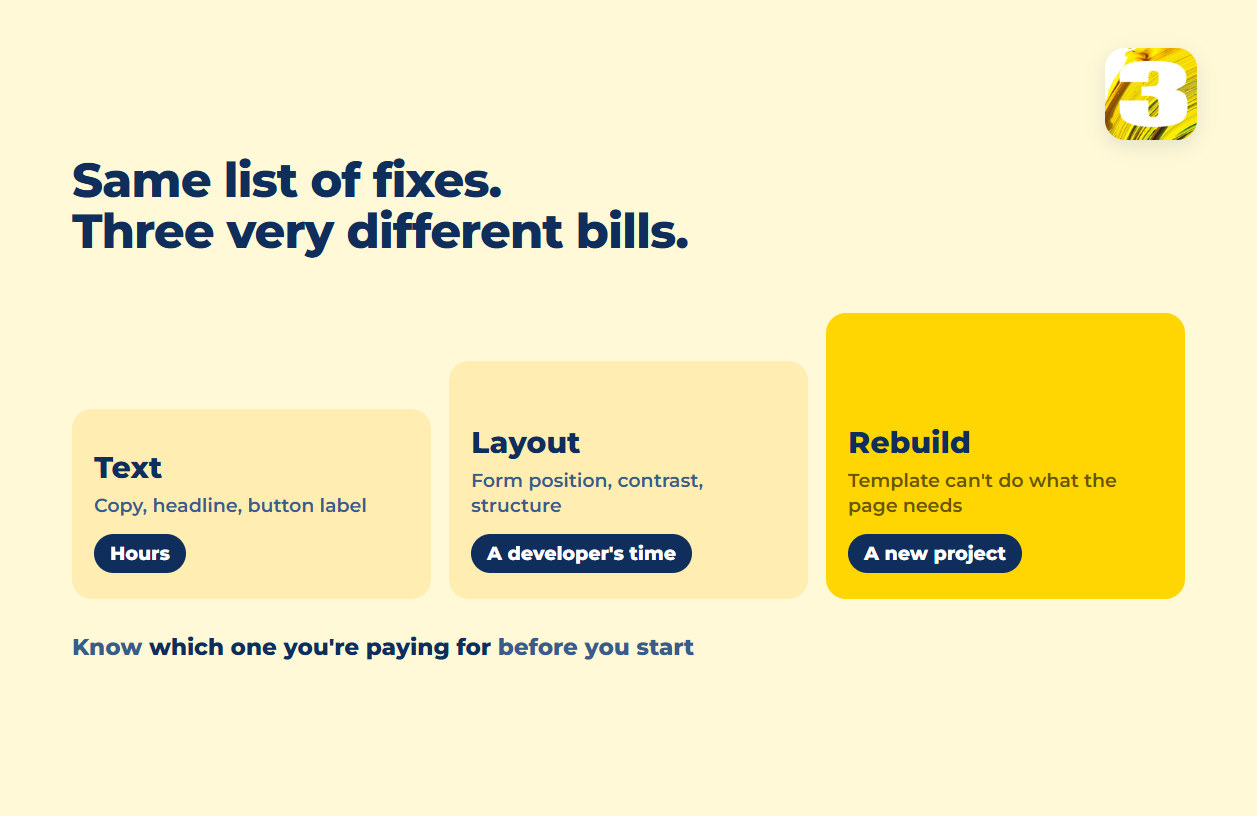
Once you know your reporting is honest, the next question is what to fix and in what order. Most published advice treats every fix as equally available — swap this headline, shorten this form, add this trust badge — which is convenient for anyone selling a tool that can make all three. We build the sites, so we see the other side of it: some fixes are a sentence, some are a layout change, and some are not a fix at all — they’re a sign the page needs to be rebuilt. Sorting a punch list into those three buckets before you start tells you what the work is actually going to cost.
| Bucket | What it touches | Who does it | What it costs |
| Text | Headline, button label, form fields you don’t need | A copywriter | Hours |
| Layout | Where the form sits, contrast, a clickable phone number, competing calls to action | A developer | A short project |
| Rebuild | A template that was never built around a single action | The people who build sites | A new build |
Text-Level Fixes: A Copywriting Pass
These are changes to words, not structure: the headline doesn’t say what the offer is, the button says “Submit” instead of what happens next, the form asks for information that isn’t needed to respond to the lead. None of this touches code. It’s a copywriting pass, and it’s the cheapest category on the list — which is also why it’s tempting to stop here and call it done, even when the real problem is one layer down.
Layout-Level Fixes That Take a Developer
These need someone who can rearrange the page: the form is buried below three unrelated sections, the phone number isn’t clickable on mobile, the call-to-action competes with a slider for attention. Interface problems are their own category — different symptoms, different fix — and we’ve laid them out one by one in 7 UI errors that quietly kill your conversions rather than repeating the list here. What matters for sequencing is that these are settings and layout changes on an existing page, not a new page.
If you’re not sure the page has the right pieces in the right places to begin with, the anatomy of a high-performing landing page is worth checking against before you start moving things around, and whether the page should be one screen or several steps decides how many fields you’re allowed to ask for before people leave.
There’s also a question worth asking before either category above: is the traffic even landing on a page built to convert, or on the homepage, which is trying to do six jobs at once? The difference between a homepage and a landing page is a text-and-layout fix in the sense that it might just mean pointing the ad at a different URL, not rebuilding anything.
Page speed sits in this bucket too, more often than people expect — a slow first screen is a conversion problem before it’s a technical one, and it’s covered in full in Core Web Vitals explained.
Rebuild-Level Fixes: When Optimization Stops Being the Answer
This is the category nobody selling a testing tool wants to name, because their product can’t fix it. If the page structure itself works against the goal — a builder template that was never designed around a single action, a form embedded inside a system that can’t be reordered, a checkout flow with steps baked into the platform — no amount of copy editing or button-color testing closes that gap. The honest answer at that point is that optimization has hit its ceiling, and the next step is a rebuild, not another round of tweaks.
What a Good Website Conversion Rate Actually Looks Like
If you came here wanting one number to compare yourself against, the honest answer is that there isn’t a single trustworthy one. Search for it and you’ll find several widely cited averages that don’t agree with each other — two of the most quoted, both published in 2026, differ by nearly a factor of two, for reasons that have nothing to do with how well any of those sites convert. Different sources count different things — some tools count sessions, others count people; some report figures for one country, some report global averages built on a different platform’s customer base; some are a year or more old by the time they’re still being quoted as current. Why several reputable-looking sources can each publish a different average conversion rate for the same industry, and what that means for comparing your own number to any of them, is worth understanding before you treat a benchmark as a verdict — that gap is unpacked in why published conversion benchmarks disagree. The short version for now: your own number, tracked consistently against your own last quarter, tells you more than any published average ever will.

Where the Blind Spots Hide: Heat Maps, Stores, and Hiring Help
A heatmap will show you where people clicked and how far they scrolled. It will not show you which of those sessions ended in a lead, because click tracking and lead tracking are separate systems and nothing connects them by default — what a heatmap can and can’t tell you, and which conclusions it doesn’t support, is covered in what a heatmap actually shows. If you run a store rather than a lead-generation site, the same “measure the whole thing as one number” mistake shows up differently: a single conversion rate hides a funnel that breaks apart by step — product page, cart, checkout, payment — and a fix that works on one step can be invisible or even harmful on the next. That funnel-by-step approach, along with which fixes a given e-commerce platform will and won’t let you make, is covered in where shoppers actually leave a store.
And if the conclusion after all of this is that you’d rather have someone else do the diagnosis and the fix, the questions worth asking before you sign anything — how they define a conversion, who owns the data when you leave, whether they hand you a report or actually make the changes — are laid out in how to choose a conversion agency.
How We Handle Conversion Work
We manage advertising accounts across industries that don’t have much in common on the surface — law firms, a medical clinic, a fencing manufacturer, an event company — which is useful here for one reason: broken conversion tracking doesn’t look the same twice. The mechanisms are ordinary and they repeat: a phone number that was never wired into GA4, a booking widget that fires its own confirmation event instead of the one Analytics is listening for, a form that posts to an email address and nothing else. None of them look broken from the front end. All of them produce the same symptom — traffic that appears not to convert. We hold Google Partner and Meta Certified status on the advertising side, which is the part of this that gets audited by someone other than us.
The lead-tracking plugin mentioned earlier runs across these accounts specifically to close the gap described above — logging an inquiry as an inquiry rather than trusting a single platform’s definition of what counts. It’s not a substitute for GA4 or Google Ads; it’s a second set of eyes on the accounts where the built-in reporting has a known blind spot.
We also build the sites we’re optimizing, which changes the practical answer to “who fixes this.” A text change and a layout change are handled directly, on the same site, by the same people who wrote the copy and built the template — not handed off as a recommendation in a report for someone else to implement. It’s the same work described on our website development page, applied to a site that already exists rather than one being built from scratch.
If your traffic looks fine and your leads don’t match it, start with the counting question before you start rewriting the page. Send us the URL, and we’ll tell you which bucket your fixes fall into — and whether the leak is on the page or in how it’s being measured.